Key takeaways
- Looking for a mini gaming mouse that fits small hands? Compare four compact, lightweight picks with the sensors, weights, and shapes for tight desks.
A full-size gaming mouse can feel like holding a brick when your hands are small. Your fingers stretch to reach the side buttons, your palm never sits flat, and long sessions leave your wrist aching. A mini gaming mouse fixes that by shrinking the body to match smaller hands, usually to less than 120 mm long and under 70 g in weight, while keeping the sensor, switches, and buttons of a proper gaming mouse.


The four mice below all meet that brief. Each one is a compact, lightweight gaming mouse with a sensor and switch set built for competitive play, and each one suits a different kind of player, from the wired ultralight fan to the traveler who wants months of battery life. Use the quick picks to narrow the field, then read the section that matches your grip and your games.
Quick Picks
Our Short List of 3
- Best for: Players who want the lightest wired mini mouse for FPS and MOBA games.
- Sensor: Pixart 3360 optical, up to 12,000 DPI
- Weight: 58 g
- Buttons: 6 programmable buttons
- Switches: Omron switches
- Best for: Travel, laptop gaming, and players who want wireless freedom in a mini body.
- Sensor: Razer 5G Advanced optical, up to 18,000 DPI
- Weight: Under 60 g (excluding battery)
- Battery life: Up to 950 hours on Bluetooth, up to 425 hours on HyperSpeed Wireless
- Buttons: 6 programmable buttons

- Best for: A first mini gaming mouse, MOBA and everyday play, and players who want bright RGB lighting.
- Sensor: 8,000 DPI gaming-grade sensor (200-8,000 DPI)
- Buttons: 6 programmable buttons
- Lighting: LIGHTSYNC RGB, 16.8 million colors
- Memory: On-board memory
All 3 Picks at a Glance
| Product | Specs | Action |
|---|---|---|
| 2. GLORIOUS Model O- (Minus) |
| Check price on Amazon |
| 3. Razer Orochi V2 |
| Check price on Amazon |
| 4. Logitech G203 LIGHTSYNC |
| Check price on Amazon |
How to Choose a Mini Gaming Mouse
Measure your hand before you buy. Lay your hand flat and measure from the base of your palm to the tip of your middle finger. Hands under 17 cm long usually fit mice in the 105 to 120 mm range, while hands under 15 cm long often feel best with mice closer to 105 mm. A mouse that is too long forces your fingers to curl and your palm to drag, which slows your aim and tires your hand.
Match the mouse to your grip. Palm grip players rest the whole hand on the mouse and need a body long enough to support the palm. Claw grip players arch their fingers and touch the mouse at the palm base and fingertips, so a shorter body works well. Fingertip grip players touch only with their fingertips and can use the smallest bodies of all. If you play with a claw or fingertip grip, almost any true mini mouse will feel natural. If you palm grip with small hands, look for a mini mouse with a slightly taller hump, like the Orochi V2.
Weight matters more than it looks. A mouse under 70 g moves with less effort, which helps in fast flicks and long sessions. The Model O- (Minus) at 58 g and the Viper Mini at 61 g are among the lightest wired mice you can buy. The Orochi V2 is under 60 g before you add its battery, so it stays light even as a wireless mouse. The G203 is the heaviest pick here, and that extra weight is one reason it costs less than the others.
Do not chase the biggest DPI number. A sensor with 8,000 DPI is already far above what most players use, since most competitive players set their sensitivity between 400 and 1,600 DPI. What matters more is clean tracking at your chosen sensitivity, a high polling rate, and a lift-off distance that does not make the cursor jump when you lift the mouse. All four mice here track cleanly at normal sensitivities, and the Orochi V2 and Model O- (Minus) give you extra headroom if you play at very high sensitivity.
Wired or wireless is a lifestyle choice. Wired mice never need charging and cost less, and modern flexible cables like the Viper Mini Speedflex cord and the Model O- (Minus) Ascended Paracord cable barely drag at all. Wireless mice free your desk and travel better, and the Orochi V2 runs for hundreds of hours on a single battery. If you travel with a laptop, wireless wins. If you play at one desk, wired saves money.
Count the buttons you actually use. Six programmable buttons cover the needs of most players: left and right click, a scroll wheel click, a DPI button, and two side buttons. MMO players who bind dozens of abilities will want more, but for FPS, MOBA, and battle royale games, six is enough. Check that the side buttons sit where your thumb rests, since a mini body moves them closer together than a full-size mouse does.
1. Razer Viper Mini
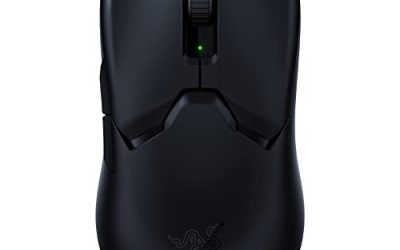
The Viper Mini is the mouse that made small gaming mice mainstream. At 61 g it is light enough for fast flicks, and its ambidextrous shape fits small hands in claw and fingertip grips without forcing your fingers into an awkward curl. The 8,500 DPI optical sensor tracks cleanly at the sensitivities most players actually use, and the optical switches send each click with almost no delay, since they use light instead of metal contact to register the press.
Razer built the Viper Mini around its Speedflex cable, a soft braided cord that stays out of the way during quick swipes. That matters on a mini mouse, because a stiff cable can drag a light body off line. The Chroma RGB underglow adds a glow around the base of the mouse, and you can set it to a single color or sync it with other Razer gear through Synapse 3. Six programmable buttons give you the two side buttons, a DPI button, and a wheel click, which covers FPS and battle royale loadouts well.
The Viper Mini is also one of the most affordable ways into a proper ultralight mouse, which makes it a strong first pick if you have never used a mini mouse before. Its low, flat profile suits low-sensitivity players who sweep the mouse across a large pad, and the PTFE feet glide smoothly on cloth and hard pads alike.
Specs
- Sensor: 8,500 DPI optical sensor
- Weight: 61 g
- Buttons: 6 programmable buttons
- Switches: Razer optical mouse switches
- Cable: Razer Speedflex cable
- Lighting: Chroma RGB underglow
- Dimensions: 119 x 61 mm (length x width)
- Model: RZ01-03250100-R3M1
- Connection: Wired USB
Best for: Small hands, claw and fingertip grips, and fast FPS play on a budget.
Watch out for: There is no wireless version of this listing, the 8,500 DPI ceiling is lower than flagship sensors, and the side buttons sit only on the left side.
2. GLORIOUS Model O- (Minus)
- Best for: Players who want the lightest wired mini mouse for FPS and MOBA games.
- Sensor: Pixart 3360 optical, up to 12,000 DPI
- Weight: 58 g
- Buttons: 6 programmable buttons
- Switches: Omron switches
Players who want the lightest wired mini mouse for FPS and MOBA games.
The honeycomb shell can collect dust, the glossy finish can feel slick with warm hands, and this listing is wired only.
The Model O- (Minus) is the lightest wired mouse in this guide at 58 g, and it gets there with a honeycomb shell that cuts weight without cutting strength. The compact body measures 128 mm long and 58 mm wide, which suits medium and small hands, and the ambidextrous shape works for left and right-handed players alike. Six buttons, Omron switches, and a Pixart 3360 sensor give it the core hardware of a competitive mouse, with a 12,000 DPI ceiling and a 1,000 Hz polling rate.
Glorious pairs the sensor with its Ascended Paracord cable, a light, flexible cord that feels close to wireless during play. The RGB lighting runs through the honeycomb shell and the scroll wheel, and the Glorious software lets you set DPI steps, remap buttons, and adjust the lift-off distance. Pure PTFE feet come in the box, and they glide with very little friction on cloth pads.
The honeycomb shell is the feature that divides opinion. It keeps the weight down and gives the mouse a distinct look, but the holes can collect dust over time, and the glossy black finish can feel slick if your hands run warm. If you want the lightest wired mini mouse and you like the honeycomb style, this is the pick. If you prefer a solid shell, look at the Viper Mini instead.
Watch out for: The honeycomb shell can collect dust, the glossy finish can feel slick with warm hands, and this listing is wired only.
3. Razer Orochi V2
- Best for: Travel, laptop gaming, and players who want wireless freedom in a mini body.
- Sensor: Razer 5G Advanced optical, up to 18,000 DPI
- Weight: Under 60 g (excluding battery)
- Battery life: Up to 950 hours on Bluetooth, up to 425 hours on HyperSpeed Wireless
- Buttons: 6 programmable buttons
Travel, laptop gaming, and players who want wireless freedom in a mini body.
The battery adds weight in use, there is no RGB lighting, and there is no wired mode.
The Orochi V2 is the wireless pick in this guide, and it is built for players who game on a laptop or travel often. It weighs under 60 g before you add its battery, and it runs on a single AA or AAA battery that lasts up to 950 hours on Bluetooth or up to 425 hours on HyperSpeed Wireless. That battery life means you can game for months without thinking about charging, and the hybrid battery slot accepts either size, so you can use whatever battery you have on hand.
The 5G Advanced 18,000 DPI optical sensor is the strongest sensor in this guide, with clean tracking at high speeds and no spin-outs during fast flicks. The 2nd-gen Razer mechanical switches use gold-plated contacts and are built for 60 million clicks. Six programmable buttons cover the usual loadout, and the compact body measures about 108 mm long, which makes it one of the shortest mice here. The shape has a gentle right-hand curve that suits claw grip players with small hands.
There are two trade-offs to know. The Orochi V2 has no RGB lighting, so it looks plain next to the other picks here. And it is wireless only, with no wired mode, so you cannot plug it in and keep playing if the battery runs out. Carry a spare battery in your laptop bag and neither issue will bother you.
Watch out for: The battery adds weight in use, there is no RGB lighting, and there is no wired mode.
4. Logitech G203 LIGHTSYNC
- Best for: A first mini gaming mouse, MOBA and everyday play, and players who want bright RGB lighting.
- Sensor: 8,000 DPI gaming-grade sensor (200-8,000 DPI)
- Buttons: 6 programmable buttons
- Lighting: LIGHTSYNC RGB, 16.8 million colors
- Memory: On-board memory
A first mini gaming mouse, MOBA and everyday play, and players who want bright RGB lighting.
It is heavier than the ultralight picks, the standard cable drags more than a paracord-style cord, and the shape suits palm grip more than fingertip grip.
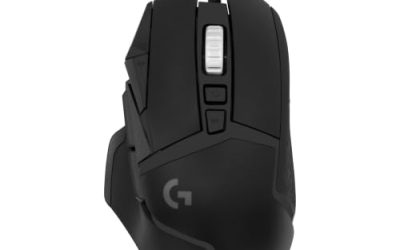
The G203 LIGHTSYNC is the value pick in this guide, and it is the easiest mini mouse to recommend to a player buying their first gaming mouse. Its classic, compact shape has a gentle curve that fits small hands in palm and claw grips, and its 8,000 DPI sensor covers the sensitivity range most players use, from 200 DPI for precise aiming up to 8,000 DPI for fast desktop work. The sensor has zero smoothing, so the cursor moves exactly where your hand goes.
LIGHTSYNC RGB is the feature that sets the G203 apart at its level. You can set the lighting to any of 16.8 million colors, run wave effects across the mouse, or sync it with your screen and music through G HUB. Six programmable buttons include two side buttons and a DPI button, and the on-board memory holds your settings so the mouse keeps your bindings when you plug it into another computer. The G203 works with PC and Mac, and the listing carries a 2-year limited hardware warranty.
The G203 is heavier than the ultralight picks here, and its standard rubber cable drags more than a paracord-style cord, so it will not feel as free during fast flicks. But if you want a dependable mini mouse with bright RGB lighting and software that is easy to learn, the G203 gives you the most complete package for the least money.
Watch out for: It is heavier than the ultralight picks, the standard cable drags more than a paracord-style cord, and the shape suits palm grip more than fingertip grip.
Which One Fits
Small hands and FPS games: Pick the Razer Viper Mini. Its 61 g weight, low profile, and optical switches are built for fast aim, and its ambidextrous shape fits claw and fingertip grips well.
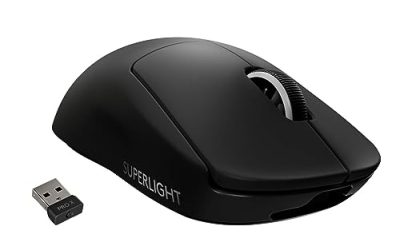
The lightest mouse possible: Pick the GLORIOUS Model O- (Minus). At 58 g with a Pixart 3360 sensor and a flexible paracord cable, it is the closest thing to a wireless feel in a wired mini mouse.
Travel and laptop gaming: Pick the Razer Orochi V2. It is the only wireless mouse here, it runs for months on one battery, and its short 108 mm body slips into a laptop bag without taking up space.
A first gaming mouse on a budget: Pick the Logitech G203 LIGHTSYNC. Its classic shape, bright RGB lighting, and easy software make it the friendliest pick here, and its on-board memory keeps your settings when you switch computers.
Left-handed players: Pick the Viper Mini or the Model O- (Minus). Both are ambidextrous, while the Orochi V2 and the G203 lean toward right-handed shapes.
Common Mistakes
Buying by DPI number alone. A mouse with 18,000 DPI is not better than a mouse with 8,000 DPI if you play at 800 DPI. All four mice here track cleanly at normal sensitivities, so pick by shape, weight, and grip instead of the biggest number on the box.
Ignoring your grip style. A mouse that suits a palm grip player can feel wrong for a fingertip grip player, even at the same size. If you play with a claw or fingertip grip, a short, low body like the Viper Mini or the Orochi V2 will feel natural. If you palm grip, look for a slightly taller body and a shape that supports your palm.
Choosing a mouse that is too light for you. Ultralight mice feel fast, but some players find that a very light mouse moves too easily and makes fine aim harder. If you come from a heavy office mouse, give yourself a week to adjust before you decide the weight is wrong.
Forgetting the cable. On a light mini mouse, a stiff cable can pull the mouse off line during fast swipes. The Viper Mini and the Model O- (Minus) both use flexible cables for this reason. If you pick a mouse with a standard cable, pair it with a mouse bungee or route the cable so it does not drag.
Assuming mini means fewer features. Every mouse in this guide has six programmable buttons, on-board memory or software support, and a sensor built for competitive play. A mini mouse gives up size, not capability, so judge it by the same standards as a full-size mouse.
FAQ
What size counts as a mini gaming mouse?
A mini gaming mouse is usually less than 120 mm long and under 70 g in weight, with a narrower body than a full-size mouse. The mice in this guide range from about 108 mm to 128 mm long and from 58 g to under 60 g, which puts them firmly in mini territory. If a mouse is longer than 125 mm or heavier than 80 g, it is closer to a standard size.
Can I use a mini gaming mouse with large hands?
Yes, if you use a claw or fingertip grip. Large-handed players who hold the mouse with arched fingers or just the fingertips often prefer a mini mouse, because the shorter body lets them control it with finger movements instead of arm movements. Large-handed palm grip players usually feel more comfortable with a full-size mouse, since a mini body will not support the whole palm.
Is a lighter mouse always better for gaming?
Not always. A lighter mouse moves with less effort, which helps in fast flicks and long sessions, but some players aim more steadily with a little extra weight. The best weight is the one that feels controlled in your hand. If you have never used an ultralight mouse, give yourself a few days to adjust before you judge it.
Do mini gaming mice work for work and everyday use?
Yes. All four mice here work as everyday mice, with precise sensors and comfortable shapes for browsing, documents, and creative work. The Orochi V2 is the best pick for work travel thanks to its long battery life and Bluetooth mode, while the G203 LIGHTSYNC suits a desk setup where you want bright RGB lighting and a familiar shape.
As an Amazon Associate, we earn from qualifying purchases.
FAQ
What size counts as a mini gaming mouse?
Can I use a mini gaming mouse with large hands?
Is a lighter mouse always better for gaming?
Do mini gaming mice work for work and everyday use?
More from Amazon
Programs that pair well with the guide above. Offers and eligibility are set by Amazon and may change.
Free shipping on eligible items, Prime Video and more. Eligible new members can start with a free trial.
Start a Prime free trialA Prime membership for ages 18-24 with a trial period. Eligibility is set by Amazon.
See Prime for Young AdultsAudiobooks and podcasts to listen to on the go. Eligible new members can start with a free trial.
Try Audible freeAd-free music streaming. Eligible new subscribers can start with a free trial.
Try Music Unlimited freeAs an Amazon Associate we earn from qualifying purchases.