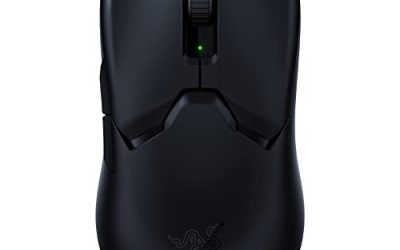
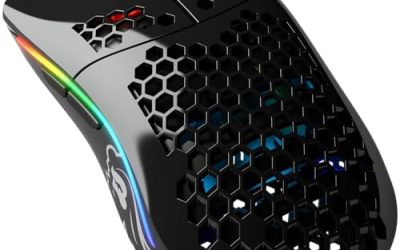
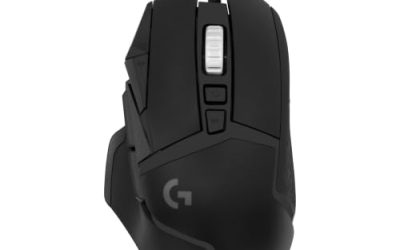
Our Short List of 3

- Best for: smaller hands and first-time buyers who want a trusted brand.
- 8,000 DPI gaming-grade sensor
- LIGHTSYNC RGB lighting
- 6 programmable buttons
- Onboard memory

- Best for: MMO players and anyone who maps many hotkeys to the mouse.
- Pixart P3104 optical sensor, up to 8,000 DPI
- 5 DPI levels: 500, 1000, 2000, 3000, 4000 (up to 8,000 via software)
- 11 programmable buttons including a dedicated rapid-fire key
- 5 RGB backlit modes
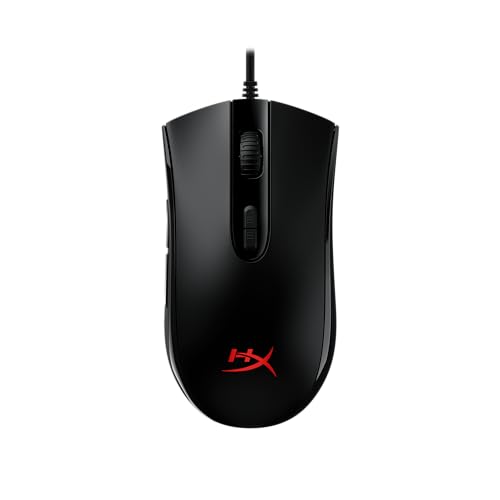
- Best for: palm or claw grip players who want a symmetrical, unshowy mouse.
- Pixart 3327 sensor, up to 6,200 DPI
- 7 programmable buttons
- 87 g
- NGenuity software with onboard memory
All 4 Picks at a Glance
| Product | Specs | Action |
|---|---|---|
| Logitech G203 LIGHTSYNC |
| Check price on Amazon |
| Redragon M612 Predator |
| Check price on Amazon |
| HyperX Pulsefire Core |
| Check price on Amazon |
 Corsair Harpoon RGB PRO |
| Check price on Amazon |
Key takeaways
- Five affordable gaming mice compared on sensor, buttons, comfort and build, so you can find real value without paying for extras you will never use.
Buying a gaming mouse for the money is not about finding the lowest number on a listing. It is about knowing which corners a maker cut to hit a friendly cost and whether those corners touch anything you will notice in play. A sensor that tracks cleanly, switches that click the same way every time, and a shape that fits your hand will do more for your games than a long feature list on a mouse that misclicks or drifts. The five mice below were picked from their Amazon listing names and specs, and each one earns its place by doing the basics well.
This guide is for casual players, students, and anyone building a first gaming setup who wants dependable tracking without paying for tournament-tier extras. It also suits players who need a second mouse for a laptop or a shared desk. Each pick below is a wired mouse with a real Amazon listing, so you can check the sensor, buttons, and dimensions before you buy.
Quick Picks
As an Amazon Associate we earn from qualifying purchases
| Product | Best for | Key spec from title |
|---|---|---|
| SteelSeries Rival 3 | fast FPS sessions on a light mouse | TrueMove Core sensor, up to 8,500 CPI |
| Logitech G203 LIGHTSYNC | smaller hands and first setups | 8,000 DPI sensor, onboard memory |
| Redragon M612 Predator | MMO hotkeys and macro-heavy play | 11 programmable buttons, up to 8,000 DPI |
| HyperX Pulsefire Core | palm or claw grip, mixed games | Pixart 3327 sensor, up to 6,200 DPI |
| Corsair Harpoon RGB PRO | iCUE setups and compact desks | 12,000 DPI sensor, iCUE compatible |
How to Choose
Sensor and DPI
A sensor’s DPI ceiling tells you less than the name on the box suggests. Every mouse here tracks between 6,200 and 12,000 DPI, which covers fast flicks in shooters and fine aim in strategy games alike. What matters more is whether the sensor holds its line during quick swipes and whether the DPI steps match how you play. The SteelSeries TrueMove Core and the Pixart sensors in this roundup are proven budget parts, not mystery hardware. Pick a mouse whose lowest DPI step feels calm on your desktop, then use the on-mouse button or software to jump up when a game calls for speed.
Shape, Size and Grip
Shape decides comfort long before any spec sheet does. The mice in this guide weigh roughly 77 to 87 grams, so none of them will tire your wrist during a long session, but their shells differ. The Rival 3 and the Harpoon RGB PRO suit a relaxed palm grip, while the symmetrical Pulsefire Core fits palm and claw grips alike. The G203 is the compact pick for smaller hands. If you can, measure your hand from wrist to middle fingertip and compare it with the dimensions on the listing. A mouse that is too long will drag your ring finger, and one that is too narrow will cramp your thumb.
Buttons and Software
Extra buttons are only useful if you can reach them without shifting your grip. Six to seven well-placed buttons cover most games, while the M612’s eleven buttons suit players who map a full hotbar to the mouse. Check whether the mouse stores its settings on board, because that decides whether your bindings travel with the mouse to another computer. Logitech G HUB, Corsair iCUE, and HyperX NGenuity all handle macros and lighting, but each one needs a download and an account-free install on Windows. Read the listing to confirm which operating systems the software supports before you buy.
Where Value Mice Cut Corners
Makers hit a friendly cost by trimming things you may never miss and a few you will. A braided cable, a high polling rate, and a long warranty are the first extras to go, so read the listing for the polling rate and cable type before you buy. Switch life is another quiet cut: twenty million clicks sounds generous, yet a heavy player can wear through it in a couple of years. Weight tuning sets and wireless modes are rare at this tier, so expect a wired mouse with a fixed shape. None of that makes a value mouse a bad buy, but it does mean you should weigh the sensor and the shell above the extras.
The 5 Best Options
SteelSeries Rival 3
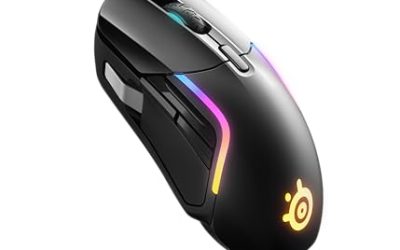
The Rival 3 is the light, no-fuss pick of this roundup. At about 77 grams it moves fast across the pad, and the TrueMove Core sensor tracks cleanly at up to 8,500 CPI, which is plenty for shooters and strategy games. Six programmable buttons cover the essentials without crowding the shell, and the split-trigger design keeps the main clicks crisp. Three zones of Prism RGB add a little colour without turning the desk into a light show. It suits players who want a proven sensor and a simple shape that disappears into the hand during long matches.
Specs
- TrueMove Core optical sensor, up to 8,500 CPI
- 6 programmable buttons with split-trigger design
- 60-million-click mechanical switches
- 3-zone Prism RGB lighting
- 300 IPS tracking, 35 G acceleration, 1000 Hz polling
- Wired USB, about 77 g
Best for: players who want a light, simple mouse for fast FPS play.
Watch out for: check the right-handed ergonomic shape fits your grip before you buy.
Logitech G203 LIGHTSYNC
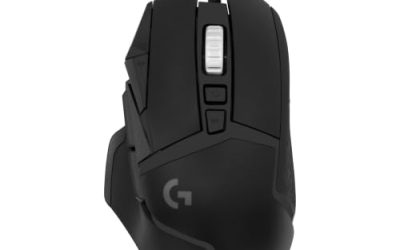
- Best for: smaller hands and first-time buyers who want a trusted brand.
- 8,000 DPI gaming-grade sensor
- LIGHTSYNC RGB lighting
- 6 programmable buttons
- Onboard memory
smaller hands and first-time buyers who want a trusted brand.
confirm you are buying the black wired version, not a renewed or blue variant.
The G203 is the compact, dependable pick for smaller hands and first-time buyers. Its 8,000 DPI sensor handles everyday play and casual shooters with ease, and the six programmable buttons plus onboard memory mean your setup travels with the mouse. LIGHTSYNC RGB gives the shell a soft glow, and the two-year warranty adds quiet reassurance. At about 85 grams it is light enough for quick flicks yet solid enough to feel planted. It suits anyone who wants a well-known brand, a comfortable shape, and zero fuss from unboxing to first match.
Watch out for: confirm you are buying the black wired version, not a renewed or blue variant.
Redragon M612 Predator
- Best for: MMO players and anyone who maps many hotkeys to the mouse.
- Pixart P3104 optical sensor, up to 8,000 DPI
- 5 DPI levels: 500, 1000, 2000, 3000, 4000 (up to 8,000 via software)
- 11 programmable buttons including a dedicated rapid-fire key
- 5 RGB backlit modes
MMO players and anyone who maps many hotkeys to the mouse.
confirm the weight on the listing if a heavy mouse bothers you, since sources differ.
The M612 is the button king of this roundup, and it exists for players who map half the keyboard to the mouse. Eleven programmable buttons include a dedicated rapid-fire key beside the left click, and five DPI levels run from 500 to 4,000 on the mouse, reaching 8,000 through software. The Pixart P3104 sensor is a solid budget part, and the ergonomic right-handed shell with rubber side grips stays comfortable during long sessions. Five RGB modes add colour without extra cost. It suits MMO players and anyone who wants maximum control under one thumb.
Watch out for: confirm the weight on the listing if a heavy mouse bothers you, since sources differ.
HyperX Pulsefire Core
- Best for: palm or claw grip players who want a symmetrical, unshowy mouse.
- Pixart 3327 sensor, up to 6,200 DPI
- 7 programmable buttons
- 87 g
- NGenuity software with onboard memory
palm or claw grip players who want a symmetrical, unshowy mouse.
the listing is an older model, so confirm the seller and warranty terms on the page.
The Pulsefire Core is the quiet all-rounder of the group. Its symmetrical shell fits palm and claw grips, and at 87 grams it balances well in medium to larger hands. The Pixart 3327 sensor tracks up to 6,200 DPI without hardware acceleration, which keeps aim honest at the sensitivity most players actually use. Seven programmable buttons cover macros and shortcuts, and NGenuity software handles lighting and DPI with onboard memory. The single-zone RGB logo is restrained rather than loud. It suits players who want a comfortable, unshowy mouse for long evenings of mixed games.
Watch out for: the listing is an older model, so confirm the seller and warranty terms on the page.
Corsair Harpoon RGB PRO
- Best for: Corsair iCUE users who want a compact wired mouse.
- 12,000 DPI optical sensor
- 6 programmable buttons
- 85 g
- iCUE compatible
Corsair iCUE users who want a compact wired mouse.
confirm you are buying the wired PRO version, not the wireless Harpoon.
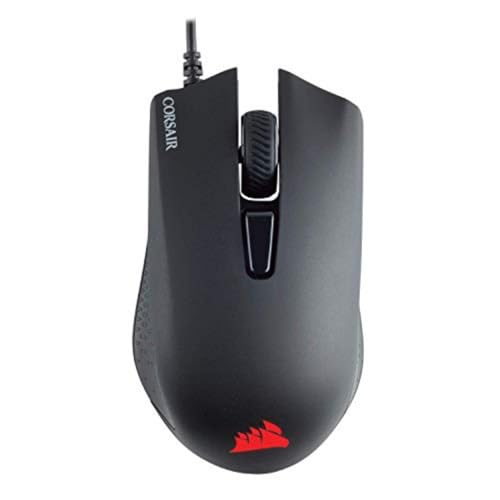
The Harpoon RGB PRO is the compact workhorse for players who like Corsair’s software. Its 12,000 DPI optical sensor covers fast shooters and precise desktop work alike, and six programmable buttons keep the layout simple. At 85 grams it sits in the sweet spot between light and planted, and iCUE compatibility means macros and lighting sync with the rest of a Corsair setup. The wired connection keeps latency low without any charging routine. It suits players who already use iCUE gear or want a small, dependable mouse that handles both games and daily work.
Watch out for: confirm you are buying the wired PRO version, not the wireless Harpoon.
Which One Fits Your Situation
First Mouse on a Tight Budget
If this is your first gaming mouse, take the Logitech G203 LIGHTSYNC. Its sensor, buttons, and warranty cover everything a new player needs, and the compact shape suits most hands. The SteelSeries Rival 3 is the other safe pick if you prefer a lighter shell and a slightly higher sensor ceiling.
Hotkey-Heavy Games
If your games live on hotkeys, take the Redragon M612 Predator. Eleven programmable buttons with a rapid-fire key put a whole rotation under your thumb, and the five DPI levels let you switch sensitivity without opening software. No other mouse in this guide gives you that much control for the money.
Light, Fast FPS Play
If shooters are your main game, take the SteelSeries Rival 3. At about 77 grams it is the lightest mouse in this guide, and the TrueMove Core sensor tracks cleanly through fast flicks. The Corsair Harpoon RGB PRO is the backup pick if you want a higher DPI ceiling and iCUE support.
A Symmetrical Shape for Palm or Claw
If you switch between palm and claw grips, take the HyperX Pulsefire Core. Its symmetrical shell suits both grips, and the 87-gram balance feels steady without dragging. The seven programmable buttons and NGenuity software cover macros and lighting, while the single-zone RGB keeps the desk calm. It is the calmest pick in this guide for mixed evenings of play.
Common Mistakes
- Chasing the highest DPI number instead of checking how the sensor tracks in quick swipes.
- Picking a mouse by its looks and RGB before checking whether the shape fits your hand.
- Assuming a wireless mouse is always better, when a wired mouse at this tier often tracks more reliably.
- Skipping the software check and finding out later that macros need a Windows-only download.
- Ignoring switch life and warranty, then wearing out the main clicks within a couple of years.
Frequently Asked Questions
Is an 8,000 DPI sensor enough for gaming?
Yes, for almost every player. Most gamers play between 800 and 3,200 DPI, so an 8,000 DPI ceiling leaves plenty of room above your daily setting. What matters more is whether the sensor holds its line during fast swipes. The mice in this guide track cleanly well below their ceilings, which is why they work for shooters, strategy games, and everyday play alike.
Do I need a wireless mouse for competitive play?
No. Every mouse in this guide is wired, and a cable removes charging and connection worries entirely. Competitive play rewards a steady sensor and a shape you trust, not a wireless link. If you play at a desk with a clear cable path, a wired mouse gives you the same responsiveness with one less thing to manage between matches.
How many buttons do I really need?
Six buttons cover most games, including shooters and strategy titles, because the extras map to reload, melee, and push-to-talk. Seven or eight buttons add room for macros and DPI switching. Eleven buttons only pay off if you play MMO games or map a full hotbar to the mouse. More buttons also mean more chances to misclick, so match the count to your games, not to the box.
Will these mice work on a Mac or Linux machine?
Most of them will work as basic pointing devices on macOS and Linux, because they connect over standard USB. The catch is the software: Logitech G HUB, Corsair iCUE, and HyperX NGenuity are Windows-first, so macros and lighting controls may not run on other systems. Check the listing for operating-system support, and rely on onboard memory for any settings you want to keep.
FAQ
Is an 8,000 DPI sensor enough for gaming?
Do I need a wireless mouse for competitive play?
How many buttons do I really need?
Will these mice work on a Mac or Linux machine?
More from Amazon
Programs that pair well with the guide above. Offers and eligibility are set by Amazon and may change.
Free shipping on eligible items, Prime Video and more. Eligible new members can start with a free trial.
Start a Prime free trialA Prime membership for ages 18-24 with a trial period. Eligibility is set by Amazon.
See Prime for Young AdultsAudiobooks and podcasts to listen to on the go. Eligible new members can start with a free trial.
Try Audible freeAd-free music streaming. Eligible new subscribers can start with a free trial.
Try Music Unlimited freeAs an Amazon Associate we earn from qualifying purchases.