Key takeaways
- Five tournament-ready mice compared for competitive play - sensors, weight, polling, and fit - so you can pick the one that matches your grip and game.
Choosing a mouse for competitive play is less about chasing the biggest DPI number and more about finding hardware that disappears in your hand during a tense round. A sensor that tracks cleanly at high flick speeds, a shape that supports your grip for hours, and a connection that never stutters matter far more than a headline spec. The wrong pick shows up as missed shots, wrist fatigue, and misclicks at the worst possible moment, while the right one lets your aim do the talking.
This guide is for ranked ladder players, tournament hopefuls, and anyone who plays fast shooters or MOBAs where a single click decides a round. It also helps players moving from a bundled office mouse to their first serious gaming mouse. Every pick below comes from real Amazon product pages, chosen by name and listed specs — sensor, weight, polling rate, and button layout — so you can match a mouse to your grip, your game, and your setup with confidence.
Quick Picks
As an Amazon Associate we earn from qualifying purchases
| Product | Best for | Key spec from title |
|---|---|---|
| Logitech G502 X LIGHTSPEED | Long sessions with many keybinds | HERO 25K sensor, 25,600 DPI |
| ASUS ROG Harpe Ace Aim Lab Edition | Ultralight flick aim | AimPoint sensor, 36,000 DPI |
| SteelSeries Aerox 5 Wireless | Marathon play with long battery | 180-hour battery, 74 g |
| Razer Viper 8KHz | Maximum wired polling rate | True 8,000 Hz polling |
| Razer DeathAdder V3 Wired | Lightweight ergonomic aim | Focus Pro 30K sensor, 59 g |
How to Choose
Sensor Accuracy and DPI Range
Sensor quality decides whether fast flicks land where your hand intended. Look for a modern optical sensor with high IPS tracking and clean acceleration handling, such as the HERO 25K, Focus Pro 30K, or AimPoint units in this guide. A wide DPI range gives you room to tune sensitivity, but a bigger ceiling is not a skill boost — most competitive players settle between 400 and 1,600 DPI. What matters is consistent tracking at your chosen sensitivity, with no spin-outs during quick turns. Check the listed IPS and acceleration figures, then match the sensor to your playstyle rather than chasing the largest number on the box.
Weight and Balance
Weight changes how a mouse feels during flicks, tracking, and long sessions. Ultralight models around 54 to 59 grams, like the Harpe Ace and DeathAdder V3, help with quick wrist flicks and reduce fatigue over a long night of matches. Heavier mice near 100 grams, like the G502 X LIGHTSPEED, feel planted and steady for players who anchor their palm and prefer deliberate aim. Neither end is better on its own — the right weight depends on your grip and arm movement. If you play with your whole arm, a lighter mouse rewards you; if you aim mostly from the wrist with a palm grip, a bit of heft can steady your crosshair.
Polling Rate and Connection
Polling rate sets how often your mouse reports its position to your computer. A 1,000 Hz rate reports every millisecond and suits nearly every player, while an 8,000 Hz rate, like the Viper 8KHz offers, reports eight times as often and can smooth tracking for high-refresh monitors. The gain is subtle, so do not let one number decide your pick. Connection matters too: modern wireless links such as LIGHTSPEED, HyperSpeed, and Quantum 2.0 match wired response times, but they add battery management to your routine. Wired mice skip charging entirely. Pick wireless when you value a clean desk and long battery life, and wired when you want zero upkeep.
Shape, Grip, and Buttons
Shape decides comfort over a long session, and comfort decides consistency. Ergonomic right-handed shells, like the DeathAdder V3 and Harpe Ace, support your palm and suit players who rest their whole hand on the mouse. True ambidextrous shells, like the Viper 8KHz, suit claw and fingertip grips and work for either hand. Button count is the other half of the decision: five or six buttons cover most shooters, while a dozen or more programmable controls suit players who bind abilities, grenades, and push-to-talk. Try to match the button layout to your actual keybinds, and confirm side buttons sit where your thumb naturally rests.
The 5 Best Options
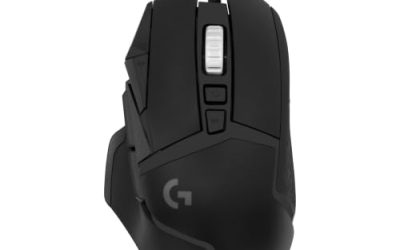
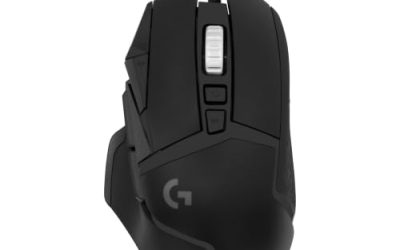
Logitech G502 X LIGHTSPEED Wireless Gaming Mouse, Black

The G502 X LIGHTSPEED suits competitive players who want a strong wireless mouse without giving up battery life or button options. Its HERO 25K sensor tracks up to 25,600 DPI, and 13 programmable controls give you room for abilities, grenades, and push-to-talk on one device. At 102 grams it feels planted, not floaty, which helps palm-grip players who anchor their hand during long rounds. The 140-hour battery and PowerPlay support mean charging rarely interrupts a session, and the USB-C port keeps the setup modern. It is the pick for players who want one mouse to cover ranked play, casual matches, and daily use.
Specs
- HERO 25K sensor, up to 25,600 DPI
- 13 programmable controls
- LIGHTFORCE switches
- 140-hour battery life
- PowerPlay compatible, USB-C charging
- Weight: 102 g
Best for: players who want a wireless mouse with many programmable controls and long battery life.
Watch out for: at 102 g it is heavier than ultralight rivals, so check the weight suits your flick style before buying.
ASUS ROG Harpe Ace Aim Lab Edition Wireless Gaming Mouse, Black

The ROG Harpe Ace Aim Lab Edition is built for players who chase the lightest possible setup for flick aim. At 54 grams it moves with little effort, and the AimPoint optical sensor reaches 36,000 DPI with 650 IPS tracking and 50 G acceleration for fast, wide mouse movements. Tri-mode connectivity lets you switch between 2.4 GHz wireless, Bluetooth, and USB-C, so the mouse fits both a tournament desk and a travel bag. Five programmable buttons keep the layout clean, and the 90-hour battery covers a full week of evening matches. It suits aim-focused players who value low weight above extra buttons.
Specs
- ROG AimPoint optical sensor, up to 36,000 DPI
- 54 g ultralight design
- Tri-mode: 2.4 GHz wireless, Bluetooth, USB-C wired
- 5 programmable buttons
- 90-hour battery life
- ROG Micro Switches rated 70M clicks
- 650 IPS tracking, 50 G acceleration
- CPI deviation under one percent
Best for: aim-focused players who want the lightest wireless mouse for fast flicks.
Watch out for: with only five programmable buttons, check the layout covers your keybinds before buying.
SteelSeries Aerox 5 Wireless Gaming Mouse

The Aerox 5 Wireless fits players who play long sessions and hate stopping to charge. Its 180-hour battery is the longest in this guide, and the 74-gram body stays light enough for quick flicks without feeling fragile. The TrueMove Air sensor reaches 18,000 CPI, and nine buttons give you room for abilities and utility binds. Quantum 2.0 wireless keeps the connection responsive, while AquaBarrier protection guards against dust and splashes at a busy desk. PrismSync RGB adds a touch of color without hurting performance. It is a strong all-rounder for players who want battery life, a comfortable shape, and enough buttons for most games.
Specs
- TrueMove Air sensor, up to 18,000 CPI
- 74 g
- 9 programmable buttons
- Quantum 2.0 Wireless
- Up to 180 hours battery life
- AquaBarrier dust and splash protection
- 3-zone PrismSync RGB
Best for: long sessions where battery life and a comfortable all-round shape matter most.
Watch out for: at 74 g it is light but not ultralight, so compare the weight with the 54-gram picks if flick speed is your top need.
Razer Viper 8KHz Ultralight Ambidextrous Wired Gaming Mouse, Classic Black

The Viper 8KHz is the wired purist pick in this guide, built around an 8,000 Hz polling rate that reports position eight times as often as a 1,000 Hz mouse. Its Focus+ sensor reaches 20,000 DPI, and the 71-gram ambidextrous shell suits claw and fingertip grips. Gen-2 optical switches rated for 70 million clicks keep clicks crisp, and eight programmable buttons cover the binds most shooters need. Chroma RGB lighting rounds out the package. No battery to manage, no wireless link to think about — plug it in and play. It suits players who want the highest polling rate available on a wired mouse.
Specs
- Focus+ sensor, up to 20,000 DPI
- True 8,000 Hz wired polling rate
- 71 g
- Gen-2 optical switches rated 70M clicks
- 8 programmable buttons
- Chroma RGB lighting
- True ambidextrous design
Best for: players who want maximum polling rate on a wired mouse with no battery to manage.
Watch out for: to use the 8,000 Hz polling rate your system must support it, so confirm your setup handles high polling before buying.
Razer DeathAdder V3 Wired Gaming Mouse, Black

The DeathAdder V3 Wired brings a proven ergonomic shape to players who rest their palm on the mouse and want a light, precise tool for competitive play. At 59 grams it is one of the lightest ergonomic mice here, and the Focus Pro 30K sensor tracks up to 30,000 DPI with the accuracy that fast shooters demand. Gen-3 optical switches keep clicks fast and consistent, and 8K Hz HyperPolling pushes reporting well beyond standard rates. Six programmable buttons cover core binds, and the Speedflex cable drags less than a stiff cord. It suits palm-grip players who want comfort and speed in one wired package.
Specs
- Focus Pro 30K optical sensor, up to 30,000 DPI
- 59 g
- Gen-3 optical switches
- 8K Hz HyperPolling
- 6 programmable buttons
- Speedflex cable
- Ergonomic right-handed design
Best for: palm-grip players who want a light ergonomic mouse with a proven shape.
Watch out for: with six programmable buttons it carries fewer binds than the G502 X, so check the layout covers your keybinds.
Which One Fits Your Situation
You Play Long Ranked Sessions
Pick the SteelSeries Aerox 5 Wireless when your sessions run for hours and you want to forget about charging. Its 180-hour battery outlasts every other mouse here, and the comfortable shape holds up through long nights of ranked matches. The Logitech G502 X LIGHTSPEED is the other strong choice for marathon play, with a 140-hour battery and 13 programmable controls for players who bind many abilities.
You Rely on Fast Flick Shots
Choose the ASUS ROG Harpe Ace Aim Lab Edition when flick shots decide your rounds. At 54 grams it is the lightest mouse in this guide, and the AimPoint sensor tracks fast, wide movements cleanly. The Razer DeathAdder V3 Wired is the close second for flick-heavy aim at 59 grams, with an ergonomic shape that supports palm-grip players during quick turns.
You Want Wired Simplicity and Max Polling
Go with the Razer Viper 8KHz when you want a wired mouse with the highest polling rate in this guide. Its true 8,000 Hz polling reports position eight times as often as a standard mouse, and there is no battery to charge or wireless link to manage. The DeathAdder V3 Wired is the ergonomic alternative for players who want a wired connection with a palm-friendly shape.
You Bind Many Abilities and Keys
Pick the Logitech G502 X LIGHTSPEED when your loadout needs many binds. Its 13 programmable controls cover abilities, grenades, and push-to-talk without crowding your keyboard hand. The Razer Viper 8KHz covers shooters with eight buttons, while the Harpe Ace and DeathAdder V3 keep things simpler with five or six buttons for players who bind less.
Common Mistakes
- Buying the highest DPI on the shelf and assuming it fixes aim — most competitive players use 400 to 1,600 DPI, and consistency matters more than the ceiling.
- Choosing a mouse by weight alone without checking the shape — a light mouse with the wrong grip feels worse than a heavier mouse that fits your hand.
- Paying for 8,000 Hz polling on a system that cannot use it — confirm your setup supports high polling before spending on it.
- Ignoring battery life on a wireless mouse and running dry mid-match — check the rated hours and keep a charging habit.
- Mapping every ability to mouse buttons and crowding your thumb — bind only what you use in a fight and leave the rest on the keyboard.
Frequently Asked Questions
Is a wireless mouse fast enough for competitive play?
Yes. Modern wireless links such as LIGHTSPEED, HyperSpeed, and Quantum 2.0 report at 1,000 Hz, matching wired response times in normal play. The difference is upkeep: wireless mice need charging, while wired mice never do. Pick wireless when you want a clean desk and long battery life, and wired when you want zero charging routine.
Does a higher DPI setting mean better aim?
No. DPI only sets how far your cursor moves per inch of mouse travel, and most competitive players settle between 400 and 1,600 DPI. A high ceiling gives you room to tune sensitivity, but it does not improve accuracy on its own. Pick a sensitivity that feels steady, then keep it the same across matches so your muscle memory can build.
How much does mouse weight matter?
Weight matters, but only in context. Lighter mice around 54 to 59 grams help with quick flicks and reduce fatigue over long sessions, while heavier mice near 100 grams feel planted for players who anchor their palm. Neither is better for everyone. Match the weight to your grip and arm movement rather than chasing the lightest number on the shelf.
Should I pick an ergonomic or ambidextrous mouse?
It depends on your grip. Ergonomic right-handed shells support your palm and suit players who rest their whole hand on the mouse for hours. Ambidextrous shells suit claw and fingertip grips and work for either hand. If you use a palm grip, go ergonomic; if you lift and reposition often with a claw or fingertip grip, an ambidextrous shape usually feels better.
FAQ
Is a wireless mouse fast enough for competitive play?
Does a higher DPI setting mean better aim?
How much does mouse weight matter?
Should I pick an ergonomic or ambidextrous mouse?
More from Amazon
Programs that pair well with the guide above. Offers and eligibility are set by Amazon and may change.
Free shipping on eligible items, Prime Video and more. Eligible new members can start with a free trial.
Start a Prime free trialA Prime membership for ages 18-24 with a trial period. Eligibility is set by Amazon.
See Prime for Young AdultsAudiobooks and podcasts to listen to on the go. Eligible new members can start with a free trial.
Try Audible freeAd-free music streaming. Eligible new subscribers can start with a free trial.
Try Music Unlimited freeAs an Amazon Associate we earn from qualifying purchases.