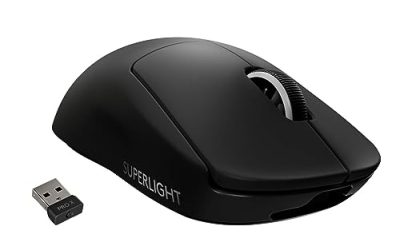
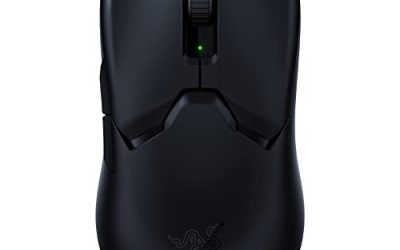
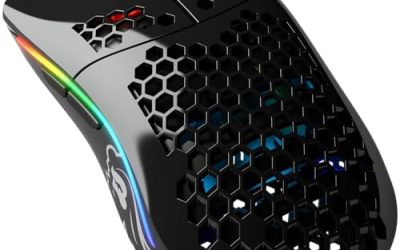
Our Short List of 3

- Best for: Larger right hands and macro-heavy games
- Sensor: PixArt PMW3325 optical
- DPI: 100–10,000, adjustable with five onboard levels
- Buttons: 7 programmable
- Switches: Huano, rated for 10 million clicks

- Best for: MMO and MOBA players who want maximum buttons
- Sensor: PixArt 3104 optical
- DPI: five levels from 500 to 4,000 onboard, up to 8,000 via software
- Buttons: 11 programmable, including a rapid-fire key
- Lighting: 5 RGB backlit modes, 16.8 million colours

- Best for: Players who want full software control of lighting and buttons
- Sensor: gaming-grade optical, 200–8,000 DPI
- Lighting: LIGHTSYNC RGB, 16.8 million colours via G HUB
- Buttons: 6 programmable
- Memory: on-board memory for saved settings
All 4 Picks at a Glance
| Product | Specs | Action |
|---|---|---|
| Redragon M711 Cobra |
| Check price on Amazon |
| Redragon M612 Predator |
| Check price on Amazon |
| Logitech G203 LIGHTSYNC |
| Check price on Amazon |
 BENGOO Wired Gaming Mouse |
| Check price on Amazon |
Key takeaways
- Five entry-tier RGB gaming mice compared on named sensors, switch lifespans, lighting control and shell fit, drawn only from what each listing states.
At the entry end of the gaming mouse market, RGB lighting is the easy part, because nearly every model in this tier lights up. The real decision sits underneath the glow: whether the sensor is a named part with honest tracking figures, whether the main switches carry a stated lifespan, and whether the shell actually fits your hand and grip. Two mice can look identical in a dark room and behave very differently in a match, and the listing specifications are where that difference shows up before the box ever arrives.
This roundup is written for first-time PC gamers building a lit desk from scratch, younger players who want the look in a sturdy shell, and anyone keeping a second mouse for guests or a spare machine. The five mice below were picked from their Amazon listings for named sensors, stated switch lifespans and lighting you can actually control: two Redragon models, the Logitech G203 LIGHTSYNC, the SteelSeries Rival 3 and a plug-and-play BENGOO.
Quick Picks
As an Amazon Associate we earn from qualifying purchases.
| Product | Best for | Key spec from title |
|---|---|---|
| Redragon M711 Cobra | Larger hands and macro-heavy games | 10,000 DPI PixArt PMW3325 |
| Redragon M612 Predator | Button-heavy play styles | 11 programmable buttons |
| Logitech G203 LIGHTSYNC | Software-controlled lighting | LIGHTSYNC RGB, 8,000 DPI |
| SteelSeries Rival 3 | Balanced all-round play | TrueMove Core 8,500 CPI |
| BENGOO Wired Gaming Mouse | Simple plug-and-play setups | 4 DPI levels up to 3,600 |
How to Choose
How the lighting is controlled
Lighting control splits this tier into two camps. Some mice, like the BENGOO in this roundup, simply cycle their colours automatically when plugged in, with no software and no fixed-colour option. Others hand control to an app: Logitech G HUB drives the G203 LIGHTSYNC effects and syncs them with other gear, SteelSeries Engine manages the Rival 3’s three Prism zones independently, and Redragon’s software sets the modes on the Cobra and Predator. If matching a keyboard or a room theme matters, pick a software-driven model; if the mouse will move between machines, onboard cycling is simpler.
Read the sensor line before the DPI headline
A big DPI number is the easiest claim in this tier, so look for a named sensor and the figures around it. The Cobra lists a PixArt PMW3325 with 100 IPS tracking and 20G acceleration, the Predator a PixArt 3104, and the Rival 3 a TrueMove Core rated at 300 IPS. Those supporting numbers describe how fast you can flick before tracking gives up, which matters more in shooters than a five-figure DPI ceiling you will never use. Polling rate counts too: most here report at 1,000 Hz, and the Cobra lets you step that rate down in software.
Switch lifespans and button counts
Switch lifespan is the durability figure listings actually state, and the spread here is wide: the Cobra’s Huano switches are rated for 10 million clicks, the Rival 3’s mechanical switches are rated for 60 million clicks, and Logitech uses a metal spring tensioning system on the G203’s main buttons. Button counts vary just as much, from six on the Logitech, SteelSeries and BENGOO mice to eleven programmable controls on the Predator. Decide which matters more for your games: extra buttons for macros and abilities, or fewer, longer-rated switches for years of clicking.
Shape, size and grip at this tier
Entry-tier mice cover most grip styles, but the shells differ more than the marketing suggests. The Cobra and Predator are larger right-handed ergonomic shapes, the Predator with finger rests and a heavier body that suits palm grip and slower, deliberate movement. The G203 and Rival 3 are smaller, lighter symmetrical shells that favour fingertip and claw grips and quicker flicks, while the BENGOO sits between them as a simple contoured shape for everyday hands. Match the shell to your hand size first; a smaller mouse in big hands cramps long before any sensor limit shows.
The 5 Best Options
Redragon M711 Cobra
- Best for: Larger right hands and macro-heavy games
- Sensor: PixArt PMW3325 optical
- DPI: 100–10,000, adjustable with five onboard levels
- Buttons: 7 programmable
- Switches: Huano, rated for 10 million clicks
Larger right hands and macro-heavy games
The full-size shell will feel bulky for fingertip grips and smaller hands.
The Redragon M711 Cobra is the traditional big-shell pick of this group: a right-handed ergonomic body built around a named PixArt PMW3325 sensor, with seven programmable buttons and software for remapping and lighting. Its DPI adjusts in fine steps rather than a few fixed jumps, and the polling rate can be stepped down for older machines. For players with larger hands who play macro-heavy games and want a mouse that fills the palm, the Cobra is the most complete package here, provided the size suits.
Watch out for: The full-size shell will feel bulky for fingertip grips and smaller hands.
Redragon M612 Predator
- Best for: MMO and MOBA players who want maximum buttons
- Sensor: PixArt 3104 optical
- DPI: five levels from 500 to 4,000 onboard, up to 8,000 via software
- Buttons: 11 programmable, including a rapid-fire key
- Lighting: 5 RGB backlit modes, 16.8 million colours
MMO and MOBA players who want maximum buttons
The top DPI figure needs the software installed, and the weight is the highest in this group.
The Redragon M612 Predator is built for players who measure a mouse by its button count. Eleven programmable controls, including a dedicated rapid-fire key beside the left button, cover abilities, macros and media without reaching for the keyboard. The PixArt 3104 sensor runs through five onboard DPI levels, with the highest sensitivity unlocked in Redragon’s software, and five backlight modes handle the lighting. It is a heavier, firmly ergonomic mouse, and that trade suits MMO and MOBA players who click deliberately rather than flick constantly.
Watch out for: The top DPI figure needs the software installed, and the weight is the highest in this group.
Logitech G203 LIGHTSYNC
- Best for: Players who want full software control of lighting and buttons
- Sensor: gaming-grade optical, 200–8,000 DPI
- Lighting: LIGHTSYNC RGB, 16.8 million colours via G HUB
- Buttons: 6 programmable
- Memory: on-board memory for saved settings
Players who want full software control of lighting and buttons
The small shell suits small-to-medium hands; large palm grips will feel cramped.
The Logitech G203 LIGHTSYNC is the software-led option: LIGHTSYNC lighting, button assignments and DPI all live in Logitech G HUB, and the settings can be stored on the mouse itself. The compact symmetrical shell and light weight suit fingertip and claw grips, and the main buttons use a metal spring tensioning system for a consistent click feel. Gamers who already run other Logitech gear, or who simply want the most polished control app in this tier, will find the G203 the easiest mouse here to live with daily.
Watch out for: The small shell suits small-to-medium hands; large palm grips will feel cramped.
SteelSeries Rival 3
The SteelSeries Rival 3 takes the balanced route: a TrueMove Core sensor with honest supporting figures, three independently controlled RGB zones, and mechanical switches rated far beyond the rest of this group. At 77 g it is the lightest mouse here, and the symmetrical shell with split-trigger main buttons works for fingertip and claw grips across shooters, MOBAs and everyday play. On-board memory saves your CPI steps and settings, so the mouse behaves the same on any machine you plug it into at home or away.
Specs
- Sensor: TrueMove Core optical, 100–8,500 CPI
- Tracking: 300 IPS, 35G acceleration
- Polling rate: 1,000 Hz / 1 ms
- Switches: mechanical, rated for 60 million clicks
- Buttons: 6 programmable, split-trigger design
- Lighting: 3-zone Prism RGB, 16.8 million colours
- Weight: 77 g
- Cable: 1.8 m rubber cable
Best for: All-round play across shooters and MOBAs
Watch out for: Wired only, and CPI changes in 100-step increments through the software.
BENGOO Wired Gaming Mouse
- Best for: Younger players and shared or guest computers
- Sensor: optical
- DPI: 4 levels — 1,200 / 1,600 / 2,400 / 3,600
- Buttons: 6, including forward and back thumb buttons
- Lighting: multi-colour RGB backlight, automatic cycling
Younger players and shared or guest computers
The lighting cannot be set to a fixed colour, and there is no software for remapping.
The BENGOO Wired Gaming Mouse keeps things as simple as this tier gets: plug it in and it works, with four DPI levels on a dedicated button and lighting that cycles through its colours on its own. There is no software to install and nothing to configure, which makes it a sensible pick for younger players, shared family computers and guest setups. The trade is control: you cannot set a fixed colour or remap buttons, and the DPI ceiling is the lowest here, but for casual play that ceiling rarely matters.
Watch out for: The lighting cannot be set to a fixed colour, and there is no software for remapping.
Which One Fits Your Situation
A first RGB desk
Start with the mouse you will also use for everything else. The G203 and Rival 3 both pair their lighting with proper software, so colours can match a keyboard now and be reworked later as the desk grows. Their lighter shells also forgive the mixed grip habits most new players start with, and both store settings on the mouse itself.
A younger gamer
Durability and simplicity matter more than headline specs here. The BENGOO asks for no software and survives being swapped between machines, while the Cobra’s stated switch lifespan and braided cable suit a mouse that will be clicked hard for years. Whichever you choose, an ergonomic or mid-size shell will be kinder to growing hands than the smallest fingertip shapes.
A spare for guests
A guest mouse should work the moment it is plugged in, on any machine, without accounts or downloads. The BENGOO does exactly that, and the Rival 3 and G203 carry their settings on board, so a visitor gets your DPI steps rather than factory defaults. Keep the spare wired and you never hand a guest a mouse with a flat battery mid-game.
An office desk that games at night
By day the lighting can be dimmed or switched off in the software models, and the G203’s plain symmetrical shape looks at home beside a keyboard in meetings. By night the same mouse stores gaming DPI steps and button assignments on board. The Rival 3 plays the same double role, with its three lighting zones easy to tone down for work hours.
Common Mistakes
- Choosing by the DPI headline alone instead of checking for a named sensor and its tracking figures.
- Assuming every RGB mouse lets you set colours, when some models only cycle automatically.
- Ignoring shell size and buying a small fingertip mouse for large palm-grip hands.
- Forgetting that extra programmable buttons only help if the software supports your games and system.
- Leaving the polling rate and DPI steps at defaults that do not match your monitor or play style.
Frequently Asked Questions
Can I turn the RGB lighting off?
On the software-driven models, yes: G HUB, SteelSeries Engine and Redragon’s software all include lighting controls with an off option or brightness slider. The BENGOO is the exception in this group, since its backlight cycles automatically with no settings menu, so it suits rooms where the glow is welcome rather than desks that need a fully dark mode.
Do these mice need software to work?
Every mouse here works as a basic pointing device the moment it is plugged in. Software is only needed to unlock the extras: remapping buttons, recording macros, fine DPI steps and lighting effects. The G203, Rival 3 and both Redragon models have their own apps, while the BENGOO is designed to run with no software at all, ever.
Which of these mice fits small hands best?
The G203 is the smallest shell in the group, with listed dimensions of 116.6 × 62.15 × 38.2 mm, and the Rival 3 is close behind while adding a little more length. Both are symmetrical and light, which suits fingertip and claw grips on smaller hands. The Cobra and Predator are larger ergonomic shapes that can leave small hands stretching for the far buttons.
Is a wired connection still fine for fast-paced games?
Yes. All five mice here are wired, and the group includes 1,000 Hz polling on the Cobra, G203 and Rival 3, which is the same report rate used by many competitive players. A cable also means no battery to charge and no wireless dropouts, and modern lightweight cables drag far less than the stiff cords older wired mice were known for.
FAQ
Can I turn the RGB lighting off?
Do these mice need software to work?
Which of these mice fits small hands best?
Is a wired connection still fine for fast-paced games?
More from Amazon
Programs that pair well with the guide above. Offers and eligibility are set by Amazon and may change.
Free shipping on eligible items, Prime Video and more. Eligible new members can start with a free trial.
Start a Prime free trialA Prime membership for ages 18-24 with a trial period. Eligibility is set by Amazon.
See Prime for Young AdultsAudiobooks and podcasts to listen to on the go. Eligible new members can start with a free trial.
Try Audible freeAd-free music streaming. Eligible new subscribers can start with a free trial.
Try Music Unlimited freeAs an Amazon Associate we earn from qualifying purchases.