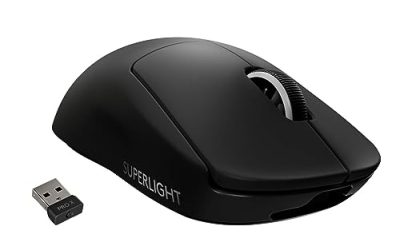
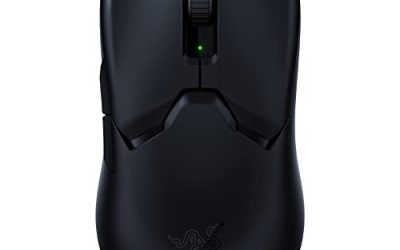
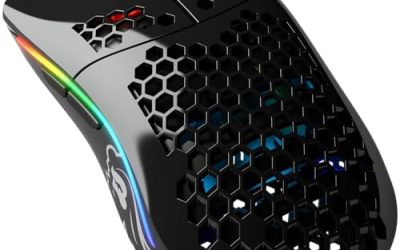
Our Short List of 3

- Best for: palm and claw players who want an ergonomic flagship for long competitive sessions.
- Sensor: Focus Pro 30K Optical Sensor, up to 30,000 DPI
- Tracking: up to 750 IPS, up to 70 G acceleration
- Switches: Razer Optical Mouse Switches Gen-3, 90-million click lifecycle
- Weight: 63 g for the black model

- Best for: players who split time between games and desk work and want wheel features plus plenty of buttons.
- Sensor: Focus Pro 30K Optical Sensor, up to 30,000 DPI
- Tracking: up to 750 IPS, up to 70 G acceleration
- Scroll wheel: HyperScroll Tilt Wheel with tactile and free-spin modes
- Switches: Razer Optical Mouse Switches Gen-3, 90-million click lifecycle

- Best for: MMO and MOBA players who want their whole rotation under the thumb.
- Sensor: Focus Pro 30K Optical Sensor, up to 30,000 DPI
- Side plates: swappable magnetic plates with 12, 6 or 2 buttons
- Buttons: up to 20 programmable buttons (listed as 19+1)
- Switches: Razer Optical Mouse Switches Gen-3, 90-million click lifecycle
All 4 Picks at a Glance
| Product | Specs | Action |
|---|---|---|
| Razer DeathAdder V3 Pro |
| Check price on Amazon |
| Razer Basilisk V3 Pro |
| Check price on Amazon |
| Razer Naga V2 Pro |
| Check price on Amazon |
 Razer Orochi V2 |
| Check price on Amazon |
Key takeaways
- Compare the best Razer wireless gaming mice by shape, battery and polling: Viper V3 Pro, DeathAdder V3 Pro, Basilisk V3 Pro, Naga V2 Pro, Orochi V2.
Choosing a Razer wireless mouse is less about the sensor, since every model here tracks at a level past what most players can use, and more about two decisions: which shape family fits your hand and grip, and which battery philosophy suits your routine. Razer splits its range between rechargeable flagships with sealed cells and USB-C charging, and plainer models that run for months on a single AA battery you swap in seconds.
This guide is for competitive FPS players chasing the lightest shell, MMO players who need a wall of thumb buttons, travellers who want one mouse for a laptop bag, and desk workers who game after hours. The five mice below were picked from the names, weights, battery figures and button counts printed on their Amazon listings, and they cover each of those groups without overlap.
Quick Picks
As an Amazon Associate we earn from qualifying purchases.
| Product | Best for | Key spec from title |
|---|---|---|
| Razer Viper V3 Pro | Esports FPS | 54 g, 8K polling with included dongle |
| Razer DeathAdder V3 Pro | Ergonomic esports | 63 g, Focus Pro 30K, up to 90 hr battery |
| Razer Basilisk V3 Pro | Features and comfort | HyperScroll tilt wheel, 11 buttons |
| Razer Naga V2 Pro | MMO and MOBA | Swappable 12, 6 and 2-button side plates |
| Razer Orochi V2 | Travel | AA or AAA power, up to 950 hr on Bluetooth |
How to Choose
Start with the shape family
Razer’s wireless range is built around distinct shells, and picking the family matters more than picking the sensor. The Viper line is symmetrical and low, shaped for claw and fingertip grips. The DeathAdder and Basilisk lines are right-handed ergonomic shells with a taller palm hump, the Basilisk adding a thumb rest. The Naga is a wide MMO shell built around its side panel, and the Orochi V2 is a compact egg shape for small hands and laptop bags. Measure your current mouse, note your grip, and shortlist the family first; every model inside a family shares its basic feel.
HyperSpeed and Bluetooth do different jobs
Most Razer wireless mice pair the 2.4 GHz HyperSpeed connection with Bluetooth, and the two modes serve different moments. HyperSpeed is the gaming link: low latency, higher polling, and the mode every figure in this guide assumes for play. Bluetooth trades speed for endurance and convenience, pairing with a laptop or tablet without the dongle and stretching battery life several times over on models like the Naga V2 Pro and Orochi V2. If you only ever sit at one gaming PC, Bluetooth is a bonus. If the mouse travels between machines, dual-mode support becomes a deciding feature rather than a footnote.
Sealed rechargeable cells versus AA convenience
The flagship models hide a rechargeable battery inside the shell and top up over USB-C, which keeps weight down and the shape clean, but ties you to a cable when the cell runs low mid-session. The Orochi V2 takes the opposite route with a hybrid slot that accepts one AA or AAA battery, so a flat mouse is fixed with a drawer battery instead of a charging break, and the final weight shifts with the cell you choose. Neither approach is better in the abstract; it depends on whether you would rather manage a charging habit or a small stock of spares.
Polling rate and the dongle question
Standard HyperSpeed polling is 1,000 Hz, and for most players that is the whole story. The Viper V3 Pro raises it to 8,000 Hz through the HyperPolling Wireless Dongle included in its box. The DeathAdder V3 Pro and Basilisk V3 Pro can also run above 1,000 Hz, but on their listings the HyperPolling dongle or Mouse Dock Pro is a separate purchase. Higher polling shortens the report interval, yet it also cuts battery life sharply, so treat it as an esports option to switch on for matches rather than a default. Check what is in the box before assuming a headline polling figure applies.
The 5 Best Options
Razer Viper V3 Pro
The Razer Viper V3 Pro is the esports end of the range: a 54 g symmetrical shell, the Focus Pro 35K Optical Sensor Gen-2, and true 8,000 Hz wireless polling through the HyperPolling dongle Razer includes in the box. Gen-3 optical switches handle the clicks, the feet are full PTFE, and the shape stays deliberately plain, with two side buttons and no lighting beyond the essentials. Battery life reaches up to 95 hours at 1,000 Hz, although running the full 8,000 Hz rate brings that figure down to roughly 17 hours, so most owners will switch polling per game rather than leave it maxed.
Specs
- Sensor: Focus Pro 35K Optical Sensor Gen-2, up to 35,000 DPI
- Tracking: up to 750 IPS, up to 70 G acceleration
- Polling: up to 8,000 Hz with the included HyperPolling Wireless Dongle
- Switches: Razer Optical Mouse Switches Gen-3, 90-million click lifecycle
- Weight: 54 g for the black model
- Dimensions: 127.1 x 63.9 x 39.9 mm
- Battery: up to 95 hours at 1,000 Hz, rechargeable via USB-C
- Buttons: 8 programmable buttons per the listing title
Best for: competitive FPS players who want the lightest Razer shell and real 8K wireless polling.
Watch out for: the symmetrical shape and minimal button set will not suit palm-grip players or anyone who needs extra inputs.
ASIN: B0CW25XR5R
Razer DeathAdder V3 Pro
- Best for: palm and claw players who want an ergonomic flagship for long competitive sessions.
- Sensor: Focus Pro 30K Optical Sensor, up to 30,000 DPI
- Tracking: up to 750 IPS, up to 70 G acceleration
- Switches: Razer Optical Mouse Switches Gen-3, 90-million click lifecycle
- Weight: 63 g for the black model
palm and claw players who want an ergonomic flagship for long competitive sessions.
the shell is sized for medium to large hands, and small-handed fingertip players will find it bulky.
The Razer DeathAdder V3 Pro takes the flagship hardware and wraps it in Razer’s long-running ergonomic shape, refined for medium to large hands that palm or claw. It weighs 63 g, carries the Focus Pro 30K optical sensor with tracking on surfaces including glass, and uses the same Gen-3 optical switches as the Viper. Battery life is listed at up to 90 hours over HyperSpeed, recharged by USB-C. Out of the box it polls at 1,000 Hz; the listing supports higher rates through the HyperPolling Wireless Dongle, which is a separate accessory for this model rather than a box inclusion.
Razer Basilisk V3 Pro
- Best for: players who split time between games and desk work and want wheel features plus plenty of buttons.
- Sensor: Focus Pro 30K Optical Sensor, up to 30,000 DPI
- Tracking: up to 750 IPS, up to 70 G acceleration
- Scroll wheel: HyperScroll Tilt Wheel with tactile and free-spin modes
- Switches: Razer Optical Mouse Switches Gen-3, 90-million click lifecycle
players who split time between games and desk work and want wheel features plus plenty of buttons.
at 112 g it is the heaviest pick here, so low-sensitivity FPS players who flick hard may tire of it.
The Razer Basilisk V3 Pro is the feature-heavy ergonomic option, built around the HyperScroll Tilt Wheel, which clicks through tactile steps, free-spins for long pages, and tilts side to side for extra inputs. Eleven programmable buttons, a thumb rest and 13-zone Chroma RGB make it the most customisable mouse in this guide, and it connects three ways: HyperSpeed, Bluetooth and wired USB-C. The Focus Pro 30K sensor and Gen-3 optical switches match the other flagships, but at 112 g it is close to double the Viper’s weight, which is the honest trade for the hardware packed inside.
Razer Naga V2 Pro
- Best for: MMO and MOBA players who want their whole rotation under the thumb.
- Sensor: Focus Pro 30K Optical Sensor, up to 30,000 DPI
- Side plates: swappable magnetic plates with 12, 6 or 2 buttons
- Buttons: up to 20 programmable buttons (listed as 19+1)
- Switches: Razer Optical Mouse Switches Gen-3, 90-million click lifecycle
MMO and MOBA players who want their whole rotation under the thumb.
the weight and wide shell are overkill for shooters, and the 12-button grid takes practice to use without mis-presses.
The Razer Naga V2 Pro is built around three magnetic side plates carrying 12, 6 or 2 buttons, so the same mouse can run an MMO hotbar in the evening and a leaner MOBA or shooter layout the next day, with up to 20 programmable buttons in its fullest configuration. Its HyperScroll Pro wheel adds its own adjustment, the Focus Pro 30K sensor matches the flagships, and the battery figures are the strongest of the rechargeable models here: up to 150 hours on HyperSpeed and up to 300 hours on Bluetooth. At 134 g it is a big, committed shape that makes no attempt to be an FPS mouse.
Razer Orochi V2
- Best for: travellers and laptop gamers who want months of use from one battery and a shell that disappears into a bag.
- Sensor: Razer 5G Advanced 18K Optical Sensor, up to 18,000 DPI
- Tracking: up to 450 IPS, up to 40 G acceleration
- Switches: 2nd-gen Razer Mechanical Mouse Switches, 60-million click lifecycle
- Battery: 1 AA or AAA battery in a hybrid slot
travellers and laptop gamers who want months of use from one battery and a shell that disappears into a bag.
the small shell cramps large hands, and there is no rechargeable cell or above-1,000 Hz polling option.
The Razer Orochi V2 is the travel mouse of the range: a compact symmetrical shell under 60 g before its battery, small enough for a laptop sleeve, with a hybrid slot that runs on a single AA or AAA cell. That battery choice is its party trick, delivering up to 425 hours on HyperSpeed and up to 950 hours on Bluetooth from one AA, with no charging cable to pack. The 5G Advanced 18K sensor and second-generation mechanical switches are a step below the flagship hardware, and the polling ceiling is the standard 1,000 Hz, but for gaming away from your main desk those are sensible trades.
Which One Fits Your Situation
Ranked FPS is the main event
Start with the Viper V3 Pro. Its 54 g symmetrical shell, included 8K dongle and plain two-button layout are built for exactly this, and nothing else in the range is as single-minded. If your grip is a relaxed palm rather than claw or fingertip, take the DeathAdder V3 Pro instead: you keep the flagship sensor and switches, lose the included dongle, and gain a shape your hand can rest on through a long session.
Your games run on hotbars
Choose the Naga V2 Pro and stop mapping abilities to the keyboard. The 12-button plate holds a full MMO rotation, the 6-button plate covers MOBAs, and swapping plates takes seconds when you change games. Its Bluetooth battery figure also means the mouse survives a full raid week easily. No other model here comes close on button count, so this is the one situation where the shortlist has a single name on it.
The mouse lives in a laptop bag
Take the Orochi V2. It is the smallest and lightest shell in this guide, it sips power from a single AA or AAA battery for hundreds of hours, and its Bluetooth mode pairs with a work laptop while HyperSpeed handles gaming at the other end of the trip. A dead battery on the road is a two-minute fix from any shop, which no rechargeable flagship here can match.
One mouse for work and play, all day
The Basilisk V3 Pro fits the mixed desk best. The free-spinning tilt wheel moves through spreadsheets and documents quickly, the thumb rest and ergonomic shell stay comfortable across a workday, and Bluetooth plus HyperSpeed let it serve two machines. In the evening the same eleven buttons and flagship sensor handle games without swapping hardware, which is the whole point of a single-mouse setup.
Common Mistakes
- Buying by sensor specification alone when the shape family decides comfort more than any DPI figure.
- Assuming every model includes the HyperPolling dongle, when only some listings bundle it and others treat it as an accessory.
- Leaving 8,000 Hz polling on permanently and then blaming the mouse for short battery life.
- Choosing the Naga’s 12-button grid for shooters, where the extra inputs mostly invite accidental presses.
- Forgetting that the Orochi V2’s weight figure excludes its battery, so the AA or AAA you fit changes the final balance.
Frequently Asked Questions
Does every Razer wireless mouse here work over Bluetooth?
No. The Basilisk V3 Pro, Naga V2 Pro and Orochi V2 list Bluetooth alongside HyperSpeed, while the Viper V3 Pro and DeathAdder V3 Pro connect by HyperSpeed and cable only. If you want one mouse to pair with a laptop without a dongle, check the listing for Bluetooth before choosing between the flagships.
Is 8,000 Hz polling worth using every day?
For most players, no. The step from 1,000 Hz to 8,000 Hz shortens the report interval, but it cuts battery life hard — the Viper V3 Pro drops from up to 95 hours to roughly 17 hours at the top rate. A sensible pattern is 1,000 Hz for daily play and the higher rate switched on for competitive matches.
Which of these mice runs on AA batteries?
Only the Orochi V2. Its hybrid slot takes a single AA or AAA battery, which also lets you tune the final weight. The other four models use sealed rechargeable cells topped up over USB-C, so their routine is a charging cable rather than a spare battery in the drawer.
Can I use these mice while they charge?
The rechargeable models connect by USB-C cable and keep working while wired, so a low battery does not end a session. The Orochi V2 has no cable mode at all; when its battery fades you swap in a fresh AA or AAA, which takes seconds but does mean keeping a spare somewhere reachable.
FAQ
Does every Razer wireless mouse here work over Bluetooth?
Is 8,000 Hz polling worth using every day?
Which of these mice runs on AA batteries?
Can I use these mice while they charge?
More from Amazon
Programs that pair well with the guide above. Offers and eligibility are set by Amazon and may change.
Free shipping on eligible items, Prime Video and more. Eligible new members can start with a free trial.
Start a Prime free trialA Prime membership for ages 18-24 with a trial period. Eligibility is set by Amazon.
See Prime for Young AdultsAudiobooks and podcasts to listen to on the go. Eligible new members can start with a free trial.
Try Audible freeAd-free music streaming. Eligible new subscribers can start with a free trial.
Try Music Unlimited freeAs an Amazon Associate we earn from qualifying purchases.