Our Short List of 3

- Best for: Competitive players who want control over which servers matchmaking can reach.
- Wi-Fi 6 (802.11ax) dual-band, AX5400 class, up to 5.4 Gbps combined
- DumaOS 3.0 gaming software with geo-filter and device-based QoS
- 4 x 1G Ethernet LAN ports
- 1 x USB 3.0 port
- Best for: Wired Xbox One setups in homes with fast plans and heavy competing traffic.
- Wi-Fi 6 dual-band up to 6000 Mbps, with 160 MHz channels
- Dual 2.5G WAN/LAN ports
- 2.0 GHz quad-core CPU and 1 GB RAM
- Triple-Level Game Acceleration and a dedicated gaming port

- Best for: Wireless Xbox One play in a larger house full of people streaming at the same time.
- Wi-Fi 6 tri-band AX6600, combined speeds up to 6,579 Mbps
- Dedicated 5 GHz gaming band up to 4,804 Mbps
- 1 x 2.5 Gbps WAN/LAN port and 4 x gigabit LAN ports
- 1.5 GHz quad-core CPU
All 5 Picks at a Glance
| Product | Specs | Action |
|---|---|---|
| NETGEAR Nighthawk Pro Gaming XR1000 |
| Check price on Amazon |
| ASUS ROG Rapture GT-AX6000 |
| Check price on Amazon |
| TP-Link Archer GX90 |
| Check price on Amazon |
 ASUS RT-AX82U |
| Check price on Amazon |
 NETGEAR Nighthawk Pro Gaming XR500 |
| Check price on Amazon |
Key takeaways
- Gaming routers that keep an Xbox One on Open NAT with low ping: DumaOS geo filters, gaming QoS, dedicated gaming ports and tri-band Wi-Fi 6 compared.
An Xbox One rarely loses matches because the internet plan is slow. It loses them because the router parks the console behind a strict NAT, lets a household download jump the queue, or drops the console onto a crowded wireless band at the worst moment. So the real decision is not headline speed; it is which router gives the console priority, keeps NAT open, and holds ping steady while the rest of the home is online.
This roundup is for Xbox One and Xbox One X owners who play online shooters and sports titles, households where several people stream at the same time, and anyone replacing an aging router that was never built with gaming in mind. Every pick was chosen from the name and specifications printed on its Amazon product page, with the most weight on gaming QoS, geo-filtering, wired ports, and NAT handling.
Quick Picks
As an Amazon Associate we earn from qualifying purchases
| Product | Best for | Key spec from title |
|---|---|---|
| NETGEAR Nighthawk Pro Gaming XR1000 | Server-level control over matchmaking | DumaOS 3.0 with geo-filter |
| ASUS ROG Rapture GT-AX6000 | Fast wired play on a busy network | Dual 2.5G WAN/LAN ports |
| TP-Link Archer GX90 | A wireless lane of its own | AX6600 tri-band with a dedicated gaming band |
| ASUS RT-AX82U | A simple one-console upgrade | AX5400 with a dedicated gaming port |
| NETGEAR Nighthawk Pro Gaming XR500 | DumaOS tools on older hardware | AC2600 with geo-filter and QoS |
How to Choose
NAT handling decides whether lobbies and voice chat just work
Xbox Live is unforgiving about NAT. With an Open NAT you can join lobbies, host matches, and hear party chat; with a Strict NAT you get silent parties and failed connections that look like game bugs. A good gaming router makes Open NAT the default through reliable UPnP, and it matters even more when two consoles share one network, because sloppy UPnP implementations hand the needed ports to the first console and strand the second. Also check whether your modem is a combined gateway doing its own routing, since two routers in a chain create a double NAT that no console setting can fully fix.
QoS has to recognize the console, not just the traffic type
Generic QoS sorts traffic into broad buckets and often misses game packets entirely. The routers worth buying for an Xbox One prioritize by device, so the console’s small, latency-sensitive packets move ahead of a game download or a 4K stream in the next room. DumaOS on the NETGEAR models and the game acceleration layers on the ASUS and TP-Link models all work this way, and some add bandwidth allocation, which caps how much of the connection other devices can claim. If a router’s QoS page never lets you name a device, it will not protect a match.
Wired ports still beat every wireless feature
The single biggest latency upgrade for an Xbox One is a cable, and the router has to meet you halfway. Look for enough gigabit LAN ports that the console does not fight a smart TV for the last socket, and consider a dedicated gaming port, which flags whatever is plugged into it for first-priority treatment without any setup. Homes on faster-than-gigabit plans should look at 2.5G ports, like the dual 2.5G pair on the GT-AX6000, so the wired path is never the bottleneck. Port count and placement sound dull, but they decide whether the wired option stays practical.
A dedicated band or a geo-filter tames a busy house
When a cable run is impossible, the wireless design starts to matter. Tri-band routers can reserve one 5 GHz band for gaming, which is what the Archer GX90 does, so the console stops sharing airtime with every phone and stream in the house. Wi-Fi 6 features such as OFDMA also help in crowded homes by serving many small packets more efficiently. The other lever is distance: a geo-filter, found on the DumaOS routers, limits matchmaking to servers near you, and near servers are the single most reliable way to lower ping on an Xbox One.
The 5 Best Options
NETGEAR Nighthawk Pro Gaming XR1000
- Best for: Competitive players who want control over which servers matchmaking can reach.
- Wi-Fi 6 (802.11ax) dual-band, AX5400 class, up to 5.4 Gbps combined
- DumaOS 3.0 gaming software with geo-filter and device-based QoS
- 4 x 1G Ethernet LAN ports
- 1 x USB 3.0 port
Competitive players who want control over which servers matchmaking can reach.
It is dual-band only, so there is no extra gaming band; households that cannot run a cable may prefer the tri-band GX90.
The XR1000 is built around DumaOS 3.0, and for an Xbox One that software is the story. Its geo-filter lets you draw a radius around your home so matchmaking only accepts nearby servers, its QoS allocates bandwidth by device so a sibling’s download cannot crowd out your match, and the dashboard shows exactly which device is using the connection. Underneath, it is an AX5400 Wi-Fi 6 router with four gigabit LAN ports, so one console can go wired while the rest of the house stays wireless. For players whose ping swings wildly between lobbies, this is the most direct fix in the roundup.
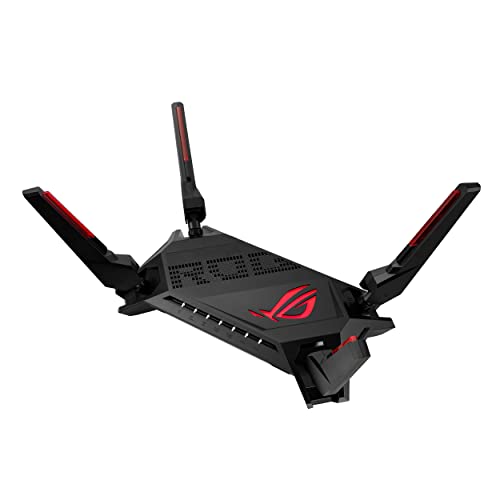
ASUS ROG Rapture GT-AX6000
- Best for: Wired Xbox One setups in homes with fast plans and heavy competing traffic.
- Wi-Fi 6 dual-band up to 6000 Mbps, with 160 MHz channels
- Dual 2.5G WAN/LAN ports
- 2.0 GHz quad-core CPU and 1 GB RAM
- Triple-Level Game Acceleration and a dedicated gaming port
Wired Xbox One setups in homes with fast plans and heavy competing traffic.
There is no 6 GHz band, and the chassis is big, so measure the shelf or entertainment center before ordering.
The GT-AX6000 attacks latency at every hop with what ASUS calls triple-level game acceleration: the dedicated gaming port prioritizes the wired console, the router prioritizes game packets, and the software favors the path to the game server. Its dual 2.5G ports are the headline hardware, one for a faster-than-gigabit internet plan and one for the wired run to the console or a switch. A 2.0 GHz quad-core processor and 1 GB of memory keep those features responsive when the house is busy, and AiMesh support means it can anchor a larger ASUS setup later instead of being replaced.
TP-Link Archer GX90
- Best for: Wireless Xbox One play in a larger house full of people streaming at the same time.
- Wi-Fi 6 tri-band AX6600, combined speeds up to 6,579 Mbps
- Dedicated 5 GHz gaming band up to 4,804 Mbps
- 1 x 2.5 Gbps WAN/LAN port and 4 x gigabit LAN ports
- 1.5 GHz quad-core CPU
Wireless Xbox One play in a larger house full of people streaming at the same time.
The eight-antenna design takes real space on a shelf, and OneMesh extenders for dead spots are a separate purchase.
Most routers make the console share one 5 GHz band with everything else. The GX90 instead splits its tri-band layout so one 5 GHz band is reserved for gaming, giving a wireless Xbox One a lane that streaming boxes and phones do not touch. Its Game Accelerator QoS recognizes game traffic, the Game Statistics page shows real-time latency and device usage, and a 2.5 Gbps port covers the wired option if you later run a cable. Eight antennas and a 1.5 GHz quad-core processor are aimed at larger homes where the console sits a room or two away from the router.
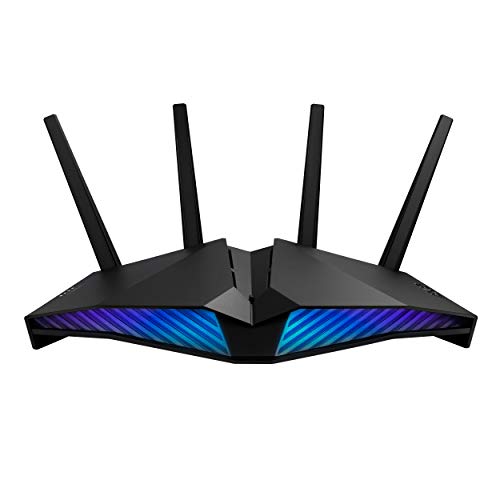
ASUS RT-AX82U
- Best for: A straightforward upgrade for one wired console in an apartment or small home.
- Wi-Fi 6 dual-band AX5400, up to 5,400 Mbps
- Dedicated gaming port with automatic prioritization
- AiProtection Pro security and Instant Guard VPN
- AiMesh compatible for expansion with other ASUS routers
A straightforward upgrade for one wired console in an apartment or small home.
A separate Renewed listing exists under a different ASIN, so confirm you are on the new-unit listing before ordering.
The RT-AX82U is the low-effort pick. Plug the Xbox One into its dedicated gaming port and the console’s traffic is prioritized automatically, with no QoS menus to configure. Adaptive QoS still lets you set priorities for the rest of the network from the app, AiProtection Pro adds subscription-free security, and because it is AiMesh compatible it can later become one node of a bigger ASUS system rather than a dead end. It is a dual-band AX5400 design, so it gives up the GX90’s separate gaming band, but for a single console near the router that trade is easy to accept.
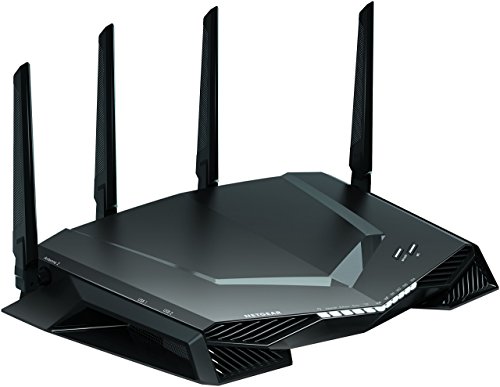
NETGEAR Nighthawk Pro Gaming XR500
- Best for: Players who mainly want the DumaOS geo-filter and QoS, and who play wired or close to the router.
- Wi-Fi 5 (802.11ac) dual-band AC2600, up to 2.6 Gbps
- DumaOS with geo-filter, QoS and gaming dashboard
- 4 x Ethernet LAN ports
- Model XR500-100NAS
Players who mainly want the DumaOS geo-filter and QoS, and who play wired or close to the router.
An older model whose current Amazon availability leans on third-party sellers, so check the offer and seller on the listing.
The XR500 is the router that introduced DumaOS to most players, and the formula still suits an Xbox One: a geo-filter to fence matchmaking to nearby servers, device-based QoS, and a gaming dashboard that shows ping and bandwidth in plain view. It is a Wi-Fi 5 AC2600 model, which sounds dated, but the Xbox One’s own wireless tops out at the AC standard anyway, and wired players lose nothing. The honest caveat is age. This is an older design, and what you give up versus the XR1000 is Wi-Fi 6 efficiency in a crowded house, not the gaming software itself.
Which One Fits Your Situation
Your NAT type keeps showing Strict
Start with the router’s UPnP behavior and remove any double NAT from an ISP gateway first, because no feature fixes a chained network. Between these picks, the XR1000 and XR500 handle console NAT cleanly through DumaOS and add the geo-filter as a bonus. If the Strict reading survives a single-router setup with UPnP on, the problem is usually the modem, not the router you buy here.
The console has to stay on Wi-Fi
If a cable cannot reach the TV room, give the console its own airtime. The Archer GX90’s dedicated gaming band is the strongest answer in this group, with the XR1000’s device-based QoS as the fallback when the house is smaller. Either way, put the console on a 5 GHz band, not 2.4 GHz, and keep the router out of a closed cabinet.
You can run a cable and want it to count
A wired Xbox One on the GT-AX6000’s gaming port, fed by its 2.5G ports, is the lowest-latency combination here, and the RT-AX82U delivers most of that benefit in a smaller home for less effort. Wired play also frees the wireless bands for everyone else, which quietly improves the whole network at match time.
Two consoles share one connection
Households with two Xbox consoles need UPnP that handles both at once, plus QoS that can prioritize two devices fairly. The XR1000’s bandwidth allocation does this most gracefully, splitting capacity so neither console starves. The GX90 is the alternative when one console is wired and the other plays over its gaming band from another room.
Common Mistakes
- Shopping by the biggest Mbps number on the box, when the Xbox One cannot use AX-class speeds and priority features decide how matches actually feel.
- Leaving an ISP gateway routing behind the new router, which creates a double NAT and keeps the console stuck on Strict.
- Connecting the console to the 2.4 GHz band because the signal bars look stronger, then wondering why ping spikes during matches.
- Turning QoS on but never assigning the console priority, which leaves game packets in the same queue as everyone else’s downloads.
- Judging the new router by a speed test alone instead of the ping shown in the game’s own network statistics.
Frequently Asked Questions
Will a gaming router fix a Strict NAT on my Xbox One?
Often, yes. A router with reliable UPnP, like the DumaOS and ASUS models above, usually moves an Xbox One to Open NAT on its own. If your modem is also routing, though, the double NAT keeps NAT Strict no matter what the new router does, so bridge the gateway or make it modem-only first.
Is Wi-Fi 6 wasted on an Xbox One?
Not entirely. The console’s own Wi-Fi is the older AC standard, so it will not use Wi-Fi 6 speeds directly. A Wi-Fi 6 router still helps through better handling of a crowded network, and the moment the console is wired, the router’s QoS, ports, and processing do the real work anyway.
Should I play wired or wireless on an Xbox One?
Wired, whenever the room allows it. A cable removes the jitter and interference that wireless cannot fully avoid, and every router here has gigabit ports for exactly that. If wiring is impossible, choose a 5 GHz band, ideally the dedicated gaming band on a tri-band model like the GX90.
Does my internet plan speed change which router I should buy?
Less than the box art suggests. Even a modest plan benefits from device-based QoS and a geo-filter, because those features manage the connection you already have. Plan speed only really changes the port question: faster-than-gigabit service is the case for the 2.5G ports on the GT-AX6000 or GX90.
FAQ
Will a gaming router fix a Strict NAT on my Xbox One?
Is Wi-Fi 6 wasted on an Xbox One?
Should I play wired or wireless on an Xbox One?
Does my internet plan speed change which router I should buy?
More from Amazon
Programs that pair well with the guide above. Offers and eligibility are set by Amazon and may change.
Free shipping on eligible items, Prime Video and more. Eligible new members can start with a free trial.
Start a Prime free trialA Prime membership for ages 18-24 with a trial period. Eligibility is set by Amazon.
See Prime for Young AdultsAudiobooks and podcasts to listen to on the go. Eligible new members can start with a free trial.
Try Audible freeAd-free music streaming. Eligible new subscribers can start with a free trial.
Try Music Unlimited freeAs an Amazon Associate we earn from qualifying purchases.