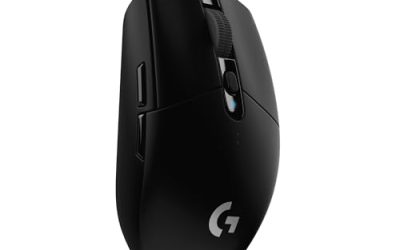
Our Short List of 3

- Best for: Wired players who plug into more than one computer.
- Sensor: HERO 25K, up to 25,600 DPI
- Buttons: 11 programmable buttons
- Onboard memory: save up to five profiles directly to the mouse, per the listing
- Weights: adjustable weight system

- Best for: Wireless players who split time between a gaming PC and a laptop.
- Sensor: HERO 25K
- Switches: LIGHTFORCE hybrid optical-mechanical
- Controls: 13 programmable controls
- Onboard memory: up to 5 profiles (2 by default, 5 with G HUB, per listing details)

- Best for: Razer fans who play on machines without Synapse installed.
- Sensor: 26K DPI optical sensor
- Buttons: 11 programmable buttons
- Onboard memory: 5 profiles storing keybinds, DPI settings and HyperShift assignments, per the listing
- Wheel: HyperScroll tilt wheel
All 3 Picks at a Glance
| Product | Specs | Action |
|---|---|---|
| Logitech G502 HERO |
| Check price on Amazon |
| Logitech G502 X Plus |
| Check price on Amazon |
| Razer Basilisk V3 |
| Check price on Amazon |
Key takeaways
- Gaming mice whose listings state onboard memory, so profiles, DPI steps and macros travel between computers. Compare Logitech, Razer and Corsair picks.
Onboard memory changes what a gaming mouse is for. Without it, your DPI steps, button binds and macros live in software on one computer, and a borrowed laptop, a tournament PC or a fresh install resets you to factory behavior. A mouse that stores profiles on the device itself carries your setup with it, so the same buttons do the same things on any machine you plug into. The real decision is how many profiles you need stored, and what exactly each brand keeps on the mouse.
This guide is for players who switch between a home PC and a laptop, share machines at events or LANs, or simply refuse to reinstall configuration software after every system change. Every pick below is a gaming mouse whose Amazon listing states onboard memory or onboard profile storage in its own words, and the profile counts and other details come from those listings rather than from brand marketing pages.
Quick Picks
As an Amazon Associate we earn from qualifying purchases
| Product | Best for | Key spec from title |
|---|---|---|
| Logitech G502 HERO | Wired reliability with stored profiles | On-board memory in the listing title |
| Logitech G502 X Plus | Wireless play across two machines | Up to 5 onboard memory profiles |
| Razer Basilisk V3 | Ergonomic wired shape with tilt wheel | 5 onboard memory profiles |
| Corsair Dark Core RGB Pro | Wireless with swappable grips | Onboard storage for up to 3 profiles |
How to Choose
Count the profiles you actually use
Profile counts in these listings run from three to five, and the right number depends on how differently you play. One profile per game genre is a common pattern: a low-sensitivity shooter setup, an MMO layout with heavy thumb binds, and a desktop profile with media controls. Three stored profiles cover that pattern for most players. Five gives room for per-game tuning or for sharing one mouse between two people. Also check what a profile holds — some listings store lighting and macros as well as DPI and button assignments, others keep less.
Know what the software still controls
Onboard memory is not the same as software-free setup. Every mouse here is configured through a companion app first — Logitech G HUB, Razer Synapse or Corsair iCUE — and the stored profile is a snapshot of what you built there. Some features may only work while the app runs, and some mice ship with fewer profiles active until the app unlocks the rest, as the G502 X Plus listing notes. Read the listing wording closely: it tells you whether macros, lighting and DPI stages all travel, or only part of your setup does.
Wired or wireless changes the routine
A wired mouse with onboard memory, like the G502 HERO or Basilisk V3, is the simplest travel setup: plug into any computer and the profiles are simply there, with no receiver to lose and no battery to manage. Wireless models add freedom at a desk and still carry their profiles between machines, but you must keep track of the USB receiver, because the stored settings travel in the mouse while the wireless link travels in the dongle. If you move between the same two computers daily, either style works; for unknown machines, wired is foolproof.
Shape and buttons still come first
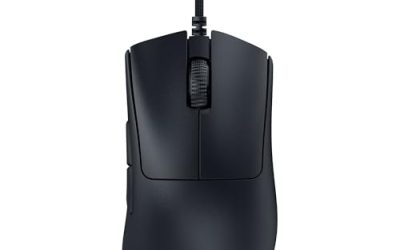
Storage is a feature, not a fit. A mouse that carries five profiles but fights your grip will still feel wrong every day, so settle the shape before the memory spec. The two Logitech picks use the G502 family’s tall ergonomic shell with many thumb controls, the Basilisk V3 offers a similar right-handed shape with a tilt wheel and a clutch-style button, and the Dark Core RGB Pro adds interchangeable side grips. Match the shell to your hand and your main genre first, then use profile storage as the deciding feature between close options.
The 4 Best Options
Logitech G502 HERO
- Best for: Wired players who plug into more than one computer.
- Sensor: HERO 25K, up to 25,600 DPI
- Buttons: 11 programmable buttons
- Onboard memory: save up to five profiles directly to the mouse, per the listing
- Weights: adjustable weight system
Wired players who plug into more than one computer.
This model appears under more than one ASIN; the ASIN below is the 910-005469 listing, so confirm the model number on the page before ordering.
The G502 HERO is the straightforward answer for wired players: its Amazon title states on-board memory outright, and the listing explains that you can save up to five ready-to-play profiles directly to the mouse. Around that storage sits the familiar G502 hardware — a HERO 25K sensor, 11 programmable buttons, adjustable weights and LIGHTSYNC RGB. Because it is wired, the profiles are available the moment you plug into any PC or Mac, with no receiver, pairing or battery involved, which makes it a strong pick for shared or frequently rebuilt machines.
Watch out for: This model appears under more than one ASIN; the ASIN below is the 910-005469 listing, so confirm the model number on the page before ordering.
Logitech G502 X Plus
- Best for: Wireless players who split time between a gaming PC and a laptop.
- Sensor: HERO 25K
- Switches: LIGHTFORCE hybrid optical-mechanical
- Controls: 13 programmable controls
- Onboard memory: up to 5 profiles (2 by default, 5 with G HUB, per listing details)
Wireless players who split time between a gaming PC and a laptop.
Only two profiles are active by default; the listing states five become available with G HUB installed, so set it up once before you travel.
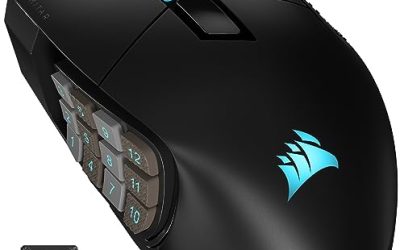
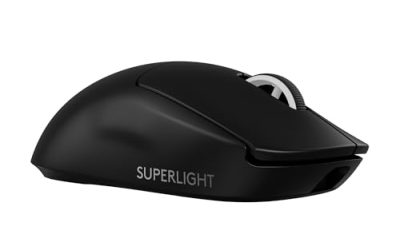
The G502 X Plus takes the same five-profile idea wireless. Its listing details state up to five onboard memory profiles — two by default, with five available through Logitech G HUB — alongside LIGHTSPEED wireless, LIGHTFORCE hybrid optical-mechanical switches and a HERO 25K sensor. Thirteen programmable controls, an infinite scroll toggle and USB-C charging round out a mouse built for a main gaming PC that also visits a laptop. Stated battery life runs under 130 hours, and POWERPLAY wireless charging support is listed for players who already own that mat.
Watch out for: Only two profiles are active by default; the listing states five become available with G HUB installed, so set it up once before you travel.
Razer Basilisk V3
- Best for: Razer fans who play on machines without Synapse installed.
- Sensor: 26K DPI optical sensor
- Buttons: 11 programmable buttons
- Onboard memory: 5 profiles storing keybinds, DPI settings and HyperShift assignments, per the listing
- Wheel: HyperScroll tilt wheel
Razer fans who play on machines without Synapse installed.
It is wired and right-handed only, and profile switching uses the button underneath, so check its position suits your grip.
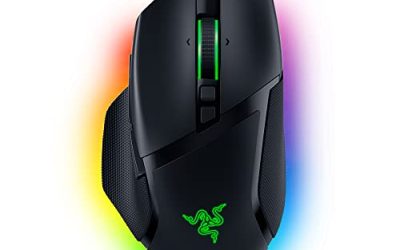
The Basilisk V3 gives Razer players the same carry-your-setup benefit in a wired ergonomic shell. Its listing copy states that five onboard memory profiles store custom keybinds, DPI settings and Razer HyperShift assignments, switched by a programmable button underneath the mouse. The rest of the hardware is thoroughly gaming-grade: a 26K DPI optical sensor, 11 programmable buttons, a HyperScroll tilt wheel and Chroma RGB lighting. For players who like Razer’s shape and wheel but play on machines where Synapse is not installed, this is the natural fit.
Watch out for: It is wired and right-handed only, and profile switching uses the button underneath, so check its position suits your grip.
Corsair Dark Core RGB Pro
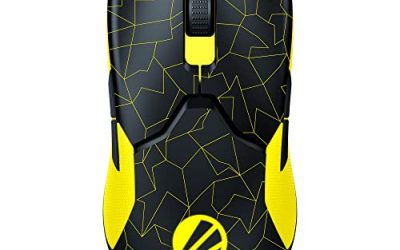
The Dark Core RGB Pro is the wireless option whose listing is most explicit about storage: it states that onboard storage saves up to three profiles, covering lighting and macro profiles you can take anywhere. It connects three ways — SLIPSTREAM wireless, Bluetooth or a USB-C cable — and adds eight programmable buttons, an 18,000 DPI optical sensor and two interchangeable side grips for palm support. Battery life is stated at up to 50 hours. For players who want macros to keep working on a second machine, three stored profiles may be plenty.
Specs
- Sensor: 18,000 DPI optical
- Buttons: 8 programmable buttons
- Onboard storage: saves up to 3 profiles, per the listing
- Connection: SLIPSTREAM wireless, Bluetooth, USB-C wired
- Battery: up to 50 hours
- Lighting: nine-zone dynamic RGB backlighting
- Extras: two interchangeable side grips
- Model: CH-9315411-NA
Best for: Wireless players who want stored macro and lighting profiles on a second machine.
Watch out for: Three profiles is the smallest count here, and the older non-Pro Dark Core RGB is a different model with a different sensor, so check the full name on the page.
Which One Fits Your Situation
You play on a home PC and a work or school laptop
Take the G502 X Plus. Its five onboard profiles hold your game binds and a calmer desktop layout at once, LIGHTSPEED keeps the gaming connection fast, and moving one receiver handles switching machines. Set all five profiles up in G HUB before the laptop becomes your only machine, because two are active by default.
You use shared, library or tournament computers
Take the G502 HERO. A wired connection means no receiver to leave behind and no pairing step, and its five stored profiles load your DPI and binds on machines where you cannot install software. The adjustable weights also let one shared mouse feel closer to your home setup. It is the least glamorous pick here and the most foolproof in this situation.
You are a Razer player who hates running Synapse
Take the Basilisk V3. Its five onboard profiles store keybinds, DPI settings and HyperShift layers, and a button underneath the mouse cycles them without opening any app. The tilt wheel and 11 programmable buttons keep the Razer experience intact, and the wired connection means the profiles are live on any machine the moment you plug in.
You want wireless macros that travel
Take the Dark Core RGB Pro. Its listing states onboard storage for up to three profiles, including lighting and macro profiles, so your recorded sequences keep working on a second computer. SLIPSTREAM wireless covers fast play at home, Bluetooth covers a laptop, and the swappable side grips let you tune palm support for longer sessions in either place.
Common Mistakes
- Assuming onboard memory stores everything: check the listing wording, because some mice keep lighting or advanced macros in software only.
- Forgetting the receiver on wireless models: the profiles travel in the mouse, but the wireless link still needs its USB dongle in the new machine.
- Setting up profiles on the wrong computer: build and store your profiles at home first, because a locked-down machine may block the configuration app.
- Buying purely on profile count: five stored profiles do not help if the shell hurts your hand, so settle shape and grip first.
- Mixing up similar model names: the G502 HERO, G502 X Plus and the older Dark Core RGB are different products with different storage and sensors.
Frequently Asked Questions
How many profiles do I really need?
Most players use two or three: one for their main game, one for a second genre and one calm desktop layout. Three stored profiles, like the Dark Core RGB Pro carries, cover that pattern. Five, as on the Logitech and Razer picks here, helps if you tune per game or share the mouse with another player.
Do onboard profiles work without the brand’s software running?
That is the point of the feature: once a profile is stored on the mouse, its DPI steps and button assignments travel with the device and apply on a new computer without the app. The listings here describe stored profiles in those terms. You still need the companion app on one machine to build or edit the profiles in the first place.
Are macros stored on the mouse too?
On some of these picks, yes. The Corsair listing explicitly describes onboard storage for lighting and macro profiles, and the Basilisk V3 listing covers keybinds and HyperShift assignments. Wording differs by brand, so read the exact listing: if macros matter to you, choose a model whose page names them rather than assuming every stored profile includes recorded sequences.
Does onboard memory change gaming performance?
No. Onboard memory is about consistency, not speed: the sensor, switches and connection decide how the mouse tracks and clicks. Storage simply means the settings you tuned — DPI stages, binds, lighting — are still active on a different computer. Judge performance from the sensor and connection in each listing, and treat profile storage as a convenience feature on top.
FAQ
How many profiles do I really need?
Do onboard profiles work without the brand’s software running?
Are macros stored on the mouse too?
Does onboard memory change gaming performance?
More from Amazon
Programs that pair well with the guide above. Offers and eligibility are set by Amazon and may change.
Free shipping on eligible items, Prime Video and more. Eligible new members can start with a free trial.
Start a Prime free trialA Prime membership for ages 18-24 with a trial period. Eligibility is set by Amazon.
See Prime for Young AdultsAudiobooks and podcasts to listen to on the go. Eligible new members can start with a free trial.
Try Audible freeAd-free music streaming. Eligible new subscribers can start with a free trial.
Try Music Unlimited freeAs an Amazon Associate we earn from qualifying purchases.