Our Short List of 3

- Best for: Players who want a proven symmetrical flagship with a slightly more rounded, forgiving shape than the Viper. At 60 grams it is firmly ultralight, and its five buttons cover shooter essentials without clutter. It suits claw and fingertip grips on medium hands, especially if you already use Logitech G gear.
- Sensor: 44K DPI sensor, as listed for this model
- Weight: 60 grams, pro-grade lightweight design
- Polling rate: Up to 8 kHz report rate
- Buttons: 5 programmable buttons

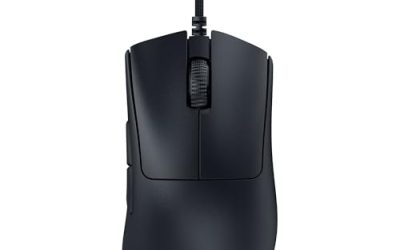
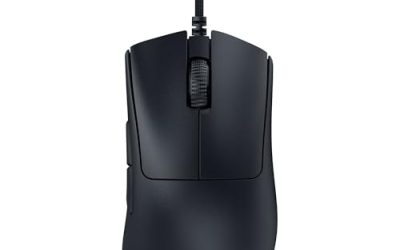
- Best for: Palm-grip and relaxed claw-grip players with medium to large hands who want ergonomic support without heavy weight. At 63 grams it brings an ultralight feel to a large, supportive shape, so long sessions in shooters, action RPGs, and everyday use stay comfortable.
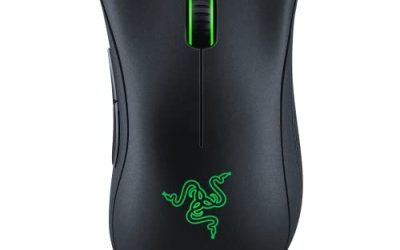
- Sensor: Razer Focus Pro 30K Optical Sensor, up to 30,000 DPI
- Weight: 63 grams in black, ergonomic right-handed shell
- Size: About 128 x 68 x 44 mm
- Switches: Razer Optical Mouse Switches Gen-3, rated for 90 million clicks

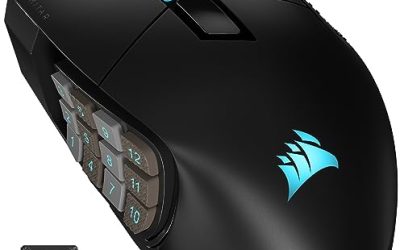
- Best for: Players who want one mouse for shooters, MMOs, strategy games, and desktop work. Eleven programmable buttons, a DPI shift button for temporary precision, a tilting dual-mode wheel, and tunable weight make it the most configurable mouse here. Its large right-handed shape supports a palm grip, and wired use means no battery to manage.
- Sensor: Logitech HERO 25K optical, 100 to 25,600 DPI
- Buttons: 11 programmable buttons, dual-mode hyper-fast scroll wheel
- Weight: 121 grams, plus five optional 3.6-gram tuning weights
- Connectivity: Wired USB connection
All 4 Picks at a Glance
| Product | Specs | Action |
|---|---|---|
| Logitech G PRO X Superlight 2 |
| Check price on Amazon |
| Razer DeathAdder V3 Pro |
| Check price on Amazon |
| Logitech G502 HERO |
| Check price on Amazon |
 Logitech G305 LIGHTSPEED |
| Check price on Amazon |
Key takeaways
- Find the best gaming mouse for PC with picks for FPS, ergonomic comfort and value, plus sensor, weight, polling and grip advice to choose well.
Choosing the best gaming mouse for PC is less about chasing the highest DPI number and more about finding a shape, weight, and connection that disappear under your hand during a match. A mouse that fits well lets you aim without fighting the shell and play for hours without cramping. A mouse that fits badly does the opposite, no matter how impressive its sensor looks on paper.
This guide covers five different mice: two symmetrical wireless flagships for shooters, a large ergonomic wireless model for palm-grip players, a wired all-rounder with eleven buttons, and a compact wireless option on a replaceable battery. Use Quick Picks to narrow the field, then read How to Choose. Shape comes first, sensor second, extras last.
As an Amazon Associate we earn from qualifying purchases.
Quick Picks
If you already know your grip and the games you play most, this table is the fastest way to shortlist the right mouse.
| Product | ASIN | Best For |
|---|---|---|
| Razer Viper V3 Pro | B0CW25XR5R | Competitive FPS and symmetrical ultralight speed |
| Logitech G PRO X Superlight 2 | B09NBWL8J5 | Symmetrical flagship for claw and fingertip grips |
| Razer DeathAdder V3 Pro | B0B6XZLNHQ | Large ergonomic comfort for palm-grip players |
| Logitech G502 HERO | B07GBZ4Q68 | Buttons, tunable weight, and wired all-round use |
| Logitech G305 LIGHTSPEED | B07CMS5Q6P | Compact wireless value with long battery life |
How to Choose
The right gaming mouse starts with your hand, not a specification sheet. Work through the criteria below in order, and two or three models will usually rule themselves out quickly.
Shape, Size, and Grip Style
Shape is the most important factor. Symmetrical mice such as the Viper V3 Pro and the G PRO X Superlight 2 suit claw and fingertip grips, because both sides curve the same way. Ergonomic right-handed mice such as the DeathAdder V3 Pro and the G502 HERO contour to support a palm grip, filling the hand so your fingers rest rather than hover. Size matters too: the DeathAdder V3 Pro is about 128 mm long for medium to large hands, while the G305 is about 116.6 mm long and suits smaller hands. A mouse that is too long or too short causes fatigue long before it causes missed shots.
Sensor and DPI
Every mouse here uses a modern optical sensor, so sensor quality alone should not decide your purchase. The Viper V3 Pro uses Razer’s Focus Pro 35K Optical Sensor Gen-2 up to 35,000 DPI, the DeathAdder V3 Pro uses the Focus Pro 30K up to 30,000 DPI, and the G PRO X Superlight 2 is listed with a 44K DPI sensor. The G502 HERO uses Logitech’s HERO 25K at 100 to 25,600 DPI, and the G305 uses HERO at 200 to 12,000 DPI. Most players actually set 400 to 3,200 DPI and adjust in-game sensitivity around it. Consistent tracking and a sensible lift-off distance matter far more than the headline maximum.
Weight and Balance
The Viper V3 Pro is listed at about 54 grams and the G PRO X Superlight 2 at about 60 grams, offering very little resistance for low-sensitivity arm aiming and fast corrections. The DeathAdder V3 Pro achieves about 63 grams in a much larger ergonomic shell, so a palm grip still feels light. At the other end, the G502 HERO weighs 121 grams before its five optional 3.6-gram tuning weights, giving a planted feel for deliberate movements. The G305 sits in between at 99 grams with its AA battery. There is no correct weight, only one that matches your sensitivity and how much you lift the mouse.
Polling Rate and Connectivity
Polling rate is how often the mouse reports its position. The standard 1,000 Hz, one report every millisecond, still feels responsive in every genre. The Viper V3 Pro and the G PRO X Superlight 2 offer up to 8,000 Hz in their listings, which can make motion look smoother on a high-refresh monitor, at the cost of battery life. Many players therefore use 1,000 or 2,000 Hz daily and raise it only for competitive sessions. Wireless models here use a 2.4 GHz receiver, which should sit close to the mouse on an extension cable. A wired mouse such as the G502 HERO avoids batteries and receivers entirely, at the cost of cable drag.
Switches, Buttons, and the Scroll Wheel
Razer’s Pro models use Gen-3 optical switches, which actuate with light rather than a physical contact, while the G502 HERO and G305 use mechanical switches with a traditional tactile click. Most players adapt quickly, so treat this as preference, not ranking. Button count should follow your games: shooter players usually need only two side buttons, while MMO, MOBA, and mixed desktop users benefit from the G502 HERO’s eleven programmable buttons and its dual-mode wheel, which switches between notched scrolling and fast free spinning. Count the commands you actually want under your thumb before choosing a button-heavy design.
Battery Life and Charging
Battery figures only make sense alongside polling rate. The Viper V3 Pro is listed with up to 95 hours, and the DeathAdder V3 Pro with up to 90 hours at 1,000 Hz, with far shorter life at the highest polling settings. Both Razer models and the Superlight 2 charge over USB-C, so a short top-up during a break is easy. The G305 instead runs on a single replaceable AA battery, listed at up to 250 hours in Performance mode and far longer in Endurance mode, with the receiver stored inside the mouse. Choose the routine that fits you: occasional charging, or rare battery swaps.
Software, Profiles, and Compatibility
Razer mice use Razer Synapse and Logitech mice use Logitech G HUB for DPI steps, polling rate, and button assignments. Onboard memory matters if you move between PCs, because the mouse can carry profiles without software running; the G502 HERO and the G305 both offer onboard profile storage. All five mice need a USB port for the receiver or cable and work as a standard pointing device without the software. Left-handed players should note that the DeathAdder V3 Pro and G502 HERO are right-handed ergonomic designs, while the symmetrical models are more accommodating, though their side buttons still suit a right hand.
5 Best Options
Each option below is a gaming mouse only, with specifications taken from its listing information. Read the watch-out note as carefully as the strengths, because that is usually where the real decision sits.
Razer Viper V3 Pro
Specs
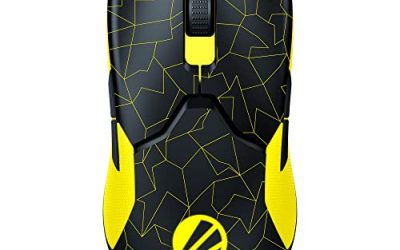
- Sensor: Razer Focus Pro 35K Optical Sensor Gen-2, up to 35,000 DPI
- Weight: About 54 grams, symmetrical ultralight shell
- Polling rate: Up to 8,000 Hz polling
- Switches: Razer Optical Mouse Switches Gen-3
- Buttons: 8 programmable buttons
- Battery: Up to 95 hours, wireless esports design
- ASIN: B0CW25XR5R
Best for: Competitive shooter players with a claw or fingertip grip who want the lightest symmetrical option here. Very low weight, a flagship sensor, and high polling support suit fast flicks and fine corrections where a single duel decides a round. Its clean shell keeps the focus on aim rather than extra controls.
Watch out for: There is no elaborate button layout for MMO play, and battery life drops sharply at the highest polling settings. The symmetrical shape also offers less palm support than the DeathAdder, so larger palm-grip players may find it flat during slower-paced sessions.
Logitech G PRO X Superlight 2
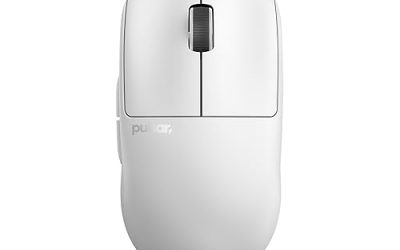
- Best for: Players who want a proven symmetrical flagship with a slightly more rounded, forgiving shape than the Viper. At 60 grams it is firmly ultralight, and its five buttons cover shooter essentials without clutter. It suits claw and fingertip grips on medium hands, especially if you already use Logitech G gear.
- Sensor: 44K DPI sensor, as listed for this model
- Weight: 60 grams, pro-grade lightweight design
- Polling rate: Up to 8 kHz report rate
- Buttons: 5 programmable buttons
Players who want a proven symmetrical flagship with a slightly more rounded, forgiving shape than the Viper. At 60 grams it is firmly ultralight, and its five buttons cover shooter essentials without clutter. It suits claw and fingertip grips on medium hands, especially if you already use Logitech G gear.
Five buttons is a deliberate minimum, so players who map many commands should choose the G502 HERO instead. Most settings changes are handled in software rather than on the mouse, and running the highest report rate means charging more often.
Watch out for: Five buttons is a deliberate minimum, so players who map many commands should choose the G502 HERO instead. Most settings changes are handled in software rather than on the mouse, and running the highest report rate means charging more often.
Razer DeathAdder V3 Pro
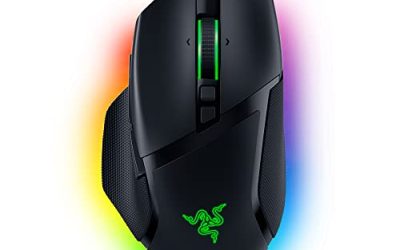
- Best for: Palm-grip and relaxed claw-grip players with medium to large hands who want ergonomic support without heavy weight. At 63 grams it brings an ultralight feel to a large, supportive shape, so long sessions in shooters, action RPGs, and everyday use stay comfortable.
- Sensor: Razer Focus Pro 30K Optical Sensor, up to 30,000 DPI
- Weight: 63 grams in black, ergonomic right-handed shell
- Size: About 128 x 68 x 44 mm
- Switches: Razer Optical Mouse Switches Gen-3, rated for 90 million clicks
Palm-grip and relaxed claw-grip players with medium to large hands who want ergonomic support without heavy weight. At 63 grams it brings an ultralight feel to a large, supportive shape, so long sessions in shooters, action RPGs, and everyday use stay comfortable.
Small hands and pure fingertip grips can feel overwhelmed by its length and height, and left-handed players cannot use the right-handed shape. Higher polling beyond the standard rate has historically depended on a separate HyperPolling dongle for this model, so check the listing contents if 8,000 Hz wireless is essential.
Watch out for: Small hands and pure fingertip grips can feel overwhelmed by its length and height, and left-handed players cannot use the right-handed shape. Higher polling beyond the standard rate has historically depended on a separate HyperPolling dongle for this model, so check the listing contents if 8,000 Hz wireless is essential.
Logitech G502 HERO
- Best for: Players who want one mouse for shooters, MMOs, strategy games, and desktop work. Eleven programmable buttons, a DPI shift button for temporary precision, a tilting dual-mode wheel, and tunable weight make it the most configurable mouse here. Its large right-handed shape supports a palm grip, and wired use means no battery to manage.
- Sensor: Logitech HERO 25K optical, 100 to 25,600 DPI
- Buttons: 11 programmable buttons, dual-mode hyper-fast scroll wheel
- Weight: 121 grams, plus five optional 3.6-gram tuning weights
- Connectivity: Wired USB connection
Players who want one mouse for shooters, MMOs, strategy games, and desktop work. Eleven programmable buttons, a DPI shift button for temporary precision, a tilting dual-mode wheel, and tunable weight make it the most configurable mouse here. Its large right-handed shape supports a palm grip, and wired use means no battery to manage.
At 121 grams before added weights, fast low-sensitivity shooter play feels noticeably heavier than with the ultralight flagships. The cable can drag without management, the busy layout takes time to learn, and small-handed or left-handed players should rule it out on shape.
Watch out for: At 121 grams before added weights, fast low-sensitivity shooter play feels noticeably heavier than with the ultralight flagships. The cable can drag without management, the busy layout takes time to learn, and small-handed or left-handed players should rule it out on shape.
Logitech G305 LIGHTSPEED
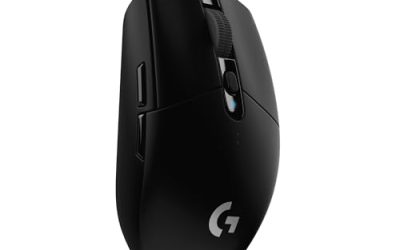
- Best for: Players who want reliable wireless performance in a compact mouse without a charging routine. The HERO sensor tracks accurately, the 1 ms report rate in Performance mode feels responsive, and battery life is measured in weeks of play. Its smaller symmetrical shape suits small to medium hands and travel setups, where the internally stored receiver is useful.
- Sensor: Logitech HERO optical, 200 to 12,000 DPI
- Weight: 99 grams with AA battery installed
- Size: About 116.6 x 62.15 x 38.2 mm, compact shell
- Buttons: 6 programmable buttons, onboard memory for profiles
Players who want reliable wireless performance in a compact mouse without a charging routine. The HERO sensor tracks accurately, the 1 ms report rate in Performance mode feels responsive, and battery life is measured in weeks of play. Its smaller symmetrical shape suits small to medium hands and travel setups, where the internally stored receiver is useful.
There is no RGB lighting, no Bluetooth, and no wired fallback, so a flat battery means swapping the AA cell rather than plugging in a cable. At 99 grams it is heavier than the ultralight flagships, and the compact shell can feel cramped for a large-handed palm grip.
Watch out for: There is no RGB lighting, no Bluetooth, and no wired fallback, so a flat battery means swapping the AA cell rather than plugging in a cable. At 99 grams it is heavier than the ultralight flagships, and the compact shell can feel cramped for a large-handed palm grip.
Which One Fits You
- Competitive FPS player with a fingertip or claw grip: Choose the Razer Viper V3 Pro for the lowest weight, symmetrical shape, and highest polling support here.
- FPS player who prefers Logitech shape and software: Choose the Logitech G PRO X Superlight 2, an ultralight symmetrical flagship at 60 grams with a rounded shell.
- Palm-grip player with medium to large hands: Choose the Razer DeathAdder V3 Pro, which pairs ergonomic support with a weight that still feels fast.
- Mixed-genre player who maps lots of commands: Choose the Logitech G502 HERO for eleven programmable buttons, a dual-mode wheel, and tunable weight.
- Travel or value-focused player who hates charging: Choose the Logitech G305 LIGHTSPEED for its compact shell, stored receiver, and long AA battery routine.
- Small-handed player unsure about size: Start with the G305 or the Superlight 2, since the DeathAdder V3 Pro and G502 HERO are both large mice.
Common Mistakes
- Buying on maximum DPI alone: A 35,000 or 44,000 DPI headline does not improve aim, because most players use a small fraction of that range, so judge on shape, weight, and tracking instead.
- Ignoring hand size and grip: A large ergonomic mouse for a small fingertip grip, or a small symmetrical mouse for a large palm grip, causes fatigue no sensor can fix.
- Running maximum polling rate all the time: The highest settings drain wireless batteries far faster, so save them for competitive sessions and use a standard rate for casual play.
- Placing the receiver far from the desk: A receiver at the back of a PC under a desk invites interference, so use the extension cable and keep it close to the pad.
- Copying a professional player’s sensitivity exactly: Pro settings suit their hand, pad, and mouse weight, so use them only as a starting range and adjust until your tracking feels controlled.
FAQ
Is wireless fast enough for competitive PC gaming?
Yes, the 2.4 GHz connections on the flagship models here report as fast as a wired connection at standard settings and are widely used in competitive play. Keep the receiver close to the pad and away from metal objects. If you prefer zero battery management, a wired mouse such as the G502 HERO remains a competitive choice.
What DPI should I actually set for shooters?
Most shooter players settle between 400 and 1,600 DPI and fine-tune sensitivity in the game, balancing precision and turn speed. Higher DPI with lower in-game sensitivity can give the same overall speed, so there is no single correct number. Pick a setting, play several matches unchanged, and adjust in small steps if tracking overshoots or undershoots.
Does a lighter mouse really improve aim?
A lighter mouse reduces the effort needed to start, stop, and correct movement, which many players feel as cleaner flicks and less wrist fatigue. It does not automatically improve aim, and some players track more steadily with a heavier mouse such as the G502 HERO. The benefit appears only when weight matches your grip, sensitivity, and lifting habits.
How long do gaming mouse switches and batteries last?
Optical switches on the Razer Pro models are rated for tens of millions of clicks, with the DeathAdder V3 Pro listing 90 million clicks, so they should outlast the mouse for most players. Rechargeable models need regular USB-C top-ups, more often at high polling rates. The G305 avoids that routine with a replaceable AA battery lasting up to 250 hours in Performance mode.
Closing
The best gaming mouse for PC is the one whose shape lets you forget about it. Choose the Viper V3 Pro or the G PRO X Superlight 2 for competitive shooters and a light symmetrical shell, the DeathAdder V3 Pro for large-handed ergonomic comfort, the G502 HERO when buttons and versatility matter most, and the G305 LIGHTSPEED when compact wireless convenience and long battery life win. Match the mouse to your hand first, and the performance figures will take care of themselves.
FAQ
Is wireless fast enough for competitive PC gaming?
What DPI should I actually set for shooters?
Does a lighter mouse really improve aim?
How long do gaming mouse switches and batteries last?
More from Amazon
Programs that pair well with the guide above. Offers and eligibility are set by Amazon and may change.
Free shipping on eligible items, Prime Video and more. Eligible new members can start with a free trial.
Start a Prime free trialA Prime membership for ages 18-24 with a trial period. Eligibility is set by Amazon.
See Prime for Young AdultsAudiobooks and podcasts to listen to on the go. Eligible new members can start with a free trial.
Try Audible freeAd-free music streaming. Eligible new subscribers can start with a free trial.
Try Music Unlimited freeAs an Amazon Associate we earn from qualifying purchases.