Our Short List of 3

- Link: https://www.amazon.com/dp/B094PS5RZQ

- Link: https://www.amazon.com/dp/B011HMDZ0Q

- Link: https://www.amazon.com/dp/B07CMS5Q6P
All 3 Picks at a Glance
| Product | Specs | Action |
|---|---|---|
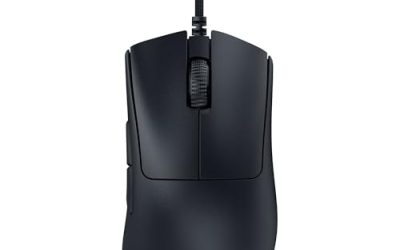
| 2. Razer DeathAdder Essential — Ergonomic Comfort for Bigger Hands |
| Check price on Amazon |
| 3. Redragon M602 RGB Griffin — The Most Features per Purchase |
| Check price on Amazon |
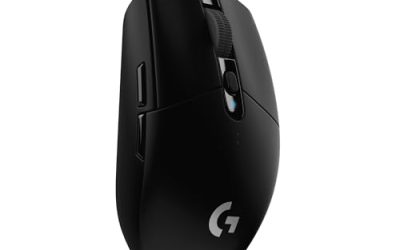
| 5. Logitech G305 Lightspeed — Affordable Wireless Freedom |
| Check price on Amazon |
Key takeaways
- Find the best affordable gaming mouse for your setup, with budget wired and wireless picks compared on sensors, buttons, weight, and grip fit.
A good gaming mouse does not have to drain your wallet. The budget end of the market has improved so much that affordable models now ship with proper gaming-grade optical sensors, 1,000 Hz polling, programmable buttons, and onboard memory — features that used to be reserved for flagship gear. What separates a smart budget buy from a disappointing one is not the headline DPI number on the box, but the sensor quality, the shape, the switch feel, and whether the software gets out of your way.
This guide rounds up five affordable gaming mice that cover the main buying scenarios: a safe all-round wired pick, an ergonomic shape for larger hands, a feature-packed MMO-style option, a lightweight esports-leaning design, and a wireless model for players who want to cut the cord without paying flagship prices. Each pick below is a budget-class gaming mouse, and each one is currently listed for sale on Amazon US.
As an Amazon Associate we earn from qualifying purchases.
What “Affordable” Should Still Get You
Budget gaming mice sit in the entry tier of each brand’s lineup, but “entry” no longer means “compromised.” At this level, a mouse should still deliver the fundamentals that actually affect gameplay:
- A true gaming-grade optical sensor. Look for a named sensor with honest tracking, not an office sensor with a gaming shell around it. Raw, unfiltered tracking matters more than a huge maximum DPI figure.
- 1,000 Hz polling. A 1 ms report rate is standard on gaming mice and keeps cursor updates in step with fast flicks. Anything limited to 125 Hz is an office mouse in disguise.
- Sensible weight. Most players are well served between roughly 75 g and 100 g. Very heavy mice tire the wrist in low-sensitivity shooters; extremely light mice are a preference, not a requirement.
- A shape that fits your hand and grip. Palm, claw, and fingertip grips place different demands on length, hump position, and width. This is the single biggest factor in comfort over long sessions.
- Rated mechanical switches and decent feet. Switch ratings in the tens of millions of clicks and smooth PTFE or Teflon feet are common even on budget models, so there is no reason to settle for less.
- Software that saves settings to the mouse. Onboard memory means your DPI steps and button assignments travel with the mouse between PCs.
What you can safely give up at this tier: wireless charging, tilt-scroll wheels, swappable shells, and ultra-high DPI ceilings you will never use. Almost nobody plays above 3,200 DPI, and many competitive players stay between 400 and 1,600 DPI, so a sensor capped at 6,400 or 8,500 DPI is not the limitation it appears to be on a spec sheet.
Wired vs. Wireless on a Budget
Wired mice still dominate the affordable segment for simple reasons: no battery to charge, no receiver to lose, and no wireless premium added to the price. A modern wired connection has no meaningful latency disadvantage for the vast majority of players, and budget wired mice tend to put their money into the sensor and switches instead of radios.
Wireless is worth considering if a cable drags across your desk or your setup doubles as a work station. Modern 2.4 GHz connections such as Logitech’s Lightspeed are effectively indistinguishable from wired in responsiveness, and a single AA battery can power a mouse for months. The trade-offs are a modest price step up within the budget tier, slightly more weight from the battery, and one more thing to keep charged or stocked with spare batteries.
The Picks
1. Logitech G203 Lightsync — The Safe All-Round Choice
The Logitech G203 Lightsync is the default recommendation in this category for a reason: it is a compact, ambidextrous wired mouse with a proven gaming-grade sensor and mature software support, sold in several colors including black, white, blue, and lilac.
Its sensor adjusts from 200 to 8,000 DPI, which covers every realistic sensitivity preference, and it polls at 1,000 Hz for a 1 ms response time. Six programmable buttons — the two primary clicks, a clickable scroll wheel, a DPI switch behind the wheel, and two side buttons — can be remapped in Logitech G HUB, and onboard memory stores your settings on the mouse itself. The primary buttons use a metal spring tensioning system intended to keep clicks crisp and consistent.
At 85 g and roughly 116.6 mm long, the G203 suits small to medium hands and works naturally with claw and fingertip grips; palm-grip players with large hands will likely find it short. LIGHTSYNC RGB lighting runs across a rear light band and can sync effects with other Logitech G gear or react to screen content through G HUB. For a first gaming mouse, or a dependable spare, it is the lowest-risk purchase on this list.
- Link: https://www.amazon.com/dp/B07W5JKFQC
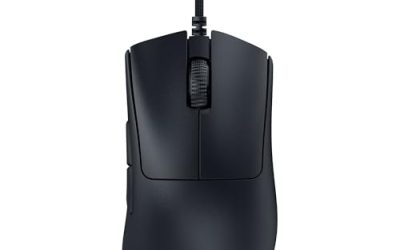
2. Razer DeathAdder Essential — Ergonomic Comfort for Bigger Hands
- Link: https://www.amazon.com/dp/B094PS5RZQ
The DeathAdder shape is one of the longest-running ergonomic designs in gaming, and the DeathAdder Essential is its budget expression. Where the G203 is small and symmetrical, the Essential is a larger right-handed mouse with a sculpted shell and rubber side grips, built for palm and relaxed claw grips.
Inside is a true 6,400 DPI optical sensor — modest on paper, entirely sufficient in practice — paired with five programmable buttons that can be configured through Razer Synapse for macros and secondary functions. The primary switches are mechanical and rated for up to 10 million clicks, and the ridged, rubberized scroll wheel is designed to stay controlled during fast weapon swaps.
The Essential skips RGB beyond a single lit logo and keeps the feature list short, which is exactly the point: the money goes into the shape and the sensor. Players with medium to large hands who find small ambidextrous mice cramped will be better served here than by any other pick in this roundup.
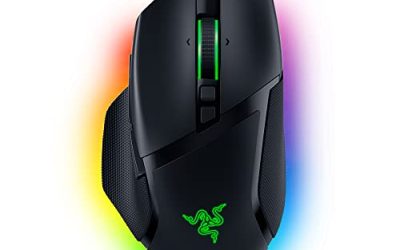
3. Redragon M602 RGB Griffin — The Most Features per Purchase
- Link: https://www.amazon.com/dp/B011HMDZ0Q
Redragon’s M602 Griffin has been a fixture of the ultra-budget segment for years, and its appeal is straightforward: it packs in features that name brands reserve for higher tiers. The wired M602 offers adjustable DPI up to 7,200 with preset steps at 800, 1,200, 1,600, 2,400, and 7,200, plus 10G acceleration from its high-precision optical sensor.
Seven programmable buttons and five memory profiles let you store different button layouts and LED colors for different games, switchable on the fly. RGB backlighting runs through seven modes and can be turned off entirely. Physical touches include a built-in weight tuning set so you can adjust the balance, an anti-skid scroll wheel, smooth Teflon feet, and a six-foot braided fiber cable with a gold-plated USB connector.
The trade-off is size and heft: this is a large, substantial mouse aimed at palm grips, and fingertip players may find it bulky. Software is a download from Redragon rather than a unified suite, and Mac support is limited compared with Windows. If your priority is maximum programmability at the lowest tier, though, the Griffin is hard to argue with.
4. SteelSeries Rival 3 — Lightweight and Built to Last
The Rival 3 is SteelSeries’ entry-level wired mouse, and it borrows more from the company’s pro line than its price suggests. Its TrueMove Core optical sensor, developed with PixArt, delivers true 1-to-1 tracking at up to 8,500 CPI with 300 IPS tracking speed and 35G acceleration, adjustable in 100 CPI increments.
Durability is the headline: the mechanical switches are rated for 60 million clicks — a figure several times higher than most budget rivals — and the shell uses a high-grade polymer with a matte finish. At 77 g without the cable, it is the lightest wired pick here, and its ergonomic right-handed shape is shaped for claw and fingertip grips. Six buttons, three zones of Prism RGB lighting with 16.8 million colors, and onboard memory for saving polling rate, keybinds, and up to five CPI settings round out the package. SteelSeries Engine software handles configuration on Windows and Mac.
Players who prioritize a light mouse and long switch life over extra buttons should start here.
- Link: https://www.amazon.com/dp/B08176SM7C
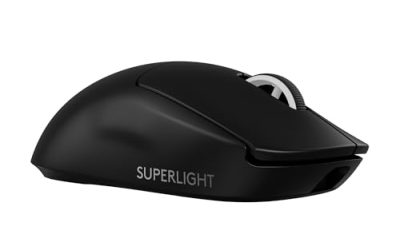
5. Logitech G305 Lightspeed — Affordable Wireless Freedom
- Link: https://www.amazon.com/dp/B07CMS5Q6P
The G305 Lightspeed is the pick for players who want wireless without leaving the budget tier. It uses Logitech’s Lightspeed 2.4 GHz connection with a 1 ms report rate via a USB receiver that stores inside the mouse body, so the performance gap versus wired is negligible for real-world play.
The HERO optical sensor tracks up to 12,000 DPI while sipping power: Logitech rates battery life at up to 250 hours of continuous gaming on a single AA battery. Six programmable buttons, onboard memory for one profile, and G HUB support cover configuration. At 99 g including the battery, it is not the lightest mouse here, but the weight is reasonable for a wireless model and the compact ambidextrous shape suits small to medium hands in claw or fingertip grips.
There is no RGB lighting — a deliberate omission that helps the battery last — and the receiver-based connection means no Bluetooth fallback. For a clean desk and a mouse that also travels well with a laptop, it is the most complete budget wireless option in this group.
Side-by-Side Comparison
| Mouse | Connection | Sensor ceiling | Buttons | Weight | Best for |
|---|---|---|---|---|---|
| Logitech G203 Lightsync | Wired USB | 8,000 DPI | 6 | 85 g | Small to medium hands, all-round use |
| Razer DeathAdder Essential | Wired USB | 6,400 DPI | 5 | Larger ergonomic shell | Palm grip, medium to large hands |
| Redragon M602 RGB Griffin | Wired USB | 7,200 DPI | 7 programmable | Adjustable weight tuning | Macros, profiles, MMO play |
| SteelSeries Rival 3 | Wired USB | 8,500 CPI | 6 | 77 g | Claw and fingertip grips, durability |
| Logitech G305 Lightspeed | 2.4 GHz wireless | 12,000 DPI | 6 | 99 g | Cable-free desks, travel setups |
How to Choose
Start with your hand, not the spec sheet. Measure your hand length and be honest about your grip. Palm-grip players with larger hands should look first at the DeathAdder Essential or the M602 Griffin. Claw and fingertip players, and anyone with smaller hands, will get on better with the G203, Rival 3, or G305.
Decide on the cable question early. If your desk setup is fixed and you play mostly shooters, a wired pick saves money and never needs charging. If the mouse moves between rooms or you hate cable drag, the G305’s long battery life makes wireless painless.
Match buttons to your games. Five or six buttons cover shooters, MOBAs, and everyday play comfortably. If you play MMOs or use lots of macros and per-game profiles, the M602’s seven programmable buttons and five onboard profiles are the differentiator in this group.
Treat DPI ceilings as a non-issue. Every mouse here exceeds the sensitivity ranges real players use. Sensor quality, shape, and switch feel will affect your aim far more than whether the maximum reads 6,400 or 12,000.
Plan for the software. Logitech G HUB, Razer Synapse, and SteelSeries Engine are all free downloads that unlock remapping and lighting control; the Redragon utility is more basic. If you play on multiple computers, favor a pick with onboard memory — the G203, Rival 3, and G305 all store settings on the mouse.
Frequently Asked Questions
Is a budget gaming mouse good enough for competitive shooters?
Yes, provided it has a proper optical gaming sensor and 1,000 Hz polling, which every pick here has. Shape fit and consistent practice influence aim far more than stepping up to a flagship model.
How long should a budget gaming mouse last?
Switch ratings give a rough guide: the Rival 3’s switches are rated for 60 million clicks, while the DeathAdder Essential’s are rated for 10 million. In practice, cables, feet wear, and scroll wheels are common failure points, so a braided cable and replaceable-style smooth feet are worth valuing.
Does higher DPI make a mouse more accurate?
No. DPI is a sensitivity scale, not an accuracy grade. Accuracy comes from the sensor’s tracking quality at the DPI you actually use, which for most players sits between 400 and 3,200.
Can these mice work on Mac or consoles?
Most wired USB mice here function as standard pointing devices on Mac, though configuration software support varies by brand; the Rival 3 lists Windows, Mac, Linux, and Xbox compatibility. Console support depends on the game and platform, so check your specific title.
Is wireless input lag a problem at this level?
With a modern 2.4 GHz connection like Lightspeed’s 1 ms report rate, no — the connection is not the bottleneck. Avoid Bluetooth-only office mice for fast-paced games, but none of the picks here rely on Bluetooth for gaming.
Verdict
For most buyers, the Logitech G203 Lightsync is the best affordable gaming mouse: it is compact, accurate, well supported, and easy to recommend to almost anyone with small or medium hands. Choose the Razer DeathAdder Essential if you want a larger ergonomic shape, the Redragon M602 Griffin if programmable buttons and profiles matter most, the SteelSeries Rival 3 if you want the lightest wired option with the longest-rated switches, and the Logitech G305 Lightspeed if cutting the cable is the whole point. Every one of them covers the fundamentals — a real gaming sensor, fast polling, and a shape suited to a clear grip style — which is what an affordable gaming mouse actually needs to get right.
More from Amazon
Programs that pair well with the guide above. Offers and eligibility are set by Amazon and may change.
Free shipping on eligible items, Prime Video and more. Eligible new members can start with a free trial.
Start a Prime free trialA Prime membership for ages 18-24 with a trial period. Eligibility is set by Amazon.
See Prime for Young AdultsAudiobooks and podcasts to listen to on the go. Eligible new members can start with a free trial.
Try Audible freeAd-free music streaming. Eligible new subscribers can start with a free trial.
Try Music Unlimited freeAs an Amazon Associate we earn from qualifying purchases.