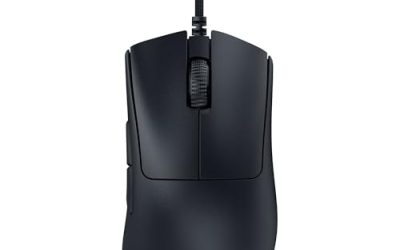
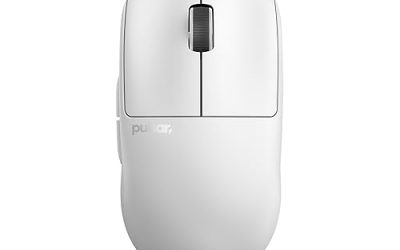
Our Short List of 3

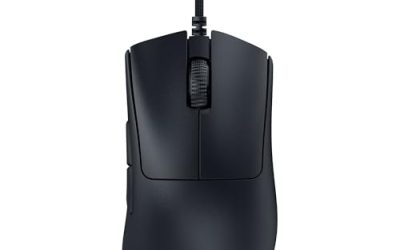
- Best for: DeathAdder fans who want a familiar ergonomic shape with more buttons and a tilting scroll wheel.
- Focus+ 26K DPI optical sensor
- 11 programmable buttons
- HyperScroll Tilt Wheel
- 11 Chroma RGB zones

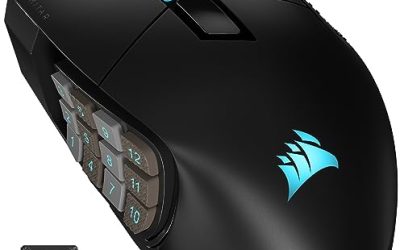
- Best for: Players who want many programmable buttons and a mouse whose weight and balance can be tuned to their hand.
- HERO 25K optical sensor, up to 25,600 DPI
- 11 programmable buttons
- Adjustable weight system with five 3.6 g weights
- Dual-mode hyper-fast scroll wheel

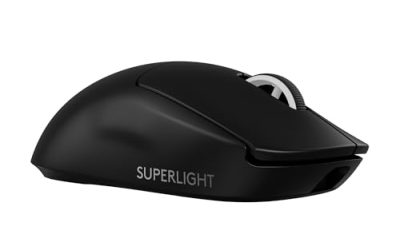
- Best for: Multi-genre players who want a lighter ergonomic mouse with enough buttons for FPS, MOBA, and MMO games.
- 18,000 CPI TrueMove Air optical sensor
- 9 programmable buttons
- PrismSync RGB lighting
- Weight: 85 g
All 5 Picks at a Glance
| Product | Specs | Action |
|---|---|---|
| Razer Basilisk V3 |
| Check price on Amazon |
| Logitech G502 HERO |
| Check price on Amazon |
| SteelSeries Rival 5 |
| Check price on Amazon |
 Logitech G502 Lightspeed |
| Check price on Amazon |
 Razer Basilisk V3 X HyperSpeed |
| Check price on Amazon |
Key takeaways
- Looking for the best DeathAdder alternative? Compare five ergonomic right-handed gaming mice with strong sensors, extra buttons, and comfortable palm grips.
The Razer DeathAdder has set the standard for ergonomic right-handed gaming mice for years, with a tall palm-filling shell, a gentle curve for the thumb, and a sensor that tracks cleanly in fast shooters. Yet many buyers want something close to that feel without buying the same mouse again. Some want more programmable buttons for MMOs and strategy games, others want a lighter body, a wireless connection, or a different scroll wheel.
This guide is for palm-grip and claw-grip players who like the DeathAdder shape, for MMO and MOBA players who need extra side controls, and for shooter players who want a precise sensor and a stable grip. Every product below was chosen from the name and specifications shown on its Amazon product page, and each one keeps the core DeathAdder idea: a right-handed ergonomic body, a capable optical sensor, and buttons within easy reach of the thumb and fingers.
Quick Picks
As an Amazon Associate we earn from qualifying purchases.
| Product | Best for | Key spec from title |
|---|---|---|
| Razer Basilisk V3 | Staying close to the DeathAdder feel with more controls | Focus+ 26K DPI Optical Sensor |
| Logitech G502 HERO | Button-heavy gaming and adjustable balance | HERO 25K Sensor, 25,600 DPI |
| SteelSeries Rival 5 | A lighter multi-genre mouse for smaller hands | 18,000 CPI TrueMove Air Optical Sensor |
| Logitech G502 Lightspeed | Cutting the cable without losing the G502 layout | HERO 25K Sensor, PowerPlay Compatible |
| Razer Basilisk V3 X HyperSpeed | Long wireless sessions on a single battery | 18K Optical Sensor, HyperSpeed Wireless |
How to Choose
Match the shape to your grip and hand size
Shape decides comfort long before sensor numbers matter, so start with how your hand actually rests on a mouse. Palm-grip players usually want a taller shell that fills the hand and a thumb rest that supports the side of the hand through long sessions. Claw-grip players often prefer a slightly lower hump placed further back, while fingertip players may find a full ergonomic body too wide. Compare length, width, and weight on the Amazon listing, and think about whether your ring finger drags on the pad with your current mouse. A mouse that feels right in the first ten minutes is the one most likely to still feel right after three hours.
Choose the sensor for the games you play most
Every mouse in this guide uses a modern optical sensor, so the practical question is how much sensitivity range and tracking consistency you need. Shooter players who make large arm movements at low sensitivity benefit from a sensor that holds tracking at high speeds without smoothing or acceleration. Players who switch between a fast desktop cursor and a slower in-game aim setting benefit from a wide DPI range and easy on-the-fly switching. Check the listed DPI or CPI range, the tracking speed if the listing gives it, and whether the mouse stores sensitivity steps on board, because those details affect daily use far more than a single headline number.
Count the buttons you will actually press
Extra buttons only help when they sit where your thumb can find them without looking down or shifting your grip. MMO, MOBA, and strategy players often use four or more side buttons for abilities, items, and camera control, while shooter players may only need two side buttons plus a DPI-shift button. A scroll wheel that tilts left and right adds two more inputs for weapon switching or leaning, and a sniper button under the thumb can lower sensitivity while held. Before choosing, list the commands you use every match, then match that list to the button layout in the product images and specifications rather than buying the mouse with the highest button count.
Decide between wired, wireless, and battery life
A wired mouse removes charging from the routine and keeps weight down, which suits players who sit at one desk and want a simple setup. A wireless mouse removes cable drag and makes the desk feel cleaner, but it adds battery management, a receiver, and sometimes extra weight. Look at the listed battery life, the charging connection, and whether the mouse can be used while charging, because a short cable or a sealed battery changes how the mouse behaves when it runs low. Players who travel with a laptop or switch between machines should also check whether the wireless model supports Bluetooth as well as its main wireless connection.
The 5 Best Options
Razer Basilisk V3
- Best for: DeathAdder fans who want a familiar ergonomic shape with more buttons and a tilting scroll wheel.
- Focus+ 26K DPI optical sensor
- 11 programmable buttons
- HyperScroll Tilt Wheel
- 11 Chroma RGB zones
DeathAdder fans who want a familiar ergonomic shape with more buttons and a tilting scroll wheel.
Check the cable length and desk layout before buying, because this is a wired-only mouse and the cable needs a clear path to the computer.
The Basilisk V3 is the closest match in this guide for a DeathAdder fan who wants to stay inside the same design language while gaining more control. Its right-handed ergonomic body, textured grip, and thumb rest feel familiar to palm-grip players, while the extra buttons and the tilting scroll wheel give MMO and MOBA players more options without forcing a new grip. The optical sensor tracks cleanly at high sensitivity settings, and the wired connection keeps the setup simple for players who sit at one desk and want a mouse that is always ready.
Watch out for: Check the cable length and desk layout before buying, because this is a wired-only mouse and the cable needs a clear path to the computer.
Logitech G502 HERO
- Best for: Players who want many programmable buttons and a mouse whose weight and balance can be tuned to their hand.
- HERO 25K optical sensor, up to 25,600 DPI
- 11 programmable buttons
- Adjustable weight system with five 3.6 g weights
- Dual-mode hyper-fast scroll wheel
Players who want many programmable buttons and a mouse whose weight and balance can be tuned to their hand.
Check the overall size and the 121 g base weight before buying, because this is a large, substantial mouse that can feel bulky for small hands.
The G502 HERO suits players who treat the mouse as a control panel as much as an aiming tool. Its right-handed body carries eleven programmable buttons, a dual-mode scroll wheel, and a DPI-shift button within easy thumb reach, so abilities, weapons, and sensitivity changes stay on the mouse instead of the keyboard. The adjustable weight system lets the buyer add or remove small weights to change the balance, which helps players who find light mice too twitchy and heavy mice too slow. The sensor covers a wide sensitivity range, making it a strong choice for players who move between shooters, strategy games, and everyday desktop work.
Watch out for: Check the overall size and the 121 g base weight before buying, because this is a large, substantial mouse that can feel bulky for small hands.
SteelSeries Rival 5
- Best for: Multi-genre players who want a lighter ergonomic mouse with enough buttons for FPS, MOBA, and MMO games.
- 18,000 CPI TrueMove Air optical sensor
- 9 programmable buttons
- PrismSync RGB lighting
- Weight: 85 g
Multi-genre players who want a lighter ergonomic mouse with enough buttons for FPS, MOBA, and MMO games.
Check the button layout in the product images before buying, because the side buttons sit close together and suit a thumb that rests naturally on the side panel.
The Rival 5 is the lightest-feeling ergonomic option in this guide, and it suits players who want DeathAdder-style comfort in a smaller, more agile body. Its right-handed shape supports palm and claw grips, while nine programmable buttons cover the abilities and commands most multi-genre players use without crowding the thumb area. The optical sensor provides a wide sensitivity range for shooters and MOBAs, and the RGB lighting runs along the sides and logo for players who want a visible accent without a busy design. This is a sensible pick for players who share one mouse between several game types.
Watch out for: Check the button layout in the product images before buying, because the side buttons sit close together and suit a thumb that rests naturally on the side panel.
Logitech G502 Lightspeed
- Best for: G502 fans who want the same layout and weight tuning without a cable.
- HERO 25K sensor, up to 25,600 DPI
- LIGHTSPEED wireless connectivity
- 11 programmable buttons
- PowerPlay compatible
G502 fans who want the same layout and weight tuning without a cable.
Check the charging setup before buying, because the battery needs regular charging unless a compatible PowerPlay charging pad is already in place.
The G502 Lightspeed keeps the familiar G502 button layout and weight tuning while removing the cable, which makes it the natural pick for players who already like the wired G502 HERO. Its wireless connection uses the LIGHTSPEED system for a fast response, and the HERO sensor covers the same wide sensitivity range as the wired version. The rechargeable battery supports long sessions, and PowerPlay compatibility means the mouse can charge on a compatible charging pad during use. Players who want a clean desk, a mouse that moves freely, and the same controls they already know will find this version easy to settle into.
Watch out for: Check the charging setup before buying, because the battery needs regular charging unless a compatible PowerPlay charging pad is already in place.
Razer Basilisk V3 X HyperSpeed
- Best for: Wireless players who want long battery life and a swappable battery instead of a rechargeable one.
- 18K DPI optical sensor
- 9 programmable controls
- HyperSpeed Wireless and Bluetooth connectivity
- Battery life: up to 285 hours on HyperSpeed, up to 535 hours on Bluetooth
Wireless players who want long battery life and a swappable battery instead of a rechargeable one.
Check whether the listing includes a battery before buying, and confirm the wireless receiver storage location if the mouse will travel in a bag.
The Basilisk V3 X HyperSpeed suits players who want the Basilisk ergonomic shape and a wireless connection with very long battery life. It uses a single AA battery, so a dead battery can be swapped in seconds rather than waiting for a recharge, and the wireless modes cover both a fast gaming connection and Bluetooth for laptops and other devices. Nine programmable controls, a dual-function scroll wheel, and a multi-function trigger give MMO and MOBA players useful extra inputs, while the optical sensor handles everyday aiming and fast turns without drama. This is the pick for players who travel, switch machines, or simply dislike charging cables.
Watch out for: Check whether the listing includes a battery before buying, and confirm the wireless receiver storage location if the mouse will travel in a bag.
Which One Fits Your Situation
You want the closest DeathAdder-style feel
Choose the Razer Basilisk V3, because its right-handed ergonomic body, thumb rest, and wired simplicity stay closest to the DeathAdder experience while adding a tilting scroll wheel and extra programmable buttons. It suits palm-grip players who want familiarity first and extra controls second, without learning a new shape or managing a battery.
You play MMOs and need many buttons
Choose the Logitech G502 HERO, because its eleven programmable buttons, DPI-shift control, and dual-mode scroll wheel put the most commands within thumb reach. The adjustable weights also help players who want a heavier, more planted feel during long raids and strategy sessions, when the mouse rarely leaves the pad.
You want a lighter mouse for fast games
Choose the SteelSeries Rival 5, because its 85 g body and compact ergonomic shape move quickly between targets while still supporting the palm. Nine programmable buttons cover most shooter and MOBA commands, so the mouse stays agile without giving up the controls that multi-genre players rely on every match.
You want to go wireless without changing layout
Choose the Logitech G502 Lightspeed if you already like the G502 layout, or the Razer Basilisk V3 X HyperSpeed if you prefer the Basilisk shape and want the longest battery life. The G502 Lightspeed keeps the wired G502 controls and weight tuning, while the Basilisk V3 X HyperSpeed trades a few buttons for a swappable AA battery and dual wireless modes.
Common Mistakes
- Buying on sensor numbers alone and ignoring shape, because a high DPI figure does not help if the shell cramps the hand after an hour.
- Choosing the mouse with the most buttons, then finding the extra controls sit where the thumb cannot reach them comfortably.
- Picking a wireless mouse without checking battery life and charging, then discovering it needs charging in the middle of a long session.
- Ignoring weight and balance, especially when moving from a light mouse to a heavier model with tuning weights already installed.
- Assuming every ergonomic mouse fits every right hand, when hand length, grip style, and thumb position change the fit more than brand or model name.
Frequently Asked Questions
Is the Basilisk V3 a good DeathAdder alternative?
Yes, the Basilisk V3 is a strong DeathAdder alternative because it keeps a right-handed ergonomic body and thumb rest while adding more programmable buttons and a tilting scroll wheel. Its Focus+ sensor and wired connection suit palm-grip players who want a familiar feel with extra control, and the shape works well for long gaming sessions.
Which alternative is best for small hands?
The SteelSeries Rival 5 is the best fit for smaller hands in this guide, because its compact ergonomic body and 85 g weight feel more agile than the larger G502 models. Palm and claw players with smaller hands can reach the side buttons without stretching, although checking the listed dimensions against the current mouse remains the safest step before buying.
Should I choose a wired or wireless DeathAdder alternative?
Choose wired if the mouse stays at one desk and simple, always-ready use matters most, because a wired mouse never needs charging. Choose wireless if cable drag bothers you or the desk needs to stay clear, and then check battery life, charging, and whether the mouse works while charging so a low battery never interrupts a match.
Do I need a high DPI sensor for competitive shooters?
A high DPI ceiling is useful, but tracking consistency matters more than the maximum number on the listing. Most competitive players use a moderate sensitivity setting, so a sensor that tracks cleanly without smoothing or acceleration at that setting will serve better than a higher headline figure on a mouse whose shape does not fit the hand.
FAQ
Is the Basilisk V3 a good DeathAdder alternative?
Which alternative is best for small hands?
Should I choose a wired or wireless DeathAdder alternative?
Do I need a high DPI sensor for competitive shooters?
More from Amazon
Programs that pair well with the guide above. Offers and eligibility are set by Amazon and may change.
Free shipping on eligible items, Prime Video and more. Eligible new members can start with a free trial.
Start a Prime free trialA Prime membership for ages 18-24 with a trial period. Eligibility is set by Amazon.
See Prime for Young AdultsAudiobooks and podcasts to listen to on the go. Eligible new members can start with a free trial.
Try Audible freeAd-free music streaming. Eligible new subscribers can start with a free trial.
Try Music Unlimited freeAs an Amazon Associate we earn from qualifying purchases.