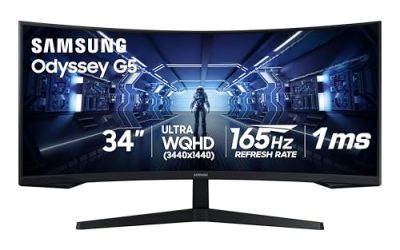
Our Short List of 3
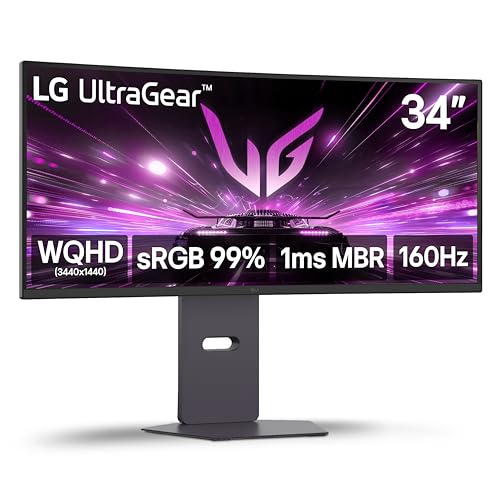
- Best ultrawide overall: LG UltraGear 34GP63A-B — 34-inch ultrawide, 160Hz, 3440 x 1440, 1800R curve
- Best ultrawide alternative: Dell S3422DWG — 34-inch ultrawide, 144Hz, 3440 x 1440, 1800R curve
- Best 27-inch curved gaming monitor: ASUS TUF Gaming VG27WQ1B — 27-inch, 165Hz, 2560 x 1440, 1500R curve
- Deepest curve: Samsung Odyssey G5 G55C 32-Inch — 32-inch, 165Hz, 2560 x 1440, 1000R curve

- Dependable 34-inch ultrawide with a 144Hz refresh rate
- VESA DisplayHDR 400 certification
- Height and tilt adjustable stand
- Anti-glare VA panel coating

- Joint-highest refresh rate in this guide at 165Hz
- Sharp 2560 x 1440 resolution on a compact 27-inch screen
- Noticeable 1500R curve for its size
- Eye Care features for long sessions
All 4 Picks at a Glance
| Product | Specs | Action |
|---|---|---|
| Our Top Picks |
| Check price on Amazon |
| Dell S3422DWG — Best ultrawide alternative |
| Check price on Amazon |
| ASUS TUF Gaming VG27WQ1B — Best 27-inch curved gaming monitor |
| Check price on Amazon |
 Samsung Odyssey G5 G55C 32-Inch — Deepest curve |
| Check price on Amazon |
Key takeaways
- Looking for the best curved gaming monitors? We compare four curved displays with high refresh rates, ultrawide and 16:9 options, to help you choose.
As an Amazon Associate I earn from qualifying purchases.
The Short Answer
If you want a curved gaming monitor, start with the screen shape that fits your desk and your games. Ultrawide 34-inch models wrap around your view and show more of the game world in racing games, open-world adventures, and flight simulators. A 27-inch or 32-inch 16:9 curved model keeps the familiar widescreen shape while adding immersion.
Our leading pick for most players is the LG UltraGear 34GP63A-B. It pairs a 34-inch ultrawide panel with a 160Hz refresh rate and a 3440 x 1440 resolution, a strong balance of immersion, smoothness, and pixel density. If you want a calmer curve and a more adjustable stand, the Dell S3422DWG is the closest alternative. For a smaller desk, the ASUS TUF Gaming VG27WQ1B brings a 165Hz refresh rate to a 27-inch screen. The Samsung Odyssey G5 G55C rounds out the list with the deepest curve here at 1000R, wrapped around a large 32-inch panel.
Every monitor in this guide is a curved gaming monitor with a high refresh rate of 144Hz or above. None of them is a flat panel, and none is an office monitor dressed up as a gaming display. Before you buy, check the listing for the exact model code and the included cables, because monitor makers reuse similar names across different generations.
Our Top Picks
- Best ultrawide overall: LG UltraGear 34GP63A-B — 34-inch ultrawide, 160Hz, 3440 x 1440, 1800R curve
- Best ultrawide alternative: Dell S3422DWG — 34-inch ultrawide, 144Hz, 3440 x 1440, 1800R curve
- Best 27-inch curved gaming monitor: ASUS TUF Gaming VG27WQ1B — 27-inch, 165Hz, 2560 x 1440, 1500R curve
- Deepest curve: Samsung Odyssey G5 G55C 32-Inch — 32-inch, 165Hz, 2560 x 1440, 1000R curve
Quick Comparison
| Monitor | Size and shape | Resolution | Refresh rate | Curve | Panel | Sync |
|---|---|---|---|---|---|---|
| LG UltraGear 34GP63A-B | 34-inch ultrawide 21:9 | 3440 x 1440 | 160Hz | 1800R | VA | AMD FreeSync Premium |
| Dell S3422DWG | 34-inch ultrawide 21:9 | 3440 x 1440 | 144Hz | 1800R | VA | AMD FreeSync Premium Pro |
| ASUS TUF Gaming VG27WQ1B | 27-inch 16:9 | 2560 x 1440 | 165Hz | 1500R | VA | Adaptive-sync / FreeSync Premium |
| Samsung Odyssey G5 G55C | 32-inch 16:9 | 2560 x 1440 | 165Hz | 1000R | VA | AMD FreeSync |
How to Choose
Size and aspect ratio
The first decision is the shape of the screen. A 34-inch ultrawide with a 21:9 aspect ratio shows more of the game world on each side, which suits racing, flight, and open-world games. A 27-inch or 32-inch 16:9 monitor is the standard widescreen shape, so every game fills it without black bars or stretched menus, and it takes up less desk width.
Measure your desk before you order. A 34-inch ultrawide is roughly 32 inches wide, and a curved 32-inch panel needs similar clearance. If you sit close to a small desk, a 27-inch model is usually the safer fit.
Refresh rate and resolution
Refresh rate is the number of times the screen updates each second, and it is the single most important gaming specification after size. All four monitors in this guide run at 144Hz or above, a clear step up from a standard 60Hz display. A 160Hz or 165Hz screen adds a little more smoothness in fast shooters, provided your graphics card can push frames at that speed.
Resolution matters too. A 2560 x 1440 panel, often called QHD, is a good match for mid-range and upper mid-range graphics cards. A 3440 x 1440 ultrawide has about a third more pixels than QHD, so it asks more of your graphics card. If your card already struggles at 1440p, an ultrawide will struggle more.
Curve depth
Curve depth is written as a radius in millimetres, with a smaller number meaning a tighter bend. A 1000R curve has a radius of about one metre and wraps noticeably around your view. A 1500R curve is a middle ground, and an 1800R curve is gentle enough that it feels close to a flat screen at a glance. Deeper curves feel more immersive in games, but they are less forgiving if you sit off-centre or share the screen with someone beside you.
Panel type
All four picks here use VA panels. VA panels are known for strong contrast and deep blacks, which makes dark scenes in games look richer. Their viewing angles are narrower than IPS panels, so colours can shift when you look at the screen from the side. That matters less for a single player sitting directly in front of a curved screen, which is exactly how these monitors are meant to be used. Response time figures also need care: a 1ms figure quoted as MPRT is a different measurement from a grey-to-grey figure, so do not compare the two directly.
Sync, HDR, and ports
Adaptive sync matches the monitor refresh rate to your graphics card output, which reduces tearing and stutter. FreeSync Premium and FreeSync Premium Pro are AMD certifications that add low framerate compensation, so sync keeps working when frame rates dip. If you use an NVIDIA card, confirm on the listing whether the monitor is listed as G-Sync Compatible.
HDR support varies widely. HDR10 on these monitors adds a wider range of brightness and colour, but a monitor without local dimming will not show the full HDR effect you get from a high-end display. For ports, look for at least one DisplayPort input and one HDMI input, since DisplayPort is the usual route to the full refresh rate on a PC.
The Picks in Detail
LG UltraGear 34GP63A-B — Best ultrawide overall
The LG UltraGear 34GP63A-B is a 34-inch curved ultrawide gaming monitor with a 3440 x 1440 resolution, a 160Hz refresh rate, and a 1800R curve. LG lists HDR10 compatibility, AMD FreeSync Premium, and 1ms Motion Blur Reduction for its VA panel. The stand adjusts for tilt and height, and built-in speakers are included.
In games, the ultrawide shape is the main attraction. The wider view pulls in more of the scene at the edges, which suits racing games, driving simulators, and open-world titles where awareness matters. The 160Hz refresh rate keeps motion smooth in fast scenes, and the 3440 x 1440 resolution keeps text and details sharp across the wide panel. The gentle 1800R curve adds immersion without making the screen awkward for everyday browsing or work between sessions.
This is the pick for a player who wants one monitor to do everything: immersive gaming, a wide workspace, and a screen that does not demand a top-tier graphics card to feel fast.
Pros:
- Wide 34-inch ultrawide view with a 160Hz refresh rate
- Sharp 3440 x 1440 resolution across a 21:9 panel
- Height and tilt adjustable stand
- Built-in speakers included
Cons:
- Ultrawide resolution asks more of your graphics card than 2560 x 1440
- VA panel viewing angles are narrower than IPS
- Some older games do not fill a 21:9 screen without adjustment
View the LG UltraGear 34GP63A-B on Amazon
Dell S3422DWG — Best ultrawide alternative
- Dependable 34-inch ultrawide with a 144Hz refresh rate
- VESA DisplayHDR 400 certification
- Height and tilt adjustable stand
- Anti-glare VA panel coating
The Dell S3422DWG is a 34-inch curved gaming monitor with a 3440 x 1440 resolution, a 144Hz refresh rate, and a 1800R curve. It uses a VA panel with anti-glare coating, and Dell lists AMD FreeSync Premium Pro, VESA DisplayHDR 400 certification, and response times of 1ms MPRT and 2ms grey-to-grey. The stand adjusts for height and tilt, and a DisplayPort cable is included.
The S3422DWG has been on the market longer than the other picks here, and it has built a solid reputation as a dependable ultrawide gaming screen. The 144Hz refresh rate is a step below the 160Hz of the LG, but the difference is small in practice, and the DisplayHDR 400 certification gives it a firmer HDR footing than most monitors in this group. The anti-glare coating is a practical touch if your desk faces a window or a bright room.
Choose the Dell if you prefer a calmer, well-established ultrawide with a height-adjustable stand and stronger HDR certification, and you are happy with 144Hz rather than chasing the highest refresh rate on the list.
Pros:
Cons:
View the Dell S3422DWG on Amazon
ASUS TUF Gaming VG27WQ1B — Best 27-inch curved gaming monitor
- Joint-highest refresh rate in this guide at 165Hz
- Sharp 2560 x 1440 resolution on a compact 27-inch screen
- Noticeable 1500R curve for its size
- Eye Care features for long sessions
The ASUS TUF Gaming VG27WQ1B is a 27-inch curved gaming monitor with a 2560 x 1440 resolution, a 165Hz refresh rate, and a 1500R curve. Its VA panel lists a 1ms MPRT response time, Adaptive-sync with FreeSync Premium, Extreme Low Motion Blur, Eye Care features, and HDR10 support. ASUS notes that 165Hz over HDMI is supported only on select graphics cards, so confirm on the listing which connection your card needs.
At 27 inches, this is the most compact monitor in the guide, and the 2560 x 1440 resolution gives it the highest pixel density of the four picks. Text looks crisp, and games look sharp without demanding as much from your graphics card as an ultrawide. The 1500R curve is tighter than the 1800R ultrawides, so the wrap-around effect is more noticeable at this smaller size.
This is the pick for a smaller desk or a mid-range graphics card. It is also the easiest of the four to drive at full speed, since 2560 x 1440 at 165Hz is a lighter load than 3440 x 1440 at 144Hz or above.
Pros:
Cons:
View the ASUS TUF Gaming VG27WQ1B on Amazon
Samsung Odyssey G5 G55C 32-Inch — Deepest curve
- Deepest curve in this guide at 1000R
- Large 32-inch panel with a 165Hz refresh rate
- Strong contrast from the VA panel
- HDR10 support and AMD FreeSync
The Samsung Odyssey G5 G55C is a 32-inch curved gaming monitor with a 2560 x 1440 resolution, a 165Hz refresh rate, and a 1000R curve. Its VA panel lists a 1ms MPRT response time, AMD FreeSync, and HDR10 support. The 1000R curve is the deepest in this guide, with a radius of about one metre, so the edges of the screen sit close to your eyes and the wraparound effect is the strongest here.
At 32 inches, this is the largest 16:9 screen in the guide, and the deep curve is what sets it apart. Games feel bigger and more enclosed than on the gentler curves, which suits players who sit close to the screen and want maximum immersion from a standard widescreen shape. The 2560 x 1440 resolution at 32 inches is less dense than on the 27-inch ASUS, so individual pixels are a little easier to see up close, but the larger image and the deep curve more than make up for that in most games.
Choose the Samsung if you want the biggest, most enveloping 16:9 curved screen here and you sit close enough to enjoy the 1000R curve.
Pros:
Cons:
View the Samsung Odyssey G5 G55C 32-Inch on Amazon
Who Should Choose What
- You want the widest view and the smoothest all-rounder: pick the LG UltraGear 34GP63A-B. Its 160Hz ultrawide panel, adjustable stand, and built-in speakers cover gaming and everyday use in one screen.
- You want an ultrawide with stronger HDR certification: pick the Dell S3422DWG. The 144Hz refresh rate is a small step down, but the DisplayHDR 400 certification and anti-glare coating are practical advantages.
- You have a smaller desk or a mid-range graphics card: pick the ASUS TUF Gaming VG27WQ1B. It is the most compact monitor here, the easiest to drive at full refresh rate, and the sharpest per inch.
- You want maximum immersion from a standard widescreen shape: pick the Samsung Odyssey G5 G55C. Its 1000R curve and 32-inch panel wrap around your view more than any other pick in this guide.
If you are still unsure, decide on size first. A 34-inch ultrawide needs a wide desk and a capable graphics card. A 27-inch or 32-inch 16:9 curved monitor is a smaller change from a flat screen, and it fits more desks and more graphics cards.
Common Mistakes
Buying a curved monitor for the curve alone. The curve adds immersion, but size, resolution, and refresh rate matter more. A gently curved ultrawide with a high refresh rate will feel better in games than a deeply curved screen with a slow panel.
Ignoring your graphics card. An ultrawide 3440 x 1440 panel has about a third more pixels than a 2560 x 1440 panel. If your card cannot hold a steady frame rate at 1440p, it will struggle more on an ultrawide. Match the monitor to the card you actually own.
Assuming every game fills an ultrawide screen. Most modern games support 21:9, but some older titles and competitive games do not, and they may show black bars at the sides or crop the image. Check your most-played games before choosing an ultrawide.
Forgetting the stand. A tilt-only stand can leave the screen too low or too high for your chair and desk. If the monitor you want has no height adjustment, budget for a monitor arm or a stand riser, and confirm the VESA pattern on the listing first.
Comparing response times across brands. A 1ms figure measured as MPRT is not the same as a 1ms grey-to-grey figure. Read how each maker measures response time, and treat the number as a rough guide rather than a precise ranking.
Sitting too close to a large curved screen. A 32-inch or 34-inch curved monitor needs distance to work. Sit too close and the edges pull out of comfortable view, even with the curve. Give yourself at least an arm’s length from the screen.
FAQ
Is a curved monitor better than a flat monitor for gaming?
A curved monitor can feel more immersive because the edges of the screen sit closer to your eyes, which suits racing, flight, and open-world games. A flat monitor is just as good for competitive play where you need to see the whole screen at a glance.
What refresh rate should a curved gaming monitor have?
Look for 144Hz or above. All four monitors in this guide run at 144Hz or higher, which is a clear improvement over a standard 60Hz display. Higher refresh rates help most in fast shooters and racing games, and only if your graphics card can produce frames at that speed.
Do curved gaming monitors work with consoles?
Most curved gaming monitors work with consoles over HDMI, but check the listing for the supported refresh rate over HDMI at your console’s resolution. Some monitors reach their full refresh rate only over DisplayPort, which consoles do not use.
Is an ultrawide curved monitor good for work as well as gaming?
Yes, for most people. A 34-inch ultrawide gives you room for two windows side by side, which suits writing, editing, and browsing. A gentler curve, such as 1800R, is easier for work than a deep 1000R curve.
What does 1000R, 1500R, or 1800R mean?
The number is the radius of the curve in millimetres. A 1000R curve has a radius of about one metre and bends more sharply around your view. A 1500R curve is a middle ground, and an 1800R curve is gentler. Smaller numbers mean a deeper curve and stronger immersion.
Do I need a special graphics card for a curved ultrawide monitor?
You do not need a special card, but an ultrawide 3440 x 1440 panel asks more of your graphics card than a standard 2560 x 1440 panel. Check that your card can hold a steady frame rate in your most-played games at that resolution.
Conclusion
The best curved gaming monitors pair a high refresh rate with a curve that suits your desk and your games. The LG UltraGear 34GP63A-B is our leading pick for most players, thanks to its 34-inch ultrawide panel, 160Hz refresh rate, and adjustable stand. The Dell S3422DWG is the steadier ultrawide alternative with stronger HDR certification, the ASUS TUF Gaming VG27WQ1B is the best compact choice for smaller desks, and the Samsung Odyssey G5 G55C brings the deepest curve in the guide to a large 32-inch screen.
Whichever you choose, measure your desk, check your graphics card against the resolution, and confirm the exact model code and included cables on the listing before you order. A curved gaming monitor is a long-term part of your setup, and the right one should fit your space, your hardware, and the games you play.
FAQ
Is a curved monitor better than a flat monitor for gaming?
What refresh rate should a curved gaming monitor have?
Do curved gaming monitors work with consoles?
Is an ultrawide curved monitor good for work as well as gaming?
What does 1000R, 1500R, or 1800R mean?
Do I need a special graphics card for a curved ultrawide monitor?
More from Amazon
Programs that pair well with the guide above. Offers and eligibility are set by Amazon and may change.
Free shipping on eligible items, Prime Video and more. Eligible new members can start with a free trial.
Start a Prime free trialA Prime membership for ages 18-24 with a trial period. Eligibility is set by Amazon.
See Prime for Young AdultsAudiobooks and podcasts to listen to on the go. Eligible new members can start with a free trial.
Try Audible freeAd-free music streaming. Eligible new subscribers can start with a free trial.
Try Music Unlimited freeAs an Amazon Associate we earn from qualifying purchases.