Our Short List of 3
All 4 Picks at a Glance
| Product | Specs | Action |
|---|---|---|
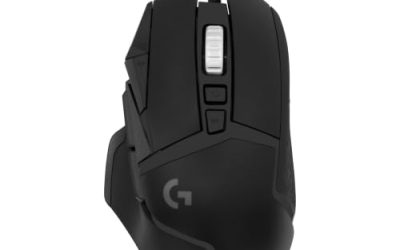
 Logitech G PRO X Superlight 2 | Check price on Amazon | |
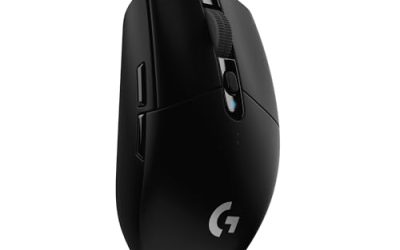
 be quiet! Dark Perk Ergo | Check price on Amazon | |
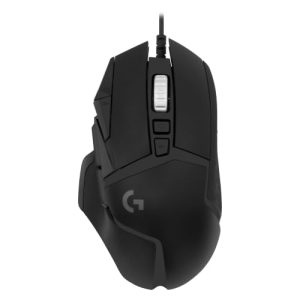
 ENDGAME GEAR OP1 8k v2 | Check price on Amazon | |
 ATK Dragonfly A9 Ultra | Check price on Amazon |
Key takeaways
- Five verified 8000Hz gaming mice compared by polling rate, sensor, weight, shape and connection, to help you choose the right 8K mouse.
Disclosure: As an Amazon Associate, we earn from qualifying purchases.
Our top pick: Logitech G PRO X Superlight 2. Runner-up: Razer Viper V3 Pro.
A polling rate of 8,000 Hz means the mouse reports its position to the computer 8,000 times per second. Every mouse in this guide states an 8,000 Hz polling rate in its listing. No mouse was included simply because it is fast in general, or because it shares a brand with a model that does reach 8,000 Hz.
Polling rate is not the same as sensor resolution or connection type. A mouse can have a very high DPI sensor and still poll at 1,000 Hz, and a wireless mouse may need a specific dongle, mode or setting to reach 8,000 Hz. The notes below say where the 8,000 Hz rate applies for each mouse.
Weight, shape, sensor and battery life still matter once polling rate is settled. Weight affects feel during long sessions and fast flicks, shape affects grip and control, and battery life matters for wireless models, because a higher polling rate can draw more power.
Quick Picks
- Logitech G PRO X Superlight 2 — Best overall: 60 g, HERO 2 sensor, 8,000 Hz over LIGHTSPEED wireless.
- Razer Viper V3 Pro — Best for competitive play: 54 g, Focus Pro 35K sensor, true 8,000 Hz wireless polling via the included dongle.
- be quiet! Dark Perk Ergo — Best ergonomic: 8,000 Hz in wired and wireless modes.
- ENDGAME GEAR OP1 8k v2 — Best wired: claw-grip design, 8,000 Hz over cable, hot-swappable switches.
- ATK Dragonfly A9 Ultra — Best lightweight tri-mode: 53 to 57 g, polling up to 8,000 Hz, 2.4 GHz, wired and Bluetooth.
Logitech G PRO X Superlight 2
OUR TOP PICK
The Logitech G PRO X Superlight 2 is the top pick because it combines the 8,000 Hz polling rate with a light body, a high-resolution sensor and a long stated battery life, without asking the buyer to choose between wireless freedom and a high polling rate. As stated on the Amazon listing, it weighs 60 g, uses the HERO 2 sensor with resolution up to 44,000 DPI, and polls at up to 8 kHz over LIGHTSPEED wireless.
The shape is symmetrical, which suits a range of grip styles, and the mouse has 5 programmable buttons. The listing states USB-C charging, and the battery is stated at up to 95 hours. The mouse is also stated as POWERPLAY compatible, for use with a compatible charging mat, sold separately. The switches are LIGHTFORCE hybrid switches, as stated on the listing.
Specs
– Model: 910-006628
– Weight: 60 g, as stated on the listing
– Sensor: HERO 2, up to 44,000 DPI
– Polling rate: up to 8 kHz over LIGHTSPEED wireless
– Battery: up to 95 hours, as stated on the listing
– Programmable buttons: 5
– Charging: USB-C
– Switches: LIGHTFORCE hybrid switches
– Wireless: LIGHTSPEED, POWERPLAY compatible
Pros
– 8,000 Hz polling over wireless, not only over a cable
– Light 60 g body with a HERO 2 sensor rated up to 44,000 DPI
– Battery stated at up to 95 hours, with USB-C charging
– POWERPLAY compatible for use with a compatible charging mat
Cons
– Symmetrical shape, so it does not provide moulded right-handed palm support
– 5 programmable buttons, fewer than on mice with a full side-button cluster
– Battery life will depend on polling rate and use
Razer Viper V3 Pro
The Razer Viper V3 Pro is the runner-up, and it is the lightest wireless mouse in this group at 54 g in the black model, as stated on the listing. It provides true 8,000 Hz wireless polling through the included HyperPolling Wireless Dongle. That detail matters, because the dongle is part of how the mouse reaches its highest polling rate over wireless. A buyer should keep the dongle with the setup and check the connection mode in the software before assuming the mouse is running at 8,000 Hz.
The sensor is the Focus Pro 35K Optical Sensor Gen-2, with resolution up to 35,000 DPI, tracking at 750 IPS and acceleration up to 70 G, as stated on the listing. The shape is symmetrical, which suits fingertip and claw grips in particular, and the low weight suits fast repositioning and flick shots. The mouse has 8 programmable buttons, and its Gen-3 optical switches are stated with a 90-million-click lifecycle. Battery life is stated at up to 95 hours at 1,000 Hz, so it should be read as the battery figure at that lower rate, not at 8,000 Hz.
Specs
– Model: RZ01-05120100-R3U1
– Weight: 54 g in black, as stated on the listing
– Sensor: Focus Pro 35K Optical Sensor Gen-2, up to 35,000 DPI, 750 IPS, 70 G
– Polling rate: true 8,000 Hz wireless polling via included HyperPolling Wireless Dongle
– Battery: up to 95 hours at 1,000 Hz, as stated on the listing
– Programmable buttons: 8
– Switches: Gen-3 optical switches, 90-million-click lifecycle
– Wireless: HyperSpeed Wireless
– Shape: symmetrical
Pros
– Lightest wireless mouse in this guide at 54 g
– True 8,000 Hz wireless polling with the HyperPolling Wireless Dongle included
– Focus Pro 35K sensor rated up to 35,000 DPI, with 750 IPS tracking
– Gen-3 optical switches stated with a 90-million-click lifecycle
Cons
– Battery figure of up to 95 hours is stated at 1,000 Hz, not at 8,000 Hz
– Symmetrical shape, so it does not provide moulded right-handed palm support
– The HyperPolling Wireless Dongle is a separate small item to keep with the setup
be quiet! Dark Perk Ergo
The be quiet! Dark Perk Ergo is the ergonomic option in this guide, and it is the mouse to look at first if a symmetrical shape has not suited your hand. Its body is moulded to support the palm and fingers in a more settled grip position than a flat symmetrical shell. That shape is the main reason to choose this mouse over the lighter symmetrical models above, and it is also the reason to check the shape carefully: an ergonomic mouse that fits one hand well can feel awkward to another hand.
It states an 8,000 Hz polling rate in wired and wireless modes, so the highest rate is not limited to one connection type. The sensor is the PixArt PAW3950, with resolution up to 32,000 DPI, as stated on the listing. The weight is 55 g, light for an ergonomic mouse, and the optical switches are rated at 70 million clicks, with PTFE glide skates for smooth movement across a mouse pad.
Specs
– Brand: be quiet!
– Weight: 55 g, as stated on the listing
– Sensor: PixArt PAW3950, up to 32,000 DPI
– Polling rate: 8,000 Hz in wired and wireless modes, as stated on the listing
– Switches: optical switches rated 70 million clicks
– Glide skates: PTFE
– Shape: ergonomic
Pros
– Ergonomic shape with palm support, unlike the symmetrical models in this guide
– 8,000 Hz polling in both wired and wireless modes
– Light 55 g body for an ergonomic mouse
– PixArt PAW3950 sensor rated up to 32,000 DPI, with PTFE glide skates
Cons
– Ergonomic shape is hand-dependent, so fit should be checked carefully
– Button layout is focused on the main controls rather than a large side-button cluster
– The highest polling rate depends on the correct mode and software setting
ENDGAME GEAR OP1 8k v2
The ENDGAME GEAR OP1 8k v2 is the wired option in this guide, and it is the mouse to look at first if you want an 8,000 Hz polling rate over a cable without relying on wireless at all. Its connection is wired, so there is no battery to charge and no wireless dongle to keep track of. That makes it a straightforward choice for a fixed desk setup, where the mouse stays in one place and the cable can be routed with a bungee or a cable guide. The trade-off is the cable itself: a wired mouse always has a cable to manage.
It states an 8,000 Hz polling rate and a 30,000 DPI optical sensor, as stated on the listing. Its claw-grip design suits a hand position where the palm rests lightly on the back of the mouse and the fingers are arched over the buttons; a full palm grip may feel less comfortable over long sessions. The switches are hot-swappable, as stated on the listing, so they can be removed and replaced without soldering. The listing checked for this guide did not state a weight figure or a sensor model name, so those details are not given here.
Specs
– Model: EGG-OP1-US
– Sensor: 30,000 DPI optical sensor, as stated on the listing
– Polling rate: 8,000 Hz, as stated on the listing
– Connection: wired (cable)
– Switches: hot-swappable switches, as stated on the listing
– Grip design: claw-grip design, as stated on the listing
Pros
– Wired connection, so there is no battery to charge and no wireless dongle to manage
– 8,000 Hz polling over a cable, with a 30,000 DPI optical sensor
– Hot-swappable switches for changing or replacing the click feel
– Claw-grip design for players who use that grip style
Cons
– Cable must be routed and managed on the desk
– Claw-grip design may not suit a full palm grip over long sessions
– Weight and sensor model name were not stated in the listing copy checked for this guide, so they should be confirmed on the live product page
ATK Dragonfly A9 Ultra
The ATK Dragonfly A9 Ultra is the lightest tri-mode option in this guide, and it is the mouse to look at first if you want 8,000 Hz polling with a choice of connection types. Its weight is stated as 53 to 57 g, a range across the A9 series, as stated on the listing. That places it among the lightest mice in this guide, and it means the mouse is easy to move quickly and to lift and reposition during play. The sensor is the PAW3950 Ultra, with DPI up to 42,000, as stated on the listing.
The polling rate is stated as 1,000 Hz to 8,000 Hz, so check the polling-rate setting in the software and confirm the mouse is set to 8,000 Hz when that rate is wanted, since it can also run at lower rates. The connection is tri-mode, covering 2.4 GHz wireless, wired and Bluetooth, as stated in the series description, which is useful for a setup that moves between a gaming PC, a laptop and another device, although the highest polling rate is tied to the connection mode and setting. The listing also states an ice-feel coating, which describes the surface finish of the shell.
Specs
– Brand: ATK
– Weight: 53 to 57 g, range across the A9 series, as stated on the listing
– Sensor: PAW3950 Ultra, DPI up to 42,000
– Polling rate: 1,000 Hz to 8,000 Hz, as stated on the listing
– Connectivity: tri-mode, 2.4 GHz, wired and Bluetooth, per series description
– Coating: ice-feel coating, as stated on the listing
– Variant: Ultra variant, as stated on the listing
Pros
– Very light 53 to 57 g body, among the lightest in this guide
– PAW3950 Ultra sensor rated up to 42,000 DPI
– Polling up to 8,000 Hz, with tri-mode connectivity
– Ice-feel coating on the shell
Cons
– Polling rate is stated as a range up to 8,000 Hz, so the setting should be checked in the software
– Weight is stated as a range across the series, so the exact variant weight should be confirmed
– No moulded ergonomic palm support, so it does not suit every palm-grip player
How to Choose
Start with the polling rate, and check how it is reached. All five mice state an 8,000 Hz polling rate, but the way that rate is reached differs. The Superlight 2 polls at up to 8 kHz over LIGHTSPEED wireless. The Viper V3 Pro reaches true 8,000 Hz wireless polling through the included HyperPolling Wireless Dongle. The Dark Perk Ergo states 8,000 Hz in wired and wireless modes. The OP1 8k v2 reaches 8,000 Hz over its cable. The Dragonfly A9 Ultra states a polling range up to 8,000 Hz. Before buying, check the connection mode and the software setting, and confirm that the 8,000 Hz rate is available in the mode you plan to use.
Next, choose by grip and shape, because shape affects comfort more than any single specification. The Superlight 2 and the Viper V3 Pro are symmetrical, which suits fingertip and claw grips. The Dark Perk Ergo is ergonomic, with moulded palm support, which suits a settled palm grip. The OP1 8k v2 is a claw-grip design, which suits an arched finger position with light palm contact. The Dragonfly A9 Ultra is a lightweight design without moulded ergonomic support, which suits players who prioritise low weight over palm support. Hand size matters as well.
Then look at weight, sensor, switches, connection and battery together. The Viper V3 Pro is 54 g, the Dark Perk Ergo is 55 g, the Superlight 2 is 60 g, and the Dragonfly A9 Ultra is stated at 53 to 57 g across its series. The OP1 8k v2 did not have a weight figure in the listing copy checked for this guide, so its weight should be confirmed on the live product page. The sensors in this guide are rated from 30,000 DPI to 44,000 DPI. The switches differ as well: the Superlight 2 uses LIGHTFORCE hybrid switches, the Viper V3 Pro uses Gen-3 optical switches, the Dark Perk Ergo uses optical switches rated at 70 million clicks, and the OP1 8k v2 uses hot-swappable switches. For wireless mice, check the battery figure and the polling rate it was measured at. The Superlight 2 states a battery of up to 95 hours, and the Viper V3 Pro states up to 95 hours at 1,000 Hz, so the two figures are not directly comparable at 8,000 Hz. Finally, check the button count: the Superlight 2 has 5 programmable buttons and the Viper V3 Pro has 8.
FAQs
Do I need an 8000Hz mouse for gaming?
An 8,000 Hz mouse reports its position 8,000 times per second, which is a higher reporting rate than a 1,000 Hz mouse. Whether that higher rate matters depends on the game, the monitor refresh rate, and the rest of the setup. A player who wants the highest polling rate available in a verified listing should choose from the five mice in this guide, and should check the connection mode and software setting to confirm the mouse is running at 8,000 Hz.
Does 8000Hz polling work over wireless?
It can, but it depends on the mouse and the wireless link. In this guide, the Superlight 2 states polling up to 8 kHz over LIGHTSPEED wireless, the Viper V3 Pro states true 8,000 Hz wireless polling through the included HyperPolling Wireless Dongle, and the Dark Perk Ergo states 8,000 Hz in wired and wireless modes. The OP1 8k v2 is wired, so its 8,000 Hz rate is over its cable.
Will an 8000Hz mouse drain the battery faster than a 1000Hz mouse?
A higher polling rate can draw more power, because the mouse reports its position more often. That is why the battery figures in this guide should be read with their polling rate attached: the Viper V3 Pro states up to 95 hours at 1,000 Hz, which is the battery figure at that lower rate, not at 8,000 Hz. A player who runs a wireless mouse at 8,000 Hz should plan to charge more often. The wired OP1 8k v2 has no battery to drain, so battery life is not a factor for that model.
Conclusion
For most players looking for an 8,000 Hz gaming mouse, the Logitech G PRO X Superlight 2 is the top pick, with 8,000 Hz polling over LIGHTSPEED wireless, a 60 g body and a HERO 2 sensor. The Razer Viper V3 Pro is the runner-up, and the lightest wireless mouse in this guide at 54 g, with true 8,000 Hz wireless polling through the included HyperPolling Wireless Dongle. The be quiet! Dark Perk Ergo covers ergonomic grip with 8,000 Hz in wired and wireless modes, the ENDGAME GEAR OP1 8k v2 covers wired claw-grip play with hot-swappable switches, and the ATK Dragonfly A9 Ultra covers lightweight tri-mode use with polling up to 8,000 Hz. Before buying, confirm the polling-rate setting in the software and check the shape against your grip and hand size.
FAQ
Do I need an 8000Hz mouse for gaming?
Does 8000Hz polling work over wireless?
Will an 8000Hz mouse drain the battery faster than a 1000Hz mouse?
More from Amazon
Programs that pair well with the guide above. Offers and eligibility are set by Amazon and may change.
Free shipping on eligible items, Prime Video and more. Eligible new members can start with a free trial.
Start a Prime free trialA Prime membership for ages 18-24 with a trial period. Eligibility is set by Amazon.
See Prime for Young AdultsAudiobooks and podcasts to listen to on the go. Eligible new members can start with a free trial.
Try Audible freeAd-free music streaming. Eligible new subscribers can start with a free trial.
Try Music Unlimited freeAs an Amazon Associate we earn from qualifying purchases.