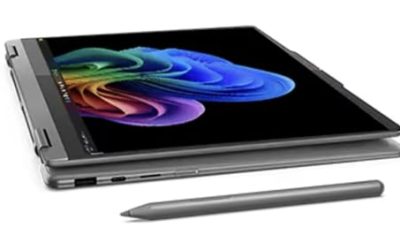
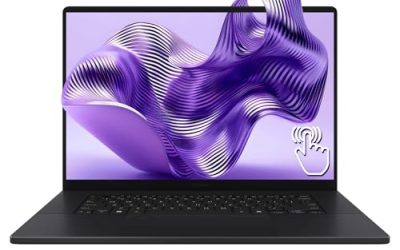
Our Short List of 3

- CPU: Intel Core Ultra 9 275HX, 24 cores (8P + 16E), up to 5.4 GHz, 36 MB cache
- GPU: NVIDIA GeForce RTX 5080, 16 GB GDDR7
- Memory: 32 GB DDR5-6400 (2 x 16 GB)
- Storage: 1 TB PCIe Gen 5 NVMe SSD

- CPU: AMD Ryzen 9 9955HX3D, 16 cores / 32 threads, up to 5.4 GHz, 128 MB cache
- GPU: NVIDIA GeForce RTX 5090, 24 GB GDDR7
- Memory: 64 GB DDR5
- Storage: 2 TB PCIe Gen 5 NVMe SSD

- CPU: Intel Core Ultra 9 285H, 16 cores, up to 5.4 GHz, 24 MB cache
- GPU: NVIDIA GeForce RTX 5070 Ti, 12 GB GDDR7
- Memory: 32 GB LPDDR5X
- Storage: 2 TB PCIe NVMe SSD
All 3 Picks at a Glance
| Product | Specs | Action |
|---|---|---|
| 1. Lenovo Legion Pro 7i Gen 10 — Intel Core Ultra 9 275HX |
| Check price on Amazon |
| 2. MSI Raider A18 HX — AMD Ryzen 9 9955HX3D |
| Check price on Amazon |
| 5. ASUS ROG Zephyrus G16 — Intel Core Ultra 9 285H |
| Check price on Amazon |
Key takeaways
- Shopping for the best laptops cpu picks? Five machines ranked by processor tier, core counts and boost clocks, from Intel HX and AMD X3D to Apple silicon.
Graphics cards grab the attention in laptop marketing, yet the processor quietly decides how a machine feels across a whole working day. Core count and boost clock govern compile times, code builds, virtual machines, photo exports, simulation runs, and how many demanding apps can stay open before the system bogs down. A laptop with a flagship CPU also ages better: the processor is soldered down in nearly every modern design, so the chip picked on day one is the chip the machine keeps for its entire service life.
This guide ranks five laptops by processor tier before anything else. The lineup covers the current flagship classes: Intel Core Ultra 9 HX silicon, an AMD Ryzen 9 chip with stacked 3D V-Cache, Apple’s 16-core M4 Max, AMD’s Ryzen AI Max+ 395 with its unified-memory design, and Intel’s Core Ultra 9 H-series in a slim chassis. Every pick lists its CPU model, core layout, and boost clock as the headline spec, because that silicon is the reason each machine earned its place.
As an Amazon Associate, we earn from qualifying purchases.
Quick answer
The Lenovo Legion Pro 7i Gen 10 leads this list because its Intel Core Ultra 9 275HX brings 24 cores and a 5.4 GHz boost clock to a 16-inch chassis. Shoppers who favor AMD should look at the MSI Raider A18 HX and its Ryzen 9 9955HX3D, while the MacBook Pro 16 answers with the 16-core M4 Max.
1. Lenovo Legion Pro 7i Gen 10 — Intel Core Ultra 9 275HX
- CPU: Intel Core Ultra 9 275HX, 24 cores (8P + 16E), up to 5.4 GHz, 36 MB cache
- GPU: NVIDIA GeForce RTX 5080, 16 GB GDDR7
- Memory: 32 GB DDR5-6400 (2 x 16 GB)
- Storage: 1 TB PCIe Gen 5 NVMe SSD
The Legion Pro 7i Gen 10 carries Intel’s flagship mobile processor, and the chip is the whole point of this configuration. The Core Ultra 9 275HX combines 8 Performance cores with 16 Efficient cores for 24 cores in total, with P-core boost clocks reaching 5.4 GHz and a 36 MB cache. That core layout chews through parallel work: long code builds, 3D renders queued behind a game engine, and heavy multitasking across dozens of browser tabs and tools.
Key specs:
Lenovo feeds the processor with a full-power cooling system, so the 275HX can hold high clocks through sustained loads rather than dipping after a short burst. The 16-inch OLED panel runs at 240 Hz, and memory slots plus two SSD bays keep upgrade paths open. Buyers whose work mixes gaming with serious CPU throughput, such as streamers who encode while they play or developers who compile large projects, get the most from this machine. It is the reference point for Intel CPU power in a laptop this year.
2. MSI Raider A18 HX — AMD Ryzen 9 9955HX3D
- CPU: AMD Ryzen 9 9955HX3D, 16 cores / 32 threads, up to 5.4 GHz, 128 MB cache
- GPU: NVIDIA GeForce RTX 5090, 24 GB GDDR7
- Memory: 64 GB DDR5
- Storage: 2 TB PCIe Gen 5 NVMe SSD
AMD’s answer to the HX crown is the Ryzen 9 9955HX3D, and MSI builds its largest Raider around it. The chip runs 16 Zen 5 cores and 32 threads, boosting to 5.4 GHz, and pairs a 64 MB L3 cache with a further 64 MB of 3D V-Cache stacked on the die. That 128 MB total cache is the headline: cache-sensitive workloads, above all gaming engines and simulation code, feed the cores without waiting on main memory.
Key specs:
The 18-inch Mini LED screen gives the big chassis a purpose beyond cooling: color work, CAD, and timelines all gain room. MSI rates the cooling system for very high combined CPU and GPU power draw, which suits buyers who push both chips at once. Portability is the trade: at nearly eight pounds with a large power brick, this is a desk machine that can move rooms, not a commuter laptop. For shoppers who want the strongest AMD laptop CPU currently sold, this is the pick.
3. Apple MacBook Pro 16-inch — Apple M4 Max, 16-Core CPU
Apple’s M4 Max takes a different route to the top tier. The 16-core version of the chip combines 12 performance cores with 4 efficiency cores, and its unified memory design lets the CPU and the 40-core GPU draw from the same 48 GB pool at 546 GB/s of bandwidth. For CPU-led work in macOS applications, large in-memory datasets, and media engines built for Apple silicon, few mobile processors match its throughput per watt.
Key specs:
- CPU: Apple M4 Max, 16-core CPU (12 performance + 4 efficiency)
- GPU: 40-core integrated GPU
- Memory: 48 GB unified memory, 546 GB/s bandwidth
- Storage: 1 TB SSD
- Display: 16.2-inch Liquid Retina XDR (3456 x 2234), ProMotion 120 Hz
- Operating system: macOS
- Battery: 100 Wh, rated up to 21 hours of video playback
- Weight: about 4.7 pounds
The 16.2-inch XDR display, three Thunderbolt 5 ports, HDMI, and an SD card slot make the machine a self-contained studio. Battery endurance is in a class the Windows HX machines cannot approach, which matters for editors and developers who work away from outlets. The limits are platform limits: no discrete NVIDIA GPU for CUDA pipelines, memory fixed at purchase, and Windows-only software needs a different machine. Buyers inside Apple’s ecosystem who rank CPU first will find this the strongest portable option.
4. ASUS ROG Flow Z13 — AMD Ryzen AI Max+ 395
The ROG Flow Z13 proves a top-tier CPU no longer needs a 17-inch body. Its Ryzen AI Max+ 395 packs 16 Zen 5 cores and 32 threads into a tablet-style 13.4-inch chassis, boosting to 5.1 GHz, and adds a 50 TOPS neural engine plus Radeon 8060S integrated graphics with 40 compute units. The unified LPDDR5X memory pool can be carved up between system and graphics, which helps local AI workloads and large project files.
Key specs:
- CPU: AMD Ryzen AI Max+ 395, 16 cores / 32 threads, up to 5.1 GHz
- GPU: AMD Radeon 8060S integrated graphics, 40 compute units
- AI engine: XDNA 2 NPU, up to 50 TOPS
- Memory: 32 GB LPDDR5X-8000 unified memory
- Storage: 1 TB PCIe Gen 4 NVMe SSD
- Display: 13.4-inch 2.5K (2560 x 1600) touchscreen, 180 Hz
- Operating system: Windows 11
- Weight: about 2.7 pounds for the tablet
The detachable keyboard, touchscreen, and pen-friendly panel suit developers, engineers, and digital artists who move between desk, lab, and site visits. There is no discrete GPU, so buyers chasing maximum frame rates in heavyweight games should look at the HX machines above. As a pure processor story in a bag-friendly form, though, the Flow Z13 has no real rival: sixteen full-power Zen 5 cores in a device that slips into a small backpack sleeve.
5. ASUS ROG Zephyrus G16 — Intel Core Ultra 9 285H
- CPU: Intel Core Ultra 9 285H, 16 cores, up to 5.4 GHz, 24 MB cache
- GPU: NVIDIA GeForce RTX 5070 Ti, 12 GB GDDR7
- Memory: 32 GB LPDDR5X
- Storage: 2 TB PCIe NVMe SSD
The Zephyrus G16 answers a narrower question: how much CPU power fits in a slim 16-inch laptop that still looks at home in a meeting room? Its Core Ultra 9 285H runs 16 cores across Performance, Efficient, and Low Power Efficient clusters, boosting to 5.4 GHz with a 24 MB cache. The H-series chip gives up some sustained wattage to the HX flagships, and in return the chassis stays thin and comparatively quiet.
Key specs:
For programmers, analysts, and creators whose workloads spike rather than grind for hours, the 285H delivers flagship-feeling responsiveness in single-threaded and lightly threaded tasks, which is where most everyday software lives. The OLED panel and 2 TB of storage round out a machine aimed at people who carry their laptop daily. Buyers who regularly run all-core renders for hours should step up to the Legion or the Raider, where larger cooling systems keep clocks higher for longer.
How to choose
Rank the processor class first, because it cannot be changed later. Intel HX and AMD HX chips sit at the top for sustained multi-core work, with 24-core and 16-core layouts built for rendering, compiling, and simulation. Apple’s Max-class silicon matches them in many creative workloads while using far less power, and AMD’s AI Max+ line brings similar core counts to very small machines. H-series chips such as the 285H trade peak sustained output for thin designs and better manners on battery.
Next, match core layout to the workload. Software that scales across threads, such as video encoders, build systems, and physics tools, rewards core count and cache. Software that leans on one or two threads, including many CAD viewports, office suites, and older engineering tools, rewards boost clock and per-core speed instead. Cache size deserves attention for gaming and simulation, where the Ryzen 9 9955HX3D’s stacked cache is a genuine advantage.
Then check the support act. A flagship CPU needs memory and storage that keep pace: 32 GB of RAM is the sensible floor at this tier, and a PCIe Gen 5 SSD suits machines that move large assets. Cooling design matters as much as the chip name, since two laptops with the same processor can perform differently under long loads. Finally, weigh platform: CUDA pipelines point to NVIDIA-equipped Windows machines, while macOS software and battery life point to Apple silicon.
Who should skip
Skip this entire tier if the workload is email, documents, web apps, and media playback. A mid-range processor handles that work with ease, and the money saved buys a better screen, more storage, or a lighter bag. These five machines are heavy, costly, and tuned for people who can name the CPU-bound task they run every week.
Skip the HX flagships if the laptop will live on trains and in cafes; their size, weight, and power bricks work against daily travel. Skip the MacBook Pro if the required software is Windows-only or depends on CUDA. Skip the Flow Z13 if a discrete GPU is non-negotiable. And skip every pick here if the plan is to buy on price alone: CPU-first shopping only pays off when the processor is the bottleneck.
Frequently Asked Questions
Does a higher core count always mean a faster laptop?
No. Core count decides how much parallel work a processor can chew through at once, while boost clock and per-core design decide how quickly it finishes tasks that use one or two threads. Rendering, compiling, and simulation scale with cores. Interface responsiveness, many CAD operations, and lightly threaded tools respond more to clock speed, which is why this guide weighs both figures for every pick.
What is the difference between Intel HX and H-series processors?
HX chips are desktop-class silicon adapted for laptops, with more cores, larger caches, and higher power budgets that demand big cooling systems. H-series chips such as the Core Ultra 9 285H keep a similar architecture in a leaner power envelope, so they fit thin laptops and run quieter. For short bursts the two feel close; under loads lasting many minutes, HX machines pull ahead.
Why does the Ryzen 9 9955HX3D carry so much cache?
AMD stacks an extra layer of L3 cache on the processor die, a design called 3D V-Cache. Games and simulation workloads repeatedly reach for the same data, and a 128 MB total cache keeps far more of that data beside the cores instead of out in main memory. The result is stronger performance in cache-sensitive software than a plain core-count comparison would suggest.
Can the processor in these laptops be upgraded later?
No. Every processor in this guide is soldered to the mainboard, and the same holds for the memory in the MacBook Pro and the Flow Z13. That permanence is the core argument for buying CPU power generously at purchase time. Where possible, choose a configuration with memory headroom as well, because a flagship chip paired with too little RAM will bottleneck long before the processor feels old.
Final verdict
Ranked purely by processor, the Lenovo Legion Pro 7i Gen 10 and its Core Ultra 9 275HX take the top spot for Windows buyers: 24 cores, high boost clocks, and cooling that lets the chip work. The MSI Raider A18 HX is the AMD flagship answer, the MacBook Pro 16 is the CPU pick for Apple’s platform, the Flow Z13 squeezes sixteen Zen 5 cores into a tablet, and the Zephyrus G16 carries a Core Ultra 9 H-series chip in a genuinely portable shell. Pick the processor class that matches the workload, and the rest of the machine falls into place.
Product and ASIN Reference
| Product | ASIN |
|---|---|
| Lenovo Legion Pro 7i Gen 10 (Core Ultra 9 275HX, RTX 5080, 32 GB, 1 TB) | B0FL4HLJ56 |
| MSI Raider A18 HX A9WJG (Ryzen 9 9955HX3D, RTX 5090, 64 GB, 2 TB) | B0DWYGV2Y1 |
| Apple MacBook Pro 16-inch (M4 Max 16-core CPU, 48 GB, 1 TB) | B0DLHDW2D9 |
| ASUS ROG Flow Z13 GZ302EA-XS96 (Ryzen AI Max+ 395, 32 GB, 1 TB) | B0DT7MNLTD |
| ASUS ROG Zephyrus G16 GU605CR-XS97 (Core Ultra 9 285H, RTX 5070 Ti, 32 GB, 2 TB) | B0G1W7V6VP |
FAQ
Does a higher core count always mean a faster laptop?
What is the difference between Intel HX and H-series processors?
Why does the Ryzen 9 9955HX3D carry so much cache?
Can the processor in these laptops be upgraded later?
More from Amazon
Programs that pair well with the guide above. Offers and eligibility are set by Amazon and may change.
Free shipping on eligible items, Prime Video and more. Eligible new members can start with a free trial.
Start a Prime free trialA Prime membership for ages 18-24 with a trial period. Eligibility is set by Amazon.
See Prime for Young AdultsAudiobooks and podcasts to listen to on the go. Eligible new members can start with a free trial.
Try Audible freeAd-free music streaming. Eligible new subscribers can start with a free trial.
Try Music Unlimited freeAs an Amazon Associate we earn from qualifying purchases.