Our Short List of 3

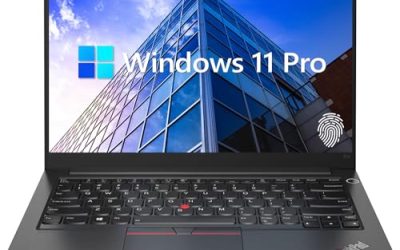
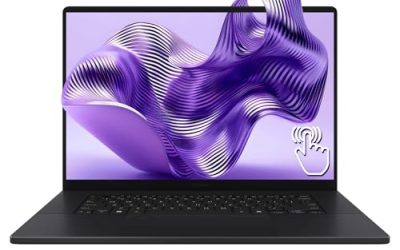
- Display: 15.6-inch Full HD (1920 x 1080) IPS touch display
- Processor: Intel Core i5-13420H, 8 cores
- Memory: 16GB LPDDR5
- Storage: 512GB PCIe Gen 4 SSD

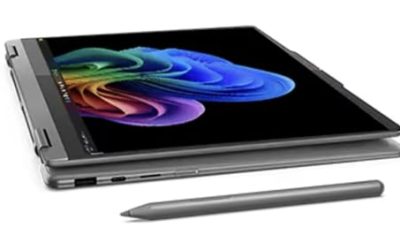
- Display: 15.6-inch Full HD (1920 x 1080) touchscreen, anti-glare
- Processor: Intel Core i5-1335U, 10 cores, up to 4.6 GHz
- Memory: 16GB DDR4, slotted and upgradeable
- Storage: 512GB SSD, M.2
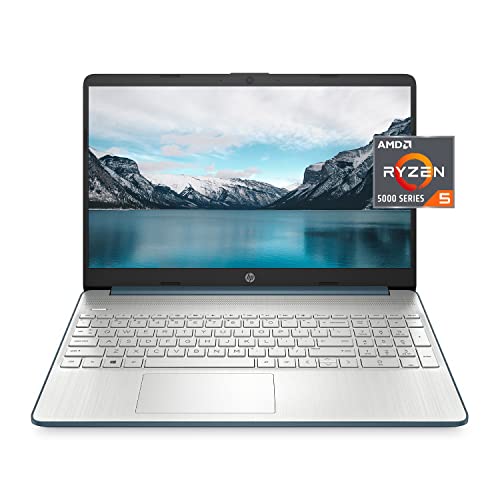
- Display: 15.6-inch Full HD (1920 x 1080)
- Processor: AMD Ryzen 5 5500U, 6 cores and 12 threads, up to 4.0 GHz
- Memory: 16GB DDR4
- Storage: 512GB PCIe NVMe SSD
All 5 Picks at a Glance
| Product | Specs | Action |
|---|---|---|
| Acer Aspire 5 15 (A515-58PT-50UJ): best overall value |
| Check price on Amazon |
| Dell Inspiron 15 3530 (i3530-5067BLK-PUS): best upgrade path |
| Check price on Amazon |
| HP Laptop 15 (Ryzen 5 5500U): best memory and storage pairing |
| Check price on Amazon |
 Lenovo IdeaPad Slim 3 15 (82XQ006RUS): best for carrying every day |
| Check price on Amazon |
 ASUS Vivobook Go 15 (E1504FA-AS54): best durability extras |
| Check price on Amazon |
Key takeaways
- Find the best laptops for low prices from Dell, HP, Lenovo, Acer and ASUS: mainstream Windows models that give you more hardware for the tier you pay.
A low price means something different depending on where a laptop sits in a maker’s range. At the very bottom of the market you find cut-down machines built around small storage drives, minimal memory and screens chosen purely on cost. One step up, the big mainstream brands sell full-size Windows laptops that are frequently discounted simply because they are volume models: proper processors, roomy solid-state drives, full HD displays and chassis designs shared with more expensive lines. Those are the machines this guide covers, from Dell, HP, Lenovo, Acer and ASUS.
Every pick below is a mainstream 15.6-inch Windows laptop chosen because its hardware is strong for the tier it sells in, not because it is the cheapest laptop its maker offers. Memory and storage carry the most weight in the selections, since those two specs decide how a laptop feels two or three years into ownership. Where a model cuts a corner to reach its price, that trade-off is stated plainly, so you can decide whether it matters for the work you do.
As an Amazon Associate, we earn from qualifying purchases.
Quick answer
The Acer Aspire 5 15 is the strongest all-round pick here, pairing a Core i5-13420H processor with 16GB of memory, a 512GB solid-state drive and a touch display in a mainstream chassis. The Dell Inspiron 15 3530 suits buyers who want an upgrade path for memory, while the HP Laptop 15 leads this group on storage room per tier.
Acer Aspire 5 15 (A515-58PT-50UJ): best overall value
- Display: 15.6-inch Full HD (1920 x 1080) IPS touch display
- Processor: Intel Core i5-13420H, 8 cores
- Memory: 16GB LPDDR5
- Storage: 512GB PCIe Gen 4 SSD
The Aspire 5 15 earns the top spot because Acer pairs an H-series processor with a generous memory and storage loadout at a tier where most rivals settle for less. The Intel Core i5-13420H is an eight-core chip with far more sustained performance headroom than the U-series parts in the rest of this group, which shows up when you keep many browser tabs open beside office apps, a video call and a photo editor. It is the pick for buyers who want one mainstream laptop that will not feel slow when workloads stack up.
The supporting hardware matches that ambition. You get 16GB of LPDDR5 memory and a 512GB PCIe Gen 4 solid-state drive, so the machine boots quickly, wakes quickly and holds a large library of documents and media without an external drive. The 15.6-inch Full HD IPS panel is a touch display, which makes scrolling long documents and working through spreadsheets by hand surprisingly natural, and its IPS technology keeps colors consistent when you lean back or share the screen with someone beside you.
Connectivity and daily details are well covered for the tier: Wi-Fi 6, a backlit keyboard for dim rooms, and a protective sleeve included in the box. The compromises are the usual Aspire ones. The memory is soldered, so the 16GB fitted at purchase is what the machine keeps for life, and the chassis uses plastic in places where pricier lines use metal. Neither issue undermines the core proposition: among mainstream laptops bought on low price, this configuration gives you the most complete hardware package.
Dell Inspiron 15 3530 (i3530-5067BLK-PUS): best upgrade path
- Display: 15.6-inch Full HD (1920 x 1080) touchscreen, anti-glare
- Processor: Intel Core i5-1335U, 10 cores, up to 4.6 GHz
- Memory: 16GB DDR4, slotted and upgradeable
- Storage: 512GB SSD, M.2
Dell’s Inspiron 15 3530 is the mainstream line’s workhorse, and this factory configuration is the one to look at if you value flexibility over the machine’s life. It runs an Intel Core i5-1335U, a ten-core processor that boosts up to 4.6 GHz and handles office suites, browser-heavy research, streaming and light photo work with ease. Intel Iris Xe graphics handle everyday visual tasks and casual older games at modest settings, which is all most buyers at this tier ask of integrated graphics.
The reason this configuration stands out is what sits behind the bottom panel. The 16GB of DDR4 memory is fitted in slots rather than soldered down, and the 512GB solid-state drive uses a standard M.2 fitting, so a confident owner or a local repair shop can add memory or a larger drive later instead of replacing the whole laptop. That kind of serviceability is disappearing from thin laptops, and at this tier it meaningfully extends the useful life of the purchase.
The 15.6-inch Full HD touchscreen carries an anti-glare finish that copes well with bright offices and kitchen-table lighting, and the Carbon Black chassis keeps the design understated enough for work settings. Battery capacity is mid-pack for the class, so heavy users should expect to charge during the day rather than after it. For buyers who plan to keep a laptop for many years and improve it along the way, the Inspiron is the most sensible low-price route into Dell’s mainstream range.
HP Laptop 15 (Ryzen 5 5500U): best memory and storage pairing
- Display: 15.6-inch Full HD (1920 x 1080)
- Processor: AMD Ryzen 5 5500U, 6 cores and 12 threads, up to 4.0 GHz
- Memory: 16GB DDR4
- Storage: 512GB PCIe NVMe SSD
HP’s mainstream Laptop 15 line is built around simple value arithmetic, and this configuration shows it at its best: a six-core AMD Ryzen 5 5500U processor, 16GB of memory and a 512GB PCIe NVMe solid-state drive in a full-size chassis. That memory and storage pairing is the headline. Many laptops at this tier ship with half the memory or half the drive space, and the difference is obvious in daily use, from juggling a dozen tabs to keeping a large photo library on the machine itself.
The Ryzen 5 5500U is an efficient six-core, twelve-thread chip that boosts up to 4.0 GHz. It is a generation older than some rivals here, yet for office work, study, streaming and video calls it remains comfortably quick, and its integrated Radeon graphics are a small step ahead of basic Intel integrated graphics for light gaming and media tasks. The 15.6-inch Full HD display uses narrow bezels that keep the footprint tidy for a screen this size.
HP keeps the formula plain elsewhere: a full-size keyboard with a numeric pad, a webcam suited to routine calls, and a chassis that favors low weight over premium materials. There is no touch display on this configuration, and the screen brightness is tuned for indoor use rather than outdoor glare. Judged purely on how much usable hardware the tier buys you, though, this HP configuration is hard to beat, and it is the natural choice for buyers whose priority is room to breathe in memory and storage.
Lenovo IdeaPad Slim 3 15 (82XQ006RUS): best for carrying every day
- Display: 15.6-inch Full HD (1920 x 1080), anti-glare
- Processor: AMD Ryzen 5 7520U, 4 cores, up to 4.3 GHz
- Memory: 8GB LPDDR5
- Storage: 256GB SSD
The IdeaPad Slim 3 is Lenovo’s answer for buyers who move around with their laptop daily and want the price low without giving up a full-size screen. At roughly 3.6 pounds with a slim profile, it is the easiest machine in this group to carry between home, campus and office, and the Abyss Blue finish gives it a more considered look than the plain silver that dominates this tier.
Under the lid sits an AMD Ryzen 5 7520U, a four-core processor built for efficiency, paired with 8GB of LPDDR5 memory and a 256GB solid-state drive. Those are the leanest core specs in this guide, and the trade is deliberate: this configuration favors portability and battery-friendly hardware over raw capacity. For documents, email, web work, streaming and calls, it has plenty in reserve, and the Full HD anti-glare display is comfortable for long reading sessions under mixed lighting.
The compromises follow from the concept. Memory is soldered at 8GB, so heavy multitaskers should look at the Acer or HP above, and 256GB of storage fills quickly if you keep large video files locally. A privacy shutter on the webcam and Lenovo’s usual sturdy keyboard feel round out a package aimed squarely at students and commuters. If your laptop lives in a bag more than on a desk, this is the low-price pick shaped around your routine.
ASUS Vivobook Go 15 (E1504FA-AS54): best durability extras
- Display: 15.6-inch Full HD (1920 x 1080)
- Processor: AMD Ryzen 5 7520U, 4 cores, up to 4.3 GHz
- Memory: 8GB LPDDR5
- Storage: 512GB SSD
ASUS builds the Vivobook Go 15 for buyers who are hard on their gear, and it packs in protective touches that rivals at this tier usually reserve for pricier lines. The chassis is tested to the MIL-STD 810H military-grade durability standard used across the Vivobook family, the webcam has a physical privacy shield you slide shut, and the hinge opens a full 180 degrees so the screen can lie flat for sharing or for surviving an awkward knock without stress on the hinge.
The core hardware is honest mainstream fare: an AMD Ryzen 5 7520U processor, 8GB of LPDDR5 memory and a 512GB solid-state drive. That storage figure is the pleasant surprise, doubling what the Lenovo above offers at a similar weight of about 3.6 pounds, which makes this the better pick for buyers who store coursework, media and project files on the machine. The 15.6-inch Full HD display, Wi-Fi 6E wireless and a 42 Wh battery with rapid charging support round out a specification aimed at long days away from a desk.
As with the Lenovo, the 8GB of memory is fixed, so this is a machine for focused everyday workloads rather than heavy multitasking or editing suites. Buyers who treat a laptop gently and want maximum memory should take the Acer or HP instead. For students, field workers and families sharing one machine, the Vivobook Go 15’s protective design makes it the most reassuring low-price buy in this group.
How to choose
Begin with memory and storage, because they shape daily speed more than any other spec at this tier. Sixteen gigabytes of memory is the comfortable target for a machine you plan to keep: it leaves room for a browser full of tabs beside office apps and a call. Eight gigabytes remains workable for lighter routines, though it ages faster. For storage, 512GB is the sensible floor if you keep photos, coursework or media locally; 256GB suits buyers who live in cloud storage.
Next, weigh the processor by workload rather than by badge. H-series chips like the Core i5-13420H in the Acer hold higher speeds under sustained load, which suits heavier multitasking. U-series chips from Intel and AMD trade a little of that ceiling for cooler, quieter running and longer unplugged time, which suits study and office days. Any chip in this guide handles documents, streaming and calls without strain.
Then look at the screen and the chassis. A Full HD IPS panel is the baseline worth insisting on; touch input is a genuine convenience for scrolling and signing documents, while an anti-glare finish matters more if you work near windows. Check whether memory is slotted or soldered if you might upgrade later, and confirm the port mix covers your monitor, drives and accessories so you are not buying adapters on day one.
Who should skip
Gamers chasing modern titles at high settings should skip this entire tier and look at dedicated gaming laptops with discrete graphics, since every machine here relies on integrated graphics. Video editors and photographers who need wide color coverage and high screen brightness will also find these panels limiting, and should budget for a creator-focused line instead.
Buyers whose only goal is the lowest possible outlay, for a second machine that handles email and browsing, are better served by the entry tier this guide deliberately avoids, including Chromebooks. And if your household is built around Apple devices and software, none of these Windows laptops will slot into that setup; a MacBook belongs on your list instead.
Frequently Asked Questions
Is 8GB of memory enough on a low-priced laptop?
For email, documents, streaming and a moderate number of browser tabs, yes, 8GB still copes. It becomes a limit when you keep many tabs open beside several apps or work with large spreadsheets and photo libraries. Buyers planning to keep a laptop for many years should favor the 16GB configurations in this guide where the budget allows.
Can these laptops be upgraded later?
It depends on the model. The Dell Inspiron 15 3530 uses slotted memory and a standard M.2 drive, so both can be changed later. The Acer, Lenovo and ASUS picks use soldered memory that cannot be expanded, although their storage drives can still be swapped on most configurations. Checking the memory layout before buying is the single best way to protect a low-price purchase.
Do mainstream laptops at low prices handle video calls and office work well?
Yes. Every processor in this guide has ample headroom for office suites, browser-based tools, streaming and group video calls, and each machine includes a webcam and microphone suited to routine meetings. For calls in busy households, pairing any of them with a decent headset improves clarity more than a costlier laptop would.
How do these picks differ from the cheapest laptops on sale?
The cheapest tier usually cuts memory to the bone, shrinks storage, and uses dimmer screens and slower processors to reach its figure. The laptops here sit one step up: full Windows editions, Full HD displays, and memory and storage loads that stay comfortable for years. You pay a little more than the absolute floor and keep far more usable hardware.
Final verdict
For most buyers, the Acer Aspire 5 15 is the low-price mainstream laptop to beat, thanks to its H-series processor, 16GB of memory and touch display. The Dell Inspiron 15 3530 is the smarter long-term buy if an upgrade path matters, the HP Laptop 15 leads on memory and storage room for the tier, the Lenovo IdeaPad Slim 3 suits daily carrying, and the ASUS Vivobook Go 15 adds durability touches the others skip. Any of the five gives you a full-size Windows laptop whose hardware respects your budget instead of punishing it.
Product and ASIN Reference
| Product | ASIN |
|---|---|
| Acer Aspire 5 15 (A515-58PT-50UJ) | B0CV62R75W |
| Dell Inspiron 15 3530 (i3530-5067BLK-PUS) | B09NP61C3J |
| HP Laptop 15 (AMD Ryzen 5 5500U, 16GB, 512GB) | B09MLPK4XX |
| Lenovo IdeaPad Slim 3 15 (82XQ006RUS) | B0C6BQ21D7 |
| ASUS Vivobook Go 15 (E1504FA-AS54) | B0CWJB9ZC6 |
FAQ
Is 8GB of memory enough on a low-priced laptop?
Can these laptops be upgraded later?
Do mainstream laptops at low prices handle video calls and office work well?
How do these picks differ from the cheapest laptops on sale?
More from Amazon
Programs that pair well with the guide above. Offers and eligibility are set by Amazon and may change.
Free shipping on eligible items, Prime Video and more. Eligible new members can start with a free trial.
Start a Prime free trialA Prime membership for ages 18-24 with a trial period. Eligibility is set by Amazon.
See Prime for Young AdultsAudiobooks and podcasts to listen to on the go. Eligible new members can start with a free trial.
Try Audible freeAd-free music streaming. Eligible new subscribers can start with a free trial.
Try Music Unlimited freeAs an Amazon Associate we earn from qualifying purchases.