Key takeaways
- Compare four optical gaming mice with accurate sensors, from budget-friendly picks to high-DPI options, and find the one that fits your hand.
An optical sensor reads the surface under your mouse with light instead of a laser, and that simple difference is why most competitive players trust optical mice for precise aiming. Optical sensors track cleanly on cloth pads, hold a steady cursor at low sensitivity, and avoid the acceleration quirks that can throw off muscle memory. The hard part is not finding an optical mouse, because nearly every gaming mouse uses one now, but finding the sensor, shape and weight that match the way you actually play.

This guide is for shooter players, MOBA players and anyone who wants a reliable wired mouse without paying for features they will never use. The four mice below come from Amazon product listings, and every specification in this guide comes from those listings, so you can check each detail against the product page before you buy.
Quick Picks
As an Amazon Associate we earn from qualifying purchases
| Product | Best for | Key spec from title |
|---|---|---|
| Logitech G203 LIGHTSYNC | Budget-friendly optical gaming with RGB | 8,000 DPI gaming-grade optical sensor |
| SteelSeries Rival 3 | Lightweight claw and fingertip play | TrueMove Core optical sensor, 8,500 CPI |
| Razer DeathAdder Essential | Simple ergonomic aiming on a budget | True 6,400 DPI optical sensor |
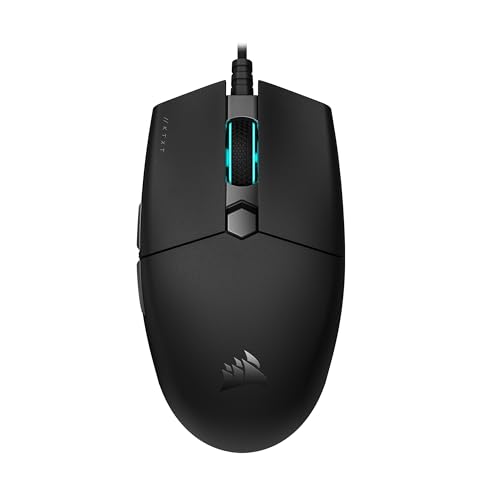
| Corsair Katar Pro XT | High-DPI precision in a compact shell | PixArt PMW3391 optical sensor, 18,000 DPI |
How to Choose
Sensor quality and DPI range
The sensor decides whether your cursor goes exactly where your hand tells it to go. Look for a true optical sensor with a clear DPI range and a tracking speed measured in IPS: a sensor with 300 IPS or higher keeps up with fast flicks, while a sensor with 400 IPS or more handles the quickest snaps across a large pad. A wide DPI range gives you room to experiment, but most players settle between 400 and 3,200 DPI, so a sensor that tracks cleanly in that band matters more than a huge headline number. Check that the sensor is optical rather than laser if you play on a cloth pad.
Shape, size and grip style
Shape decides comfort over a long session, and no sensor can fix a shell that fights your hand. Measure your hand from wrist to middle fingertip and compare it with the mouse length: a shell near 116 mm suits smaller hands, while a shell near 121 mm suits medium hands. Ergonomic right-handed shapes support palm and claw grips, while compact symmetric shapes suit claw and fingertip grips and work for either hand. Pay attention to the hump position too, because a hump under your knuckles supports a claw grip while a hump further back supports a palm grip.
Weight and cable
Weight changes how quickly you can stop the mouse after a flick, and lighter mice in the 73 to 85 g range feel quicker during fast repositioning. A lighter shell also reduces wrist fatigue across long sessions, but a mouse that is too light can feel unstable if you press hard on the buttons. On a wired mouse, the cable matters just as much: a flexible paracord-style cable or a thin rubber cable drags less against the pad than a thick braided cable. Look for smooth feet as well, because large PTFE feet glide more evenly than small hard plastic ones.
Buttons, lighting and software
Count the buttons you will actually use before you pay for extras. Six programmable buttons cover most players, giving you two side buttons, a DPI button and the scroll wheel click alongside the main clicks. RGB lighting looks good on a desk, but a mouse with three lighting zones lets you set a subtle glow instead of a bright distraction. Software matters for saving settings: on-board memory stores your DPI steps and lighting on the mouse itself, so your setup follows you to another computer without reinstalling anything.
The 4 Best Options
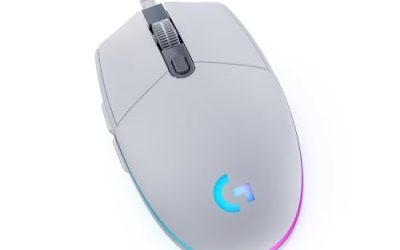
Logitech G203 LIGHTSYNC
The G203 LIGHTSYNC is the most affordable way into a proper optical gaming mouse, and it does not feel like a compromise in daily play. Its 8,000 DPI gaming-grade sensor tracks cleanly at up to 1,000 Hz, and the classic symmetric shape fits small to medium hands in palm, claw or fingertip grip. Six programmable buttons cover the essentials, while LIGHTSYNC RGB lighting adds three zones of color you can tune in G HUB. On-board memory stores your settings, and the 85 g body feels light enough for quick flicks without feeling hollow.
Specs
- 8,000 DPI gaming-grade optical sensor, 200 to 8,000 DPI
- 6 programmable buttons
- LIGHTSYNC RGB lighting, 3 zones
- 85 g
- 116.6 x 62.15 x 38.2 mm
- 1,000 Hz report rate
- On-board memory
- Up to 5 DPI settings through G HUB
- Wired USB connection, 2.1 m rubber cable
Best for: Players who want a capable optical gaming mouse at a friendly size and weight.
Watch out for: The 8,000 DPI ceiling is lower than the other mice here, so very high sensitivity players should check their settings first.
SteelSeries Rival 3
The Rival 3 is a light 77 g wired mouse built around the TrueMove Core optical sensor, and it suits players who switch between claw and fingertip grip during a match. Its sensor covers 100 to 8,500 CPI in 100 CPI steps with 300 IPS tracking, which keeps fast flicks accurate without overshooting. Six programmable buttons include split trigger buttons that feel crisp and consistent, and the mechanical switches are built for 60 million clicks. Three-zone Prism RGB lighting adds color without distraction, and the 1.8 m rubber cable stays flexible during quick repositioning.
Specs
- TrueMove Core optical sensor, 100 to 8,500 CPI in 100 CPI increments
- 300 IPS tracking speed, 35 G acceleration
- 6 programmable buttons
- Split trigger buttons
- Mechanical switches built for 60 million clicks
- 77 g without cable
- 120.6 x 67 x 37.9 mm
- Prism RGB lighting, 3 zones
- 1.8 m rubber cable
- 1,000 Hz polling rate
- Wired connection
Best for: Claw and fingertip players who want a light, accurate mouse with a clean shape.
Watch out for: The 8,500 CPI ceiling is modest next to high-DPI rivals, so check it against your sensitivity before buying.
Razer DeathAdder Essential
The DeathAdder Essential brings the tall ergonomic DeathAdder shape to players who want simple, reliable aiming without extra cost. Its true 6,400 DPI optical sensor tracks steadily at the sensitivities most players actually use, and the five programmable buttons cover the essentials without crowding the shell. Rubber side grips keep the mouse secure in your hand during fast movement, and the mechanical switches are built for 10 million clicks. The ergonomic right-handed shape supports palm and claw grips, making it a comfortable pick for long sessions in shooters and MOBA games alike.
Specs
- True 6,400 DPI optical sensor
- 5 programmable buttons
- Mechanical switches built for 10 million clicks
- Rubber side grips
- Ergonomic right-handed shape
- Wired connection
Best for: Players who want the comfortable DeathAdder shape and a dependable optical sensor at a low cost.
Watch out for: The 6,400 DPI ceiling and five buttons are modest, so players who need high sensitivity or many binds should look at the other mice here.
Corsair Katar Pro XT
The Katar Pro XT packs the strongest sensor in this group into a compact 73 g shell, making it the pick for players who want high-DPI precision in a small, light mouse. Its PixArt PMW3391 optical sensor covers 100 to 18,000 DPI in 1 DPI steps, so you can tune sensitivity with unusual precision. Six buttons include CORSAIR QUICKSTRIKE buttons designed for a fast, consistent click, and the large PTFE feet glide smoothly on cloth pads. The 1.8 m drag-reducing paracord cable stays out of the way, and iCUE software handles DPI and lighting, with one on-board profile for lighting and DPI.
Specs
- PixArt PMW3391 optical sensor, 100 to 18,000 DPI in 1 DPI steps
- 6 buttons
- CORSAIR QUICKSTRIKE buttons
- 73 g
- 115.8 x 64.2 x 37.8 mm
- 1-zone RGB lighting
- Large PTFE feet
- 1.8 m drag-reducing paracord cable
- 1,000 Hz polling rate
- iCUE software supported
- 1 on-board profile for lighting and DPI
- Compact symmetric shape for claw and fingertip grips
- Wired connection
Best for: Players who want the highest DPI range and the lightest shell in this group.
Watch out for: The compact shape suits small to medium hands best, so large-handed players should check the 115.8 mm length first.
Which One Fits Your Situation
You want the lowest cost without a weak sensor
Pick the Logitech G203 LIGHTSYNC. Its 8,000 DPI sensor, six programmable buttons and 85 g body cover everything a new competitive player needs, and the three-zone RGB lighting lets you match your desk setup. The classic shape works with palm, claw and fingertip grips, and on-board memory stores your settings on the mouse itself.
You play claw or fingertip and want a light mouse
Pick the SteelSeries Rival 3. At 77 g it feels quick during fast repositioning, and the TrueMove Core sensor tracks cleanly at 300 IPS. The split trigger buttons feel crisp, and the shape stays comfortable when you switch grips mid-match. Three-zone Prism RGB lighting adds color without distraction, and the flexible cable stays out of the way.
You want a comfortable ergonomic shape for long sessions
Pick the Razer DeathAdder Essential. The tall right-handed shell supports your palm during long games, and the rubber side grips keep the mouse secure when your hands get warm. Five buttons keep the layout simple and easy to learn, and the true 6,400 DPI optical sensor tracks steadily at the sensitivities most players use.
You want the highest DPI and the lightest shell
Pick the Corsair Katar Pro XT. Its 18,000 DPI sensor tunes in 1 DPI steps, and the 73 g compact body moves fast on the pad. The paracord cable and large PTFE feet keep glides smooth during quick flicks, and the QUICKSTRIKE buttons give fast, consistent clicks with iCUE software handling DPI and lighting.
Common Mistakes
- Buying the highest DPI number available instead of checking whether the shape fits your hand.
- Choosing a heavy mouse for fast flicks, then wondering why your wrist tires after an hour.
- Ignoring the cable on a wired mouse, even though a stiff cable drags against the pad.
- Setting DPI far higher than you need, which makes small aim corrections harder to control.
- Skipping on-board memory, then losing your DPI settings every time you switch computers.
Frequently Asked Questions
What makes an optical sensor better than a laser sensor?
Optical sensors use light to read the surface, which gives clean, consistent tracking on cloth mousepads without the acceleration quirks that laser sensors can show. Most competitive players prefer optical sensors because the cursor follows hand movement in a straight, predictable way. Laser sensors work on more surfaces, including glass, but that flexibility matters less when you play on a standard cloth pad.
How much DPI do I actually need?
Most players use between 400 and 3,200 DPI, and every mouse in this guide covers that range with room to spare. Higher DPI helps if you play at very high sensitivity on a small pad, but it does not make your aim better on its own. Set your DPI to match your mousepad space, then adjust in-game sensitivity until small corrections feel natural.
Does a lighter mouse improve my aim?
A lighter mouse helps with fast flicks and reduces wrist fatigue, because your hand spends less effort starting and stopping movement. Mice in the 73 to 85 g range feel quick without feeling unstable. Weight is only part of the picture, though: a mouse with the wrong shape will feel awkward no matter how light it is, so fit comes first.
Can I use these mice for work as well as gaming?
Yes, all four work fine as daily mice, because the optical sensors track smoothly on a desk or a pad and the buttons feel consistent for browsing and documents. The RGB lighting can be set to a single subtle color or turned off through software. If you share the mouse with family, on-board memory keeps your gaming DPI steps ready without extra setup.
FAQ
What makes an optical sensor better than a laser sensor?
How much DPI do I actually need?
Does a lighter mouse improve my aim?
Can I use these mice for work as well as gaming?
More from Amazon
Programs that pair well with the guide above. Offers and eligibility are set by Amazon and may change.
Free shipping on eligible items, Prime Video and more. Eligible new members can start with a free trial.
Start a Prime free trialA Prime membership for ages 18-24 with a trial period. Eligibility is set by Amazon.
See Prime for Young AdultsAudiobooks and podcasts to listen to on the go. Eligible new members can start with a free trial.
Try Audible freeAd-free music streaming. Eligible new subscribers can start with a free trial.
Try Music Unlimited freeAs an Amazon Associate we earn from qualifying purchases.