Our Short List of 3
All 3 Picks at a Glance
| Product | Specs | Action |
|---|---|---|
 Epson WorkForce ES-580W Document Scanner | Check price on Amazon | |
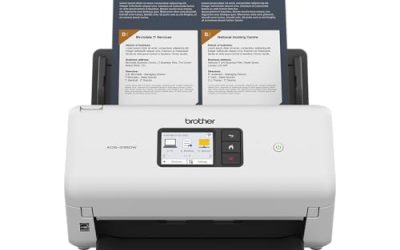
 Brother ADS-3350W Wireless Desktop Scanner | Check price on Amazon | |
 Epson DS-530 II Color Duplex Document Scanner | Check price on Amazon |
Key takeaways
- Compare the best production document scanners for shared offices, with high-volume speed, feeder size, network use, duty cycle, and software fit explained.
Disclosure: As an Amazon Associate, this site may earn from qualifying purchases made through links on this page.
The best production document scanners for shared offices are built for volume, with fast duplex speeds, large feeders, and connections that let several people share one unit. A shared office scans in waves: a team clears a backlog, a department files a month of records, or several people queue batches through the day. A production scanner needs to keep up with that pace, keep page order, and send files to the right folder without constant attention.
A good production scanner also needs to fit a shared room. Network connection, a touchscreen, and clear scan-to destinations help several people use one unit without confusion, while a high daily duty cycle shows it can handle repeated heavy use.
Before you choose, count the pages in a peak batch, note how many people will share the scanner, and check your network setup. Those answers narrow the list faster than any single speed figure, and they help you match a scanner to the way your shared office actually works.
At a Glance
| Product | Standout feature | Best for |
|---|---|---|
| Fujitsu fi-8170 Document Scanner | 70 ppm duplex with Ethernet, USB, and a 100-sheet ADF | Shared offices with heavy daily volume |
| Epson WorkForce ES-580W Document Scanner | 35 ppm duplex with a 100-sheet ADF and a 4.3-inch touchscreen | Shared offices with long batches and cloud destinations |
| Brother ADS-3350W Wireless Desktop Scanner | 40 ppm duplex with a 60-page ADF, Wi-Fi, and a touchscreen | Small shared offices with wireless placement |
| Epson DS-530 II Color Duplex Document Scanner | 35 ppm duplex with TWAIN and ISIS drivers and a 50-page ADF | Shared offices with document-management software |
How to Choose for Shared Offices
- Speed for volume: Look for a listed speed in ppm and ipm.
- Feeder size: Match the ADF size to your peak batch.
- Network and sharing: Ethernet or Wi-Fi lets several people share one scanner. Check the listing for Ethernet, Wi-Fi, and scan-to destinations before choosing.
- Daily duty cycle: Look for a listed daily duty cycle. A higher figure suits a team that scans every day, while a lower one suits occasional heavy batches.
- Touchscreen control: A touchscreen gives one-touch control at the scanner, which helps when several people share one unit. Look for a listed screen size in the listing.
The Picks
Fujitsu fi-8170 Document Scanner
For shared offices, the fi-8170 pairs 70 ppm duplex speed with Ethernet, USB, and a 100-sheet ADF. It suits a team that scans large batches every day. The Fujitsu fi-8170 is a high-speed color duplex document scanner with a listed speed of 70 ppm and 140 ipm. Its 100-sheet ADF, 600 dpi optical resolution, and Clear Image Capture technology suit large batches and demanding workflows. It connects by Ethernet and USB, so it can sit on a network for shared use or connect to one computer. The listing gives a daily volume of 10,000 sheets, which points to heavy daily use rather than occasional home scanning. Check the listing for software detail and supported file formats before choosing.
Epson WorkForce ES-580W Document Scanner
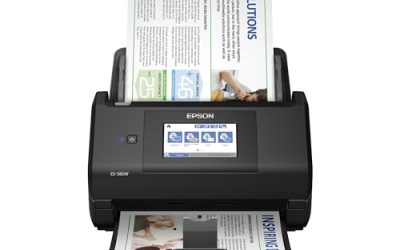
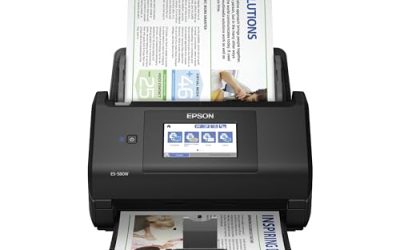
For shared offices, the ES-580W pairs a 100-sheet ADF with a 4.3-inch touchscreen, Wi-Fi, and scan-to-USB and cloud destinations. It suits a team that scans long batches and wants to send files without a computer. The Epson WorkForce ES-580W is a wireless color duplex desktop scanner with a 100-sheet auto document feeder and a 4.3-inch touchscreen. It lists scan speeds of up to 35 ppm and 70 ipm, with Single-Step Technology capturing both sides in one pass. It can save directly to a USB drive and send files to cloud storage, email, or a connected computer, with no computer needed for some destinations. OCR creates searchable PDFs and converts scans to editable Word and Excel files, and ultrasonic double-feed detection helps catch missed pages. Its listed peak daily duty cycle is 4,000 pages.
Brother ADS-3350W Wireless Desktop Scanner
For shared offices, the ADS-3350W pairs 40 ppm duplex scanning with a 60-page ADF, Wi-Fi, and a touchscreen. It suits a small shared office that wants wireless placement. The Brother ADS-3350W is a wireless high-speed desktop scanner with a 2.8-inch touchscreen and scan speeds of up to 40 ppm. Its 60-page auto document feeder supports single and dual-sided scanning, and it connects by wireless or Hi-Speed USB 3.0. The touchscreen gives one-touch control at the scanner, which helps when several people share one desk unit. Its optical resolution is listed at 600 x 600 dpi, with interpolated resolution up to 1200 x 1200 dpi. Check the listing for daily duty cycle and software detail before choosing.
Epson DS-530 II Color Duplex Document Scanner
For shared offices, the DS-530 II pairs TWAIN and ISIS drivers with a 50-page ADF and OCR. It suits a shared office whose filing system already uses document-management software. The Epson DS-530 II is a color duplex desktop scanner with a 50-page auto document feeder and scan speeds of up to 35 ppm and 70 ipm. Its listed peak daily duty cycle is up to 4,000 sheets, and its optical resolution is 600 dpi. TWAIN and ISIS drivers are included for integration with most document-management systems, and OCR supports searchable PDFs and editable Office files. It handles long pages and a range of paper weights, with ultrasonic multi-feed detection to help catch feeding problems.
Comparison Table
| Product | Speed | ADF | Connection | Touchscreen | OCR | Daily volume |
|---|---|---|---|---|---|---|
| Fujitsu fi-8170 Document Scanner | 70 ppm / 140 ipm | 100-sheet ADF | Ethernet + USB | 600 dpi | 10,000 sheets/day listed | Shared use |
| Epson WorkForce ES-580W Document Scanner | 35 ppm / 70 ipm | 100-sheet ADF | Wi-Fi | 4.3 in. touchscreen | OCR | 4,000 pages/day |
| Brother ADS-3350W Wireless Desktop Scanner | 40 ppm duplex | 60-page ADF | Wi-Fi + USB 3.0 | 2.8 in. touchscreen | 600 dpi | Wireless |
| Epson DS-530 II Color Duplex Document Scanner | 35 ppm / 70 ipm | 50-page ADF | USB | TWAIN + ISIS | OCR | 4,000 sheets/day |
Which One Fits Your Situation
- Heavy daily use: Choose the Fujitsu fi-8170 when your team scans large batches every day and needs 70 ppm speed, Ethernet, and a 100-sheet feeder.
- Long batches: Choose the Epson ES-580W when batches run long and a 100-sheet feeder with a 4.3-inch touchscreen and cloud destinations matters most.
- Wireless small office: Choose the Brother ADS-3350W when a small shared office wants wireless placement, a touchscreen, and 40 ppm duplex scanning.
- Software fit: Choose the Epson DS-530 II when TWAIN and ISIS drivers matter for your existing document-management system.
FAQ
What makes a scanner a production scanner?
Speed, feeder size, and daily duty cycle set it apart. A production scanner moves through long batches at a high speed, holds a large stack, and is listed for heavy daily use rather than occasional home scanning.
How many people can share one production scanner?
That depends on connection and destinations. A networked scanner with Ethernet or Wi-Fi and clear scan-to destinations suits several people, while a USB-only scanner suits a dedicated computer.
What feeder size suits a shared office?
Match the feeder to your peak batch. A 100-sheet feeder suits long runs without reloading, while a 50-sheet or 60-page feeder suits routine batches.
Why does duty cycle matter for a shared office?
Duty cycle shows how many pages a scanner is listed to handle each day. A team that scans every day should match the listed duty cycle to its daily volume, not only to a single batch.
Final Take
For production use in shared offices, the Fujitsu fi-8170 is the strongest pick, with 70 ppm speed, Ethernet, and a 100-sheet feeder for heavy daily use. The Epson ES-580W suits long batches with cloud destinations, the Brother ADS-3350W suits a small wireless office, and the Epson DS-530 II suits a team with established document-management software. Match speed and duty cycle to your peak batch first.
FAQ
What makes a scanner a production scanner?
How many people can share one production scanner?
What feeder size suits a shared office?
Why does duty cycle matter for a shared office?
More from Amazon
Programs that pair well with the guide above. Offers and eligibility are set by Amazon and may change.
Free shipping on eligible items, Prime Video and more. Eligible new members can start with a free trial.
Start a Prime free trialA Prime membership for ages 18-24 with a trial period. Eligibility is set by Amazon.
See Prime for Young AdultsAudiobooks and podcasts to listen to on the go. Eligible new members can start with a free trial.
Try Audible freeAd-free music streaming. Eligible new subscribers can start with a free trial.
Try Music Unlimited freeAs an Amazon Associate we earn from qualifying purchases.