Our Short List of 3

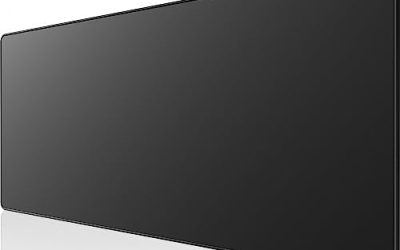
- Best for: FPS players who want a classic, predictable cloth surface at a mouse-only size.
- Micro-woven cloth surface for peak tracking and stability
- Non-slip silicone rubber base
- 450 mm x 400 mm, sized for mouse-only setups
- Optimized for gaming sensors

- Best for: Low-DPI control players who want a thin, flat XL pad that sits almost level with the desk.
- 900 x 400 x 3 mm XL cloth pad, 0.12 in thin
- Performance-tuned cloth surface with moderate surface friction
- Stable rubber base
- Consistent texture for low-DPI gaming
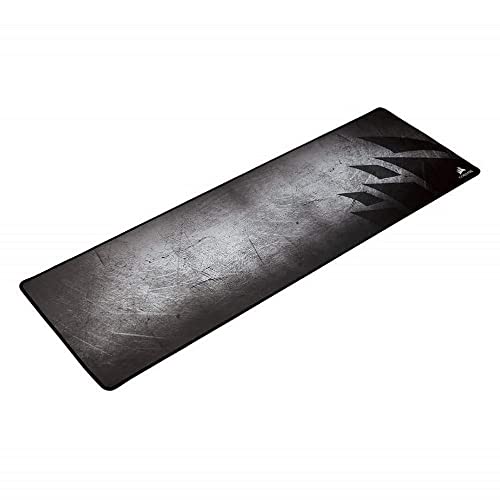
- Best for: Players who want a long, stitched-edge desk mat on a desk that is long but not deep.
- Textile-weave cloth surface for low friction and precision tracking
- Anti-fray stitched edges
- Anti-skid textured rubber base
- Extended size 930 x 300 mm, 3 mm thick
All 4 Picks at a Glance
| Product | Specs | Action |
|---|---|---|
| SteelSeries QcK Large |
| Check price on Amazon |
| Logitech G840 XL |
| Check price on Amazon |
| Corsair MM300 Extended |
| Check price on Amazon |
 Razer Firefly V2 Pro |
| Check price on Amazon |
Key takeaways
- Compare the 5 best gaming mouse mats for FPS aim, full desk coverage and RGB setups, from the classic SteelSeries QcK to Razer's backlit Firefly V2 Pro.
A mouse mat decides how every flick and micro-adjustment feels, and that feel splits into two camps: fast glide that lets the mouse fly across the pad, and controlled friction that stops the crosshair exactly where your hand stops. Pick the wrong side and your aim either overshoots or drags, no matter how good the mouse is. Size matters just as much, because a pad that ends mid-swipe forces your wrist onto bare desk at the worst moment.
This guide is for competitive FPS players who run low sensitivity, desk-covering setup builders who want keyboard and mouse on one surface, RGB fans who want the pad to light the desk, and anyone replacing a worn cloth pad with a hard surface. Each mat below was picked from the name and specifications on its Amazon product page, with the size, surface and base called out so you can match the pad to your grip and your desk.
Quick Picks
As an Amazon Associate we earn from qualifying purchases
| Product | Best for | Key spec from title |
|---|---|---|
| SteelSeries QcK Large | Everyday FPS play on a classic cloth surface | 450 x 400 mm, micro-woven cloth |
| Razer Gigantus V2 XXL | Full desk coverage for keyboard and mouse | 940 x 410 x 4 mm, textured micro-weave cloth |
| Logitech G840 XL | Low-DPI control play with a thin, flat pad | 900 x 400 x 3 mm, performance-tuned surface |
| Corsair MM300 Extended | Long desk mats with stitched edges that resist fraying | 930 x 300 mm, anti-fray stitched edge |
| Razer Firefly V2 Pro | RGB setups and fast hard-surface glide | 15-zone Chroma RGB, micro-textured hard surface |
How to Choose
Cloth, hard, or hybrid surface
Cloth is the default for most players because woven fabric adds a little friction, and that friction is what lets you stop a flick on a single pixel instead of sliding past it. Hard pads do the opposite: a rigid plastic or frosted surface drops friction close to zero, so the mouse flies with almost no effort and suits high-sensitivity players who move from the wrist. Hybrid pads sit between the two, usually a cloth top on a firm base, for players who want cloth feel with a flatter glide. If you play tactical shooters at low sensitivity, cloth or hybrid is the safer pick; if you play arena shooters at high sensitivity, a hard pad earns its place.
Size: mouse-only pad or full desk mat
Measure your desk before you buy, because the right size depends on how far your arm travels. A mouse-only pad around 450 x 400 mm covers a palm-grip player who aims mostly from the wrist, and it leaves the keyboard on bare desk. An extended mat around 900 x 400 mm holds keyboard and mouse together, which keeps the whole setup on one level surface and stops the keyboard from sliding. Low-sensitivity players who sweep the arm across the desk need the longest option, XXL or 3XL, while a small desk with a laptop and a mouse has no room for anything beyond a compact pad.
Thickness, base grip, and stitched edges
Thickness changes how the pad feels under your wrist and how it handles an uneven desk. A thin pad around 3 mm stays flat, keeps the wrist low, and slides easily into a bag, while a thick pad around 4 to 6 mm cushions the wrist and smooths out small bumps in the desk surface. The base matters just as much: a rubber or silicone underside grips the desk so the pad never creeps during a tense round. Stitched edges are worth checking too, because an unstitched cloth edge frays with months of wrist contact, while a stitched edge holds the weave together far longer.
RGB, ports, and where budget mats cut corners
Some mats add lighting, a USB port, or a wireless charging spot, and each extra changes what you are actually buying. An RGB mat with edge-to-edge lighting becomes part of the desk look, while a built-in USB port gives the mouse dongle a home close to the sensor. Budget mats usually cut the same three things: a thinner rubber base that slides, unstitched edges that fray, and a surface coating that wears smooth in the middle after a few months. Check the base thickness, the edge finish, and whether the surface is one even weave before you commit to the cheapest option on the page.
The 5 Best Options
SteelSeries QcK Large
- Best for: FPS players who want a classic, predictable cloth surface at a mouse-only size.
- Micro-woven cloth surface for peak tracking and stability
- Non-slip silicone rubber base
- 450 mm x 400 mm, sized for mouse-only setups
- Optimized for gaming sensors
FPS players who want a classic, predictable cloth surface at a mouse-only size.
The edges are not stitched, so check the listing photos and expect the weave to show wear at the wrist line over time.
The QcK Large is the reference cloth pad that most other mats get compared against, and it earns that spot by doing the basics well: a micro-woven cloth surface that gives a balanced glide with enough friction to stop precisely, a non-slip silicone rubber base that stays planted, and a 450 x 400 mm footprint that fits a mouse-only setup without eating the desk. It suits FPS players who want a predictable surface for low and mid sensitivity, and it is the safe first pad for anyone who has never thought about surfaces before.
Watch out for: The edges are not stitched, so check the listing photos and expect the weave to show wear at the wrist line over time.
Razer Gigantus V2 XXL
The Gigantus V2 XXL turns the whole desk into one playing surface, with a textured micro-weave cloth top, thick high-density foam underneath, and an anti-slip rubber base that keeps a 940 x 410 mm mat flat under a keyboard and a mouse. That size suits low-sensitivity players who sweep the arm across the desk, and it also suits anyone who hates the feeling of the mouse sliding off the pad edge mid-fight. The stitched edge is the detail that matters here, because a mat this large sees constant wrist contact along its whole front.
Specs
- Textured micro-weave cloth surface for pixel-precise tracking
- Thick, high-density foam layer
- Anti-slip rubber base
- 940 x 410 x 4 mm XXL size, also available up to 3XL
- Classic black finish
Best for: Low-sensitivity players and desk-covering setups that need keyboard and mouse on one mat.
Watch out for: Measure the desk first, because a 940 mm mat leaves no room on a compact desk and cannot be trimmed to fit.
Logitech G840 XL
- Best for: Low-DPI control players who want a thin, flat XL pad that sits almost level with the desk.
- 900 x 400 x 3 mm XL cloth pad, 0.12 in thin
- Performance-tuned cloth surface with moderate surface friction
- Stable rubber base
- Consistent texture for low-DPI gaming
Low-DPI control players who want a thin, flat XL pad that sits almost level with the desk.
At 3 mm the pad does little to cushion the wrist or hide bumps in the desk, so a rough desk surface will show through.
The G840 XL is the thin, flat option in this group, a 900 x 400 mm cloth pad only 3 mm thick, with a performance-tuned surface and a stable rubber base. That thin profile keeps the wrist low and the transition from pad to desk almost level, which suits players who rest the forearm on the desk and dislike a raised edge. The surface friction sits in the middle of the range, so it gives control players a planted glide without the drag of a heavy control pad, and the consistent texture is tuned for low-DPI gaming.
Watch out for: At 3 mm the pad does little to cushion the wrist or hide bumps in the desk, so a rough desk surface will show through.
Corsair MM300 Extended
- Best for: Players who want a long, stitched-edge desk mat on a desk that is long but not deep.
- Textile-weave cloth surface for low friction and precision tracking
- Anti-fray stitched edges
- Anti-skid textured rubber base
- Extended size 930 x 300 mm, 3 mm thick
Players who want a long, stitched-edge desk mat on a desk that is long but not deep.
The 300 mm depth leaves less room for big vertical sweeps than a 400 mm deep mat, so check your arm movement before buying.
The MM300 Extended is the long, stitched-edge cloth mat for players who want desk coverage without giving up a familiar cloth feel. Its textile-weave surface is built for low friction and precise tracking, the anti-fray stitched edges hold the weave together through daily wrist contact, and the anti-skid textured rubber base stops the mat from drifting. At 930 x 300 mm it is narrower than the other extended mats here, which suits desks that are long but not deep, and the multi-color finish with the Corsair sail logo keeps the look simple.
Watch out for: The 300 mm depth leaves less room for big vertical sweeps than a 400 mm deep mat, so check your arm movement before buying.
Razer Firefly V2 Pro
- Best for: RGB desk builds and high-sensitivity players who want a fast hard surface that lights up.
- 15-zone Chroma RGB lighting, edge-to-edge backlit frosted surface
- Micro-textured hard surface for fast glide
- Anti-slip base
- Integrated USB 2.0 port for the wireless mouse dongle
RGB desk builds and high-sensitivity players who want a fast hard surface that lights up.
A hard surface shows dust and palm marks more than cloth, and the mat needs its USB cable connected for the lighting to work.
The Firefly V2 Pro is the hard pad in this group and the only one that lights the whole desk, with 15 individually addressable Chroma RGB zones behind a frosted surface instead of a glowing strip around the edge. The micro-textured hard surface gives a fast, low-friction glide that suits high-sensitivity players, and the anti-slip base keeps the rigid mat planted. A built-in USB 2.0 port holds the mouse dongle close to the sensor, and the detachable USB Type-C cable means the lighting and the port work from a single connection.
Watch out for: A hard surface shows dust and palm marks more than cloth, and the mat needs its USB cable connected for the lighting to work.
Which One Fits Your Situation
Low-sensitivity FPS aim with big arm movements
Pick the Razer Gigantus V2 XXL or the Logitech G840 XL. Both give the arm room to sweep without running off the edge, and both use cloth surfaces that stop the crosshair where the hand stops. The Gigantus is the pick if the desk is deep enough for a 410 mm mat, while the G840 suits a thinner, flatter feel at 3 mm.
One mat for keyboard and mouse on a smaller desk
Pick the Corsair MM300 Extended. Its 930 x 300 mm shape covers the full width of the desk while staying shallow enough for a compact setup, and the stitched edges survive the wrist contact that a shared keyboard-and-mouse mat always gets. The 300 mm depth also leaves room in front for a notebook, and the anti-skid base stops the mat drifting when the keyboard shifts.
An RGB desk that needs light, not just a logo
Pick the Razer Firefly V2 Pro. It is the only mat here that lights its whole surface through 15 Chroma zones, so the desk glow comes from the mat itself rather than a strip around the edge, and the built-in USB port keeps the mouse dongle close. The hard surface also wipes clean in seconds, so dust and palm marks never dull the light.
Replacing a fraying cloth pad with something wipe-clean
Pick the Razer Firefly V2 Pro if the budget allows, or the SteelSeries QcK Large if it does not. The Firefly hard surface wipes clean and never frays, while the QcK is the affordable cloth replacement that most players already know, with a fresh micro-woven surface and a non-slip base.
Common Mistakes
- Buying an XXL mat without measuring the desk, then finding it hangs over the edge or covers the keyboard tray.
- Choosing a hard pad for low-sensitivity tactical play, where the near-zero friction makes stopping on a target harder.
- Ignoring the base: a thin rubber base on a smooth desk slides during play, no matter how good the top surface is.
- Picking a mat with unstitched edges and then wearing through the weave at the wrist line within months.
- Placing an RGB mat where its cable blocks the mouse path or dangles off the desk edge.
Frequently Asked Questions
Do gaming mouse mats actually improve aim?
A good mat improves aim by giving the sensor a consistent surface to read, so tracking stays smooth instead of jumping on bare desk texture. The bigger gain is feel: cloth adds stopping friction for precise flicks, while a hard surface cuts drag for fast wrist movement. The mat will not fix a bad sensor or a shaky grip, but it removes the desk itself as a variable.
What size mouse mat should I buy?
Match the size to your sensitivity and your desk. A 450 x 400 mm pad covers wrist aimers, while a 900 x 400 mm extended mat suits low-sensitivity players who move the whole arm. Measure the desk depth first, because a 400 mm deep mat needs a desk that deep, and leave room for the keyboard if you plan to put both on one mat.
Cloth or hard mouse mat for FPS games?
Cloth suits most FPS players because its friction helps the crosshair stop exactly on target, which matters in tactical shooters played at low sensitivity. Hard mats suit high-sensitivity players who flick from the wrist and want the fastest possible glide. If you are unsure, cloth is the safer first buy, and a hybrid surface splits the difference.
How do I clean a gaming mouse mat?
Cloth mats clean with lukewarm water and a little mild soap, worked gently across the surface and then rinsed, then left flat to dry away from heat. Hard mats wipe clean with a damp cloth in seconds. Never machine wash a mat with a rubber base unless the maker says so, because heat and tumbling can warp the base and lift the edges.
FAQ
Do gaming mouse mats actually improve aim?
What size mouse mat should I buy?
Cloth or hard mouse mat for FPS games?
How do I clean a gaming mouse mat?
More from Amazon
Programs that pair well with the guide above. Offers and eligibility are set by Amazon and may change.
Free shipping on eligible items, Prime Video and more. Eligible new members can start with a free trial.
Start a Prime free trialA Prime membership for ages 18-24 with a trial period. Eligibility is set by Amazon.
See Prime for Young AdultsAudiobooks and podcasts to listen to on the go. Eligible new members can start with a free trial.
Try Audible freeAd-free music streaming. Eligible new subscribers can start with a free trial.
Try Music Unlimited freeAs an Amazon Associate we earn from qualifying purchases.