
Key takeaways
- Use 32GB of DDR5 for a new gaming system; two matched 16GB modules are preferable to one 32GB module.
- Enable the motherboard’s memory profile, such as AMD EXPO, after confirming system stability.
- Update the motherboard BIOS when required for a newer Ryzen processor.
- Use a reliable 650W or higher power supply with appropriate PCIe power connectors for the RX 7800 XT; 750W provides comfortable margin for many builds.
- Install current chipset and graphics drivers, then check CPU and GPU temperatures under sustained gaming loads.
- Do not pair a 7800X3D or 9800X3D with a tiny low-profile cooler simply to save money; sustained temperature and noise matter more than a brief benchmark result.
The best CPU for Radeon RX 7800 XT is the AMD Ryzen 7 7800X3D for high-refresh 1440p gaming, while the Ryzen 5 7600 is the smarter value choice and the Ryzen 7 9800X3D is the premium option for users who want maximum CPU headroom through 2026.
Our top picks

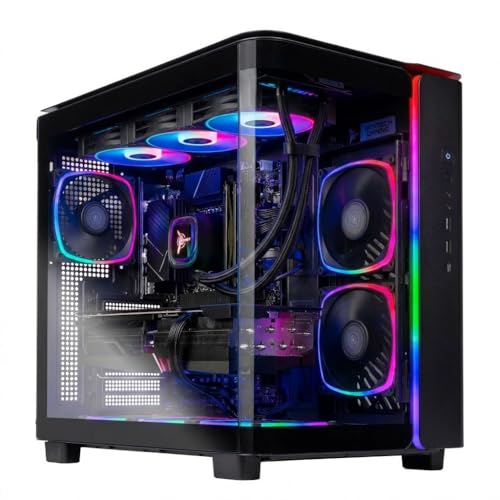


As an Amazon Associate we earn from qualifying purchases at no extra cost to you. Ratings are shown as listed on Amazon.
Quick picks by gaming situation
| Situation | Best choice | Why it fits | Typical CPU price range |
|---|---|---|---|
| Lowest sensible cost | Ryzen 5 7600 | 6 cores, AM5 support, strong 1440p performance | $170–$230 |
| Best overall match | Ryzen 7 7800X3D | 8 cores and 3D V-Cache reduce CPU limits in high-refresh games | $280–$380 |
| New premium gaming build | Ryzen 7 9800X3D | 8 cores, newer Zen 5 architecture, excellent minimum-frame potential | $430–$520 |
| Gaming plus demanding work | Ryzen 9 7900X or 9900X | 12 cores for rendering, compiling, streaming, and multitasking | $350–$500 |
| Intel-based upgrade | Core i5-14600K | Strong mixed-use performance, but higher platform power and cooling needs | $230–$320 |
Why the Ryzen 7 7800X3D is the best all-round pairing
The Ryzen 7 7800X3D remains an unusually good match for the Radeon RX 7800 XT because its eight Zen 4 cores and 96MB of 3D V-Cache provide plenty of gaming throughput without moving into the cost and power demands of a 12- or 16-core processor. It is particularly effective in simulation games, competitive shooters, large open-world games, and other titles where the processor affects frame-time consistency more than average frame rate.
At 1440p with high or ultra settings, the RX 7800 XT is often the limiting component. That means a 7800X3D will not always produce visibly higher average frame rates than a cheaper Ryzen 5 7600. Its value appears more clearly when targeting 144Hz, 165Hz, or higher, when using a reduced graphical preset, or when pairing the system with a faster future graphics card.
The main ownership advantage is the AM5 platform. A B650 motherboard, DDR5 memory, and a capable air cooler create a modern upgrade path rather than a dead-end system. The 7800X3D also tends to be easier to cool than high-end CPUs with very high sustained power limits. It does not include an integrated graphics processor suitable for normal gaming, but its small integrated display engine can still help with basic troubleshooting on supported boards.
Ryzen 5 7600: the value choice for 1440p
For a conventional RX 7800 XT gaming build, the six-core Ryzen 5 7600 is often enough. It has six cores, 12 threads, a 65W default TDP, and uses the same AM5 socket as newer Ryzen processors. At 1440p, especially with demanding visual settings, the GPU usually determines the frame rate before the 7600 becomes a serious limitation.
Choose it when the budget is better spent on a larger SSD, 32GB of DDR5 memory, a quieter case, or a higher-quality power supply. It is also a sensible choice for single-player gaming at 60–120 frames per second. The risk is not immediate incompatibility; it is reduced headroom in CPU-heavy games and at very high refresh rates. A future upgrade to an eight-core X3D chip is possible if the motherboard BIOS supports it.
The Ryzen 5 7600X offers slightly higher stock clocks but generally requires more cooling and does not transform the RX 7800 XT experience. Buy it when the price difference is small, or select the 7600 and use the included cooler if your case airflow and noise expectations are modest.
Ryzen 7 9800X3D: for high-refresh and long-term headroom
The Ryzen 7 9800X3D is the premium gaming pick among these recommendations. Its eight Zen 5 cores, 16 threads, and large 3D V-Cache make it well suited to high-refresh gaming and CPU-intensive titles. With an RX 7800 XT at 1440p, the improvement over a 7800X3D is often limited by the graphics card, but the newer processor can deliver stronger minimums in selected games and leaves more room for a later GPU upgrade.
It is difficult to justify solely for a 60Hz or 75Hz monitor. The extra money makes more sense if you use a 180Hz or faster display, play competitive games at lowered settings, run background applications while gaming, or expect to keep the processor through multiple graphics-card upgrades.
Because the 9800X3D is an AM5 processor, it may require a motherboard BIOS update depending on the board’s manufacturing date. Confirm BIOS support before assembling the system, particularly when buying older B650 inventory. A quality tower air cooler or 240mm liquid cooler is appropriate; an expensive flagship cooler is not required simply because the chip is high-end.
Intel alternatives: capable, but calculate the whole platform
The Intel Core i5-14600K remains a powerful gaming and productivity processor with six performance cores, eight efficiency cores, and 20 total threads. It can pair very well with the RX 7800 XT, especially for users who also encode video, compile software, or run heavily threaded applications.
Its disadvantages are platform age, potentially higher power consumption, and the need for a good cooler and motherboard power delivery. The Core i5-13600K offers a similar concept and can be attractive when discounted, but it should not be chosen merely because its advertised core count is higher than a Ryzen 5’s. Game performance depends on architecture, cache, clocks, memory latency, and power behavior—not core count alone.
For a new gaming-focused build, AM5 usually offers the cleaner upgrade path. Intel makes more sense when you already own a compatible LGA1700 motherboard and DDR4 or DDR5 memory, or when a complete bundle is substantially cheaper.
1080p, 1440p, and high-refresh bottleneck risk
| Use case | Likely limitation with RX 7800 XT | Recommended CPU tier | What to prioritize |
|---|---|---|---|
| 1080p, 60–100Hz | Usually the GPU, unless the game is unusually CPU-heavy | Ryzen 5 7600 | Value, quiet cooling, upgradeable AM5 board |
| 1080p, 144–240Hz | CPU more frequently becomes the limit | 7800X3D or 9800X3D | Frame-time consistency and memory configuration |
| 1440p, 60–165Hz | Usually the RX 7800 XT | 7600 for value; 7800X3D for headroom | GPU settings, VRAM use, and monitor resolution |
| 1440p, 180Hz or higher | Mixed; game engine and settings matter | 7800X3D or 9800X3D | Minimum FPS and CPU-intensive game performance |
| Streaming and heavy multitasking | CPU workload can compete with the game | 7900X, 9900X, or 9800X3D | Core count, cooling, and encoder settings |
A “bottleneck” is not a permanent defect or a fixed percentage. It changes with resolution, graphics quality, frame-rate target, and the game itself. At 1080p low settings, the processor must prepare frames quickly, so a 7800X3D or 9800X3D can matter. At 1440p ultra settings, ray tracing, texture quality, and upscaling settings generally shift more work to the graphics card.
Platform cost changes the recommendation
Do not compare CPU prices alone. A Ryzen 5 7600 build needs an AM5 motherboard, DDR5 memory, and potentially a replacement cooler. A 7800X3D system typically benefits from a good B650 board and a 32GB DDR5-6000 kit with suitable timings. A 9800X3D adds the processor premium but can use the same general platform.
As a worked comparison, suppose a 7600 costs $200 and a 7800X3D costs $330: the CPU difference is $130. If both builds use the same $160 motherboard, $100 memory kit, and $50 cooler, the meaningful difference remains about $130. At 1440p and 100Hz, that money may produce little visible improvement. At 1080p 200Hz in a CPU-heavy game, the more expensive processor can be a better use of the budget.
Build details that prevent avoidable problems
- Use 32GB of DDR5 for a new gaming system; two matched 16GB modules are preferable to one 32GB module.
- Enable the motherboard’s memory profile, such as AMD EXPO, after confirming system stability.
- Update the motherboard BIOS when required for a newer Ryzen processor.
- Use a reliable 650W or higher power supply with appropriate PCIe power connectors for the RX 7800 XT; 750W provides comfortable margin for many builds.
- Install current chipset and graphics drivers, then check CPU and GPU temperatures under sustained gaming loads.
- Do not pair a 7800X3D or 9800X3D with a tiny low-profile cooler simply to save money; sustained temperature and noise matter more than a brief benchmark result.
Final verdict
Choose the Ryzen 5 7600 if the RX 7800 XT will drive a 1440p monitor around 60–144Hz and value matters most. Choose the Ryzen 7 7800X3D if you want the safest all-round answer for high-refresh gaming without paying for unnecessary core counts. Choose the Ryzen 7 9800X3D for a premium new build, competitive 1080p or 1440p gaming, and maximum CPU headroom for a future graphics-card upgrade.
