Our Short List of 3

- Best for: Shared desks where a gaming PC and a work computer swap the same screen and peripherals.
- 28-inch 4K UHD (3840 × 2160) IPS panel
- 144Hz refresh rate as listed
- 1ms response time as listed
- HDMI 2.1

- Best for: Compact desks where a 27-inch screen has to serve fast PC play and console sessions.
- 27-inch 4K UHD (3840 × 2160) Nano IPS panel
- 144Hz native refresh rate as listed
- 160Hz overclock figure as titled
- HDMI 2.1

- Best for: Players with a deep desk who want the largest, fastest and brightest-stated screen in this class.
- 32-inch 4K UHD panel
- 165Hz refresh rate as listed
- 1ms response time as listed
- Quantum Mini-LED with HDR2000 as titled
All 3 Picks at a Glance
| Product | Specs | Action |
|---|---|---|
| Gigabyte M28U |
| Check price on Amazon |
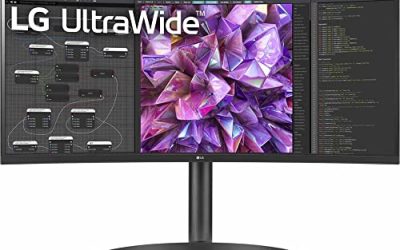
| LG 27GP950-B |
| Check price on Amazon |
| Samsung Odyssey Neo G7 |
| Check price on Amazon |
Key takeaways
- Compare four 4K 144Hz gaming monitors for November 2026, from flat 27-inch IPS panels to a curved 32-inch Mini-LED, all with HDMI 2.1 for PC and console.
A 4K 144Hz monitor is really two purchases in one: a sharp 3840 by 2160 desktop and a fast gaming panel, and the hard part is that the two halves pull against each other. Driving 4K at high frame rates takes serious graphics power, and the connection matters as much as the panel, because only HDMI 2.1 or DisplayPort carries the full signal. Buyers who skip that check often end up with a screen that quietly caps the refresh rate their hardware could deliver.
This roundup is for PC gamers upgrading to a high-refresh 4K desk setup and for console players who want one screen that serves both a PC and a current-generation console. Every pick below was chosen from the figures its own Amazon listing states — panel size and type, native refresh rate, response time and inputs — so the four models split cleanly by size, panel technology and sync support rather than by marketing tier.
Quick Picks
As an Amazon Associate we earn from qualifying purchases
| Product | Best for | Key spec from title |
|---|---|---|
| Gigabyte M28U | Desk setups that need a KVM switch | 28-inch 4K IPS, 144Hz, HDMI 2.1 |
| LG 27GP950-B | Compact 27-inch high-refresh play | 27-inch 4K Nano IPS, 144Hz (160Hz overclock) |
| Samsung Odyssey Neo G7 | Large curved screens and HDR gaming | 32-inch 4K Mini-LED, 165Hz, 1000R curve |
| LG UltraGear 27GR93U-B | Buyers who want both sync systems | 27-inch 4K IPS, 144Hz, G-SYNC Compatible and FreeSync Premium |
How to Choose
Read the refresh figure the listing actually states
Every monitor in this class advertises speed, but the number that matters is the one printed in its own listing, in the form the listing gives it. One pick here states a flat 144Hz, another states 144Hz native with a 160Hz overclock, and the largest panel states 165Hz outright. Those are not interchangeable claims: an overclock figure is a setting you enable, with the native rate as the guaranteed baseline, while a native figure is what the panel runs at default. Compare like with like, and treat any headline number as the listing states it rather than rounding models together into one class figure.
Match the input to the machine feeding it
A 4K picture at 144Hz is a heavy signal, and the port decides whether it arrives intact. Consoles need HDMI 2.1 to send their high-refresh 4K output, and one pick below states 4K at 144Hz over HDMI 2.1 explicitly. PC players have more freedom: DisplayPort 1.4, where a listing names it, carries the same class of signal from a graphics card. Before ordering, list the outputs on your console or card, then read the monitor’s input list in its listing and confirm the pairing in writing. A monitor with the right panel and the wrong port for your setup will run below the figures you bought it for.
Decide size and panel technology before brand
The four picks split into three physical shapes: flat 27-inch IPS panels, a flat 28-inch IPS panel, and a curved 32-inch Mini-LED. Size changes more than the picture — a 32-inch curved screen needs desk depth and puts its edges at a different viewing angle, while a 27-inch panel suits a compact desk and a closer seat. Panel technology changes the image itself: Nano IPS and standard IPS listings emphasize color and viewing angles, while the Mini-LED pick carries an HDR2000 label in its title, a very different brightness claim from the DisplayHDR 400 label on another pick. Pick the shape and technology first; the brand follows from that shortlist.
Check sync support and the extras you will use weekly
Variable refresh only works when the monitor’s stated sync system matches your graphics hardware. Listings here name their support plainly: one model states both G-SYNC Compatible and FreeSync Premium, which covers either GPU camp, while others leave sync out of their titles entirely — a silence worth noticing before you buy. Extras deserve the same scrutiny. The 28-inch pick lists a KVM switch, which matters if a work laptop and a gaming PC share your desk, and matters not at all if they do not. Buy the features your week actually uses, not the longest feature list.
The 4 Best Options
Gigabyte M28U
- Best for: Shared desks where a gaming PC and a work computer swap the same screen and peripherals.
- 28-inch 4K UHD (3840 × 2160) IPS panel
- 144Hz refresh rate as listed
- 1ms response time as listed
- HDMI 2.1
Shared desks where a gaming PC and a work computer swap the same screen and peripherals.
The listing states 144Hz with no higher overclock figure, so treat 144Hz as the ceiling rather than expecting hidden headroom.
The M28U is the straightforward desk pick of this group: a 28-inch 4K IPS panel whose listing states 144Hz and a 1ms response time, paired with HDMI 2.1 and a built-in KVM switch. That combination suits a desk where a gaming PC and a work laptop trade places, because the KVM lets one keyboard and mouse set follow whichever machine is on screen. Its stated refresh figure carries no overclock asterisk, so what the title promises is what the panel runs. For buyers who want the class’s core figures plus genuine desk utility, this is the balanced starting point.
Watch out for: The listing states 144Hz with no higher overclock figure, so treat 144Hz as the ceiling rather than expecting hidden headroom.
LG 27GP950-B
- Best for: Compact desks where a 27-inch screen has to serve fast PC play and console sessions.
- 27-inch 4K UHD (3840 × 2160) Nano IPS panel
- 144Hz native refresh rate as listed
- 160Hz overclock figure as titled
- HDMI 2.1
Compact desks where a 27-inch screen has to serve fast PC play and console sessions.
The 160Hz figure is an overclock setting in the title, not the native rate; the guaranteed baseline is the stated 144Hz.
LG’s 27GP950-B packs the class into the smaller 27-inch frame, using a Nano IPS panel whose listing states 144Hz natively and 160Hz as an overclock. That makes it the pick for players with a compact desk who still want the highest refresh figure a 27-inch 4K listing here offers, provided they accept that the top number is a mode to enable rather than the default. HDMI 2.1 is listed, so a console can join the PC at the same desk. The panel type is the other draw: Nano IPS is LG’s color-focused variant of IPS, aimed at buyers who split time between games and visual work.
Watch out for: The 160Hz figure is an overclock setting in the title, not the native rate; the guaranteed baseline is the stated 144Hz.
Samsung Odyssey Neo G7
- Best for: Players with a deep desk who want the largest, fastest and brightest-stated screen in this class.
- 32-inch 4K UHD panel
- 165Hz refresh rate as listed
- 1ms response time as listed
- Quantum Mini-LED with HDR2000 as titled
Players with a deep desk who want the largest, fastest and brightest-stated screen in this class.
The 1000R curve is pronounced and the 32-inch footprint needs real desk depth; it is a poor fit for shallow desks or multi-monitor symmetry.
The Neo G7 is the scale pick: a 32-inch 4K panel curved at 1000R, with a listing that states 165Hz and 1ms, and a Quantum Mini-LED backlight carrying an HDR2000 label in its title. That is the highest refresh figure and the boldest brightness claim in this roundup, wrapped in the most immersive physical shape. The curve pulls the edges of a large panel toward you, which suits single-player gaming at a deep desk. Buyers stepping up from a flat 27-inch screen should measure first — this monitor changes how a desk feels, not just what it shows, and it commits you to the curved format for every task.
Watch out for: The 1000R curve is pronounced and the 32-inch footprint needs real desk depth; it is a poor fit for shallow desks or multi-monitor symmetry.
LG UltraGear 27GR93U-B
The 27GR93U-B is the compatibility pick. Its listing states a 27-inch 4K IPS panel at 144Hz with 1ms GtG, names both G-SYNC Compatible and AMD FreeSync Premium, and spells out its inputs: HDMI 2.1 that carries 4K at 144Hz, plus DisplayPort 1.4. That sync pairing means the variable-refresh story is settled whichever graphics card you own, and the stated color gamut of DCI-P3 95 percent gives creators a concrete figure to judge. A VESA DisplayHDR 400 label rounds out the listing — a modest HDR claim, stated plainly. For buyers who read spec sheets closely and want every key figure confirmed in the listing itself, this is the most fully documented pick here.
Specs
- 27-inch 4K UHD IPS panel
- 144Hz refresh rate as listed
- 1ms GtG response time as listed
- VESA DisplayHDR 400
- G-SYNC Compatible and AMD FreeSync Premium
- HDMI 2.1 (4K at 144Hz over HDMI 2.1 as listed) and DisplayPort 1.4
- DCI-P3 95 percent as listed
Best for: Buyers who want both sync systems named in the listing and a documented port list for PC and console.
Watch out for: More than one listing circulates for this model, so confirm you are on the primary listing for the 27GR93U-B before ordering.
Which One Fits Your Situation
You run a PC and a console at one desk
Choose between the M28U and the 27GR93U-B. The LG states 4K at 144Hz over HDMI 2.1 directly, which is the exact signal a current console sends, and its DisplayPort 1.4 covers the PC side. The Gigabyte answers with its KVM switch, which matters when a keyboard and mouse must follow you between machines. If the console is the priority, take the LG’s documented inputs; if a work laptop shares the desk, take the M28U.
Your desk is small and your seat is close
Stay at 27 inches. Both the 27GP950-B and the 27GR93U-B keep the 4K pixel density tight at this size, so text and interfaces stay sharp at a close viewing distance. The LG UltraGear is the calmer choice, with every figure stated natively; the 27GP950-B adds the 160Hz overclock for players willing to enable it. Either fits a compact setup better than the 28-inch or curved 32-inch options here.
You want the most immersive single screen
The Odyssey Neo G7 is the only pick built around immersion: 32 inches, a 1000R curve that wraps the picture around your seating position, the stated 165Hz rate, and a Mini-LED backlight with an HDR2000 title claim. It asks for the deepest desk and the firmest commitment to a curved screen. If your gaming is single-player and cinematic, no other pick in this group makes the same trade in your favor.
You play fast competitive titles at 4K
Chase the highest stated refresh figures. The Neo G7 lists 165Hz natively, the largest number here, and the 27GP950-B lists a 160Hz overclock above its 144Hz base. Both pair those rates with 1ms-class response claims in their listings. The deciding factor is shape: the Samsung’s curve and size favor immersion even in fast games, while the LG keeps the competitive setup compact at 27 inches.
Common Mistakes
- Assuming any HDMI port carries 4K at 144Hz, when only an HDMI 2.1 input as listed accepts that signal at full rate.
- Reading an overclock figure in a title as the panel’s native refresh rate.
- Ordering a 32-inch curved monitor for a shallow desk without measuring depth and viewing distance first.
- Skipping the sync line in the listing, then finding the monitor’s stated system does not match your graphics card.
- Buying the monitor before checking that your graphics card can actually drive 4K resolution at high refresh rates.
Frequently Asked Questions
Are 144Hz, 160Hz and 165Hz all the same class?
They are neighboring figures, not the same one. Each listing in this roundup states its own number: 144Hz flat, 144Hz with a 160Hz overclock, and 165Hz native. All three sit in the high-refresh 4K class this keyword covers, but the exact figure and whether it is native or an overclock setting are per-model facts. Buy on the number the listing states for the specific monitor, not on the class label.
Do I need HDMI 2.1 for a 4K 144Hz monitor?
For a console, yes: current consoles send high-refresh 4K over HDMI 2.1, and one pick here states 4K at 144Hz over HDMI 2.1 explicitly. On a PC you have an alternative, since DisplayPort 1.4, where a listing names it, carries the same class of signal from a graphics card. What matters is that the monitor’s listed inputs include a port your source can actually feed at full rate.
Is the curved 32-inch panel better than a flat 27-inch one?
Neither is better outright; they trade different things. The curved 32-inch Neo G7 offers size, wrap and the strongest stated HDR claim, at the cost of desk depth and a shape some buyers dislike for work. The flat 27-inch panels keep a compact footprint and tight pixel density for close seating. Your desk depth and viewing distance decide which trade is right, not the spec sheet alone.
What does the KVM switch on the M28U actually do?
As listed, the M28U’s KVM switch lets one keyboard and mouse control two connected computers through the monitor, so switching between a gaming PC and a work laptop means switching the screen’s input rather than unplugging peripherals. It is a desk-logistics feature, unrelated to picture quality. If only one machine ever sits at your desk, it adds nothing; if two share the screen daily, it can be the deciding feature.
FAQ
Are 144Hz, 160Hz and 165Hz all the same class?
Do I need HDMI 2.1 for a 4K 144Hz monitor?
Is the curved 32-inch panel better than a flat 27-inch one?
What does the KVM switch on the M28U actually do?
More from Amazon
Programs that pair well with the guide above. Offers and eligibility are set by Amazon and may change.
Free shipping on eligible items, Prime Video and more. Eligible new members can start with a free trial.
Start a Prime free trialA Prime membership for ages 18-24 with a trial period. Eligibility is set by Amazon.
See Prime for Young AdultsAudiobooks and podcasts to listen to on the go. Eligible new members can start with a free trial.
Try Audible freeAd-free music streaming. Eligible new subscribers can start with a free trial.
Try Music Unlimited freeAs an Amazon Associate we earn from qualifying purchases.