Our Short List of 3

- Best for: Players who want FreeSync support stated clearly in the listing.
- Specs: 15.6-inch 144Hz display
- Specs: AMD Ryzen 5 7535HS processor
- Specs: AMD Radeon RX 6550M graphics
- Specs: 16GB DDR5 memory

- Best for: Players who want one strong laptop for gaming, study and everyday work.
- Specs: 15.6-inch 144Hz display
- Specs: AMD Ryzen 7 7735HS processor
- Specs: NVIDIA GeForce RTX 4050 graphics
- Specs: 16GB memory

- Best for: Buyers who want the newest processor in this group with a 144Hz panel.
- Specs: 15.6-inch FHD 144Hz display
- Specs: AMD Ryzen 7 8845HS processor
- Specs: NVIDIA GeForce RTX 4050 graphics
- Specs: 16GB memory
All 4 Picks at a Glance
| Product | Specs | Action |
|---|---|---|
| HP Victus 15 |
| Check price on Amazon |
| ASUS TUF Gaming A15 |
| Check price on Amazon |
| Lenovo LOQ 15 |
| Check price on Amazon |
 Acer Nitro V 15 |
| Check price on Amazon |
Key takeaways
- Compare the best freesync gaming laptops with fast 144Hz panels and variable refresh support, and pick a smooth gaming laptop that fits your setup today.
A gaming laptop that stutters or tears in the middle of a fast scene breaks immersion at the worst possible moment, and that is exactly the problem FreeSync is built to solve. By matching the display refresh rate to the frame rate the graphics card actually produces, FreeSync keeps motion smooth when frame rates dip and climb, so motion stays steady. The four laptops below all pair a fast panel with a graphics card that can drive it, and each one takes a different route to the same goal: a tear-free picture at a sensible size and weight.
This guide is for players who want that smoother picture without paying for a flagship machine, including students, first-time buyers and anyone upgrading from an older laptop that still runs a 60Hz screen. Every laptop below was chosen from the name and specifications shown on its Amazon page, with close attention to the display, the graphics card and the memory that decide how games actually feel in daily play.
Quick Picks
As an Amazon Associate we earn from qualifying purchases
| Product | Best for | Key spec from title |
|---|---|---|
| HP Victus 15 | FreeSync Premium display | 15.6-inch 144Hz display |
| ASUS TUF Gaming A15 | Strong all-round gaming | RTX 4050 graphics |
| Lenovo LOQ 15 | Newest processor | Ryzen 7 8845HS processor |
| Acer Nitro V 15 | Value gaming setup | 8GB DDR5 memory |
How to Choose
What FreeSync Actually Does
FreeSync is a variable refresh rate technology that lets the display change how often it redraws the picture to match the frames the graphics card is producing. When the two fall out of step, the screen can show part of one frame and part of the next, which appears as a visible tear across the image. FreeSync removes most of that tearing and also reduces the stutter that appears when frame rates wobble. FreeSync Premium adds a low frame rate compensation feature that keeps motion smooth even when frame rates drop below the panel range. Check the exact listing for the words FreeSync or Adaptive-Sync, because a fast panel alone does not guarantee variable refresh support.
The Display Decides How Smooth Games Feel
The panel is the part you look at for every minute of play, so it deserves as much attention as the graphics card. A 144Hz refresh rate is the sweet spot for this class of laptop: it makes camera movement and fast turns look far smoother than a standard 60Hz screen, and it pairs well with the frame rates these graphics cards produce. Resolution matters too, and every laptop in this guide uses a full HD panel, which keeps frame rates high enough for the refresh rate to matter. IPS panels generally hold colour and viewing angles better than older TN designs.
Balance Graphics, Processor and Memory Together
A FreeSync display only helps if the rest of the machine can produce frames in the range the panel supports. The RTX 4050 and RX 6550M in this guide both handle smooth full HD gaming in popular titles. The processor matters for open-world games and for multitasking, so a current Ryzen 7 is worth having when the budget allows, while a Ryzen 5 still handles most games comfortably. Memory is the third leg: 16GB is the comfortable standard, and an 8GB machine may need an upgrade sooner. Storage should be a solid state drive of at least 512GB, since modern games are large and slow storage makes loading drag.
Size, Weight and Cooling Shape Daily Use
Most FreeSync gaming laptops in this class use a 15.6-inch screen, which is a practical compromise between a large view and a machine that still fits in a backpack. Weight varies, and a heavier chassis often hides better cooling, which matters because sustained gaming pushes both the processor and the graphics card hard. Look for vents on the sides and rear and fan controls in the bundled software, since a throttling laptop loses the smoothness FreeSync protects. Battery life is usually modest on gaming laptops, so plan on gaming near a power outlet and treat the battery as a way to move between rooms rather than a full day of play.
The 4 Best Options
HP Victus 15
- Best for: Players who want FreeSync support stated clearly in the listing.
- Specs: 15.6-inch 144Hz display
- Specs: AMD Ryzen 5 7535HS processor
- Specs: AMD Radeon RX 6550M graphics
- Specs: 16GB DDR5 memory
Players who want FreeSync support stated clearly in the listing.
The RX 6550M sits a step below the RTX 4050 in ray-traced scenes, so very demanding titles need lower settings.
The HP Victus 15 is the most direct FreeSync pick in this guide, because its Amazon listing states AMD FreeSync Premium in the title, so the variable refresh support is part of the product description rather than something to infer from a specification sheet. It pairs a Ryzen 5 7535HS processor with an RX 6550M graphics card, a combination that handles full HD gaming well, and the 15.6-inch 144Hz display gives the FreeSync feature room to work. With 16GB of DDR5 memory and a 512GB solid state drive, it arrives ready for modern games without an immediate upgrade.
Watch out for: The RX 6550M sits a step below the RTX 4050 in ray-traced scenes, so very demanding titles need lower settings.
ASUS TUF Gaming A15
- Best for: Players who want one strong laptop for gaming, study and everyday work.
- Specs: 15.6-inch 144Hz display
- Specs: AMD Ryzen 7 7735HS processor
- Specs: NVIDIA GeForce RTX 4050 graphics
- Specs: 16GB memory
Players who want one strong laptop for gaming, study and everyday work.
The larger storage and tougher build add weight, so it is more of a desk machine than a travel companion.
The ASUS TUF Gaming A15 takes the all-round route, pairing a Ryzen 7 7735HS processor with an RTX 4050 graphics card and a large 1TB solid state drive, so it covers demanding games, big libraries and multitasking in one machine. Its 144Hz display supports Adaptive-Sync, which is the same variable refresh idea under the open standard name, keeping motion smooth when frame rates move around. The TUF line is built around a tougher chassis and stronger cooling than a typical thin laptop, which helps it hold performance during long sessions.
Watch out for: The larger storage and tougher build add weight, so it is more of a desk machine than a travel companion.
Lenovo LOQ 15
- Best for: Buyers who want the newest processor in this group with a 144Hz panel.
- Specs: 15.6-inch FHD 144Hz display
- Specs: AMD Ryzen 7 8845HS processor
- Specs: NVIDIA GeForce RTX 4050 graphics
- Specs: 16GB memory
Buyers who want the newest processor in this group with a 144Hz panel.
The 512GB drive fills up quickly with several large games installed, so plan storage around your library.
The Lenovo LOQ 15 brings the newest processor in this group, a Ryzen 7 8845HS, alongside an RTX 4050 graphics card, 16GB of memory and a 512GB solid state drive, all behind a 15.6-inch full HD 144Hz panel. Lenovo lists variable refresh support in the model specification sheet, so the panel can match its refresh rate to the frames the graphics card produces for smoother motion in fast games. The LOQ line sits below the Legion range, which keeps the design simpler while keeping the parts that matter for gaming, and the 144Hz panel is a good match for the frame rates this hardware reaches.
Watch out for: The 512GB drive fills up quickly with several large games installed, so plan storage around your library.
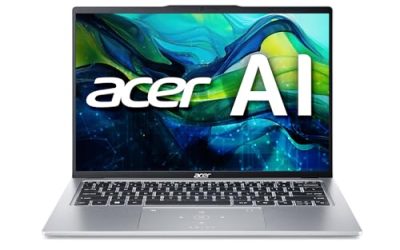
Acer Nitro V 15
- Best for: Players who want RTX 4050 gaming at the most accessible configuration in this guide.
- Specs: 15.6-inch FHD IPS 144Hz display
- Specs: AMD Ryzen 5 7535HS processor
- Specs: NVIDIA GeForce RTX 4050 graphics
- Specs: 8GB DDR5 memory
Players who want RTX 4050 gaming at the most accessible configuration in this guide.
The 8GB of memory is the first limit you will meet in demanding games, so budget for an upgrade down the line.
The Acer Nitro V 15 is the value entry in this group, offering an RTX 4050 graphics card with a Ryzen 5 7535HS processor and a 15.6-inch full HD IPS 144Hz display, with Acer listing AMD FreeSync support for the Nitro V 15 line in its specification material. Its 8GB of DDR5 memory and 512GB solid state drive keep the configuration lean, which is fine for many popular games but means a memory upgrade is the first thing to consider later. The IPS panel gives better viewing angles and colour than a basic panel, which helps both games and video, and the 144Hz refresh rate keeps motion smooth.
Watch out for: The 8GB of memory is the first limit you will meet in demanding games, so budget for an upgrade down the line.
Which One Fits Your Situation
You Want FreeSync Spelled Out in the Listing
Choose the HP Victus 15. Its listing states AMD FreeSync Premium in the title, so there is no need to cross-check a specification sheet. The Ryzen 5 and RX 6550M combination is solid for full HD play, and the 16GB of DDR5 memory means it arrives ready to use. This is the simplest choice for a buyer who wants the FreeSync feature itself to be the deciding factor.
You Want One Laptop for Everything
Choose the ASUS TUF Gaming A15. The Ryzen 7 processor, RTX 4050 graphics and 1TB of storage cover gaming, coursework and general use without feeling stretched, and the Adaptive-Sync display keeps motion smooth. Its tougher build and stronger cooling suit long sessions, and the larger drive means less time managing which games stay installed.
You Want the Newest Processor
Choose the Lenovo LOQ 15. The Ryzen 7 8845HS is the most recent processor in this group, and it pairs with an RTX 4050 and a 144Hz panel for smooth full HD gaming. Variable refresh support is listed in the manufacturer specification sheet, so confirm the exact configuration before buying, and expect the 512GB drive to need some library management.
You Want the Lowest Entry Point
Choose the Acer Nitro V 15. It brings RTX 4050 graphics and a 144Hz IPS panel with FreeSync listed in Acer specification material, at a leaner configuration than the others. The 8GB of memory is the trade-off, so treat a memory upgrade as part of the longer plan and enjoy solid full HD gaming in the meantime.
Common Mistakes
- Buying for the graphics card alone and ignoring the panel refresh rate, which decides whether variable refresh can even help.
- Assuming every laptop with an AMD graphics card supports FreeSync, when support depends on the exact panel and configuration.
- Choosing 8GB of memory for demanding games without a plan to add more later.
- Ignoring cooling and fan noise, since a laptop that throttles under load loses the smoothness FreeSync is meant to protect.
- Picking a laptop by brand name instead of checking the exact processor, graphics card and panel in the listing.
Frequently Asked Questions
Does FreeSync work with NVIDIA graphics cards?
FreeSync is an AMD technology, but many FreeSync displays also work with NVIDIA cards through the open Adaptive-Sync standard, and NVIDIA lists compatible displays under its G-Sync Compatible program. The ASUS TUF Gaming A15 in this guide uses Adaptive-Sync with its RTX 4050, which follows the same idea. Before buying, check the exact panel specification rather than assuming any combination works.
Is a 144Hz display enough for competitive games?
For most players, 144Hz is a large step up from 60Hz and is enough for competitive play in popular titles. Higher refresh rates exist, but they need a graphics card that can sustain those frame rates. A 144Hz panel paired with an RTX 4050 or RX 6550M is a balanced match for full HD gaming.
Can I upgrade the memory and storage later?
Most gaming laptops in this class allow memory and storage upgrades, though some machines ship with soldered parts. Check the service manual or the listing details for the configuration you are considering before buying. Adding memory is the most common first upgrade, especially on an 8GB machine.
Do I need a FreeSync laptop for casual games?
Casual games do not demand variable refresh the way fast shooters do, but the benefit still shows whenever frame rates move around. If you mostly play slower titles, a good panel and a capable graphics card matter more than the FreeSync label itself. For fast action games, though, the smoother motion is easy to notice once you have seen it.
FAQ
Does FreeSync work with NVIDIA graphics cards?
Is a 144Hz display enough for competitive games?
Can I upgrade the memory and storage later?
Do I need a FreeSync laptop for casual games?
More from Amazon
Programs that pair well with the guide above. Offers and eligibility are set by Amazon and may change.
Free shipping on eligible items, Prime Video and more. Eligible new members can start with a free trial.
Start a Prime free trialA Prime membership for ages 18-24 with a trial period. Eligibility is set by Amazon.
See Prime for Young AdultsAudiobooks and podcasts to listen to on the go. Eligible new members can start with a free trial.
Try Audible freeAd-free music streaming. Eligible new subscribers can start with a free trial.
Try Music Unlimited freeAs an Amazon Associate we earn from qualifying purchases.