Our Short List of 3

- Best for: Students and professionals who want a dependable business laptop with Ethernet and strong virtualization support.
- AMD Ryzen 7 7730U processor, 8 cores up to 4.5GHz
- 16GB RAM
- 512GB PCIe NVMe M.2 SSD
- 14-inch FHD+ display, 1920 x 1200

- Best for: Lab work that uses the graphics card, including hash cracking and GPU-accelerated security tools.
- AMD Ryzen 7 7735HS processor
- NVIDIA GeForce RTX 4060 graphics
- 15.6-inch Full HD 144Hz display
- 16GB DDR5 RAM

- Best for: Large labs with several virtual machines and a big screen for monitoring them together.
- AMD Ryzen 7 8845HS processor
- NVIDIA GeForce RTX 4060 graphics
- 16GB DDR5 memory
- 512GB SSD
All 4 Picks at a Glance
| Product | Specs | Action |
|---|---|---|
| Lenovo ThinkPad E14 Gen 5 |
| Check price on Amazon |
| ASUS TUF Gaming A15 |
| Check price on Amazon |
| Lenovo Legion Slim 5 |
| Check price on Amazon |
 ASUS ROG Zephyrus G14 |
| Check price on Amazon |
Key takeaways
- Our guide to the best laptops for hacking compares the hardware that ethical hackers and students need for labs, virtual machines and security work today.
Ethical hacking is authorised security work: testing systems you own or have permission to test, finding weaknesses before criminals do, and learning how networks really behave. The laptop behind that work needs enough memory for virtual machines, a processor that handles password cracking labs and packet analysis, and ports for the adapters and external drives that labs require. The machines below were chosen from the names and specifications shown on their Amazon pages.
This guide is for cybersecurity students, penetration testers and IT professionals who run labs, study for certifications, and test systems with permission. You will find a comparison of processors, memory, graphics and ports, followed by advice on matching each laptop to the lab work you actually do.
Quick Picks
As an Amazon Associate we earn from qualifying purchases
| Product | Best for | Key spec from title |
|---|---|---|
| Lenovo ThinkPad E14 Gen 5 | Reliable lab workhorse | Ryzen 7, RJ45 Ethernet |
| ASUS TUF Gaming A15 | GPU power for labs | RTX 4060, 16GB RAM |
| Lenovo Legion Slim 5 | Heavy virtual machines | RTX 4060, 165Hz display |
| ASUS ROG Zephyrus G14 | Portable power | RTX 4060, OLED display |
How to Choose
Memory decides how many machines you run
Virtual machines are the heart of ethical hacking practice, and memory decides how many you can run at once. A lab with a target machine, an attacker machine and a monitoring tool needs enough memory for all three plus the host system, so 16GB is the practical minimum for serious work. Thirty-two gigabytes gives you room for larger labs with several targets, a Windows guest and a Linux guest running side by side. Check whether the memory can be upgraded later, because a laptop with an open slot grows with your labs while a sealed one does not.
Processor power speeds up the slow jobs
Some security tasks are slow by nature, and the processor decides how long they take. Password cracking in a lab, compiling tools from source and analysing large packet captures all reward more cores and higher speeds. A modern 8-core processor handles these jobs well, while a weaker chip turns a ten-minute lab into an hour of waiting. Integrated graphics covers most lab work, but a dedicated graphics card accelerates hash cracking in tools that support GPU processing, which is why several machines here carry an RTX card. Match the processor to the heaviest job in your course or your work, not to the lightest one.
Ports and connectivity for lab hardware
A hacking laptop connects to more hardware than a normal laptop, so check the ports before you buy. An RJ45 Ethernet port matters for wired lab networks and for packet capture without wireless interference, and it is rarer on thin laptops than buyers expect. USB ports carry wireless adapters, external drives and hardware security keys, so count them and check their speed. Thunderbolt or USB4 adds room for fast external storage and displays, while Wi-Fi 6 or Wi-Fi 7 keeps wireless labs responsive. A laptop with the right ports saves you from carrying a bag of adapters to every session.
Security features protect your own work
A laptop used for security work holds sensitive material: lab notes, credentials for test systems and reports on real vulnerabilities. Look for a fingerprint reader for quick sign-in, a webcam shutter or kill switch for privacy, and support for full-disk encryption so a lost laptop does not expose your work. A Trusted Platform Module chip supports encryption and secure boot, and it is standard on most business laptops. Keep the operating system and tools updated, and separate your lab virtual machines from your personal files so a mistake in the lab cannot touch your daily data. The machine that protects your work is as important as the one that runs it.
The 4 Best Options
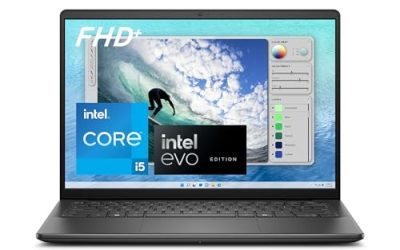
Lenovo ThinkPad E14 Gen 5
- Best for: Students and professionals who want a dependable business laptop with Ethernet and strong virtualization support.
- AMD Ryzen 7 7730U processor, 8 cores up to 4.5GHz
- 16GB RAM
- 512GB PCIe NVMe M.2 SSD
- 14-inch FHD+ display, 1920 x 1200
Students and professionals who want a dependable business laptop with Ethernet and strong virtualization support.
Integrated graphics covers lab work well, but GPU-accelerated cracking will run far more slowly than on an RTX machine.
The Lenovo ThinkPad E14 Gen 5 is the reliable lab workhorse in this group, built around a Ryzen 7 7730U processor with 8 cores up to 4.5GHz. Its 16GB of memory and 512GB PCIe NVMe SSD run a host system plus a virtual machine comfortably, and the 14-inch full HD display at 1920 x 1200 gives terminal windows room to breathe. An RJ45 Ethernet port covers wired labs, two USB-C ports and two USB-A ports carry adapters and drives, and a fingerprint reader secures sign-in. Wi-Fi 6 keeps wireless labs responsive, the backlit keyboard suits late sessions, and Windows 11 Pro supports virtualization features out of the box.
Watch out for: Integrated graphics covers lab work well, but GPU-accelerated cracking will run far more slowly than on an RTX machine.
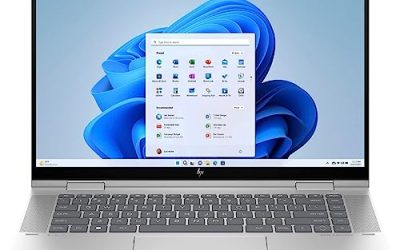
ASUS TUF Gaming A15
- Best for: Lab work that uses the graphics card, including hash cracking and GPU-accelerated security tools.
- AMD Ryzen 7 7735HS processor
- NVIDIA GeForce RTX 4060 graphics
- 15.6-inch Full HD 144Hz display
- 16GB DDR5 RAM
Lab work that uses the graphics card, including hash cracking and GPU-accelerated security tools.
The TUF chassis is built for durability, so it is heavier than ultrabook-style laptops and less pleasant to carry all day.
The ASUS TUF Gaming A15 brings dedicated graphics power to the lab, pairing a Ryzen 7 7735HS processor with an RTX 4060 for GPU-accelerated work. Its 16GB of DDR5 memory and 1TB PCIe SSD run several virtual machines at once, and the 15.6-inch full HD display at 144Hz keeps long terminal sessions easy on the eyes. Wi-Fi 6E keeps wireless labs fast on crowded networks, and the durable TUF chassis survives being carried between classrooms and offices. This is the machine for students whose courses include hash cracking, machine learning for security, or any tool that uses the graphics card.
Watch out for: The TUF chassis is built for durability, so it is heavier than ultrabook-style laptops and less pleasant to carry all day.
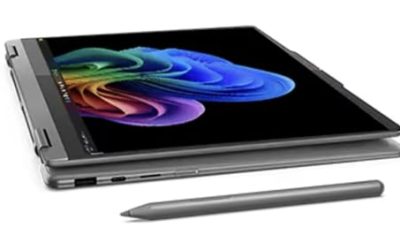
Lenovo Legion Slim 5
- Best for: Large labs with several virtual machines and a big screen for monitoring them together.
- AMD Ryzen 7 8845HS processor
- NVIDIA GeForce RTX 4060 graphics
- 16GB DDR5 memory
- 512GB SSD
Large labs with several virtual machines and a big screen for monitoring them together.
The 512GB drive fills up fast with virtual machine images, so plan on external storage or a larger drive.
The Lenovo Legion Slim 5 is the heavy lab machine in this group, pairing a Ryzen 7 8845HS processor with an RTX 4060 and 16GB of DDR5 memory. Its 16-inch QHD+ display at 165Hz gives you room for several terminal windows side by side, and the 512GB SSD holds a host system plus a few virtual machines. The RTX 4060 accelerates GPU-based tools, while the Ryzen 7 processor handles packet analysis and compilation without strain. This is the laptop for testers who run large labs with multiple targets and want a big screen for watching them all at once.
Watch out for: The 512GB drive fills up fast with virtual machine images, so plan on external storage or a larger drive.
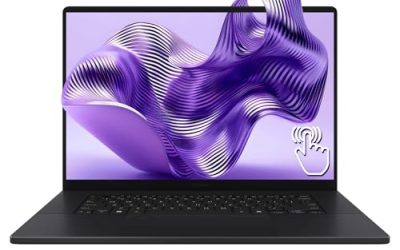
ASUS ROG Zephyrus G14
- Best for: Testers who travel between sites and want strong graphics power in a light 14-inch frame.
- AMD Ryzen 9 8945HS processor, 8 cores
- NVIDIA GeForce RTX 4060, 8GB
- 16GB LPDDR5 memory
- 1TB SSD
Testers who travel between sites and want strong graphics power in a light 14-inch frame.
The 14-inch screen feels cramped with several terminal windows open, so pair it with an external display at your desk.
The ASUS ROG Zephyrus G14 is the portable power pick, packing a Ryzen 9 8945HS processor and an RTX 4060 into a 14-inch body that weighs 3.31 lbs. Its OLED display runs at 2880 x 1800 with a 120Hz refresh rate, showing terminal text sharply, and 16GB of LPDDR5 memory with a 1TB SSD covers labs and projects. A MUX switch routes the display directly to the graphics card for full performance, and the machine arrives with a mouse pad in the box. Windows 11 Home keeps the setup simple, and the compact frame slips into a bag easily for travel between sites.
Watch out for: The 14-inch screen feels cramped with several terminal windows open, so pair it with an external display at your desk.
Which One Fits Your Situation
Studying for a security certification
If you are working through a certification course with virtual labs, the Lenovo ThinkPad E14 Gen 5 is the pick. Its Ethernet port, fingerprint reader and Windows 11 Pro support cover the practical side of study, and the Ryzen 7 processor with 16GB of memory runs a host plus a guest machine comfortably. The business build survives daily carrying, and the keyboard suits long study sessions.
Labs that use the graphics card
For courses and work that include hash cracking or GPU-accelerated tools, the ASUS TUF Gaming A15 fits best. Its RTX 4060 turns slow cracking jobs into fast ones, the 1TB drive holds many virtual machine images, and the 16GB of memory keeps labs running together. It is the machine for students whose syllabus leans on the graphics card.
Running a full target network
When your lab mimics a real network with several target machines, the Lenovo Legion Slim 5 is the answer. Its 16-inch screen shows multiple terminals at once, the Ryzen 7 processor handles the load, and the RTX 4060 covers GPU tools when you need them. Add external storage for your virtual machine library and the setup scales well.
Testing on the move
For penetration testers who visit client sites, the ASUS ROG Zephyrus G14 balances power and portability. Its light frame and strong graphics cover on-site work, the OLED screen stays readable in varied light, and the 1TB drive holds your toolkit. Pair it with a portable display at the hotel and you have a full lab in a small bag.
Common Mistakes
- Buying 8GB of memory and then trying to run a host system plus two virtual machines at once.
- Choosing a thin laptop without an Ethernet port and struggling with wireless-only packet capture.
- Ignoring the graphics card and then waiting hours for hash-cracking labs to finish.
- Running lab tools on a host system without separating them from personal files.
- Testing systems without written permission, which turns learning into unauthorised access.
Frequently Asked Questions
Do I need a dedicated graphics card for ethical hacking?
Not always, but it helps a lot for specific jobs. Hash cracking, machine learning for security and some analysis tools run far faster on a dedicated card. For network scanning, web testing and most coursework, a strong processor with 16GB of memory is enough. Choose the card if your course or work includes GPU-based tools.
How much memory do I need for virtual machines?
Sixteen gigabytes is the practical minimum, covering a host system plus one or two guests. Thirty-two gigabytes is better for larger labs with several targets running at once. If your laptop allows a memory upgrade later, you can start at 16GB and grow, but check the upgrade path before you buy.
Can I run Linux on these laptops?
Yes, all four machines can run Linux either as the main system or inside a virtual machine, which is how most security labs are built. Dual-booting and virtualization both work well on these processors, and Windows 11 Pro adds built-in virtualization features. Keep your lab separate from your personal system for safety.
Is ethical hacking legal?
Yes, when you have written permission to test the systems involved, which is the definition of ethical hacking. Testing your own lab, a client’s systems under contract, or a bug bounty target within its rules is lawful security work. Testing systems without permission is unauthorised access, so always confirm the scope in writing first.
FAQ
Do I need a dedicated graphics card for ethical hacking?
How much memory do I need for virtual machines?
Can I run Linux on these laptops?
Is ethical hacking legal?
More from Amazon
Programs that pair well with the guide above. Offers and eligibility are set by Amazon and may change.
Free shipping on eligible items, Prime Video and more. Eligible new members can start with a free trial.
Start a Prime free trialA Prime membership for ages 18-24 with a trial period. Eligibility is set by Amazon.
See Prime for Young AdultsAudiobooks and podcasts to listen to on the go. Eligible new members can start with a free trial.
Try Audible freeAd-free music streaming. Eligible new subscribers can start with a free trial.
Try Music Unlimited freeAs an Amazon Associate we earn from qualifying purchases.