Our Short List of 3

- Best for: Professional animators who need a colour-accurate 4K OLED screen and strong rendering power in one machine.
- 16-inch 4K OLED touchscreen, 3840 x 2400, 60Hz
- AMD Ryzen AI 9 HX 370 processor
- NVIDIA GeForce RTX 4060, 8GB
- 32GB DDR5 memory

- Best for: Animators who want a portable 2-in-1 for sketching on the go and working at a desk.
- 14.5-inch WQXGA IPS touchscreen, 2560 x 1600, 90Hz
- AMD Ryzen 7 8845HS processor
- NVIDIA GeForce RTX 3050, 6GB
- 16GB LPDDR5 memory

- Best for: Animators with large scenes and long timelines who need generous memory and a big screen.
- Intel Core i7-12650H processor
- NVIDIA GeForce RTX 3060 graphics
- 32GB memory
- 1TB SSD
All 4 Picks at a Glance
| Product | Specs | Action |
|---|---|---|
| ASUS ProArt P16 |
| Check price on Amazon |
| Lenovo Yoga Pro 7 |
| Check price on Amazon |
| MSI Creator M16 |
| Check price on Amazon |
 Acer Swift X 14 |
| Check price on Amazon |
Key takeaways
- Our guide to the best laptops for animation compares colour-accurate displays, graphics power, pen support and storage across four creator machines today.
Animation asks more of a laptop than almost any other creative work. You need a display that shows colour truly, a graphics card that previews motion smoothly, and enough memory to hold large scenes without stalling. The machines below were chosen from the names and specifications shown on their Amazon pages, and each one takes a different approach to that demanding brief.
This guide is for animators, motion designers and students who draw, rig and render on the move. You will find a comparison of displays, graphics, pen support and storage, followed by advice on matching each laptop to the kind of animation you make. Whether you work in 2D or 3D, the right machine keeps your timeline smooth and your colours honest, so you can focus on the story instead of the hardware.
Quick Picks
As an Amazon Associate we earn from qualifying purchases
| Product | Best for | Key spec from title |
|---|---|---|
| ASUS ProArt P16 | Professional animation work | 4K OLED touch, RTX 4060 |
| Lenovo Yoga Pro 7 | Portable 2-in-1 creativity | 14.5-inch touch, RTX 3050 |
| MSI Creator M16 | Large scenes and timelines | RTX 3060, 32GB RAM |
| Acer Swift X 14 | Colour work on the move | OLED 120Hz, RTX 4060 |
How to Choose
Colour accuracy comes first
For animation, the display is the tool you stare at all day, so colour accuracy matters more than raw speed. An OLED panel shows deep blacks and vivid colour that make characters and scenes look true, and a high resolution lets you see fine line work without zooming constantly. Look for a panel that covers a wide colour gamut, because a narrow screen hides the difference between two close shades. Touch support is a bonus when you sketch directly on the screen, and a bright panel keeps your work visible in a well-lit studio. Check the resolution and panel type on the product page before anything else, because a weak screen undermines every other specification.
Graphics power sets preview speed
The graphics card decides how smoothly your timeline plays back and how quickly renders finish. A modern RTX card accelerates previews in most animation software and handles 3D scenes without dropping frames, while integrated graphics struggles once a scene grows complex. Eight gigabytes of video memory is a comfortable level for detailed work, and a card with dedicated memory keeps the main processor free for other tasks. If you work mostly in 2D, a mid-range card is enough; if you render 3D scenes or use GPU effects, choose the strongest card you can. Match the graphics to your heaviest project, not your lightest one.
Pen and touch change how you draw
Drawing directly on the screen feels natural to many animators, so check whether the laptop supports a pen and what that pen offers. A touchscreen with pen support turns the laptop into a drawing tablet, letting you sketch, ink and paint without a separate device. Pressure sensitivity matters: a pen that responds to light and heavy strokes gives you the control that flat drawing lacks. Some laptops include the pen in the box, while others sell it separately, so check the listing before you assume. If you already own a drawing tablet, a non-touch laptop with a strong screen may suit you better and cost less.
Memory and storage hold your scenes
Animation projects grow large fast, with layered files, reference video and render caches competing for space. Sixteen gigabytes of memory is the minimum for smooth work, and 32GB gives you room for complex scenes and several apps open at once. Storage matters just as much: a 1TB drive holds current projects comfortably, while a 2TB drive lets you keep a library of assets without an external drive. Fast solid-state storage also speeds up loading and saving, which adds up across a long day. Check whether the memory can be upgraded later, because animation software only gets hungrier over time.
The 4 Best Options
ASUS ProArt P16
- Best for: Professional animators who need a colour-accurate 4K OLED screen and strong rendering power in one machine.
- 16-inch 4K OLED touchscreen, 3840 x 2400, 60Hz
- AMD Ryzen AI 9 HX 370 processor
- NVIDIA GeForce RTX 4060, 8GB
- 32GB DDR5 memory
Professional animators who need a colour-accurate 4K OLED screen and strong rendering power in one machine.
The 60Hz refresh rate is standard for colour work, so fast gaming on the side will feel less smooth than on a high-refresh screen.
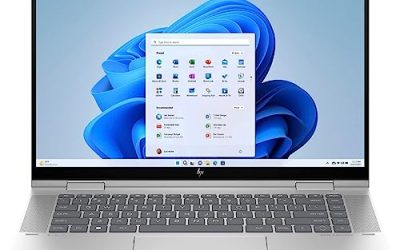
The ASUS ProArt P16 is the professional pick in this group, built around a 16-inch 4K OLED touchscreen that shows colour with the accuracy animation demands. Its Ryzen AI 9 HX 370 processor and RTX 4060 graphics with 8GB of memory preview complex scenes smoothly, while 32GB of DDR5 memory and a 2TB PCIe SSD hold large projects without strain. USB4, HDMI 2.1 and an SD Express 7.0 card reader cover cameras and external displays, and the 4.08 lb body stays portable for a 16-inch machine. Windows 11 Home arrives ready to use, so you can start work straight away.
Watch out for: The 60Hz refresh rate is standard for colour work, so fast gaming on the side will feel less smooth than on a high-refresh screen.
Lenovo Yoga Pro 7
- Best for: Animators who want a portable 2-in-1 for sketching on the go and working at a desk.
- 14.5-inch WQXGA IPS touchscreen, 2560 x 1600, 90Hz
- AMD Ryzen 7 8845HS processor
- NVIDIA GeForce RTX 3050, 6GB
- 16GB LPDDR5 memory
Animators who want a portable 2-in-1 for sketching on the go and working at a desk.
The RTX 3050 is the modest graphics card here, so very heavy 3D scenes will preview more slowly.
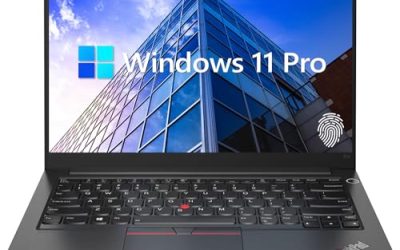
The Lenovo Yoga Pro 7 is the portable creator in this group, folding into a tablet shape when you want to sketch and back into a laptop when you need to type. Its 14.5-inch touchscreen runs at 2560 x 1600 with a 90Hz refresh rate, giving you smooth pen strokes and crisp line work. The Ryzen 7 8845HS processor and RTX 3050 graphics with 6GB of memory handle 2D animation and lighter 3D scenes, while 16GB of LPDDR5 memory and a 1TB SSD keep projects close at hand. Windows 11 Pro adds business features for freelancers who invoice and manage clients from the same machine.
Watch out for: The RTX 3050 is the modest graphics card here, so very heavy 3D scenes will preview more slowly.
MSI Creator M16
- Best for: Animators with large scenes and long timelines who need generous memory and a big screen.
- Intel Core i7-12650H processor
- NVIDIA GeForce RTX 3060 graphics
- 32GB memory
- 1TB SSD
Animators with large scenes and long timelines who need generous memory and a big screen.
The weight is not stated consistently across sources, so check the listing and expect a heavier machine than the thin models here.
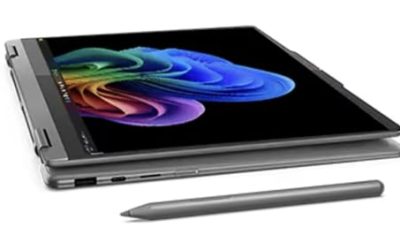
The MSI Creator M16 is the workhorse for large scenes, pairing an Intel Core i7-12650H with an RTX 3060 and 32GB of memory. Its 16-inch QHD+ display runs at 60Hz and covers the full DCI-P3 colour range, so scenes look true while you build them. A 1TB drive holds current projects, and the generous memory lets you keep a browser, reference video and your animation software open together. Windows 11 Home keeps the setup simple, and the larger screen gives timelines and layers room to breathe. This is the machine for animators whose projects outgrow lighter laptops.
Watch out for: The weight is not stated consistently across sources, so check the listing and expect a heavier machine than the thin models here.
Acer Swift X 14
- Best for: Creators who need accurate colour and strong graphics in one portable machine.
- Intel Core Ultra 7 155H processor
- NVIDIA GeForce RTX 4060, 8GB
- 16GB LPDDR5X memory
- 1TB SSD
Creators who need accurate colour and strong graphics in one portable machine.
The OLED screen and slim build mean you should treat it gently on the road.
The Acer Swift X 14 is the creator’s choice for colour work on the move, pairing the same RTX 4060 graphics as the ProArt with a display built for accuracy. Its 14.5-inch OLED panel runs at 2880 x 1800 with a 120Hz refresh rate, so games look rich and edited frames look true. The Core Ultra 7 processor, 16GB of memory and 1TB SSD cover editing, coding and multitasking, while Thunderbolt 4 and HDMI 2.1 make a desk setup simple. The thin aluminium chassis looks at home in a meeting as well as a studio, and the 120Hz refresh keeps motion smooth when the workday ends.
Watch out for: The OLED screen and slim build mean you should treat it gently on the road.
Which One Fits Your Situation
Professional studio work
For full-time animation where colour and render speed pay the bills, the ASUS ProArt P16 is the pick. Its 4K OLED screen shows your work truly, the RTX 4060 previews complex scenes smoothly, and 32GB of memory with a 2TB drive holds large projects. The card reader and USB4 ports cover cameras and external storage, so the machine slots straight into a studio workflow.
Sketching anywhere
If you draw on trains, in cafes and between classes, the Lenovo Yoga Pro 7 fits best. Its 2-in-1 design folds flat for sketching, the touchscreen responds to a pen, and the 14.5-inch body slips into a bag easily. The RTX 3050 covers 2D work and lighter 3D scenes, so it suits illustrators and students more than heavy renderers.
Big projects and long timelines
When your scenes carry many layers and your timelines stretch for minutes, the MSI Creator M16 is the answer. Its 32GB of memory keeps everything open at once, the 16-inch screen gives panels room, and the RTX 3060 handles detailed previews. It is the machine for animators whose work outgrows a thin ultrabook.
Colour work in a portable frame
For creators who travel between a studio and home, the Acer Swift X 14 balances accuracy and portability. Its OLED panel is Calman Verified for colour, the RTX 4060 covers demanding work, and Thunderbolt 4 connects a desk display when you need a bigger canvas. It is the lightest way to carry serious graphics.
Common Mistakes
- Choosing a laptop for its processor alone and ignoring the display your eyes use all day.
- Buying a machine without pen support and then adding a separate drawing tablet you did not budget for.
- Picking 16GB of memory for large scenes that need 32GB to preview smoothly.
- Forgetting that a narrow colour gamut hides the difference between shades you need to see.
- Storing every project on a small drive and losing time to external drives and file juggling.
Frequently Asked Questions
Do I need an OLED screen for animation?
An OLED screen helps a lot, because it shows deep blacks and vivid colour that make your work look true. It is not strictly required: a good IPS panel with wide colour coverage also works well. If your animation goes to clients or screens, the accurate panel pays for itself in fewer surprises.
How much memory do animators need?
Sixteen gigabytes is the minimum for smooth animation work, and it covers 2D projects and lighter 3D scenes. Thirty-two gigabytes is the comfortable level for complex scenes, large textures and several apps open at once. If you render 3D work regularly, choose 32GB from the start rather than planning an upgrade.
Is a touchscreen useful for animation?
Yes, a touchscreen with pen support lets you sketch, ink and paint directly on the screen, which feels natural to many animators. It is not essential if you already own a drawing tablet, in which case a strong non-touch screen may suit you better. Check whether the pen is included before you buy.
Can these laptops handle 3D rendering?
The RTX 4060 machines here handle 3D rendering well, previewing scenes smoothly and finishing renders at a good pace. The RTX 3050 and RTX 3060 models manage lighter 3D work but slow down on very complex scenes. Match the graphics card to the heaviest scene you render, not the lightest one.
FAQ
Do I need an OLED screen for animation?
How much memory do animators need?
Is a touchscreen useful for animation?
Can these laptops handle 3D rendering?
More from Amazon
Programs that pair well with the guide above. Offers and eligibility are set by Amazon and may change.
Free shipping on eligible items, Prime Video and more. Eligible new members can start with a free trial.
Start a Prime free trialA Prime membership for ages 18-24 with a trial period. Eligibility is set by Amazon.
See Prime for Young AdultsAudiobooks and podcasts to listen to on the go. Eligible new members can start with a free trial.
Try Audible freeAd-free music streaming. Eligible new subscribers can start with a free trial.
Try Music Unlimited freeAs an Amazon Associate we earn from qualifying purchases.