Our Short List of 3
All 3 Picks at a Glance
| Product | Specs | Action |
|---|---|---|
 Lenovo IdeaPad 1 15 | Check price on Amazon | |
 HP Chromebook 14 (14a-na0226nr) | Check price on Amazon | |
 Acer Chromebook 315 (CB315-3HT) | Check price on Amazon |
Key takeaways
- True gaming laptops are not sold at this budget. This honest guide covers the closest entry-level laptops and Chromebooks for light, older games.
Shoppers searching for a gaming laptop at the very bottom of the budget ladder usually have a simple goal: a portable machine that can run a few favorite games without costing much. The honest answer has to come first, before any product names. True gaming laptops, meaning machines with a dedicated graphics card, a fast high-refresh display, and the cooling to sustain both, are not sold in this bracket at all. No current model with a discrete graphics processor, a gaming-grade keyboard, or a high-refresh panel exists at this level, and any listing that suggests otherwise is describing an ordinary entry-level laptop with gaming words added to the title.
That does not mean the search is pointless. It means the goal has to change. The realistic target at this level is an entry-level laptop or Chromebook that handles light and older games well: classic titles, indie games with modest requirements, browser games, Android games on ChromeOS, and cloud game streaming over a decent home connection. The four machines below are the closest verifiable options in that spirit. One is a proper Windows laptop with the strongest integrated graphics in this group, and three are Chromebooks that suit cloud streaming and casual play, each framed honestly so expectations match what the hardware can deliver.
As an Amazon Associate, we earn from qualifying purchases.
How to Choose
Start With the Right Expectation
A gaming laptop earns that name from its graphics hardware. Dedicated graphics cards sit in a completely different performance class from the integrated graphics found in entry-level machines. Integrated graphics share system memory, run at far lower power, and are designed for video playback, schoolwork, and light creative tasks. They can run games, but only within a clear ceiling: older releases, indie titles, esports games at reduced settings, and two-dimensional games run well, while recent large open-world releases do not run acceptably at any setting. Choosing at this budget is therefore about matching the machine to a library of light games, not about finding hidden gaming power.
Integrated Graphics Decide Everything
Among integrated solutions, there is still a meaningful pecking order. The AMD Radeon 610M inside the Lenovo below is the strongest graphics option in this guide, with modern architecture and DirectX 12 support, and it handles older three-dimensional games at low settings and reduced resolution. Intel UHD Graphics 600, found in the HP and Acer Chromebooks, is a much older and weaker design suited to two-dimensional games, browser games, and video. The ARM Mali graphics in the ASUS Chromebook are built for Android apps and casual titles. None of these is a gaming graphics solution, but the gap between strongest and weakest still decides which games are playable at all.
Windows or ChromeOS Changes the Library
Operating system matters as much as hardware at this level. A Windows laptop can install a normal PC game library from the usual storefronts and run classic titles directly, using launchers that do not exist on ChromeOS. A Chromebook plays games three ways: Android games from the Google Play Store, browser-based games, and cloud streaming services that render the game on a remote server and send video to the screen. Cloud streaming is the great equalizer here, because a modest Chromebook with a good Wi-Fi connection can display demanding modern games its own hardware could never run locally, provided the connection is fast and stable.
Memory and Storage Set the Practical Limits
Four gigabytes of memory is the floor across most of this class, and it shows. On Windows, four gigabytes leaves little room beyond the operating system and one game at a time. Eight gigabytes, offered by the Lenovo in this guide, makes a visible difference to smoothness and multitasking. Storage is equally tight on the Chromebooks, where sixty-four gigabytes of eMMC holds the system and a handful of Android games, but not a library of large PC titles. Buyers planning to install games locally should favor the Windows machine with its far larger drive, while streaming-focused buyers can live with small eMMC storage because the games live on a server.
Display, Battery, and Build Still Matter
A larger screen makes long sessions easier on the eyes, and a Full HD panel looks noticeably sharper than an HD panel for text, video, and game menus. Touch input, offered by the Acer below, helps with Android games designed for taps and swipes. Battery life favors the Chromebooks, which sip power and run for most of a day away from an outlet, while the Windows laptop trades some endurance for its stronger processor. Build quality at this level is plastic almost everywhere, so durability extras such as a spill-resistant keyboard are worth noting for machines that travel in a backpack daily.
Lenovo IdeaPad 1 15
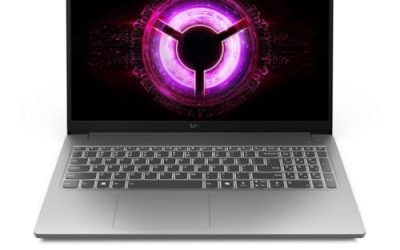
The IdeaPad 1 15 is the only machine in this guide that can honestly be called a light gaming laptop, and even that description needs its qualifier. Its AMD Ryzen 3 7320U processor pairs four cores and eight threads with Radeon 610M integrated graphics, a combination that runs older three-dimensional games, popular esports titles at low settings, and a deep back catalog of indie releases without leaning on a streaming service. The fifteen point six inch Full HD display is the sharpest route to actually seeing those games properly in this group, and the two hundred fifty-six gigabyte solid-state drive holds a real installed library rather than two or three titles at a time.
Eight gigabytes of LPDDR5 memory gives this machine the headroom the Chromebooks lack, so a game, a browser, and a chat application can stay open together. Windows 11 Pro means the full normal PC ecosystem applies: standard storefronts, launchers, controllers, and save files. Wi-Fi 6 keeps cloud streaming viable as a second route to newer games, and the port mix covers a mouse, an external drive, and a monitor without adapters. The limits are equally clear. There is no dedicated graphics card, the memory is soldered, and recent demanding releases remain out of reach locally. Within the honest framing of this guide, this is the strongest local-play option by a wide margin.
Who It Suits
This laptop suits the buyer who wants installed PC games rather than streamed ones: classic role-playing games, older strategy titles, indie platformers, and esports games at modest settings. It also suits anyone who needs one machine for school or office work during the day and light gaming in the evening. Buyers whose library is mostly recent blockbuster releases should skip it and save toward a machine with dedicated graphics instead, because no settings will make those titles run well on integrated graphics alone.
HP Chromebook 14 (14a-na0226nr)
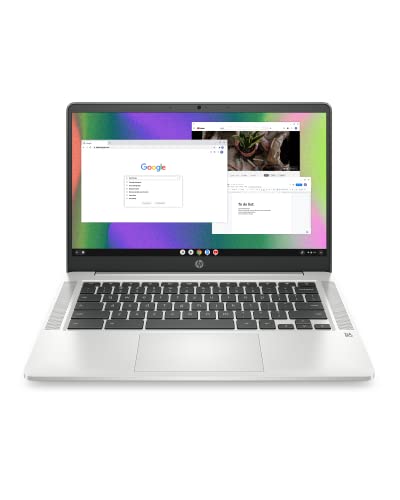
The HP Chromebook 14 approaches gaming from the opposite direction. Its Intel Celeron N4120 and UHD Graphics 600 are far too modest for installed PC games, and ChromeOS would not run them anyway. What this machine does well is everything around gaming: it boots quickly, runs quietly, lasts up to fourteen hours on its battery according to the manufacturer rating, and weighs about three and a quarter pounds. For play, it leans on Android games, browser games, and cloud streaming, where the remote server does the heavy lifting and this screen simply shows the result.
The fourteen inch HD anti-glare display is easy on the eyes in bright rooms, and the dual speakers give streamed games and video clearer sound than most machines in this class. Two USB-C ports handle charging and external displays, and HP Fast Charge refills roughly half the battery in about forty-five minutes according to the manufacturer. Storage is the hard limit: sixty-four gigabytes of eMMC fills quickly, so this machine works best when games live in the cloud or the Play Store rather than in large local installs.
Who It Suits
This Chromebook suits players whose gaming is mostly streamed or casual: cloud libraries, Android favorites, and browser titles, plus video, schoolwork, and browsing in between. It suits households buying a shared family machine used on battery all day. It does not suit anyone who wants to install a Windows game library or play offline for long stretches, because ChromeOS and the small storage close those doors regardless of settings.
Acer Chromebook 315 (CB315-3HT)
The Acer Chromebook 315 makes its case with the biggest screen in this guide. The fifteen point six inch Full HD IPS touchscreen is a genuine step up from the HD panels around it, giving streamed games, Android titles, and video a larger, sharper canvas, and the touch layer suits Android games built around taps and swipes. Underneath, the formula is familiar entry-level hardware: an Intel Celeron N4020 dual-core processor, four gigabytes of memory, and sixty-four gigabytes of eMMC storage, all running ChromeOS.
That hardware defines the same honest ceiling as the HP. Local play means Android and browser games, and anything more demanding belongs on a streaming service, where this display becomes the main attraction. Battery life is rated at up to twelve and a half hours by the manufacturer, and the port selection is the most generous of the Chromebooks here, with two USB-C and two USB-A ports for a controller, a mouse, and storage at once. Buyers choosing between the Chromebooks here on screen quality alone will land on this one.
Who It Suits
This Chromebook suits viewers and streamers first: anyone who will watch as much as they play, and who wants the largest, sharpest screen for cloud gaming sessions. The touchscreen also suits Android gamers who prefer direct touch controls. It does not suit local PC gaming at all, and its dual-core processor is the slowest here, so heavy multitasking will feel its limits sooner than the others.
ASUS Chromebook CM14 (CM1402CM2A-DS44)
The ASUS Chromebook CM14 is the durability pick of the group. ASUS builds this fourteen inch Chromebook to United States military-grade MIL-STD 810H durability standards according to the manufacturer, adds a spill-resistant keyboard, and applies an antimicrobial treatment to the keyboard, touchpad, and palm rest. Its MediaTek Kompanio 520 processor is an eight-core ARM chip designed for efficiency, paired with Mali-G52 graphics, four gigabytes of memory, and sixty-four gigabytes of eMMC storage.
Gaming here means Android games, browser games, and cloud streaming, the same trio as the other Chromebooks, and the ARM chip runs Android titles natively and efficiently. The forty-two watt-hour battery carries a manufacturer rating of up to fifteen hours, Wi-Fi 6 provides the modern wireless standard that streaming benefits from most, and ChromeOS updates are supported through June of twenty thirty-three according to the published update schedule. The trade-offs are the HD TN display, which has narrower viewing angles than the Acer IPS panel, and the same tight storage as its Chromebook rivals.
Specs
| Item | Detail |
|---|---|
| Display | 14-inch HD, 1366 x 768, TN |
| Processor | MediaTek Kompanio 520, 8 cores, up to 2.0 GHz |
| Graphics | ARM Mali-G52 MC2 integrated |
| Memory | 4GB LPDDR4X |
| Storage | 64GB eMMC |
| Operating System | ChromeOS |
| Battery | 42 Wh, up to 15 hours manufacturer rating |
| Wireless | Wi-Fi 6, Bluetooth |
| Durability | MIL-STD 810H testing per manufacturer, spill-resistant keyboard |
| Weight | About 3.2 pounds |
| ASIN | B0CJS1399P |
Who It Suits
This Chromebook suits students and younger players whose machine will be dropped, splashed, and carried daily, and whose gaming is Android, browser, and streamed titles. The long update window also suits buyers who keep hardware for years. It does not suit players who want the sharpest screen for streaming, nor anyone needing Windows software.
Frequently Asked Questions
Can any laptop in this bracket play modern games?
Not locally. Modern demanding games need a dedicated graphics card and stronger cooling than any machine at this level offers. The workable route is cloud streaming, where a server renders the game and the laptop displays the video stream, which the Chromebooks and the Windows laptop here can all do over a fast, stable connection. For installed play, expect older releases, indie games, and esports titles at low settings on the Lenovo, and Android or browser games on the Chromebooks.
Is a Chromebook a sensible choice for gaming at this budget?
Yes, within clear limits. A Chromebook cannot install Windows games, but it covers Android games from the Google Play Store, browser games, and cloud streaming services, and it adds long battery life, quick startup, and automatic updates. For a player whose library already lives in those three places, a Chromebook is often the most reliable machine at this level. For a player with an existing library of installed PC games, the Windows option is the only fit here.
How much memory and storage do light games actually need?
Eight gigabytes of memory is the comfortable target for Windows gaming of any kind, because the operating system and a game together press hard against four gigabytes. Storage depends on the library: older and indie titles are often small, so even sixty-four gigabytes holds several, while a single modern release can exceed that entire drive. That is why the Lenovo is the only local-library machine here, and why the Chromebooks pair best with streaming, where storage barely matters.
What should a buyer check before ordering any machine in this class?
Check the exact configuration on the listing, because memory, storage, and even the display can differ between variants sold under one model name. Check that the game library matches the operating system, since a Windows library will not move to ChromeOS. Check the update support window on a Chromebook and the Wi-Fi quality at home if streaming is the plan, because a weak connection undermines the one route these machines have to modern games.
Final Verdict
The search that leads to this guide starts with an impossible promise, and the honest conclusion follows from it: true gaming laptops are not sold in this bracket, and nothing here changes that. What exists instead are capable entry-level machines with a real, narrower kind of gaming value. The Lenovo IdeaPad 1 15 is the clear first choice for anyone who wants games installed and running locally, thanks to its Ryzen processor, Radeon 610M graphics, eight gigabytes of memory, and proper storage. The Acer Chromebook 315 is the streaming pick, pairing the largest and sharpest screen here with a touchscreen. The HP Chromebook 14 is the balanced everyday pick, and the ASUS Chromebook CM14 is the one to hand to a student, thanks to its durability features and long update support.
Choose by library, not by label. A library of classic and indie PC games points to the Lenovo. A library of streamed, Android, and browser games points to whichever Chromebook fits the household priorities. Either way, the right expectation is the real prize at this level: a machine bought for what it genuinely does will satisfy for years, while one bought as a gaming laptop in name will disappoint within a week.
Product and ASIN Reference
| Product | ASIN |
|---|---|
| Lenovo IdeaPad 1 15 | B0CKY4MZM2 |
| HP Chromebook 14 (14a-na0226nr) | B09SVSBVP1 |
| Acer Chromebook 315 (CB315-3HT) | B08LBZRVLG |
| ASUS Chromebook CM14 (CM1402CM2A-DS44) | B0CJS1399P |
FAQ
Can any laptop in this bracket play modern games?
Is a Chromebook a sensible choice for gaming at this budget?
How much memory and storage do light games actually need?
What should a buyer check before ordering any machine in this class?
More from Amazon
Programs that pair well with the guide above. Offers and eligibility are set by Amazon and may change.
Free shipping on eligible items, Prime Video and more. Eligible new members can start with a free trial.
Start a Prime free trialA Prime membership for ages 18-24 with a trial period. Eligibility is set by Amazon.
See Prime for Young AdultsAudiobooks and podcasts to listen to on the go. Eligible new members can start with a free trial.
Try Audible freeAd-free music streaming. Eligible new subscribers can start with a free trial.
Try Music Unlimited freeAs an Amazon Associate we earn from qualifying purchases.