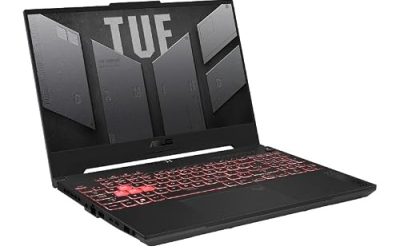
Key takeaways
- Compare the best Max-Q gaming laptops whose listings state a Max-Q graphics variant, covering the Razer Blade 15 and ASUS ROG Zephyrus M15 in detail.
As an Amazon Associate we earn from qualifying purchases.
A Max-Q gaming laptop is a specific kind of machine, not just a thin one. The Max-Q name belongs to a family of NVIDIA graphics variants designed for slim chassis: the graphics chip is tuned for efficiency and quiet cooling inside a thin body, rather than for the maximum power a thick desktop-replacement shell can feed it. For the buyer, that trade is the whole point. A Max-Q laptop gives up some peak graphics power in exchange for a machine that fits in an ordinary bag, runs its fans at a tolerable level on a desk, and still carries a dedicated GeForce RTX graphics chip for gaming.


This guide is deliberately strict about what counts. Both laptops below have Amazon product pages that state a Max-Q graphics variant in the graphics specification itself: the Razer Blade 15 Base Model 2020, whose page names the NVIDIA GeForce RTX 2070 Max-Q as its graphics coprocessor, and the ASUS ROG Zephyrus M15, whose listing names the NVIDIA GeForce RTX 2070 Max-Q with 8GB of GDDR6 memory. Listings that mention Max-Q only as a general technology in a feature list, without naming a Max-Q graphics variant for the machine itself, were not counted, and neither were thin gaming laptops whose pages name a standard mobile graphics chip. That strict reading leaves a short guide of two verified machines, and it is presented that way rather than padded with laptops that do not meet the definition.
Disclosure: This article contains affiliate links. If you buy through these links, we may earn a commission at no additional cost to you.
How to Choose a Max-Q Gaming Laptop
Confirm the graphics variant on the listing
The first check is the graphics field itself. A Max-Q machine’s product page names the variant directly, in the title, the graphics coprocessor field, or both, in the form of a graphics chip name followed by Max-Q. If the page names only the base chip, the machine is a standard mobile configuration, however slim the chassis looks in photographs. Because manufacturers sell the same model name with several graphics options, the ASIN of the exact listing is the reliable identifier: it ties the page, the graphics variant and the rest of the configuration together.
Understand what the efficiency tuning means in practice
Max-Q graphics are tuned for a thinner thermal envelope. In practice that means the same chip family runs at lower power than in a thick chassis, so frame rates in demanding games sit below the equivalent full-power machine, while fan noise, surface heat and laptop thickness all improve. The right buyer for a Max-Q laptop is someone who plays at the display’s native resolution, values a machine that can also sit in a meeting or a lecture without drawing attention, and accepts the efficiency trade knowingly. A buyer chasing the highest possible frame rate at any size should look at full-power machines instead, several of which are covered in this site’s other gaming laptop guides.
Read the display as a pair with the graphics
Both machines here pair their Max-Q graphics with high-refresh Full HD displays, and that pairing is not an accident. A 144Hz or 240Hz panel at 1920 x 1080 gives the efficiency-tuned graphics a resolution it can drive at high frame rates in competitive titles, while the high refresh rate keeps motion smooth. When comparing Max-Q machines, treat the display resolution and refresh rate as part of the graphics decision: a higher-resolution panel asks more of the same chip in every game.
Check memory, storage and upgrade room
Sixteen gigabytes of memory is the comfortable baseline for gaming alongside chat, launchers and a browser, and both machines here meet it. Storage decides how many large games stay installed at once; 512GB suits a rotating library, while 1TB holds a broad collection. Where a listing states memory channels or expansion, note it, because a slim machine that allows a memory or storage upgrade will stay useful longer than a sealed one of the same specification.
Ports and the slim-chassis trade
Thin machines shed ports, so read the connection list rather than assuming it. Thunderbolt 3, present on the Razer below, matters if you plan to dock the laptop or connect fast external storage. Full-size USB ports, HDMI and a wired network connection vary across slim models, and the time to discover a missing port is on the product page, not at the desk.
Razer Blade 15 Base Model 2020 with RTX 2070 Max-Q
ASIN: B086MFZBM9 — View on Amazon
The Razer Blade 15 in this configuration, model number RZ09-03287E22-R3U1, is the 2020 Base Model, and its Amazon product page states the defining specification in both the title and the graphics field: the graphics coprocessor is the NVIDIA GeForce RTX 2070 Max-Q. The page’s own product description calls it an ultra-compact RTX 2070 Max-Q powered laptop, which is exactly the machine this keyword is about, a slim aluminium gaming laptop built around the efficiency-tuned graphics variant.
The processor is the 10th generation Intel Core i7-10750H, a six-core chip, and the page lists 16GB of DDR4-2933MHz memory in two 8GB modules and 512GB of PCIe NVMe solid-state storage. The display is a 15.6-inch Full HD 1080p panel with a 144Hz refresh rate, the sensible partner for the Max-Q graphics described above. The chassis is CNC-milled aluminium with Chroma RGB lighting, and the connection set is headed by Thunderbolt 3, which the title also names. The operating system listed is Windows 10.
The Blade’s character follows from that specification. It is the portability-first interpretation of a Max-Q machine: a compact metal body, a high-refresh display matched to the graphics, dual-channel memory, and a single-cable docking option through Thunderbolt 3 for a desk setup. The 512GB drive is the configuration’s main constraint, suiting a focused library of installed games rather than an archive, so buyers with large libraries should plan rotation or external storage from the start.
Choose the Razer Blade 15 if the laptop will travel as much as it plays, if Thunderbolt 3 docking is part of your desk plan, or if a compact metal chassis matters more to you than storage capacity. Confirm the ASIN and the RTX 2070 Max-Q graphics field on the product page before ordering, because the Blade 15 name covers many configurations across several years, including non-Max-Q variants under other listings.
ASUS ROG Zephyrus M15 with RTX 2070 Max-Q
ASIN: B08J3YZXG6 — View on Amazon
The ASUS ROG Zephyrus M15 listing states its graphics in the title itself: NVIDIA GeForce RTX 2070 Max-Q with 8GB of GDDR6 graphics memory. The Zephyrus line is ASUS’s slim gaming family, and this configuration pairs the Max-Q graphics with the 10th generation Intel Core i7-10750H processor, the same six-core chip as the Razer above, which makes the two machines unusually easy to compare directly.
Where the M15 separates itself is the supporting specification. The listing names 16GB of memory and a 1TB PCIe solid-state drive, double the Razer’s storage, and a 15.6-inch Full HD IPS display with a 240Hz refresh rate, a faster panel than the Blade’s 144Hz screen. An RGB backlit keyboard is listed, and the operating system is Windows 10. For a player whose library is large and whose games reward the highest refresh rate the graphics can feed, those two figures, storage and refresh rate, are the substance of the choice between these machines.
The M15 is therefore the capacity-first interpretation of the same Max-Q idea: the same processor class and the same Max-Q graphics variant, wrapped in a slim Zephyrus chassis with more room for games and a faster display. Buyers who keep many large titles installed, or who play fast competitive games where a 240Hz panel is used rather than admired, will feel the difference in this configuration every week.
Choose the Zephyrus M15 if storage headroom and display refresh rate lead your list, and you want them in a slim Max-Q machine rather than a thick full-power one. As with the Razer, verify the exact listing before ordering: the Zephyrus M15 name is used across several configurations and reseller-built variants, and the ASIN above identifies the configuration whose page states the RTX 2070 Max-Q graphics, 16GB of memory and 1TB drive described here.
Comparison Table
| Laptop | ASIN | Processor | Graphics | Display | Memory | Storage |
|---|---|---|---|---|---|---|
| Razer Blade 15 Base Model 2020 | B086MFZBM9 | Intel Core i7-10750H, 6 cores | NVIDIA GeForce RTX 2070 Max-Q | 15.6-inch Full HD, 144Hz | 16GB DDR4-2933 | 512GB PCIe NVMe SSD |
| ASUS ROG Zephyrus M15 | B08J3YZXG6 | Intel Core i7-10750H | NVIDIA GeForce RTX 2070 Max-Q, 8GB GDDR6 | 15.6-inch Full HD IPS, 240Hz | 16GB | 1TB PCIe SSD |
Frequently Asked Questions
What does Max-Q actually mean on a gaming laptop?
Max-Q is the name NVIDIA gave to efficiency-tuned variants of its mobile graphics chips, designed for slim laptops. A Max-Q chip is the same graphics family as its standard mobile counterpart, tuned to run within a lower power and thermal budget so the laptop can be thinner and quieter. Both product pages in this guide name the variant directly in the graphics specification, which is the test this guide applied to every candidate.
Is a Max-Q laptop weaker than a standard gaming laptop?
Compared with a thick laptop running the same chip family at full power, yes, the Max-Q version gives up some peak performance in exchange for its size, weight and noise advantages. Compared with a laptop using integrated graphics or an entry-level chip, a Max-Q machine with an RTX 2070-class graphics processor is a far stronger gaming device. The question is never whether Max-Q is good or bad in the abstract; it is whether the efficiency trade suits where and how you play.
Why does this guide list only two laptops?
Because the guide counts only machines whose Amazon product page states a Max-Q graphics variant for that specific configuration. Many slim gaming laptops are sold with standard mobile graphics, and many current listings mention Max-Q technologies as a feature of the graphics platform without naming a Max-Q variant. Padding the guide with those machines would answer a different keyword. Two verified machines that meet the definition are worth more to a buyer than a longer list that quietly changes it.
How do these picks relate to this site’s other gaming laptop guides?
They are deliberately disjoint. This site already covers Alienware gaming laptops, high end gaming laptops, low end gaming laptops and gaming laptops at a set budget, and none of the ASINs in those guides appears here. The Max-Q guide answers the narrower question those guides do not: which slim machines carry a graphics variant their own product page identifies as Max-Q.
What should I check on the product page before ordering?
Three things. First, that the ASIN on the page matches the ASIN in the section above, because model names span many configurations. Second, that the graphics field still names the Max-Q variant, since sellers occasionally revise listings. Third, the full configuration, processor, memory, storage and display, against the comparison table, so the machine that arrives is the machine described here.
Conclusion
The verified Max-Q pool is small, and this guide reflects that honestly: two machines, both built around the NVIDIA GeForce RTX 2070 Max-Q, both with a six-core Core i7-10750H and 16GB of memory. The Razer Blade 15 Base Model 2020, ASIN B086MFZBM9, is the compact traveller, with a CNC aluminium chassis, a 144Hz display, Thunderbolt 3 and a 512GB drive. The ASUS ROG Zephyrus M15, ASIN B08J3YZXG6, is the roomier machine, doubling the storage to 1TB and raising the display to a 240Hz IPS panel.
Pick by the difference that matters to your routine, travel and docking on the Razer side, storage and refresh rate on the ASUS side, and confirm the ASIN and the Max-Q graphics field on the listing before you order. If neither configuration fits, the honest answer from this research is that the currently verifiable Max-Q selection is thin, and a full-power slim laptop from the site’s other gaming laptop guides is the practical alternative rather than a non-Max-Q machine wearing this keyword.
FAQ
What does Max-Q actually mean on a gaming laptop?
Is a Max-Q laptop weaker than a standard gaming laptop?
Why does this guide list only two laptops?
How do these picks relate to this site’s other gaming laptop guides?
What should I check on the product page before ordering?
More from Amazon
Programs that pair well with the guide above. Offers and eligibility are set by Amazon and may change.
Free shipping on eligible items, Prime Video and more. Eligible new members can start with a free trial.
Start a Prime free trialA Prime membership for ages 18-24 with a trial period. Eligibility is set by Amazon.
See Prime for Young AdultsAudiobooks and podcasts to listen to on the go. Eligible new members can start with a free trial.
Try Audible freeAd-free music streaming. Eligible new subscribers can start with a free trial.
Try Music Unlimited freeAs an Amazon Associate we earn from qualifying purchases.