Our Short List of 3

- Best for: Gamers who want the strongest Z13 processor with memory sized for play and everyday work.
- Processor: AMD Ryzen AI MAX+ 395, 16 cores
- Graphics: AMD Radeon graphics, RDNA 3.5 architecture
- Memory: 32GB LPDDR5X
- Storage: 1TB SSD

- Best for: Players who want the detachable Z13 format at the lowest step in the current range.
- Processor: AMD Ryzen AI MAX 390, 12 cores, up to 5.0 GHz
- Graphics: AMD Radeon 8050S integrated graphics
- Memory: 32GB LPDDR5X at 8000MHz
- Storage: 1TB PCIe Gen 4 SSD

- Best for: Buyers who want a real laptop base, dedicated RTX graphics and long listed battery life in one folding design.
- Processor: Intel Core i7-13800H
- Graphics: NVIDIA GeForce RTX 4050, 6GB
- Memory: 32GB LPDDR5X
- Storage: 1TB SSD
All 4 Picks at a Glance
| Product | Specs | Action |
|---|---|---|
| ASUS ROG Flow Z13 GZ302EA-XS96 (2025) |
| Check price on Amazon |
| ASUS ROG Flow Z13 GZ302EA-DS96 (2025) |
| Check price on Amazon |
| Microsoft Surface Laptop Studio 2 |
| Check price on Amazon |
 HP Spectre x360 16 |
| Check price on Amazon |
Key takeaways
- Compare the best gaming 2 in 1 laptops with convertible and detachable designs, strong graphics, fast screens and the specs that matter most.
A gaming 2 in 1 asks one chassis to do two jobs that pull in opposite directions. The hinge or detachable keyboard has to survive daily flipping, while the processor and graphics still need enough cooling room to hold frame rates in modern games. The real decision is which side of that trade you favor: a true tablet that docks into a keyboard, or a laptop that folds flat when you want touch and pen input.
This guide is for players who carry one machine between a desk, a couch and a bag, and who refuse to give up PC gaming to get that flexibility. The five picks below are all convertibles or detachables sold on Amazon, ranging from the detachable ROG Flow Z13 in three configurations to the folding Surface Laptop Studio 2 and the large-screen HP Spectre x360 16.
Quick Picks
As an Amazon Associate we earn from qualifying purchases
| Product | Best for | Key spec from title |
|---|---|---|
| ASUS ROG Flow Z13 GZ302EA-XS99 (2025) | Maximum memory in a detachable | Ryzen AI MAX+ 395 with 128GB LPDDR5X |
| ASUS ROG Flow Z13 GZ302EA-XS96 (2025) | Flagship detachable gaming | Ryzen AI MAX+ 395 with 32GB RAM |
| ASUS ROG Flow Z13 GZ302EA-DS96 (2025) | Lower-cost entry to the Z13 line | Ryzen AI MAX 390 with 32GB RAM |
| Microsoft Surface Laptop Studio 2 | Folding studio design with RTX graphics | Core i7-13800H with GeForce RTX 4050 |
| HP Spectre x360 16 | Big OLED screen in a convertible | Core Ultra 7 155H with GeForce RTX 4050 |
How to Choose
Graphics hardware decides your game library
The graphics chip is the single biggest divider in this category. A dedicated card such as the GeForce RTX 4050 in the Surface Laptop Studio 2 and the Spectre x360 16 brings its own video memory and driver features built for games. The Flow Z13 models instead use Radeon graphics integrated into the Ryzen AI MAX processors, which share system memory. Integrated graphics in this class can run many current titles at reduced settings, while a dedicated card leaves more headroom. Match the chip to the games you actually own before paying for anything else.
Detachable and folding designs feel different
A detachable like the ROG Flow Z13 puts every component behind the screen, so the tablet half works on its own and the keyboard comes off completely. A folding convertible such as the Spectre x360 16 or the Surface Laptop Studio 2 keeps a full laptop base, which usually means a sturdier typing platform and more room for ports and battery. Neither format is better in the abstract. Think about where you play: a tray table favors a kickstand tablet, while a lap favors a rigid base that will not tip backward.
Memory is often fixed, so buy enough now
Most thin convertibles solder their memory to the board, and every model in this guide follows that pattern. The Flow Z13 range shows how wide the spread can be, from 32GB on the XS96 and DS96 up to 128GB on the XS99, all LPDDR5X that cannot be added later. Games alone rarely need the top figure, but streaming, recording and creative work running beside a game can fill memory quickly. Because there is no upgrade path, treat the listed capacity as a lifetime decision and size it for your heaviest combined workload.
Screen speed and size shape the experience
Every pick here uses a touchscreen, but the panels differ in ways that matter during play. The Flow Z13 models run a 13.4-inch panel at 2560 x 1600 with a 180Hz refresh rate, which suits fast games on a small desk. The Surface Laptop Studio 2 steps up to 14.4 inches at 120Hz, and the Spectre x360 16 offers a 16-inch OLED at 120Hz for players who want a larger view. Higher refresh rates only help when the graphics can feed them, so weigh panel speed together with the graphics hardware rather than alone.
The 5 Best Options
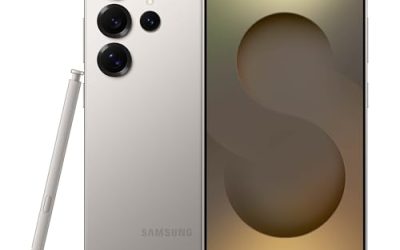
ASUS ROG Flow Z13 GZ302EA-XS99 (2025)
This is the maximum configuration of the detachable Flow Z13, built around the Ryzen AI MAX+ 395 and an unusually large 128GB of LPDDR5X memory. That unified memory pool feeds both the processor and the Radeon 8060S integrated graphics, which suits players who also edit video, stream or keep many applications open beside a game. The 13.4-inch Nebula touchscreen runs at 180Hz, the kickstand opens to 170 degrees, and the whole tablet weighs 2.65 pounds, so it travels more like a slate than a gaming laptop.
Specs
- Processor: AMD Ryzen AI MAX+ 395, 16 cores, up to 5.1 GHz
- Graphics: AMD Radeon 8060S integrated graphics
- Memory: 128GB LPDDR5X at 8000MHz
- Storage: 1TB PCIe Gen 4 SSD
- Display: 13.4-inch, 2560 x 1600, 180Hz, touchscreen, 500 nits
- Battery: 70Wh, listed life of 10 hours
- Connectivity: Wi-Fi 7, Bluetooth 5.4, HDMI
- Operating system: Windows 11 Pro
- Weight: 2.65 pounds
- Model: GZ302EA-XS99
Best for: Players who want one detachable machine for gaming plus heavy multitasking or creative work.
Watch out for: The graphics are integrated rather than a dedicated card, and the memory is unified, so demanding games will need settings tuned to the shared pool.
ASUS ROG Flow Z13 GZ302EA-XS96 (2025)
- Best for: Gamers who want the strongest Z13 processor with memory sized for play and everyday work.
- Processor: AMD Ryzen AI MAX+ 395, 16 cores
- Graphics: AMD Radeon graphics, RDNA 3.5 architecture
- Memory: 32GB LPDDR5X
- Storage: 1TB SSD
Gamers who want the strongest Z13 processor with memory sized for play and everyday work.
Memory is fixed at 32GB with no upgrade path, so heavy production workloads should look at the 128GB configuration instead.
The XS96 keeps the same Ryzen AI MAX+ 395 processor and Radeon 8060S graphics as the flagship above, but trims memory to 32GB, which is still generous for gaming. It is the balanced point in the 2025 Z13 range: the same 2.5K 180Hz Nebula touchscreen, the same 1TB SSD and the same detachable format with a 170-degree kickstand, without paying for memory capacity most players will never fill. For someone whose second job for the machine is office work, study or streaming rather than heavy production, this is the sensible Z13.
ASUS ROG Flow Z13 GZ302EA-DS96 (2025)
- Best for: Players who want the detachable Z13 format at the lowest step in the current range.
- Processor: AMD Ryzen AI MAX 390, 12 cores, up to 5.0 GHz
- Graphics: AMD Radeon 8050S integrated graphics
- Memory: 32GB LPDDR5X at 8000MHz
- Storage: 1TB PCIe Gen 4 SSD
Players who want the detachable Z13 format at the lowest step in the current range.
The 390 chip and its graphics sit a tier below the MAX+ models, so the newest demanding games will need lower settings sooner.
The DS96 is the entry point into the 2025 Flow Z13 family, swapping the MAX+ chip for the Ryzen AI MAX 390 with 12 cores and Radeon 8050S graphics. It keeps the parts that define the line: the 13.4-inch 2.5K Nebula touchscreen at 180Hz, 32GB of fast LPDDR5X memory and a 1TB PCIe Gen 4 SSD in a detachable tablet body. This configuration fits players whose libraries lean on esports titles and slightly older releases, and who would rather put the savings toward a controller, a dock or a second screen.
Microsoft Surface Laptop Studio 2
- Best for: Buyers who want a real laptop base, dedicated RTX graphics and long listed battery life in one folding design.
- Processor: Intel Core i7-13800H
- Graphics: NVIDIA GeForce RTX 4050, 6GB
- Memory: 32GB LPDDR5X
- Storage: 1TB SSD
Buyers who want a real laptop base, dedicated RTX graphics and long listed battery life in one folding design.
At 4.37 pounds it is the heaviest kind of 2 in 1 to hold as a tablet, and the RTX 4050 is an entry-level dedicated card rather than a high-end one.
Microsoft takes a different route to the same idea: instead of detaching, the Surface Laptop Studio 2 pulls its 14.4-inch touchscreen forward over the keyboard for a stage mode, then flat into a canvas. Inside, a Core i7-13800H and a dedicated GeForce RTX 4050 with 6GB of graphics memory give it the conventional gaming hardware the detachable models skip. The listed battery life of 18 hours is the longest in this guide, and at 4.37 pounds it is built as a primary laptop first and a tablet second, which many buyers will honestly prefer.
HP Spectre x360 16
- Best for: Players who mostly game at a desk or table and want the largest, richest screen in a convertible body.
- Processor: Intel Core Ultra 7 155H, 16 cores, up to 4.8 GHz
- Graphics: NVIDIA GeForce RTX 4050, 6GB GDDR6
- Memory: 32GB LPDDR5X
- Storage: 2TB PCIe SSD
Players who mostly game at a desk or table and want the largest, richest screen in a convertible body.
A 16-inch convertible is bulky in tablet mode, and this listing is a seller-upgraded configuration, so confirm the exact specification on the product page before ordering.
The Spectre x360 16 is the big-screen option, folding a 16-inch OLED touchscreen back on a full 360-degree hinge. Its Core Ultra 7 155H processor pairs with a dedicated GeForce RTX 4050, so it can game in laptop mode and then fold into a tent or tablet for video and reading. The 32GB of memory and 2TB SSD are the roomiest storage pairing in this guide, and the port set, with two Thunderbolt 4 connections and HDMI 2.1, makes it the easiest pick to dock at a desk with external drives and displays.
Which One Fits Your Situation
You travel constantly and pack light
Choose one of the Flow Z13 models. At 2.65 pounds for the tablet, with a kickstand that props the screen at almost any angle, the Z13 family is the only option here that genuinely works on a tray table or a small hotel desk. The XS96 balances power and memory for most travelers, while the DS96 trims the processor tier for players with lighter libraries.
You game at a desk but present and annotate on the move
The Surface Laptop Studio 2 fits this split life. Its folding screen pulls forward for presenting or sketching, then settles back into a conventional laptop with a rigid base for desk play. The dedicated RTX 4050 and the long listed battery life cover both halves of the day without a second device.
Your convertible replaces a desktop at home
The Spectre x360 16 is the natural dock-and-stay choice. The 16-inch OLED gives games and films the most room, the 2TB SSD holds a large installed library, and two Thunderbolt 4 ports make a one-cable desk setup realistic. You give up easy handheld tablet use, but at a desk that trade rarely matters.
You split time between games and heavy creative apps
The 128GB Flow Z13 XS99 exists for this overlap. Its unified memory pool is far beyond what games alone request, but video timelines, virtual instruments and large photo catalogs running beside a game can use it. If your creative work is lighter, the XS96 delivers the same processor and screen with memory sized for play.
Common Mistakes
- Assuming every 2 in 1 can game: many convertibles ship with basic integrated graphics and no gaming intent, so check the exact graphics hardware on the listing rather than the product family name.
- Forgetting that memory is soldered: the capacity printed on the listing is the capacity for the life of the machine, because none of these models accept later upgrades.
- Judging a detachable by laptop standards: a kickstand tablet needs a flat, stable surface for typing, which is a poor match for laps and soft seating.
- Chasing refresh rate alone: a 180Hz panel only shows its advantage when the graphics hardware can produce frames near that rate in your games.
- Skipping the configuration details: seller-upgraded listings change memory, storage and operating system from the factory build, so read the exact specification before ordering.
Frequently Asked Questions
Can a 2 in 1 laptop really run modern PC games?
Yes, within the limits of its graphics hardware. Models here with a dedicated GeForce RTX 4050 handle current games at moderate settings, while the Flow Z13 relies on strong integrated Radeon graphics that suit esports titles and reduced settings in heavier releases. The convertible format itself is not the limit; the graphics chip and its cooling are.
Is a detachable or a folding convertible better for gaming?
For gaming sessions at a table, both work, because you will usually add a controller or a mouse. Folding convertibles such as the Spectre x360 16 offer a sturdier base and larger screens. Detachables such as the Flow Z13 win on weight and flexibility. Choose based on where you sit, not on the hinge style alone.
How much memory does a gaming 2 in 1 need?
Sixteen gigabytes is a workable floor for gaming alone, and every model in this guide exceeds it with 32GB or more. Because memory in these machines is soldered and cannot be upgraded, buyers who stream, record or edit alongside games should treat 32GB as the sensible starting point rather than a luxury.
Do these convertibles support an external monitor?
Yes. The Spectre x360 16 lists HDMI 2.1 and two Thunderbolt 4 ports, the Flow Z13 models list HDMI and USB display output, and the Surface Laptop Studio 2 connects over USB-C. A larger external screen is a practical way to get a desk setup while keeping the convertible screen for chat, guides or streaming tools.
FAQ
Can a 2 in 1 laptop really run modern PC games?
Is a detachable or a folding convertible better for gaming?
How much memory does a gaming 2 in 1 need?
Do these convertibles support an external monitor?
More from Amazon
Programs that pair well with the guide above. Offers and eligibility are set by Amazon and may change.
Free shipping on eligible items, Prime Video and more. Eligible new members can start with a free trial.
Start a Prime free trialA Prime membership for ages 18-24 with a trial period. Eligibility is set by Amazon.
See Prime for Young AdultsAudiobooks and podcasts to listen to on the go. Eligible new members can start with a free trial.
Try Audible freeAd-free music streaming. Eligible new subscribers can start with a free trial.
Try Music Unlimited freeAs an Amazon Associate we earn from qualifying purchases.