Our Short List of 3
All 4 Picks at a Glance
| Product | Specs | Action |
|---|---|---|
 HP Victus 15-fa1082wm | Check price on Amazon | |
 Lenovo LOQ 15 83DX00B2US | Check price on Amazon | |
 ASUS TUF Gaming A15 FA507NU-DS74 | Check price on Amazon | |
 HP Victus 15 Ryzen 5 7535HS | Check price on Amazon |
Key takeaways
- Find the best gaming laptops fo mmo play with strong multi-core chips, 16GB of memory, fast solid-state storage and smooth 144Hz displays for raids.
The keyword for this guide reads “best gaming laptops fo mmo”, and “fo” is read here as “for”. MMO means massively multiplayer online games: World of Warcraft, Final Fantasy XIV, Guild Wars 2, The Elder Scrolls Online, Black Desert Online, Lost Ark, and New World. These games ask different things of a laptop than a single-player shooter does. A crowded capital city, a forty-person raid, or a large-scale battle can fill the screen with dozens of players, spell effects, and nameplates at once, and the machine has to keep up while a voice chat app and a browser tab full of guides run in the background.
No laptop in this guide is made only for MMO play. Every pick is a general gaming laptop, judged on the traits that matter most when the game world is full of other people: a processor with enough cores to handle crowded scenes, enough memory to keep the game plus voice chat plus a browser open at the same time, fast storage for the large installs these games demand, and a display that stays smooth when the action gets busy. Each pick below links to its Amazon listing, and every figure quoted comes from the listing or the maker’s own specification sheet.
What to look for
The processor matters more than the graphics card. MMO games lean on the processor when dozens of players crowd into one place. A six-core or eight-core chip keeps frame times steadier in a busy city or a large raid than a four-core chip does, even when both machines carry the same graphics card. Look for a current H-series or HX-series chip from Intel or AMD, and treat the core count as the first number to compare.
Memory is the second number to compare. Sixteen gigabytes is the floor for comfortable MMO play. With less, the game plus a voice chat app plus a browser can push the machine into swapping data to the drive, which shows up as hitches right when a boss fight gets busy. Two memory slots are better than one soldered stick, because a second stick can be added later without replacing the first.
Storage needs room for more than one game. A single modern MMO install can take up a large share of a small drive, and most players keep two or three installed at once. A 512GB solid-state drive is the minimum that makes sense here, and a 1TB drive is the more comfortable choice. A second drive bay is a bonus, since it lets a big game library grow without opening the machine to swap the main drive.
The display sets the feel of the game. A 144Hz panel is the standard to aim for in this class, and a 165Hz panel is a small step above it. Full HD resolution pairs well with the graphics cards in this guide, since the card does not have to push as many pixels as it would on a higher-resolution panel. Full sRGB coverage is worth having when the same machine also handles photo or video work between sessions.
Cooling and the keyboard decide long sessions. MMO play runs in long stretches, often several hours without a break, so a machine that holds its clocks under sustained load matters more than one that bursts high for a few minutes and then throttles. A backlit keyboard with a numeric keypad helps too, since many MMO players bind abilities across the number row.
HP Victus 15-fa1082wm
The HP Victus 15-fa1082wm leads this guide because it pairs the strongest all-round hardware here with the freshest stock signal of any pick. Its Intel Core i5-13420H processor carries eight cores, which is the right shape for crowded MMO scenes, and its NVIDIA GeForce RTX 4050 graphics card with 6GB of dedicated video memory handles Full HD play at high settings in the games named above. Sixteen gigabytes of DDR4 memory give the game, a voice chat app, and a browser room to run side by side, and the 512GB PCIe Gen4 NVMe solid-state drive loads large game worlds quickly. The 15.6-inch Full HD IPS display runs at 144Hz, which keeps motion smooth when a battle fills the screen, and the machine ships with Windows 11 Home, Wi-Fi 6, and a backlit keyboard.
What puts this pick first is the evidence behind it. A comparison tracker updated on November 28, 2026 shows this exact configuration listed on Amazon with a new buy option, and a second tracker page updated the same day reads the same way. That is the freshest stock signal in this guide, and it matters because laptop listings change hands between sellers often. The 512GB drive is the one real compromise here: it holds one large MMO install plus a second game comfortably, but a player who keeps three or four big games installed at once will want to manage space or add a second drive. The DDR4 memory is a generation behind the DDR5 in the other picks, which is worth knowing, though it makes no practical difference to MMO frame rates at this level. Confirm the exact configuration on the listing before buying, since Victus 15 machines ship in many builds that share the same family name.
Lenovo LOQ 15 83DX00B2US
The Lenovo LOQ 15 with model code 83DX00B2US is the strongest processor pick in this guide. Its AMD Ryzen 7 8845HS carries eight cores with a boost clock up to 5.1GHz, which is the most headroom here for the processor-heavy moments MMO play creates: a packed city square, a world boss with a hundred players around it, or a raid wing opening all at once. The NVIDIA GeForce RTX 4050 with 6GB of dedicated video memory matches the graphics card in the lead pick, and sixteen gigabytes of DDR5 memory can grow to 32GB through two memory slots. Storage is a 512GB solid-state drive across two M.2 slots, so a second drive can be added later. The 15.6-inch Full HD display runs at 144Hz, and the machine ships with Windows 11 Home and Wi-Fi 6 in a Luna Grey shell.
Two cautions belong with this pick. First, the listing appears to be a seller bundle that includes a hub accessory, so confirm exactly what is included in the box and who the seller is before buying, rather than assuming the factory configuration. Second, the listing does not publish a graphics power limit figure or a warranty term, so confirm both on the listing if either matters to the decision. The 512GB drive is the same compromise as the lead pick: fine for one or two big installs, tight for a large library. Where this machine earns its place is in sustained play. The eight-core chip and the dual-channel DDR5 memory keep the game responsive when a voice chat app, a browser full of guides, and a damage meter all run alongside it, which is the normal shape of an MMO session rather than an exception.
ASUS TUF Gaming A15 FA507NU-DS74
The ASUS TUF Gaming A15 with model code FA507NU-DS74 is the storage pick of this guide, and the only one here with a 1TB solid-state drive as its factory configuration. That matters for MMO players more than it might seem: with World of Warcraft, Final Fantasy XIV, and one more large game installed at once, a 512GB drive fills up fast, while a 1TB drive leaves room to breathe. The machine pairs an AMD Ryzen 7 7735HS processor with an NVIDIA GeForce RTX 4050 graphics card carrying 6GB of dedicated video memory, sixteen gigabytes of DDR5 memory, and a 15.6-inch Full HD IPS display at 144Hz with full sRGB coverage and G-SYNC. The panel is the nicest in this guide for players who also edit screenshots or video.
The graphics card in this machine runs at up to 140W, which is the highest power figure published among the picks here, and that headroom shows up in busy scenes where the card has to hold its clocks. One caution belongs with this pick, the same as with the Lenovo above: the listing appears to be a seller bundle that includes a hub accessory, so confirm exactly what is included and who the seller is before buying. The Ryzen 7 7735HS is an older generation of chip than the Ryzen 7 8845HS in the Lenovo, with a lower boost clock, so the Lenovo holds a small edge in raw processor speed while the ASUS holds the edge in storage and display quality. For a player whose library is large and whose sessions run long, the ASUS is the easier machine to live with day to day.
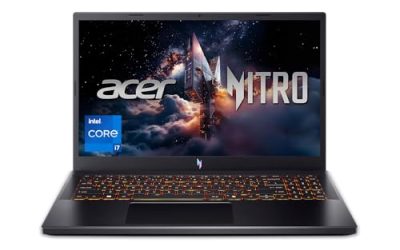
Acer Nitro V 15 ANV15-52-73D8
The Acer Nitro V 15 with model code ANV15-52-73D8 is the most powerful pick in this guide on paper, and the only one with a current-generation graphics card. Its Intel Core i7-13620H processor carries ten cores, the most of any pick here, and its NVIDIA GeForce RTX 5060 graphics card carries 8GB of dedicated video memory, two gigabytes more than the RTX 4050 in the other picks. Sixteen gigabytes of DDR4 memory and a 15.6-inch Full HD display at 165Hz round out a machine that is built for the heaviest moments MMO play can produce: a forty-person raid with spell effects filling the screen, or a large-scale battle with players packed into one small area. The 165Hz panel is the quickest display in this guide, and the extra video memory gives the card more room for high texture settings.
One conflict in the listing needs a plain statement. The listing title and specification table read 1TB of storage, while one bullet in the same listing reads 512GB. This guide follows the title and the specification table, and the reader should confirm the storage size on the listing before buying, since the two figures cannot both be right. The listing also publishes no graphics power figure, so the card’s wattage cannot be compared with the 140W figure published for the ASUS. The DDR4 memory is a generation behind the DDR5 in the Lenovo and ASUS picks, though it makes no practical difference to MMO frame rates at this level. What this machine gives a player is headroom: the newest graphics card here, the most processor cores here, and the quickest display here.
HP Victus 15 Ryzen 5 7535HS
The second HP Victus 15 in this guide is the AMD-graphics pick, and it earns its place by giving MMO players a different graphics path at a lower tier. Its AMD Ryzen 5 7535HS processor carries six cores with a boost clock up to 4.55GHz, and its AMD Radeon RX 6550M graphics card carries 4GB of dedicated GDDR6 video memory. Sixteen gigabytes of DDR5 memory and a 1TB PCIe NVMe solid-state drive give it the same generous storage as the ASUS, and the 15.6-inch Full HD IPS display runs at 144Hz. The machine ships with Windows 11 Home, Wi-Fi 6, a backlit keyboard with an integrated numeric keypad, and a card reader, in a Mica Silver shell.
This pick carries the weakest evidence in the guide, and that is stated plainly. The Amazon listing result is about 200 days old, and no fresh stock mirror has confirmed a new buy option since. A recent roundup figure that circulates for this model belongs to a different listing with 8GB of memory and a 512GB drive, not to this 16GB and 1TB configuration, so that figure is not used here. The listing should be opened and checked live before buying, and if no new buy option appears, this pick should be dropped and the guide still stands on four machines. Two more honesty notes belong here. A customer note on the listing mentions crashes and points out that the RX 6550M lacks hardware encoding, which matters for players who record or stream their sessions from the same machine. The 4GB of video memory is also the smallest in this guide, so texture settings should stay at medium in the most demanding scenes. For a player who runs one MMO at a time and wants the largest drive in the guide without the newest graphics card, it remains a reasonable choice, with its limits stated openly.
Frequently asked questions
How much memory does an MMO laptop need?
Sixteen gigabytes is the floor for comfortable play. An MMO session is rarely just the game: a voice chat app, a browser with guides or a damage meter, and sometimes a streaming tool all run alongside it, and each one takes a share of memory. With eight gigabytes, the machine can run out of room and begin swapping data to the drive, which shows up as hitches during the busiest moments of a fight. Every pick in this guide carries sixteen gigabytes, and the Lenovo and ASUS picks can grow to 32GB through two memory slots if the library of background apps grows later.
Does an MMO laptop need a wired connection?
A wired Ethernet connection is steadier than wireless for raid nights and large-scale battles, because it removes the small variations in latency that wireless can add when the network is busy. Every pick in this guide carries Wi-Fi 6, which is fine for solo play and questing, but a cable is worth using when the content is time-sensitive and a dropped packet can wipe a group. If the desk sits far from the router, a long cable or a powerline adapter is a cheaper fix than a new laptop. Check the listing for an Ethernet port before buying, since not every thin gaming laptop includes one.
Can a laptop with integrated graphics run an MMO?
Most MMO games will launch on integrated graphics at low settings, and older titles like the classic versions of World of Warcraft can be playable that way. Modern expansions with crowded zones, dense spell effects, and large-scale battles are a different story: integrated graphics will struggle to hold a smooth frame rate when the screen fills with players. A dedicated graphics card with at least 4GB of video memory is the sensible floor, and the 6GB cards in four of the five picks here give comfortable headroom at Full HD. The RX 6550M pick in this guide is the minimum that makes sense, and its 4GB of video memory is the reason its texture settings should stay at medium in demanding scenes.
How to choose
Begin with the processor and the memory, since those two decide how the machine behaves when the game world is full of other people. An eight-core chip and sixteen gigabytes of memory are the baseline for this guide, and every pick meets them except the six-core Ryzen 5 in the last pick, which trades processor cores for a larger drive and a lower tier. Then weigh storage against display quality: the ASUS and the second HP Victus give a 1TB drive, the Acer gives the quickest panel and the newest graphics card, and the Lenovo gives the strongest processor. A player who keeps three big games installed should favor the 1TB picks, while a player who runs one game at a time and raids several nights a week should favor the Lenovo or the Acer.
Before buying any pick, open its listing and confirm three things: the exact model code matches the one named here, the configuration is the one described in this guide, and a new buy option is available from a seller the buyer is comfortable with. Two listings in this guide appear to be seller bundles with a hub accessory, and one listing disagrees with itself on storage size, so those checks matter more than usual. The weakest pick in this guide, the AMD-graphics Victus, should be checked first of all, since its stock evidence is the oldest. A gaming laptop is a long purchase, and an MMO machine earns its keep over years of nightly sessions, so the few minutes spent confirming the listing are worth it.
Disclosure: As an Amazon Associate, we may earn a commission from qualifying purchases made through links in this article, at no additional cost to you.
FAQ
How much memory does an MMO laptop need?
Does an MMO laptop need a wired connection?
Can a laptop with integrated graphics run an MMO?
More from Amazon
Programs that pair well with the guide above. Offers and eligibility are set by Amazon and may change.
Free shipping on eligible items, Prime Video and more. Eligible new members can start with a free trial.
Start a Prime free trialA Prime membership for ages 18-24 with a trial period. Eligibility is set by Amazon.
See Prime for Young AdultsAudiobooks and podcasts to listen to on the go. Eligible new members can start with a free trial.
Try Audible freeAd-free music streaming. Eligible new subscribers can start with a free trial.
Try Music Unlimited freeAs an Amazon Associate we earn from qualifying purchases.