Our Short List of 3
All 3 Picks at a Glance
| Product | Specs | Action |
|---|---|---|
 1. Acer Aspire 3 A315-24P-R7VH — Best Overall | Check price on Amazon | |
 2. Lenovo IdeaPad 1 15IJL7 — Best for Students | Check price on Amazon | |
 4. ASUS Vivobook Go 15 E1504FA-AB34 — Best Storage and Build | Check price on Amazon |
Key takeaways
- Find the best affordable gaming laptops under 300 dollars with our 2026 guide. Compare 4 budget laptops for casual gaming, school, and everyday play today.
Finding the best affordable gaming laptops under 300 dollars takes honest expectations and a clear plan. At this budget, you will not get a dedicated graphics card or a high refresh rate display. What you can get is a solid everyday laptop with a modern processor, fast solid state storage, and integrated graphics that handle casual and older games well. The trick is knowing which corners to cut and which specs to protect.
This guide walks through exactly that. We explain what matters most at this budget, compare four laptops that fit the brief, and answer the questions buyers ask most often. Every pick below is a real laptop with a real Amazon listing, chosen because it balances processor speed, memory, storage, and display quality within a tight budget. If you want a machine for light gaming, schoolwork, streaming, and everyday tasks without spending a fortune, start here.
What Gaming Looks Like Under 300 Dollars
Before choosing, it helps to set realistic expectations. A laptop under 300 dollars is a casual gaming machine, not a competitive esports rig. Integrated graphics from AMD and Intel have improved a lot in recent years, and the latest budget chips can run many popular games smoothly at modest settings. That is the whole point of this category: good enough gaming at a price almost anyone can afford.
Games that run well on these laptops include Minecraft, Stardew Valley, League of Legends, Valorant, Rocket League, Roblox, Fortnite at low settings, and a huge library of older and indie titles. Demanding new releases with heavy 3D graphics will struggle, and that is normal at this budget. If your main games are esports titles, indie games, and classics, a budget laptop can serve you well for years.
The other thing to know is that gaming performance on a budget laptop depends on more than the processor name. Memory matters just as much. A laptop with 8GB of RAM will feel far smoother than one with 4GB, especially when a game, a browser, and a chat app are all open at once. Storage matters too: a solid state drive makes the whole machine feel fast, from boot times to game loading screens. That is why every laptop in this guide has at least 8GB of RAM and a solid state drive.
How to Choose a Gaming Laptop Under 300 Dollars
Processor First
The processor is the single most important part of a budget gaming laptop because the graphics are built into it. Look for a recent AMD Ryzen 3 or Intel Core i3 chip. The AMD Ryzen 3 7320U and the Intel Core i3-1215U are both strong choices in this class, with multiple cores and enough speed for everyday gaming and multitasking. Avoid older Celeron and Pentium chips when you can, since they struggle with modern games and heavy multitasking. A newer low-end chip beats an older mid-range chip almost every time.
Get 8GB of RAM
Memory is the easiest spec to get wrong. Some very cheap laptops still ship with 4GB of RAM, and that is not enough for gaming in 2026. Windows itself uses a large share of it, leaving little room for a game and a browser. Every laptop in this guide has 8GB of RAM, which is the practical minimum for casual gaming. If you can find a model with 16GB at this budget, even better, but 8GB is the line you should not cross below.
Insist on a Solid State Drive
A solid state drive, or SSD, is non-negotiable. It makes the laptop boot in seconds, loads games far faster than an old hard drive, and makes the whole system feel responsive. The laptops below use 128GB to 256GB SSDs. That is modest capacity, so plan to install only a few large games at a time and use cloud storage or an external drive for files. A 256GB drive is noticeably more comfortable than 128GB if you play more than one or two big games.
Screen: Full HD Matters
A Full HD display, 1920 by 1080 pixels, makes a real difference. Text is sharper, games look cleaner, and movies are far more enjoyable than on a lower resolution panel. All four laptops in this guide have 15.6-inch Full HD displays. Look for an IPS panel when possible, since it gives better viewing angles and colors than a basic TN panel. A 60Hz refresh rate is standard at this budget and fine for casual play.
Windows 11 and Wi-Fi 6
Make sure the laptop runs Windows 11, not an outdated operating system, so you get current security updates and game compatibility. Some budget models ship in Windows 11 S mode, which only allows apps from the Microsoft Store until you switch out of S mode. Switching out is free and takes a few minutes in the settings, and it lets you install Steam and other game launchers. Wi-Fi 6 is also worth having for faster and more stable online gaming on a modern home network.
Weight, Battery, and Ports
A 15.6-inch budget laptop usually weighs around three and a half to four pounds, which is fine for carrying between home, school, and a friend’s house. Battery life on these machines is typically in the range of six to ten hours for light use, though gaming on battery will drain it much faster. Check that the laptop has at least a couple of USB ports, an HDMI port for an external monitor, and a headphone jack. A USB-C port is a nice bonus for charging and accessories.
Top Picks
1. Acer Aspire 3 A315-24P-R7VH — Best Overall
The Acer Aspire 3 is the strongest all-around pick in this guide and one of the best-selling budget laptops on Amazon. It pairs an AMD Ryzen 3 7320U quad-core processor with Radeon integrated graphics, 8GB of LPDDR5 memory, and a 128GB NVMe solid state drive. The 15.6-inch Full HD IPS display is sharp and bright for the price, with narrow bezels that make the machine look more expensive than it is.
For gaming, the Ryzen 3 7320U is a good fit for esports and indie titles. League of Legends, Valorant, Rocket League, and Minecraft all run well at modest settings, and the fast LPDDR5 memory helps the integrated graphics perform better than older budget chips. The laptop also handles schoolwork, streaming, and everyday multitasking without complaint, and its thin, light design makes it easy to carry.
There are trade-offs to be aware of. The 128GB drive fills up quickly, so this laptop suits a player who keeps one or two games installed at a time or adds external storage. The speakers are on the quiet side, so headphones or external speakers help during games and movies. Wi-Fi 6, a backlit keyboard, and a full set of ports including USB-C and HDMI round out a package that is hard to beat at this budget. For most buyers, this is the first laptop to look at.
Check the Acer Aspire 3 on Amazon
2. Lenovo IdeaPad 1 15IJL7 — Best for Students
The Lenovo IdeaPad 1 is a practical choice for students who want a laptop that covers classes during the day and casual gaming in the evening. It has a 15.6-inch Full HD display, an Intel dual-core processor, 8GB of RAM, and a generous storage setup that combines a 128GB SSD with 128GB of eMMC storage. Wi-Fi 6, a webcam, Bluetooth, and Windows 11 Home are all included, and the laptop ships with a year of Office 365, which is a real bonus for schoolwork.
In games, this IdeaPad handles light titles well. It is best suited to Roblox, Minecraft, Stardew Valley, and older games, along with browser games and streaming. It is not the fastest machine in this guide for demanding 3D games, but it is a steady and reliable performer for everyday use. The keyboard is comfortable for long typing sessions, and the slim grey design looks neat on a desk or in a backpack.
The main limitation is the processor, which has fewer cores than the Ryzen and Core i3 chips in the other picks. That shows up when many apps are open at once. The dual storage setup also takes a little getting used to, since files are split between the SSD and the eMMC storage. Even so, for a student on a strict budget who needs a dependable laptop for both study and light play, the IdeaPad 1 is a sensible and affordable choice.
Check the Lenovo IdeaPad 1 on Amazon
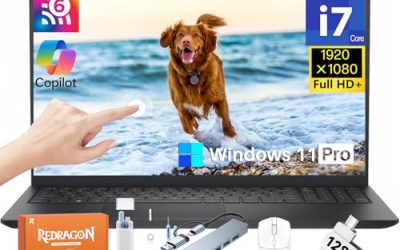
3. HP 15.6-Inch Laptop with Intel Core i3-1215U — Best Touchscreen Pick
This HP 15.6-inch laptop stands out because it combines a capable Intel Core i3-1215U processor with a touchscreen display. The Core i3-1215U has six cores and eight threads, with boost speeds up to 4.4GHz, which makes it one of the strongest processors in this price class. It is paired with 8GB of RAM and a 256GB SSD, giving you more storage headroom than most budget rivals. Intel UHD Graphics handle casual games, and the touchscreen adds a handy way to scroll, tap, and navigate.
For gaming, this HP is a good match for esports titles and indie games, and its stronger processor also helps with multitasking, video calls, and school or office work. The 256GB SSD means you can keep several games installed without constantly deleting old ones. The 15.6-inch HD touchscreen is a nice extra at this budget, especially for students and younger players who like tapping and swiping.
A few things to keep in mind: the display resolution is HD rather than Full HD, so images are a little less sharp than on the other picks here. The laptop ships with Windows 11 in S mode, so you will want to switch out of S mode to install Steam and other game stores, which is free and simple. The bundled stylus pen is a small bonus for note-taking and drawing. If a touchscreen and a strong processor matter more to you than maximum display sharpness, this HP is the pick.
Check the HP 15.6-Inch Laptop on Amazon
4. ASUS Vivobook Go 15 E1504FA-AB34 — Best Storage and Build
The ASUS Vivobook Go 15 rounds out this guide with the most generous storage of the group: a 256GB SSD paired with 8GB of DDR5 memory and an AMD Ryzen 3 7320U quad-core processor. The 15.6-inch Full HD display, 180-degree lay-flat hinge, webcam privacy shield, and fast charging make it a thoughtful and practical design. ASUS also gives this model military-grade durability testing, which is reassuring for a laptop that will travel in a backpack.
Gaming performance is similar to the Acer Aspire 3, since both use the same Ryzen 3 7320U chip with Radeon integrated graphics. Esports and indie games run smoothly at modest settings, and the DDR5 memory helps keep things responsive. Where the Vivobook pulls ahead is everyday usability: the larger SSD holds more games, the fast charging tops up the battery quickly between sessions, and the lay-flat hinge is handy for sharing the screen with a friend.
The battery is rated for up to 11 hours of light use, which is strong for a budget laptop, though real gaming sessions will use it faster. The keyboard is a standard chiclet design that is comfortable for typing and homework. If you want a budget gaming laptop that also feels like a well-built daily companion, with more storage than most rivals at this price, the Vivobook Go 15 is a strong final pick.
Check the ASUS Vivobook Go 15 on Amazon
Comparison Table
| Laptop | Processor | RAM | Storage | Display | Best For |
|---|---|---|---|---|---|
| Acer Aspire 3 A315-24P-R7VH | AMD Ryzen 3 7320U | 8GB LPDDR5 | 128GB NVMe SSD | 15.6-inch Full HD IPS | Best overall value |
| Lenovo IdeaPad 1 15IJL7 | Intel dual-core | 8GB | 128GB SSD + 128GB eMMC | 15.6-inch Full HD | Students on a budget |
| HP 15.6-inch (i3-1215U) | Intel Core i3-1215U | 8GB | 256GB SSD | 15.6-inch HD touchscreen | Touchscreen and CPU power |
| ASUS Vivobook Go 15 E1504FA-AB34 | AMD Ryzen 3 7320U | 8GB DDR5 | 256GB SSD | 15.6-inch Full HD | Storage and build quality |
How to Get the Most Out of a Budget Gaming Laptop
A few simple habits make a big difference on a sub-300-dollar machine. First, keep your game settings modest: play at 1080p or lower, turn shadows and effects down, and cap the frame rate at 60. Most casual games still look good at these settings and run far more smoothly. Second, keep Windows and your graphics drivers updated, since driver updates often improve performance in popular games.
Third, manage storage actively. Uninstall games you have finished, move photos and videos to cloud storage or an external drive, and keep at least some free space on the SSD so Windows runs smoothly. Fourth, use the laptop plugged in when gaming, since battery-saving modes slow the processor and graphics. Finally, close extra browser tabs and background apps before launching a game. On a machine with 8GB of RAM, every bit of free memory helps.
If you later want more performance, the cheapest upgrade is usually more storage or an external monitor, keyboard, and mouse for a desktop-like setup at home. A cooling stand can also help during long sessions, since budget laptops can get warm. None of these upgrades is required, but they are easy ways to stretch the life of a budget machine.
Frequently Asked Questions
Can you really game on a laptop under 300 dollars?
Yes, for casual gaming. Laptops in this range run esports titles like League of Legends, Valorant, and Rocket League, plus Minecraft, Roblox, Stardew Valley, and many indie and older games. They are not suited to demanding new AAA games at high settings, but for the games most casual players actually play, they work well.
Is 8GB of RAM enough for gaming on a budget laptop?
Yes, 8GB is the practical minimum and is enough for casual gaming alongside a browser and chat app. Avoid 4GB models, since Windows alone uses much of that memory and games will stutter. If you find a 16GB model in this budget, it is worth considering, but 8GB is fine for the games these laptops are built to play.
Do I need a dedicated graphics card for casual gaming?
No. Modern integrated graphics from AMD and Intel are capable enough for esports, indie, and older titles at modest settings. A dedicated graphics card is better for demanding games, but laptops with one cost far more than 300 dollars. For a casual player, a recent Ryzen 3 or Core i3 with integrated graphics is the right trade-off.
What does Windows 11 S mode mean for gaming?
Windows 11 S mode only allows apps from the Microsoft Store, so you cannot install Steam or other game launchers until you switch out of it. Switching out of S mode is free and takes a few minutes in the Windows settings, and it is a one-way change. Once switched, you can install any game store or app you like.
How much storage do I need on a budget gaming laptop?
A 256GB SSD is comfortable for several games plus school or work files. A 128GB SSD works if you keep only one or two large games installed at a time and store other files in the cloud or on an external drive. If you play many big games, choose a 256GB model or plan to add external storage.
Conclusion
The best affordable gaming laptops under 300 dollars prove that casual gaming does not need a big budget. The Acer Aspire 3 is the best overall pick, with a strong Ryzen processor, fast memory, and a sharp Full HD display. The Lenovo IdeaPad 1 is the smart choice for students, the HP 15.6-inch touchscreen model offers the strongest processor and a handy touchscreen, and the ASUS Vivobook Go 15 brings the best storage and build quality of the group.
Whichever one you choose, focus on the fundamentals: a recent processor, 8GB of RAM, a solid state drive, and a Full HD screen. Set your game settings to modest levels, keep the machine updated, and you will have a laptop that handles school, work, streaming, and casual gaming for years. Check the links above, compare the four picks against the games you actually play, and pick the one that fits your daily life best.
Disclosure: As an Amazon Associate, we earn from qualifying purchases.
FAQ
Can you really game on a laptop under 300 dollars?
Is 8GB of RAM enough for gaming on a budget laptop?
Do I need a dedicated graphics card for casual gaming?
What does Windows 11 S mode mean for gaming?
How much storage do I need on a budget gaming laptop?
More from Amazon
Programs that pair well with the guide above. Offers and eligibility are set by Amazon and may change.
Free shipping on eligible items, Prime Video and more. Eligible new members can start with a free trial.
Start a Prime free trialA Prime membership for ages 18-24 with a trial period. Eligibility is set by Amazon.
See Prime for Young AdultsAudiobooks and podcasts to listen to on the go. Eligible new members can start with a free trial.
Try Audible freeAd-free music streaming. Eligible new subscribers can start with a free trial.
Try Music Unlimited freeAs an Amazon Associate we earn from qualifying purchases.