Key takeaways
- Long-range barcode scanners with genuine GS1 decoding for warehouse picking, covering GS1 DataBar and GS1-128 models with long links and storage modes.
As an Amazon Associate we earn from qualifying purchases.
Warehouse picking runs on GS1 codes whether the team calls them that or not. Case codes carry GS1-128, inner packs and retail units carry GS1 DataBar, and expiry and batch data ride inside GS1 application identifiers that a basic scanner can mangle or drop. The best long-range barcode scanners with GS1 decoding for warehouse picking are therefore chosen on two filters at once: the maker must list GS1 formats, GS1 DataBar or GS1-128, in the scanner’s own symbology support, and the scanner must keep working across picking distances, through a long wireless link, offline storage or both. Every model below passes the first filter on its own listing, which is rarer than it should be; many scanners read the shapes of these codes without handling GS1 data correctly. The picks span a long transmission cradle imager, a phone clip scanner for app based picking, a stand equipped laser for label heavy benches, and a sealed industrial imager for the roughest aisles.
Disclosure: This article contains affiliate links. If you buy through these links, we may earn a commission at no additional cost to you.
How to Choose
Start with the scan engine. A 1D laser reads printed linear codes quickly and at longer distances, but it cannot read QR codes, Data Matrix or codes shown on a screen. A 2D area imager reads 1D and 2D codes on paper and on screens, handles damaged or poorly printed labels better, and is the safer long term choice for mixed label stock. Next, separate two distances that are often confused: scanning range is how far the scanner sits from the code, while transmission range is how far the operator can walk from the host computer or cradle. A receiving dock may need neither in extreme form, while a stockroom may need one or both. Connectivity follows the workflow: corded USB is simple and never needs charging, 2.4 GHz links to a receiver or cradle, and Bluetooth pairs with phones, tablets and computers. Finally, match the housing to the floor. Sealed housings described with codes such as IP65 or IP67 resist dust and water, and drop resistance to concrete matters anywhere pallets, forklifts and ladders are in daily use. Check the symbology list against your labels too, including Code 128, Interleaved 2 of 5 and any GS1 formats your suppliers use.
For GS1 work, read the symbology list like a contract. Look for GS1 DataBar in its named forms and for GS1-128, sometimes listed as UCC/EAN-128, and be careful with a bare mention of EAN or UPC, which are GS1 administered but do not prove the scanner parses GS1 application identifiers such as batch, expiry and serial data. Ask how the scanner outputs that data: pickers usually need the identifiers separated or formatted for the warehouse system, which is a configuration task to test with your own case labels before rollout. Range in a picking aisle is mostly about the link and about storage: operators move fast, turn corners into dead spots, and a scanner that stores scans and uploads on reconnect keeps the pick record complete. Aiming and feedback matter at speed too, because a missed decode at a high bay costs a second scan and breaks rhythm.
The Picks in Detail
1. NADAMOO Wireless 2D Barcode Scanner with Cradle

ASIN: B07W41XD74
Amazon US: https://www.amazon.com/dp/B07W41XD74
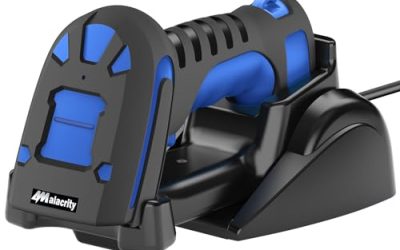
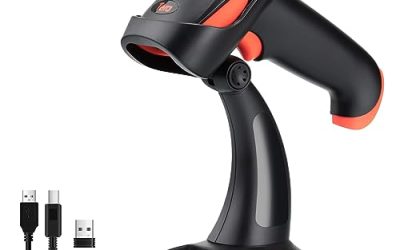
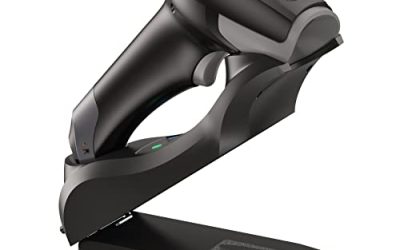
This NADAMOO imager connects through a charging cradle and lists GS1 among its supported 1D formats alongside Code 128, Code 39 and Interleaved 2 of 5, with QR Code, Data Matrix and PDF417 on the 2D side. Its radio link is described up to 400 metres in open space and under 100 metres through obstacles, which is the long range element for picking: the cradle stays at the pack bench while the picker works the aisles. The 800 mAh polymer battery is described as supporting around twenty hours of continuous scanning, and the cradle handles charging between shifts.
Who it suits: Picking operations based at a pack bench, where pickers roam a wide area on one host link and handle GS1 case and unit codes all day.
Considerations: It connects to USB hosts rather than pairing with phones, and it is not a Bluetooth model, so app on phone picking is not its pattern. GS1 output formatting should be tested against your warehouse system with real case labels before fleet rollout.
2. Eyoyo EY-017P Bluetooth Phone Back Clip Barcode Scanner

ASIN: B09GLXVD5D
Amazon US: https://www.amazon.com/dp/B09GLXVD5D
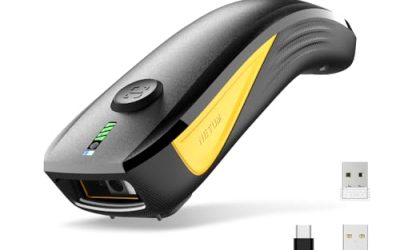
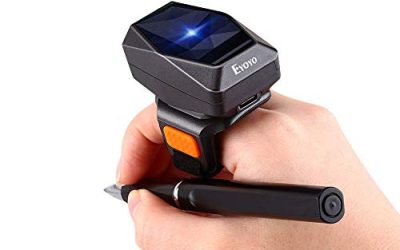
The EY-017P clips onto the back of a phone and turns the phone into the picking terminal, and its listed 1D support includes GS1 alongside UPC, EAN, Code 128 and Code 39, with QR, DataMatrix and PDF417 among its 2D formats. It connects by Bluetooth to phones, tablets and computers, carries a 1600 mAh battery described for up to seven and a half hours of continuous work, and fits phones in a stated size range without a case. For GS1 picking, the phone app displays the parsed data where the picker can check batch and expiry at the shelf.
Who it suits: Warehouses that pick with phone based apps and want GS1 codes scanned into the app without a separate terminal or pistol grip device.
Considerations: The clip fit depends on phone size and case use, so standardise the phone or expect fitting compromises. Battery life is shift length rather than double shift, so a charging routine between shifts is part of the routine.
3. Onewscan Wireless 1D Laser Barcode Scanner with Stand

ASIN: B0CY1XF2VF
Amazon US: https://www.amazon.com/dp/B0CY1XF2VF
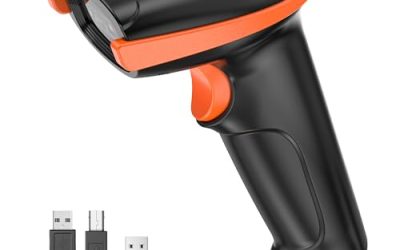
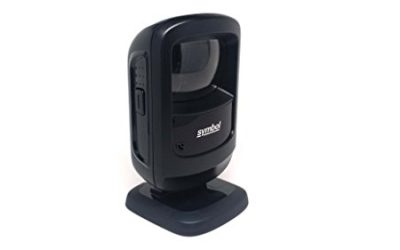
The Onewscan is a wireless laser scanner whose listed 1D support explicitly includes GS1 DataBar, alongside EAN, UPC, Code 39, Code 128 and Interleaved 2 of 5. It connects by 2.4 GHz wireless or USB, sits in a stand with auto sensing for hands free work at a pick bench, and its laser engine runs at 300 scans per second for fast printed code work. Upload and storage behaviours cover instant sending and held scans, and the maker positions it for retail, warehouse and inventory use.
Who it suits: Pick faces and pick benches dominated by printed GS1 DataBar and linear case codes, where laser speed and a stand based home keep the rhythm fast.
Considerations: It is a 1D laser, so QR and Data Matrix codes and anything on a screen are outside its reach. Warehouses whose GS1 labels are migrating to 2D formats should choose one of the imagers here instead.
4. NetumScan RD-1962 Industrial Barcode Scanner

ASIN: B0FY3311J3
Amazon US: https://www.amazon.com/dp/B0FY3311J3
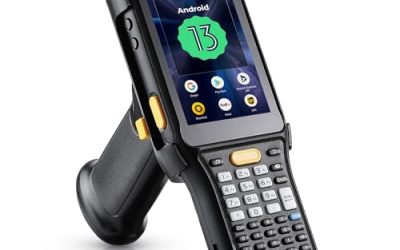
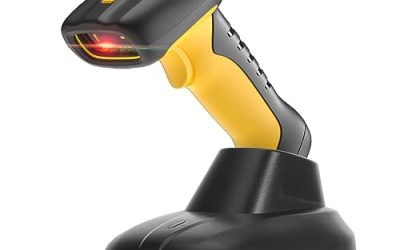
The RD-1962 is the heavy duty option, a 1 megapixel CMOS industrial imager whose listed 1D support includes GS1 DataBar, with QR, Data Matrix, PDF417, Maxicode and Aztec among its 2D formats. The housing carries IP67 sealing, the battery is 2600 mAh, and it connects by 2.4 GHz wireless and Bluetooth through a multifunction dock that also works as a hands free stand. Storage mode holds up to 100,000 codes for out of range picking, and the maker describes it reading small, high density and damaged labels, the daily reality of case codes in a working warehouse.
Who it suits: Picking in cold, wet or dusty aisles, and any operation where GS1 case codes arrive scuffed, wrapped or poorly printed.
Considerations: It is the bulkiest model here, which matters on very long picking shifts. Its dock based pattern suits a home bench per picker team rather than fully mobile phone based work.
Comparison Table
| Product | Type and connection | Standout trait | Best for |
|---|---|---|---|
| NADAMOO Wireless 2D Barcode Scanner with Cradle | Cordless 2D with cradle | 400 m class transmission, GS1 listed | Picking across a wide floor |
| Eyoyo EY-017P Bluetooth Phone Back Clip Barcode Scanner | Phone back clip 2D scanner | Works clipped to a phone, GS1 listed | App based picking |
| Onewscan Wireless 1D Laser Barcode Scanner with Stand | 1D laser with stand | GS1 DataBar listed | Label heavy picking benches |
| NetumScan RD-1962 Industrial Barcode Scanner | Industrial cordless 2D imager | IP67 sealing, GS1 DataBar listed | Picking in harsh areas |
Every product in this table names GS1 DataBar or GS1-128 family support in its own listing. That filter, not headline range, is what makes this a GS1 list rather than a general picking list.
FAQ
What counts as genuine GS1 decoding support?
The maker should name GS1 formats in the symbology list: GS1 DataBar, GS1-128 or UCC/EAN-128. That indicates the scanner is built to handle GS1 data structures, including application identifiers for batch, expiry and serial numbers. A scanner that merely reads UPC and EAN shapes has not made that commitment, so check the list, not the marketing headline.
Why do pickers need GS1 application identifiers handled correctly?
Because case and pallet codes pack several data items into one code: the product identifier plus batch, expiry or serial data in identifier fields. If a scanner sends that as one undifferentiated string, the warehouse system may reject it or, worse, file it wrongly. Correct parsing is what makes scan based expiry control possible.
Laser or imager for GS1 picking?
A laser reads printed GS1 DataBar and GS1-128 quickly and suits clean, label heavy pick faces. An imager adds 2D formats, screen reading and better behaviour on damaged codes, and GS1 codes are increasingly printed as 2D symbols. Mixed estates usually end up imager first, laser for the simple benches.
How should we test a scanner for GS1 work before buying several?
Take your own worst labels: a scuffed case code, a wrapped pallet label and a small DataBar on an inner pack. Scan each into your actual warehouse system and check that product, batch and expiry land in the right fields. That ten minute test settles more than any specification sheet.
Conclusion
Start GS1 picking with the NADAMOO cradle imager for bench based teams or the NetumScan RD-1962 where aisles are rough and labels arrive damaged, since both name GS1 support and back it with storage and link range. Choose the Eyoyo clip scanner when picking already lives in a phone app, and the Onewscan laser where printed GS1 DataBar at a pick bench is the whole job. Whichever you choose, prove the GS1 output against your own labels and system first; that test is the difference between a scanner that reads codes and one that runs a picking operation.
FAQ
What counts as genuine GS1 decoding support?
Why do pickers need GS1 application identifiers handled correctly?
Laser or imager for GS1 picking?
How should we test a scanner for GS1 work before buying several?
More from Amazon
Programs that pair well with the guide above. Offers and eligibility are set by Amazon and may change.
Free shipping on eligible items, Prime Video and more. Eligible new members can start with a free trial.
Start a Prime free trialA Prime membership for ages 18-24 with a trial period. Eligibility is set by Amazon.
See Prime for Young AdultsAudiobooks and podcasts to listen to on the go. Eligible new members can start with a free trial.
Try Audible freeAd-free music streaming. Eligible new subscribers can start with a free trial.
Try Music Unlimited freeAs an Amazon Associate we earn from qualifying purchases.