Key takeaways
- Compare industrial handheld barcode scanners for receiving departments, from sealed IP67 imagers to Android terminals, on range, links and durability.
As an Amazon Associate we earn from qualifying purchases.
A receiving department is where scanning hardware earns its keep or gets replaced. Labels arrive crushed, taped, shrink wrapped and sometimes wet, and the team scanning them is working against a dock schedule, not a desk. The best industrial handheld barcode scanners for receiving departments combine a 2D imager that reads tired labels the first time, a housing that shrugs off drops to concrete and dock dust, and a link back to the warehouse system that stays stable across a full shift. The four scanners below cover the main receiving setups: sealed cordless imagers with charging cradles for dock doors, a corded imager for a fixed receiving bench, a flexible 3-in-1 cordless model for shared use, and a full Android mobile computer for teams that run their receiving app on the device itself. None of them needs exotic infrastructure, and each one is a real model sold on Amazon US with the identifier shown so you can check the exact listing before ordering.
Disclosure: This article contains affiliate links. If you buy through these links, we may earn a commission at no additional cost to you.
How to Choose
Start with the scan engine. A 1D laser reads printed linear codes quickly and at longer distances, but it cannot read QR codes, Data Matrix or codes shown on a screen. A 2D area imager reads 1D and 2D codes on paper and on screens, handles damaged or poorly printed labels better, and is the safer long term choice for mixed label stock. Next, separate two distances that are often confused: scanning range is how far the scanner sits from the code, while transmission range is how far the operator can walk from the host computer or cradle. A receiving dock may need neither in extreme form, while a stockroom may need one or both. Connectivity follows the workflow: corded USB is simple and never needs charging, 2.4 GHz links to a receiver or cradle, and Bluetooth pairs with phones, tablets and computers. Finally, match the housing to the floor. Sealed housings described with codes such as IP65 or IP67 resist dust and water, and drop resistance to concrete matters anywhere pallets, forklifts and ladders are in daily use. Check the symbology list against your labels too, including Code 128, Interleaved 2 of 5 and any GS1 formats your suppliers use.
For receiving specifically, prioritise the imager and the housing over pocket size. Carton and pallet labels are often printed cheaply and then abused in transit, so a 2D imager with strong performance on damaged codes saves reprints and manual keying. A cradle that doubles as the wireless receiver keeps the desk tidy and the scanner charged between trucks. If your receiving team also books goods into an app, an Android terminal removes the separate phone or tablet from the process. Battery behaviour matters on double shift days: look for storage mode, so scans taken out of link range are held on the device and uploaded later rather than lost.
The Picks in Detail
1. NetumScan NS1202W Industrial Wireless 2D Barcode Scanner

ASIN: B0CYL7R5SH
Amazon US: https://www.amazon.com/dp/B0CYL7R5SH
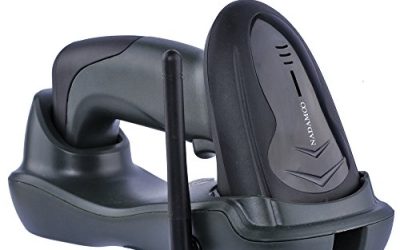
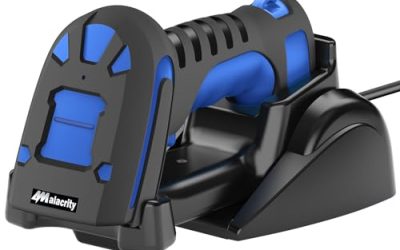
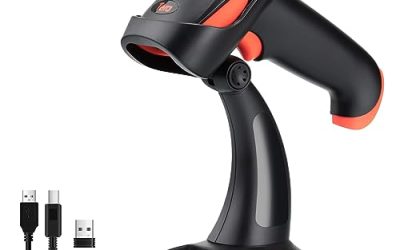
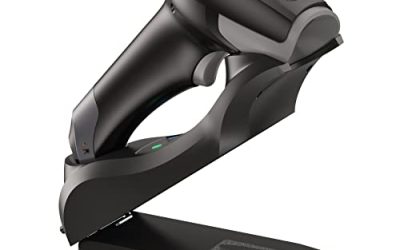
The NS1202W is a sealed industrial imager built around a 1280 x 720 CMOS sensor. Its silicone sealed housing carries IP67 protection, and the listing describes it as able to be cleaned with soap and water and to survive brief immersion, which suits wet dock doors and dusty receiving bays. It decodes PDF417, Data Matrix, QR Code and Micro QR alongside the standard 1D set, and it connects through a charging cradle with a built in USB receiver, with wireless reach described up to 100 metres in open space. The cradle also gives it an auto sensing hands free mode at the bench.
Who it suits: Receiving teams that want one tough cordless imager per dock door, with the cradle handling charging, the host link and hands free scanning of carton labels.
Considerations: It does not pair by Bluetooth despite the wireless design, so phone and tablet pairing is not its route. The headline drop and immersion figures come from the maker, so treat the first weeks on your own dock as the real proving period.
2. Zebra DS2208 Corded 2D Imager Kit

ASIN: B06VYGFGR7
Amazon US: https://www.amazon.com/dp/B06VYGFGR7
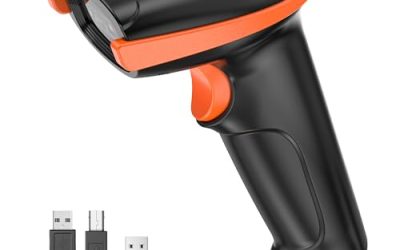
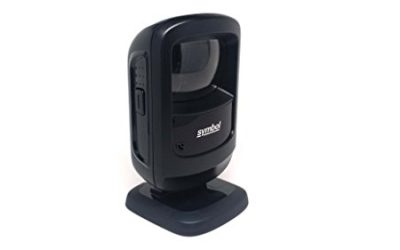
The DS2208 kit is the corded benchmark in this group: a standard range 1D and 2D area imager with IP52 sealing, supplied with a hands free stand and a shielded USB cable. Because it is corded, there is no battery to manage and no pairing to drift, and the stand lets staff pass carton labels under the window between trigger scans. Zebra units also sit behind a wide base of warehouse software support, which helps when the receiving bench PC runs a strict device policy.
Who it suits: A fixed receiving bench or quality check desk where the scanner stays in one place, power comes from the host, and all day reliability matters more than roaming.
Considerations: Standard range optics mean staff bring labels to the scanner rather than reading rack labels at distance. IP52 sealing is lighter than the sealed industrial models here, so it belongs on the bench rather than out on the wettest dock doors.
3. NetumScan 3-in-1 Bluetooth 2D Barcode Scanner

ASIN: B096HM5M7J
Amazon US: https://www.amazon.com/dp/B096HM5M7J
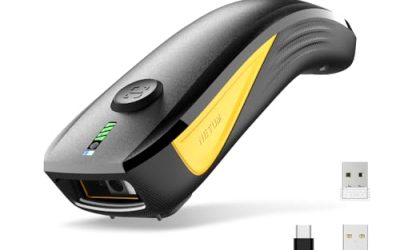
This NetumScan handheld connects three ways, by Bluetooth, by 2.4 GHz wireless and by USB cable, and its CMOS imager reads 1D and 2D codes from paper and from screens. A 2000 mAh battery supports long shifts, and the two upload behaviours matter at receiving: instant upload for live booking in, and a storage mode that holds scans on the device when the operator walks out of link range, then sends them when the connection returns. It works with Windows, Mac and Linux hosts and with phones and tablets over Bluetooth.
Who it suits: Smaller receiving areas where one scanner is shared between a desk computer and a tablet, and where occasional out of range scanning in a yard or container needs stored upload.
Considerations: The housing is a general handheld shell rather than a sealed industrial one, so it is better kept away from the roughest dock work. Screen reading is a strength, but very long linear codes can need configuration before use.
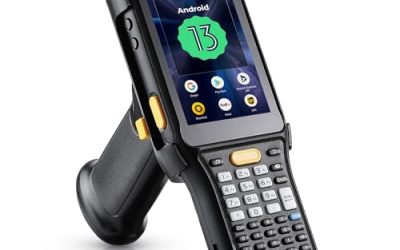
4. NETUM Q900 Android 14 Mobile Computer with Honeywell HS7 Engine

ASIN: B0FJM38ZV2
Amazon US: https://www.amazon.com/dp/B0FJM38ZV2
The Q900 is a different class of tool: a full Android 14 handheld computer with a 5.99 inch touchscreen and a built in Honeywell HS7 scan engine for 1D and 2D codes. It carries IP67 sealing and drop resistance to 1.5 metres, connects over Wi-Fi and 4G LTE, and supports expansion options such as NFC and RFID reading described by the maker. For receiving, that means the operator scans, checks the delivery against the order on the same screen, and books the goods in without returning to a desk.
Who it suits: Receiving departments that want scanning and the goods in application on one rugged device, especially across larger sites where Wi-Fi and mobile data both play a part.
Considerations: It is a computer, not just a scanner, so expect device management, app setup and a learning curve that a simple scan gun does not need. Teams that only scan into a fixed PC will not use most of what it adds.
Comparison Table
| Product | Type and connection | Standout trait | Best for |
|---|---|---|---|
| NetumScan NS1202W Industrial Wireless 2D Barcode Scanner | Cordless imager with cradle | IP67 sealed housing | Dock door receiving |
| Zebra DS2208 Corded 2D Imager Kit | Corded imager with stand | No battery to manage | Fixed receiving bench |
| NetumScan 3-in-1 Bluetooth 2D Barcode Scanner | 3-in-1 cordless imager | Storage mode for out of range scans | Shared desk and tablet use |
| NETUM Q900 Android 14 Mobile Computer with Honeywell HS7 Engine | Android mobile computer | Apps run on the device | Goods in on one device |
The table summarises form and connection only. Scanning range, transmission range and sealing are covered per product above, because those figures are measured differently by each maker and should be compared in context rather than as a single number.
FAQ
Do receiving scanners need to be 2D imagers?
For most receiving departments, yes. Supplier and carrier labels increasingly mix linear codes with QR and Data Matrix codes, and a 2D imager also reads damaged or poorly printed linear labels more forgivingly than a basic laser. A 1D only scanner can still work where every label is a clean Code 128 or UPC, but it narrows what the dock can accept.
What does IP67 sealing actually help with at a dock?
It means the housing is sealed against dust and can handle water exposure such as rain at an open dock door or a wash down after a spill. It does not make a scanner indestructible, but it removes the most common dock killers: grit in the scan window area and moisture inside the housing.
Corded or cordless for a receiving bench?
Corded suits a fixed bench where the scanner never leaves the desk, because there is no charging or pairing to manage. Cordless suits dock doors and pallet work where the operator walks around cartons. Many departments run one of each, which is why this list includes both.
Can these scanners work with our warehouse software?
Most of them present scans as keyboard input over USB or Bluetooth, which works with the majority of warehouse and inventory systems, spreadsheets and web forms. The Android terminal runs apps directly. Check your software provider’s device notes before a fleet order, especially for prefix, suffix and data formatting rules.
Conclusion
For most receiving departments, start with the NetumScan NS1202W at the dock doors for its sealed housing and cradle based workflow, and keep the Zebra DS2208 kit on the fixed bench where corded simplicity wins. Choose the NetumScan 3-in-1 if one scanner must move between a computer and a tablet with stored upload as a safety net. Step up to the NETUM Q900 when receiving staff should complete the whole goods in process on the device in their hand. Match the housing to your roughest door, confirm the symbology list against your supplier labels, and the scanning side of receiving stops being the bottleneck.
FAQ
Do receiving scanners need to be 2D imagers?
What does IP67 sealing actually help with at a dock?
Corded or cordless for a receiving bench?
Can these scanners work with our warehouse software?
More from Amazon
Programs that pair well with the guide above. Offers and eligibility are set by Amazon and may change.
Free shipping on eligible items, Prime Video and more. Eligible new members can start with a free trial.
Start a Prime free trialA Prime membership for ages 18-24 with a trial period. Eligibility is set by Amazon.
See Prime for Young AdultsAudiobooks and podcasts to listen to on the go. Eligible new members can start with a free trial.
Try Audible freeAd-free music streaming. Eligible new subscribers can start with a free trial.
Try Music Unlimited freeAs an Amazon Associate we earn from qualifying purchases.