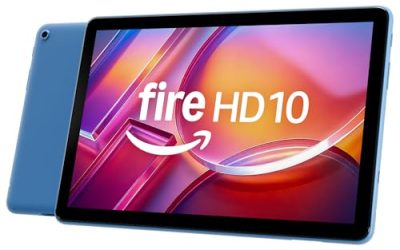
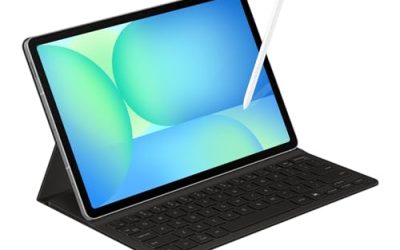
Our Short List of 3
All 3 Picks at a Glance
| Product | Specs | Action |
|---|---|---|
 Samsung Galaxy Tab S9 11-Inch | Check price on Amazon | |
 Microsoft Surface Pro 11 | Check price on Amazon | |
 Samsung Galaxy Tab S10 FE 10.9-Inch | Check price on Amazon |
Key takeaways
- Find the best tablets for photography, from color-accurate displays and stylus support to editing apps and storage, with five picks for every workflow.
A tablet earns its place in a photography kit when it does three jobs well: it shows photos the way they truly look, it lets you edit with a stylus instead of a mouse, and it carries your library without slowing down. The picks in this guide are tablets, not cameras, and that distinction matters. Their built-in rear cameras are handy for quick captures and scanning documents, but the real photography work happens on the display, with editing apps, a stylus, and enough storage for large image files. A tablet will not replace a dedicated camera, and no tablet in this guide claims to. What it can replace, for many photographers, is the laptop on a shoot day, the printed proof sheet at a client meeting, and the second monitor at a desk.
This guide reads “best tablets for photography” as tablets for editing, culling, and showing photos. Every pick below runs full photo-editing apps, supports a stylus, and has a display built for color work. The five tablets cover three ecosystems – iPadOS, Android, and Windows – so the right pick depends less on brand loyalty and more on the apps you already use, the stylus you prefer, and how much of your editing happens away from a desk.
What to Look For
Display color comes first. A tablet for photography needs a display that shows a wide color range with steady, even brightness from edge to edge. Look for a display that covers the P3 wide color range, since most modern cameras and editing apps work in that space. OLED panels show deep blacks and strong contrast, which helps when you judge shadow detail, while high-quality LCD panels stay bright in sunny rooms and hold color well at an angle. A high refresh rate makes brush strokes and panning feel smooth, but it does not change color accuracy, so treat it as comfort, not a color feature.
Stylus support comes second. A stylus turns a tablet into a retouching tool: you can dodge, burn, mask, and brush with the control of a pen instead of the blunt push of a fingertip. Check whether the stylus comes in the box or is an extra purchase, how it charges, and whether it attaches to the tablet magnetically so you do not lose it on a shoot. Palm rejection matters too – a good stylus lets you rest your hand on the display while you work, which is the difference between a tool and a toy.
Editing apps come third. A tablet is only as useful as the software it runs. iPadOS runs the full mobile versions of the leading desktop photo editors, Android runs strong editors with pen support, and Windows tablets run the same desktop editing apps as a laptop. Before you pick a tablet, confirm that the editor you rely on runs on that system with the features you need, including layer support, raw file handling, and cloud sync with your desktop.
Storage and connectivity come fourth. Raw files are large, and a library grows fast. Look for at least 128GB of built-in storage, and check whether the tablet accepts a memory card or connects directly to a camera or card reader over USB-C. Fast wireless helps too, since moving files from a camera to a tablet over Wi-Fi is common on location shoots.
Weight and battery life come last, but they decide whether the tablet leaves the house. A tablet that stays on a desk is a small monitor. A tablet that fits in a camera bag, lasts a full shoot day, and pairs with a keyboard for captioning and delivery is a working tool. The picks below balance all five factors, and each one is honest about where it gives something up.
Apple iPad Air 13-Inch (M3)
The iPad Air 13-inch with the M3 chip is the most balanced tablet in this guide. Its 13-inch Liquid Retina display shows P3 wide color with True Tone, which adjusts the white point to the light in the room, so photos look consistent whether you edit under studio lights or by a window. The large display gives you room for toolbars and a full-size image at once, which matters when you retouch for hours. The M3 chip handles raw files and layered edits without lag, and the tablet runs the full mobile versions of the leading photo editors with Apple Pencil support.
The 12MP front and back cameras cover quick captures and video calls with clients, and the rear camera records 4K video for behind-the-scenes clips. Wi-Fi 6E moves large files quickly when you sync with a desktop or a cloud library, and Touch ID keeps your library locked without a passcode at every wake. The Apple Pencil Pro and Apple Pencil with USB-C both work with this tablet, and the Magic Keyboard turns it into a compact workstation for captioning and delivery. The stylus and keyboard are extra purchases, so factor them into your plan. This pick suits photographers who want a large, color-accurate canvas with a deep app library and who already work in the Apple ecosystem.
Samsung Galaxy Tab S9 11-Inch
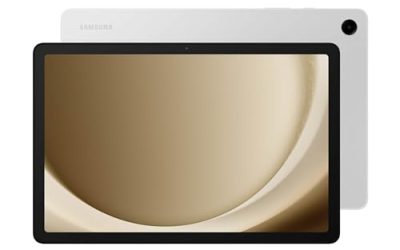
The Galaxy Tab S9 is the Android pick in this guide, and its strength is the display. The 11-inch Dynamic AMOLED 2X panel shows vivid color with deep blacks, a 2560 by 1600 resolution, and a 120Hz refresh rate that makes brush strokes feel smooth and immediate. The S Pen comes in the box, attaches magnetically, and needs no charging, which removes the two most common stylus annoyances in one move. For photographers who sketch masks, retouch skin, or sign prints, an included pen is a real advantage.
The Snapdragon 8 Gen 2 chip keeps editing apps responsive with large raw files, and the tablet runs the leading Android photo editors with full pen support. The durable design handles field use, and the auto-focus camera covers quick captures and reference shots on location. Storage begins at 128GB, and the tablet accepts a memory card, so your library can grow without swapping devices. The 11-inch size fits easily in a camera bag beside a body and two lenses, and the AMOLED panel makes proofing at a client meeting feel closer to a print than a laptop display does. This pick suits Android photographers who want a vivid display, an included stylus, and expandable storage at a size that travels well.
Microsoft Surface Pro 11
The Surface Pro 11 is the Windows pick, and it is the only tablet here that runs the same desktop photo-editing apps as a laptop, with no mobile version in between. If your workflow depends on a desktop editor with full plug-ins, batch actions, and tethered shooting, this tablet runs it exactly as your desktop does. The 13-inch OLED touchscreen shows deep blacks and strong contrast for judging shadow detail, and the built-in kickstand props the tablet at any angle on a desk or a tailgate.
The Snapdragon X Elite chip with 16GB of memory keeps large catalogs responsive, and Windows 11 runs your existing editing software, cloud sync, and backup tools without a change in habit. The tablet works with the Surface Slim Pen for retouching and masking, and with the Surface Pro Keyboard for captioning and delivery, though both are extra purchases. USB-C connects directly to cameras and card readers, and the tablet doubles as a full laptop when the keyboard is attached. This pick suits photographers who live in desktop editing software and want one device that edits on location and finishes the job at a desk.
Apple iPad Pro 11-Inch (M4)
The iPad Pro 11-inch with the M4 chip is the most capable display in this guide. Its 11-inch Ultra Retina XDR display uses tandem OLED technology with ProMotion, P3 wide color, and True Tone, giving you the deepest blacks and the most even brightness of any tablet here. For photographers who judge shadow detail and subtle color shifts, that display is the reason to pick this tablet. The M4 chip handles the heaviest raw files and layered edits without hesitation, and the tablet records 4K video with ProRes for photographers who also shoot motion. The 12MP front and back cameras cover captures and calls, the LiDAR scanner helps with depth and scanning work, and Face ID unlocks the tablet hands-free on a busy set. The USB-C connector supports Thunderbolt and USB 4, so tethered shooting and fast transfers to external drives work at full speed. The tablet works with Apple Pencil Pro and Apple Pencil with USB-C, and with the Magic Keyboard for iPad Pro, though both are extra purchases. The 256GB of storage in this configuration holds a working library, and cloud sync covers the rest. This pick suits photographers who want the strongest display and the quickest chip in a size that fits any camera bag.
Samsung Galaxy Tab S10 FE 10.9-Inch
Samsung Galaxy Tab S10 FE 10.9-Inch
The Galaxy Tab S10 FE is the entry pick in this guide, and it is honest about what it gives up to reach its place here. Its 10.9-inch display runs at a 90Hz refresh rate and shows clear, bright images for culling and editing, but it is an LCD panel rather than the AMOLED panel on the Tab S9, so blacks are less deep and contrast is less dramatic. For photographers who edit in bright rooms and judge color on an external monitor at home, that trade is easy to live with. The S Pen comes in the box, so retouching and masking cost nothing extra, and the tablet is water and dust resistant, which helps on outdoor shoots.
The Exynos 1580 chip with 8GB of memory handles the leading Android photo editors with raw files at a steady pace, though it works harder than the Snapdragon chip in the Tab S9 on the largest files. Storage begins at 128GB with room to expand, and the US version runs the full Android app library with pen support. The 10.9-inch size is the most portable tablet here, slipping into a bag pocket beside a camera body. This pick suits photographers who want a capable editing tablet with an included stylus and a durable build, and who are willing to trade some display drama for portability.
Comparison Table
| Tablet | Display | Stylus | Memory and Storage | Rear Camera |
|---|---|---|---|---|
| Apple iPad Air 13-Inch (M3) | 13-inch Liquid Retina, P3 wide color | Apple Pencil Pro, extra purchase | 128GB storage | 12MP |
| Samsung Galaxy Tab S9 11-Inch | 11-inch Dynamic AMOLED 2X, 120Hz | S Pen included | 128GB storage, card slot | Auto-focus camera |
| Microsoft Surface Pro 11 | 13-inch OLED touchscreen | Surface Slim Pen, extra purchase | 16GB memory | 10.5MP |
| Apple iPad Pro 11-Inch (M4) | 11-inch Ultra Retina XDR, ProMotion | Apple Pencil Pro, extra purchase | 256GB storage | 12MP |
| Samsung Galaxy Tab S10 FE 10.9-Inch | 10.9-inch LCD, 90Hz | S Pen included | 8GB memory, 128GB storage | 13MP |
Frequently Asked Questions
Do I need a stylus for photo editing on a tablet?
A stylus is not required, but it changes the work. Finger editing is fine for cropping, exposure sliders, and quick culls. A stylus adds the control you need for masking, dodging, burning, and retouching, where a fingertip covers too much of the image to see what you are doing. If your editing is mostly global adjustments, a tablet without a stylus works. If you retouch skin, clean up backgrounds, or paint masks, a stylus is worth having. Two tablets in this guide include one in the box, and the other three work with a stylus as an extra purchase, so the cost of the pen belongs in your comparison.
Can a tablet replace a laptop for photo editing?
A tablet can replace a laptop for most of the editing workflow, with one honest limit. Culling, raw adjustments, retouching, and delivery all run well on the tablets in this guide, and the touch display plus stylus can be faster than a mouse for masking work. The limit is the desktop-only part of a workflow: plug-ins that exist only on desktop, heavy batch actions across thousands of files, and tethered shooting with desktop software. The Surface Pro 11 has no such limit, since it runs desktop apps directly. For the other four tablets, the answer depends on your editor: if your editor runs fully on that tablet system, the tablet replaces the laptop for that job, and if it does not, the tablet is a strong second device rather than a replacement.
Is an OLED display better for photo editing?
An OLED display shows deeper blacks and stronger contrast than an LCD panel, which helps when you judge shadow detail and subtle tones in dark images. That is a real advantage, and three tablets in this guide use OLED panels. But an OLED display is not automatically more color-accurate. Color accuracy depends on calibration, the color range the panel covers, and how evenly it holds brightness across the display. A good LCD panel with P3 wide color and steady brightness can be more trustworthy than an OLED panel with uneven brightness. Judge a display by its color coverage and consistency, not by the panel technology alone, and check your edits on a second display before you deliver final files.
How to Choose
Begin with the apps you already use. If your editor runs best on iPadOS, the iPad Air 13-inch gives you the largest canvas for the money, and the iPad Pro 11-inch gives you the strongest display and the quickest chip in a smaller body. If you work in Android, the Galaxy Tab S9 gives you the most vivid display with an included stylus, and the Tab S10 FE gives you the same pen and a durable build in the most portable size. If your workflow depends on desktop editing software with plug-ins and tethered shooting, the Surface Pro 11 is the only tablet here that runs it all without compromise.
Next, weigh the stylus and the display together. A tablet with an included stylus and a vivid display, like the Tab S9, is ready to retouch the day it arrives. A tablet with a stronger display and a stylus as an extra purchase, like the iPad Pro, costs more to set up but rewards you every time you judge shadow detail. Finally, confirm the configuration before you buy: storage size, memory, and whether the stylus and keyboard are included vary by listing, and the right configuration is the one that fits your library and your bag, not the one with the longest spec sheet. A tablet that fits your apps, your stylus habit, and your bag is the tablet you will actually use on every shoot.
Disclosure: As an Amazon Associate, we may earn a commission from qualifying purchases made through links in this article, at no additional cost to you.
FAQ
Do I need a stylus for photo editing on a tablet?
Can a tablet replace a laptop for photo editing?
Is an OLED display better for photo editing?
More from Amazon
Programs that pair well with the guide above. Offers and eligibility are set by Amazon and may change.
Free shipping on eligible items, Prime Video and more. Eligible new members can start with a free trial.
Start a Prime free trialA Prime membership for ages 18-24 with a trial period. Eligibility is set by Amazon.
See Prime for Young AdultsAudiobooks and podcasts to listen to on the go. Eligible new members can start with a free trial.
Try Audible freeAd-free music streaming. Eligible new subscribers can start with a free trial.
Try Music Unlimited freeAs an Amazon Associate we earn from qualifying purchases.