Our Short List of 3
All 5 Picks at a Glance
| Product | Specs | Action |
|---|---|---|
 1. TP-Link Archer AX21 | Check price on Amazon | |
 2. TP-Link Archer AX55 | Check price on Amazon | |
 3. TP-Link Archer A7 | Check price on Amazon | |
 4. TP-Link Archer AX55 Pro | Check price on Amazon | |
 5. TP-Link Archer AX23 | Check price on Amazon |
Key takeaways
- Find the best routers under 150 for everyday home Wi-Fi, from entry Wi-Fi 6 models for apartments to faster AX3000 picks for busy households.
A home network does not need a flagship router to feel fast. For most households, the work a router actually does is straightforward: carry the internet plan into every room, keep a dozen or more devices connected at once, and stay out of the way while everyone streams, works, and scrolls. A router in this budget tier that matches the plan speed and the size of the home does that job well.
This guide covers standalone Wi-Fi routers that fit a modest budget without cutting the features that matter day to day. Every pick below connects to a modem or gateway with a standard Ethernet cable, so there is no need for a built-in modem or an ISP-specific model. The picks are ordered by value class, from the lowest-cost Wi-Fi 5 option for a light household to the fastest Wi-Fi 6 model here for a busier home.
The key idea is simple: match the router to the plan and the home, not to the biggest number on the box. A router rated for far more speed than the plan delivers will not make the connection faster, and a router with coverage for a large house is wasted in a one-bedroom apartment. Choose the smallest router that covers the home and the devices in it, and the result is a network that feels fast without an oversized box on the shelf.
What to Look For in a Router in This Tier
Wi-Fi generation is the first thing to check. Wi-Fi 6 is the standard to look for in a new router, because it handles many connected devices more efficiently than older Wi-Fi 5 models, thanks to features that let the router talk to several devices at once instead of one at a time. That matters in a household where phones, laptops, televisions, game consoles, and smart home devices all share the same network. Wi-Fi 5 is still a sensible choice when the plan is modest and the device count is low, but Wi-Fi 6 is the better starting point for most buyers.
Speed class is the second thing to match. The rating on the box, such as AX1800 or AX3000, is a combined total across both bands, so it is a rough guide rather than a number any single device will reach. An AX1800 router handles basic and mid-tier plans comfortably, with enough headroom for streaming on several televisions at once. An AX3000 router gives more headroom for faster plans and busier households, especially when several people stream at once or large downloads run in the background. Match the class to the plan: there is no benefit in paying for AX3000 headroom on a basic plan, and an AX1800 router can become the bottleneck on a gigabit plan under heavy load.
Coverage is the third major factor. A router with four external antennas and beamforming focuses its signal toward the devices using it, which helps in rooms away from the router. Stated coverage figures on listings give a concrete number to match against the floor plan. If the home has thick walls, multiple floors, or a far room that struggles, place the router centrally and high up, and consider a model that can add a satellite unit later through a mesh system from the same brand.
Wired ports matter more than many buyers expect. A television, a game console, or a desktop computer connected by Ethernet gets a steadier connection than the same device on Wi-Fi, which helps for streaming in high definition and for online gaming. Look for at least four gigabit LAN ports so the devices that stay in one place can be wired. A USB port is a useful extra for sharing a drive or a printer on the network.
Security and parental controls are worth a look as well. Modern routers include network security features, automatic updates, and tools to pause internet access for specific devices or set schedules for children’s devices. These features vary by brand, so check what is included and whether the tools you want need an app, a subscription, or nothing at all. A router whose security tools are built in keeps the network protected without adding a recurring cost.
Matching the Router to the Home
Start with the plan. A basic plan that tops out well below gigabit speeds is served well by an AX1800 router, and the money saved against a faster model buys nothing the connection can use. A mid-tier plan with several heavy users is the natural home for an AX3000 router, which keeps its headroom for evenings when everyone is online at once. A gigabit plan deserves an AX3000 radio at minimum.
Then count the devices and the rooms. A household with a handful of phones, one laptop, and one television is a light load, and any router in this guide covers it. A household with two televisions, two laptops, a console, and a growing set of smart plugs and cameras is a heavy load, and that is where the AX3000 models and their extra memory earn their place. Count the smart home devices too, because they stay connected around the clock even when nobody is actively using them.
Finally, think about where the router will sit. A router tucked behind a television in a corner cabinet will cover far less of the home than the same router placed centrally on a shelf at waist height or above. No router in this tier fixes a bad position, so place the box where its signal has the clearest path to the rooms that matter most.
The Routers
1. TP-Link Archer AX21
The TP-Link Archer AX21 is the best starting point for most households shopping in this tier. It is a dual-band Wi-Fi 6 router rated AX1800, with speeds up to 1200 Mbps on the 5 GHz band and up to 574 Mbps on the 2.4 GHz band. That is enough to carry a typical plan through the house, support streaming on several televisions at once, and keep phones and laptops connected without a bottleneck at the router.
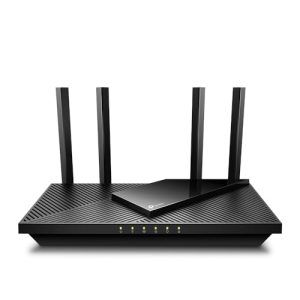
The AX21 has four high-gain external antennas and beamforming, which helps the signal reach rooms away from the router. It has one gigabit WAN port for the connection to the modem and four gigabit LAN ports for wired devices. It supports OFDMA and MU-MIMO, the Wi-Fi 6 features that let it serve several devices at the same time, and it works with Alexa for voice control of the network. The Tether app handles setup and basic management, and the router supports EasyMesh, so a compatible satellite unit can be added later if coverage needs to grow.
This is the pick for an apartment or a small house, for a household with a handful of devices, and for anyone who wants a simple upgrade from a rented ISP router without spending more than the job requires. Its main limits are the ones that come with the AX1800 class: no 6 GHz band, no multi-gigabit port, and less headroom than the faster models below for a gigabit plan under heavy load.
2. TP-Link Archer AX55
The TP-Link Archer AX55 steps up to AX3000 class, and it is the best match for a mid-tier or faster plan in a medium-size home. Its dual-band Wi-Fi 6 radio reaches up to 2402 Mbps on the 5 GHz band and up to 574 Mbps on the 2.4 GHz band, using 160 MHz channels on the 5 GHz band to carry more data per connection. That extra headroom shows up when several people stream at once, when large downloads run in the background, and when a faster plan needs a router that will not hold it back.
The AX55 keeps the practical layout of the AX21: four external antennas, one gigabit WAN port, four gigabit LAN ports, and a USB 3.0 port for sharing a drive or printer on the network. It adds 512 MB of memory, which helps it keep track of many connected devices, and it includes HomeShield security features, VPN client and server support, and EasyMesh compatibility for expanding coverage later.
Choose the AX55 if the plan is above the basic tier, if the household has more than a few heavy users, or if the goal is a router with room to grow without moving to a larger and more expensive model. It is a balanced middle pick: faster than the AX21, easier to place than the biggest routers, and well suited to the plans most households actually buy.
3. TP-Link Archer A7
The TP-Link Archer A7 is the lowest-cost pick in this guide and the right choice when the budget is the deciding factor. It is a dual-band Wi-Fi 5 router rated AC1750, with speeds up to 1300 Mbps on the 5 GHz band and up to 450 Mbps on the 2.4 GHz band. That is plenty for a basic plan, for streaming in high definition, and for a household whose devices are mostly older Wi-Fi 5 models anyway.
What the A7 gives up in wireless generation it makes up for in coverage. TP-Link rates it for up to 2,500 square feet and more than 50 connected devices, the largest stated coverage figure in this guide, delivered through three high-gain external antennas and strong amplifiers. It has one gigabit WAN port, four gigabit LAN ports, and a USB 2.0 port for sharing a drive or printer. It works with Alexa, supports OneMesh for adding a compatible satellite unit later, and includes parental controls.
Pick the A7 for a larger home on a basic plan, for a household replacing an old router on a tight budget, or for anyone who values coverage over the newest wireless standard. Its limits are honest ones: as a Wi-Fi 5 model it has no OFDMA, so very busy networks with dozens of active devices are served better by the Wi-Fi 6 picks above. A renewed version of this router also circulates on Amazon, so check that the listing you open is the new unit before ordering.
4. TP-Link Archer AX55 Pro
The TP-Link Archer AX55 Pro is the pick for a household whose plan is fast enough to need wired speed above one gigabit. It is a dual-band Wi-Fi 6 router rated AX3000, with speeds up to 2402 Mbps on the 5 GHz band and up to 574 Mbps on the 2.4 GHz band, matching the standard AX55 on the wireless side. Where it pulls ahead is on the back panel: two 2.5 Gbps ports, one that can serve as the WAN port and one for a wired device, alongside three gigabit LAN ports.
Those faster ports matter when the internet plan runs above one gigabit, or when a desktop computer or a network drive on the local network can use a faster wired link. The AX55 Pro also includes VPN client and server support, covering the common protocols, so specified devices can reach a remote VPN server without installing software on each one. It has a USB 3.0 port, WPA3 security, and EasyMesh compatibility, and setup runs through the Tether app.
Choose the AX55 Pro over the standard AX55 when the plan exceeds one gigabit or when a single wired device deserves a faster port. For a basic or mid-tier plan, the standard AX55 gives the same wireless performance for less, and the Pro’s extra ports sit unused. One detail to confirm on the listing: the current hardware version carries two 2.5 Gbps ports, while the older version carries only one, so check the port count before ordering.
5. TP-Link Archer AX23
The TP-Link Archer AX23 is the compact AX1800 alternative to the AX21, and the pick for a smaller home that wants Wi-Fi 6 without a large box on the shelf. It is a dual-band Wi-Fi 6 router rated AX1800, with speeds up to 1201 Mbps on the 5 GHz band and up to 574 Mbps on the 2.4 GHz band, driven by a dual-core processor. Four adjustable external antennas with beamforming cover the wireless side, and the listing names OFDMA and MU-MIMO for serving several devices at once.
The AX23 covers a three-bedroom home in the maker’s own framing, which makes it the natural fit for an apartment or a small house where the AX21’s extra bulk buys nothing. It includes a guest network, parental controls, and WPA3 security, and it supports OneMesh, so a compatible satellite unit can extend coverage later if the household moves to a larger home. Setup and management run through the Tether app, and the router works with Alexa.
Pick the AX23 when the home is small, the device count is modest, and the goal is the simplest capable Wi-Fi 6 router in this tier. Its AX1800 class carries the same limits as the AX21: no 6 GHz band and less headroom than the AX3000 models for a fast plan under heavy load. Check the listing carefully before ordering, because the freshest tracker check showed limited availability on Amazon US, and stock for this model has varied.
Which One Fits Your Situation
For an apartment or a small house on a basic plan, start with the Archer AX21 or the Archer AX23. Both are AX1800 Wi-Fi 6 routers with the same practical speed class, and the choice between them comes down to size and layout: the AX21 is the fuller-featured box, while the AX23 is the more compact one for a smaller footprint.
For a family home with many devices, step up to the Archer AX55. Its AX3000 radio and extra memory handle the evenings when several people stream at once, and its USB port and security tools cover the extras a busy household actually uses. If the plan runs above one gigabit, move one step further to the Archer AX55 Pro, whose faster wired ports keep the router from becoming the bottleneck.
For the tightest budget or the largest floor plan on a basic plan, the Archer A7 is the honest answer. Its Wi-Fi 5 radio is older, but its stated coverage is the largest here, and for a household whose devices and plan are modest, the money saved is real. Just remember to confirm the listing is the new unit rather than a renewed one.
Common Mistakes
The most common mistake is buying speed the plan cannot use. A router rated far above the plan speed will not make the connection faster, because the plan itself is the limit. Spend the difference on placement instead: a central, elevated position does more for real-world coverage than a higher speed class in a corner cabinet.
The second mistake is ignoring the wired ports. A television or a game console on a wired connection is steadier than the same device on Wi-Fi, and a router with only two LAN ports runs out of wired connections fast. Count the devices that stay in one place before choosing, and make sure the router has a port for each of them.
The third mistake is forgetting the modem. Every router in this guide is a standalone router, which means it needs a modem or a gateway to connect to the internet. If the current setup is a single rented combination unit, the modem side of that box still needs to be replaced or kept in bridge mode, so check the plan for that step before the new router arrives.
Frequently Asked Questions
Is Wi-Fi 6 worth it for a router in this tier?
For most buyers, yes. Wi-Fi 6 handles many connected devices more efficiently than Wi-Fi 5, and the AX1800 Wi-Fi 6 routers in this guide sit close to the lowest-cost options. Wi-Fi 5 still makes sense only when the budget is the deciding factor and the device count is low, which is exactly the case the Archer A7 covers.
How many devices can these routers handle?
The Wi-Fi 6 picks in this guide are built for households with a dozen or more connected devices, thanks to OFDMA and MU-MIMO, while the Archer A7 is rated for more than 50 devices on its Wi-Fi 5 radio. Count the smart home devices as well as the phones and laptops, because they stay connected around the clock.
Do I need a mesh system instead of a single router?
For most apartments and small to medium houses, a single router placed centrally covers the home. A mesh system earns its place in a large or multi-floor home. Every Wi-Fi 6 pick in this guide supports a mesh system from the same brand, so a satellite unit can be added later if one router turns out not to be enough.
Can I keep the same Wi-Fi name and password on a new router?
Yes. Set the new router to the same network name and password as the old one, and most devices will reconnect without any changes. A few smart home devices may still need a restart, so keep the old router powered off once the new one is running to avoid two networks with the same name competing.
Disclosure: As an Amazon Associate, we earn from qualifying purchases.
FAQ
Is Wi-Fi 6 worth it for a router in this tier?
How many devices can these routers handle?
Do I need a mesh system instead of a single router?
Can I keep the same Wi-Fi name and password on a new router?
More from Amazon
Programs that pair well with the guide above. Offers and eligibility are set by Amazon and may change.
Free shipping on eligible items, Prime Video and more. Eligible new members can start with a free trial.
Start a Prime free trialA Prime membership for ages 18-24 with a trial period. Eligibility is set by Amazon.
See Prime for Young AdultsAudiobooks and podcasts to listen to on the go. Eligible new members can start with a free trial.
Try Audible freeAd-free music streaming. Eligible new subscribers can start with a free trial.
Try Music Unlimited freeAs an Amazon Associate we earn from qualifying purchases.