The Short Answer
Most dash cams use a microSD card measuring 0.59 × 0.43 × 0.04 inches (15 × 11 × 1 mm). This is the physical card size to look for, and it is much smaller than a standard full-size SD card. The important buying decision is usually not the card’s exterior dimensions, because microSD cards are standardized, but its storage capacity, speed class, endurance rating, and compatibility limit.
For a typical single-camera dash cam, choose a high-endurance microSD card with 64GB to 128GB of storage. Dual-channel front-and-rear systems generally benefit from 128GB to 256GB, while three-channel systems or 4K recording often need 256GB to 512GB if the camera supports that capacity. Check the dash cam manual before buying: some models accept only 128GB or 256GB, even though larger cards physically fit in the slot.
Our top picks


As an Amazon Associate we earn from qualifying purchases at no extra cost to you.
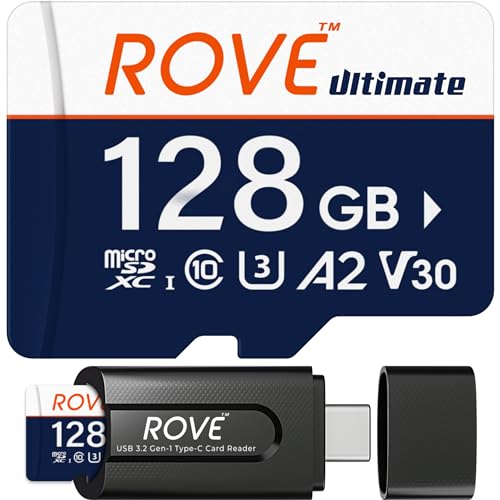
Look for a card rated Class 10, U3, and V30 for 4K or dual-camera recording. For continuous driving footage, a high-endurance or industrial-grade card is a better fit than an ordinary phone, gaming, or camera card because dash cams repeatedly overwrite video files.
Standard Sizes
| Card Format | Dimensions (Inches) | Dimensions (Centimeters) | Typical Dash Cam Use |
|---|---|---|---|
| microSD | 0.59 × 0.43 × 0.04 in | 1.50 × 1.10 × 0.10 cm | Standard format for nearly all modern dash cams |
| microSD with adapter | 1.26 × 0.94 × 0.08 in | 3.20 × 2.40 × 0.21 cm | For transferring footage to computers with full-size SD slots |
| Full-size SD card | 1.26 × 0.94 × 0.08 in | 3.20 × 2.40 × 0.21 cm | Used by a small number of older or specialty cameras |
| MiniSD card | 0.83 × 0.79 × 0.06 in | 2.10 × 2.00 × 0.14 cm | Rarely used; not appropriate unless specifically required |
A microSD card weighs only about 0.01 ounce (0.25 gram), so card weight has no practical effect on a dash cam mount or windshield placement. The capacity printed on the card—64GB, 128GB, 256GB, or 512GB—does not change its physical measurements. A 64GB microSD card and a 512GB microSD card are the same exterior size.
Most cards are sold as microSDXC once capacity reaches 64GB or more. That label matters because a camera must support the microSDXC file system and capacity range. A microSD adapter is useful for file transfers, but do not insert the card into the dash cam while it is inside the larger adapter.
How to Measure Your Space
Measuring for a dash cam memory card is mostly about confirming the slot style and allowing access for installation and removal. Follow these steps before ordering:
- Locate the memory card slot. Check the lower edge, side panel, display housing, or rear camera body. Many dash cams label the slot “microSD,” “TF,” or “microSDXC.” TF, meaning TransFlash, uses the same physical microSD card format.
- Check the slot opening. A microSD opening is approximately 0.47 inch wide (1.2 cm). A full-size SD opening is about 0.95 inch wide (2.4 cm). Do not estimate based on photos alone if the manual is available.
- Measure access clearance. Leave at least 1 inch (2.5 cm) of finger room around the slot if you expect to remove the card regularly. A windshield-mounted camera positioned close to the headliner can make card removal awkward.
- Confirm the maximum supported capacity. This is more important than the physical slot size. A camera that supports 128GB may not reliably recognize a 256GB or 512GB card.
- Review required speed ratings. For basic 1080p recording, a Class 10 card may be sufficient. For 1440p, 4K, front-and-rear recording, or high-bitrate parking mode, select U3/V30 unless the manufacturer specifies a higher rating.
- Plan for formatting. Format the card in the dash cam before first use and periodically afterward. This lets the camera create the file structure it expects and can reduce recording errors.
Do not force a card into the slot. A microSD card has one angled corner and inserts in only one direction. The printed label may face outward, inward, up, or down depending on the camera design; follow the molded icon next to the slot.
By Room or Use Case
Daily Commuter or Basic Front Dash Cam
For a single 1080p front-facing camera used for commuting, a 64GB or 128GB high-endurance microSD card is usually the practical range. A 64GB card is compact in storage terms but identical in physical size to every other microSD card. It may hold several hours of loop-recorded footage, depending on video settings, before the oldest unlocked clips are overwritten.
Choose 128GB if you drive long distances, want more time to review an incident, or use parking recording. A 128GB high-endurance model such as the SanDisk High Endurance line is commonly positioned for dash cam and monitoring duty. Prices for dependable 64GB to 128GB high-endurance cards often fall around $20 to $45, depending on brand and included adapter.
Front-and-Rear Dash Cam Systems
Dual-channel cameras write two video streams at once, which uses storage more quickly than a single lens. Start with 128GB and consider 256GB for regular highway travel, high-resolution recording, or parking surveillance. The card itself still measures 0.59 × 0.43 × 0.04 inches, but the added capacity gives the camera a longer recording cycle before loop recording replaces older files.
For this use, prioritize high endurance over peak read speed. A U3/V30 card is a sensible baseline for many 2K and 4K dual-camera systems. Products marketed as TLC high-endurance cards, including 256GB options compatible with common dash cam brands, are often priced around $45 to $75.
4K, Three-Channel, and Rideshare Recording
For a 4K front camera paired with rear and interior cameras, buy the largest capacity your dash cam officially supports. 256GB is a strong starting point, while 512GB is worthwhile for compatible systems that record long shifts, frequent overnight parking events, or multiple high-resolution channels.
Use a card rated at least U3 and V30 unless your dash cam manual requires another specification. A higher “up to” read-speed number can help when copying clips to a computer, but sustained write reliability is the priority in a dash cam. A USB-C reader can make downloading large video files easier, especially if your laptop does not include a full-size SD slot.
Fleet, Work Truck, and Hot-Weather Vehicles
Vehicles used for deliveries, construction, field service, or long work shifts put unusually heavy write demands on memory cards. Choose a high-endurance or industrial-grade microSD card from a recognized brand, typically in the 128GB to 256GB range. Industrial-grade 64GB cards can cost around $35 to $45, while higher-capacity endurance cards may cost more.
Capacity is helpful, but replacement planning matters just as much. Continuous recording gradually wears any flash memory card. Keep a spare formatted card in a protective case, inspect recordings occasionally, and replace a card if the camera reports write errors, missing clips, repeated formatting requests, or random restarts.
Common Sizing Mistakes
Buying a full-size SD card instead of microSD. The larger card will not fit in a microSD slot. A microSD card with an included adapter is the flexible option because the card fits the dash cam and the adapter fits many computers.
Assuming every capacity works because the card fits. Physical fit does not guarantee electronic compatibility. A 512GB card can slide into the same slot as a 64GB card, but an older camera may support only up to 128GB or 256GB.
Choosing capacity but ignoring endurance. Dash cams continuously write, erase, and rewrite footage. Standard consumer cards can work, but a high-endurance card is designed for this repetitive workload and is generally the safer choice.
Focusing only on maximum read speed. A package may advertise 170MB/s read speed, but dash cam performance depends more on sustained writing and the required UHS or video speed class. Match the camera’s recommendation rather than buying based on one large speed number.
Buying more storage than your routine needs. A 512GB card may be unnecessary for a basic 1080p front camera used for short trips. Spending the difference on a reputable 128GB high-endurance card is often the better decision.
FAQ
What size SD card does a dash cam take?
Most modern dash cams take a microSD card, also called a TF card. Its standardized size is 0.59 × 0.43 × 0.04 inches, or 1.50 × 1.10 × 0.10 centimeters. A few older or specialty models use full-size SD cards, so verify the manual or slot label.
Is 128GB enough for a dash cam?
Yes, 128GB is an excellent all-purpose capacity for many single- and dual-channel dash cams. It offers substantially more recording room than 32GB or 64GB without the higher cost of 256GB or 512GB. Confirm that your specific camera supports 128GB.
Do I need a U3 or V30 microSD card for my dash cam?
For 4K, dual-channel, or higher-bitrate recording, U3/V30 is commonly the appropriate choice. A basic 1080p dash cam may work with a Class 10 card, but choosing a high-endurance U3/V30 card provides useful headroom when supported by the camera.
How often should I replace a dash cam SD card?
There is no single replacement schedule because heat exposure, recording time, resolution, and parking mode all affect wear. Check recordings monthly and replace the card promptly if you see errors or missing files. For heavily used cameras, keeping a replacement high-endurance card on hand is sensible in 2026.