Key takeaways
- Platform Compatibility: Verify the dongle supports your phone’s operating system. iOS requires Bluetooth LE or Wi-Fi connections, while Android works with classic Bluetooth and BLE. Some dongles also support Windows, which is useful if you run laptop-based diagnostic software in the garage.
- Data Refresh Rate: Faster refresh rates translate to smoother gauge movement and more accurate live readings. Premium adapters update sensor values multiple times per second, while budget units may lag or stutter under load.
- App Ecosystem: The dongle is only half the equation. Look for devices compatible with popular apps like Torque Pro, OBD JScan, Car Scanner, OBD Fusion, or manufacturer-specific software. A broader app ecosystem means more flexibility for logging, custom dashboards, and advanced diagnostics.
- Vehicle Protocol Support: Most post-1996 vehicles use standard OBD2 protocols, but some manufacturers employ extended or manufacturer-specific protocols for enhanced data. If you need access to transmission, ABS, or airbag modules, choose a dongle that explicitly supports those systems.
- Build Quality and Safety: Quality dongles include proper voltage regulation and auto-sleep functionality to prevent battery drain when the vehicle is parked. Cheap adapters with poor circuitry can cause electrical issues or stay awake and kill your battery overnight.
What's inside
Modern vehicles generate a constant stream of data about engine performance, fuel efficiency, and sensor health, but accessing that information used to require a dedicated handheld scan tool costing hundreds of dollars. Today, compact OBD2 Bluetooth dongles plug directly into your vehicle’s diagnostic port and stream real-time parameters straight to your smartphone. The challenge for most buyers is separating reliable, well-supported adapters from the flood of cheap knockoffs that underdeliver on compatibility, refresh speed, and app support.
This guide focuses on smartphone OBD2 dongles built specifically for real-time data monitoring, not just basic code reading. We’ve selected devices that pair dependably with iOS and Android, maintain fast data refresh rates, and work with reputable third-party apps so you can view live sensor values, log performance metrics, and diagnose issues with confidence.
As an Amazon Associate we earn from qualifying purchases.




🛒 Best Price Today on Amazon
Prime members get fast, free shipping on everything above, plus member-only deals. New members get a 30-day free trial — cancel anytime.
How to Choose a Smartphone OBD2 Dongle for Real-Time Data
- Platform Compatibility: Verify the dongle supports your phone’s operating system. iOS requires Bluetooth LE or Wi-Fi connections, while Android works with classic Bluetooth and BLE. Some dongles also support Windows, which is useful if you run laptop-based diagnostic software in the garage.
- Data Refresh Rate: Faster refresh rates translate to smoother gauge movement and more accurate live readings. Premium adapters update sensor values multiple times per second, while budget units may lag or stutter under load.
- App Ecosystem: The dongle is only half the equation. Look for devices compatible with popular apps like Torque Pro, OBD JScan, Car Scanner, OBD Fusion, or manufacturer-specific software. A broader app ecosystem means more flexibility for logging, custom dashboards, and advanced diagnostics.
- Vehicle Protocol Support: Most post-1996 vehicles use standard OBD2 protocols, but some manufacturers employ extended or manufacturer-specific protocols for enhanced data. If you need access to transmission, ABS, or airbag modules, choose a dongle that explicitly supports those systems.
- Build Quality and Safety: Quality dongles include proper voltage regulation and auto-sleep functionality to prevent battery drain when the vehicle is parked. Cheap adapters with poor circuitry can cause electrical issues or stay awake and kill your battery overnight.
The Best Smartphone OBD2 Dongles for Real-Time Data Reviewed
Veepeak OBDCheck BLE
The Veepeak OBDCheck BLE is a solid budget-friendly pick that pairs reliably with both iOS and Android via Bluetooth Low Energy. It works seamlessly with popular apps like Car Scanner and Torque, delivering dependable real-time data without unnecessary subscription fees.
OBDLink MX+
The OBDLink MX+ is widely regarded as the gold standard for smartphone OBD2 scanning, offering best-in-class refresh rates, broad vehicle coverage, and support for manufacturer-specific enhanced parameters. Its proprietary app is excellent, and it pairs effortlessly with third-party software across iOS, Android, and Windows.
Rocco OBD2 Scanner
The Rocco OBD2 Scanner distinguishes itself with AI-assisted diagnostics, AutoVIN identification, and a library of over 65,000 fault codes. It streams live data smoothly to iOS and Android without requiring a monthly subscription, making it a strong mid-range option for buyers who want guided repair insights.
BlueDriver OBD2 Scanner
BlueDriver is tailored for users who want deeper coverage beyond standard engine codes, supporting ABS, SRS, and TPMS modules on many vehicles. The included app generates detailed repair reports with verified fixes from a large community database, which is especially helpful for DIYers troubleshooting intermittent issues.
OBD2 Bluetooth Scanner (Torque Compatible)
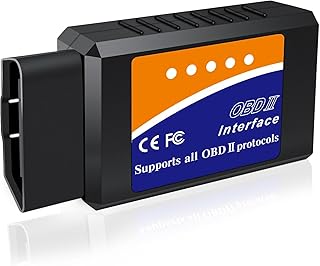
This generic Bluetooth adapter is a no-frills option for Android users who primarily want to run Torque Pro or OBD Fusion without spending much. It handles basic live data and code clearing adequately, though it lacks iOS support and the build quality of pricier alternatives.
Frequently Asked Questions
Will a smartphone OBD2 dongle drain my car battery?
Quality dongles include auto-sleep functionality that powers them down shortly after the engine is turned off. Cheaper adapters without this feature can slowly drain the battery over several days, so it is best to unplug them if the vehicle will sit unused.
Do I need a separate app to use these dongles?
Yes. Smartphone OBD2 dongles transmit raw vehicle data over Bluetooth, but you need a compatible app to interpret and display it. Some dongles ship with dedicated apps, while others rely entirely on third-party software like Torque, Car Scanner, or OBD Fusion.
Can these dongles read ABS and airbag codes?
Standard OBD2 dongles only read powertrain codes required by federal regulations. However, select devices like the BlueDriver and OBDLink MX+ support enhanced manufacturer-specific diagnostics that can access ABS, SRS, and other module data on many makes and models.
Do these dongles work on older cars?
Any vehicle sold in the United States from 1996 onward is required to have an OBD2 port, so these dongles cover the vast majority of cars on the road. If your vehicle predates 1996, it uses an older proprietary diagnostic system that these adapters cannot interface with.
Final Thoughts
For most buyers, the OBDLink MX+ is the clear standout thanks to its unmatched data refresh speed, multi-platform support, and access to enhanced diagnostics. If budget is a concern, the Veepeak OBDCheck BLE delivers excellent everyday value for iOS and Android users, while the Rocco OBD2 Scanner is a compelling mid-range pick for those who want AI-guided repair suggestions alongside live data monitoring.