Our Top Picks


A paperless operation depends on scanning becoming a habit, not a chore. The scanner should be easy to reach, simple to operate, and able to send files to cloud storage without extra steps. Wireless connection, a touchscreen, and cloud enabled scanning all help, because they remove the need to sit at a single computer for every batch. This guide covers verified scanners listed on Amazon US for paperless operations, with a focus on ease of use and cloud filing.
The picks below are ordered to suit this use case, so the first model is the closest match for the workload described above, not a universal ranking. Each model is described from its listing title and the verified research notes, with feeder capacity, duplex speed, and connection type given where the research notes provide them. Use the comparison table to check those figures side by side before you choose.
What to look for
For this use case, five checks matter most. Work through them in order, and note which models meet each one before you compare the picks.
- Cloud enabled scanning and cloud filing support
- Wireless connection, so the scanner can sit where it is most useful
- Touchscreen and destination choices for quick filing
- Duplex speed and feeder capacity for regular batches
- Software support for naming, searching, and storing scanned files
Paper handling is the check most buyers overlook. A feeder that handles mixed sizes and weights will cope with the real pile on your desk, while a feeder that only handles standard sheets will jam or misfeed on receipts, cards, or thin paper. Check the feeder capacity and the paper types in each listing, and keep a flatbed option in mind if your work includes bound or fragile material.
Setup and filing deserve the same attention as speed. A scanner that is easy to place, easy to connect, and easy to operate will be used far more often than a faster model that sits in a cupboard because no one wants to set it up. Think about where the scanner will sit, who will use it, and where the files should go after scanning. A wireless or LAN model suits a shared space, a touchscreen helps different users choose a destination, and cloud filing support helps when files need to be found later by date, client, or document type. Check those details in the listing for each model, along with the software that comes with it, so the scanner fits the workflow your team already uses rather than forcing a new one. That check takes a few minutes and can save a lot of frustration later.
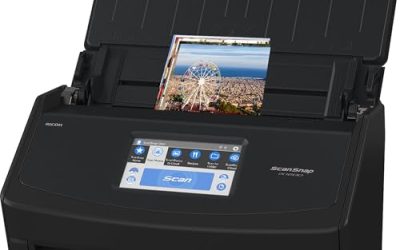
ScanSnap iX1600 Wireless Document Scanner, Black

The ScanSnap iX1600 in black connects by wireless or USB and works with Mac or PC. Its large touchscreen and auto document feeder handle documents, photos, and receipts, and its listed duplex speed is 40 pages per minute. Cloud enabled scanning supports paperless filing without a wired connection for every job.
Best for large batches and shared use.
- Wireless or USB connection with cloud enabled scanning for Mac or PC
- Large touchscreen and auto document feeder for document, photo, and receipt scanning
- High-speed duplex scanning at a listed 40 pages per minute
- Colourway in black, with a white colourway listed separately
Epson Workforce ES-580W Wireless Document Scanner
The Epson ES-580W is a wireless colour duplex desktop scanner for PC and Mac, with a 100-sheet auto document feeder. Its listed speed is 35 pages per minute and 70 images per minute, and its 4.3-inch touchscreen makes it easy to choose a destination at the unit. Wi-Fi keeps the desk clear of cables.
Best for a clear touchscreen and cloud filing.
- Wireless colour duplex desktop scanning for PC and Mac
- 100-sheet auto document feeder with a listed speed of 35 pages per minute and 70 images per minute
- Intuitive 4.3-inch touchscreen for choosing scan destinations at the unit
- Wi-Fi connection for scanning without a cable to the computer
Epson Workforce ES-500W II Wireless Document Scanner
The Epson ES-500W II is a wireless colour duplex desktop scanner for PC and Mac, with a 50-sheet auto document feeder and a listed speed of 35 pages per minute and 70 images per minute. It can scan from a smartphone or tablet, which helps when the computer is busy or when a quick scan needs to go straight to a mobile device.
Best for compact desktop scanning.
- Wireless colour duplex desktop scanning for PC and Mac with auto feeder
- Listed speed of 35 pages per minute and 70 images per minute
- 50-sheet auto document feeder for regular batch scanning
- Scan from a smartphone or tablet as well as from a computer
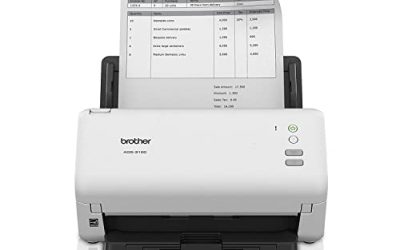
Brother ADS-3100 High-Speed Desktop Scanner, White
The Brother ADS-3100 is a compact high-speed desktop scanner in white, with scan speeds up to a listed 40 pages per minute and a 60-sheet auto document feeder. Its compact footprint suits a shared desk or a small office corner, and duplex scanning handles both sides of a page in one pass.
Best for versatile paper handling.
- Compact high-speed desktop scanner with scan speeds up to a listed 40 pages per minute
- 60-sheet auto document feeder for duplex batch scanning
- Desktop design that fits a shared desk or a small office corner
- White finish that suits bright office spaces
Canon imageFORMULA R40 Office Document Scanner

The Canon imageFORMULA R40 is an office document scanner for Windows and Mac, with duplex scanning at a listed 40 pages per minute and 80 images per minute. Its 60-sheet auto document feeder suits regular office batches, and scanning to cloud supports filing without a local folder for every job.
Best for wireless use in a shared space.
- Office document scanner for Windows and Mac with duplex scanning
- Listed speed of 40 pages per minute and 80 images per minute
- 60-sheet auto document feeder for regular office batches
- Scans to cloud and handles a wide variety of documents
Comparison at a glance
| Model | Feeder | Duplex speed | Connection |
|---|---|---|---|
| ScanSnap iX1600, Black | Auto document feeder | 40 pages per minute | Wireless or USB |
| Epson ES-580W | 100-sheet ADF | 35 pages per minute, 70 images per minute | Wi-Fi |
| Epson ES-500W II | 50-sheet ADF | 35 pages per minute, 70 images per minute | Wi-Fi |
| Brother ADS-3100 | 60-sheet ADF | Up to 40 pages per minute | Desktop |
| Canon imageFORMULA R40 | 60-sheet ADF | 40 pages per minute, 80 images per minute | USB, cloud |
Check the listing for each model before you choose, because feeder, speed, and connection details can vary by variant and by the version listed on Amazon US.
Frequently asked questions
What does cloud enabled scanning mean?
It means the scanner can send files to cloud storage, so they can be filed and found without a local folder for every batch. That supports a paperless workflow where files are stored and searched online.
Do I need wireless for a paperless office?
Wireless helps, because the scanner can sit where it is most useful and still send files to cloud storage. A USB model can also work for a paperless workflow, if it sits beside the computer that handles filing.
How do I keep scanned files organised?
Name files with date, type, and reference, and use folders or tags that match your filing system. The scanner software and cloud options in each listing help with naming and destination choices.
How to choose
For this use case, the best choice is the model that fits your desk, your team, and your filing system. Check the feeder, duplex speed, and connection in the table above, then check the listing for software and cloud filing support. If you scan bound or fragile pages, keep the flatbed option in mind. If you scan in large batches, prioritise feeder capacity and daily volume. Choose the model that your team will actually use every day, because a scanner that is easy to use will be used more often than a scanner that is only fast.
Disclosure: As an Amazon Associate, we may earn a commission from qualifying purchases made through links in this article, at no additional cost to you.
FAQ
What does cloud enabled scanning mean?
Do I need wireless for a paperless office?
How do I keep scanned files organised?
More from Amazon
Programs that pair well with the guide above. Offers and eligibility are set by Amazon and may change.
Free shipping on eligible items, Prime Video and more. Eligible new members can start with a free trial.
Start a Prime free trialA Prime membership for ages 18-24 with a trial period. Eligibility is set by Amazon.
See Prime for Young AdultsAudiobooks and podcasts to listen to on the go. Eligible new members can start with a free trial.
Try Audible freeAd-free music streaming. Eligible new subscribers can start with a free trial.
Try Music Unlimited freeAs an Amazon Associate we earn from qualifying purchases.